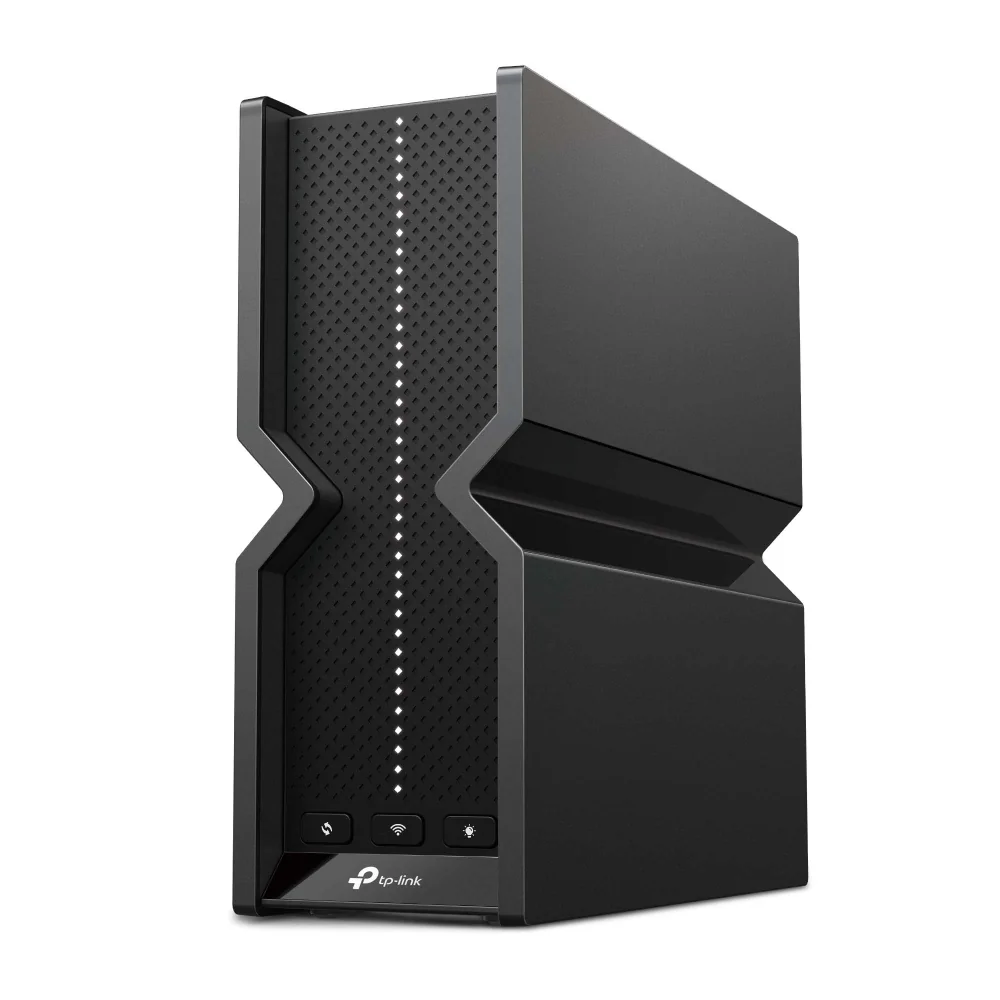
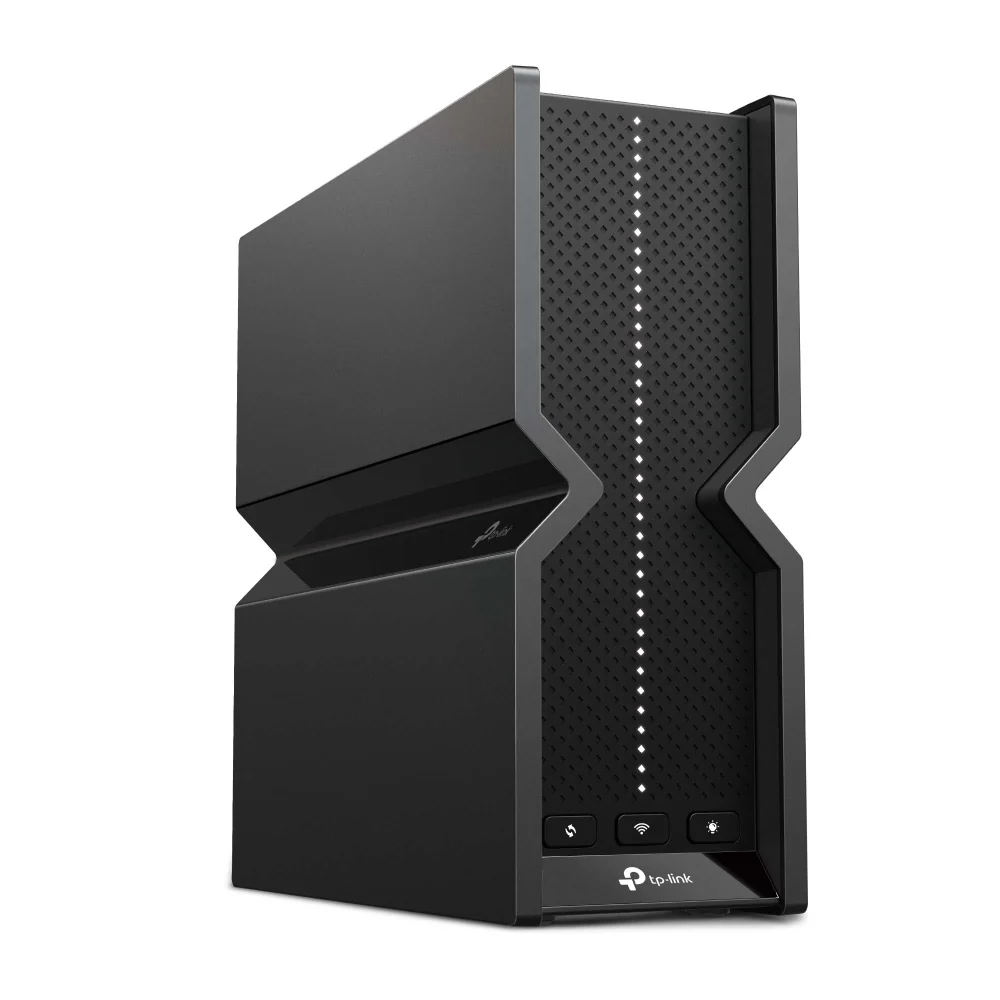
TP-Link Archer BE550 BE9300 Tri-Band Wi-Fi 7 Router
By TP-Link · Wifi Routers · Desk & Streaming Setup
- 6 optimally positioned internal antennas with beamforming and high-power FEM
- EasyMesh-compatible for whole-home mesh expansion
- TP-Link HomeShield parental controls and network protection
Price not listed
- TP-LinkView at TP-Link
- NeweggView at Newegg
- B&H PhotoView at B&H Photo
- SweetwaterView at Sweetwater
- CdwView at Cdw
- eBayView at eBay
- eBay (used) eBay: used, open-box, refurbishedView at eBay (used)
Stores are listed in a fixed order, never by price or commission. Prices are snapshots. Check the current price with the store.
Summary
A tri-band Wi-Fi 7 router with five 2.5 Gbps Ethernet ports, a USB 3.0 port and six internal antennas, aimed at gigabit-class homes that want Wi-Fi 7 without flagship money. Two hardware revisions ship under the same name and UPC, so check the label for V1 or V2 before you buy.
Strengths
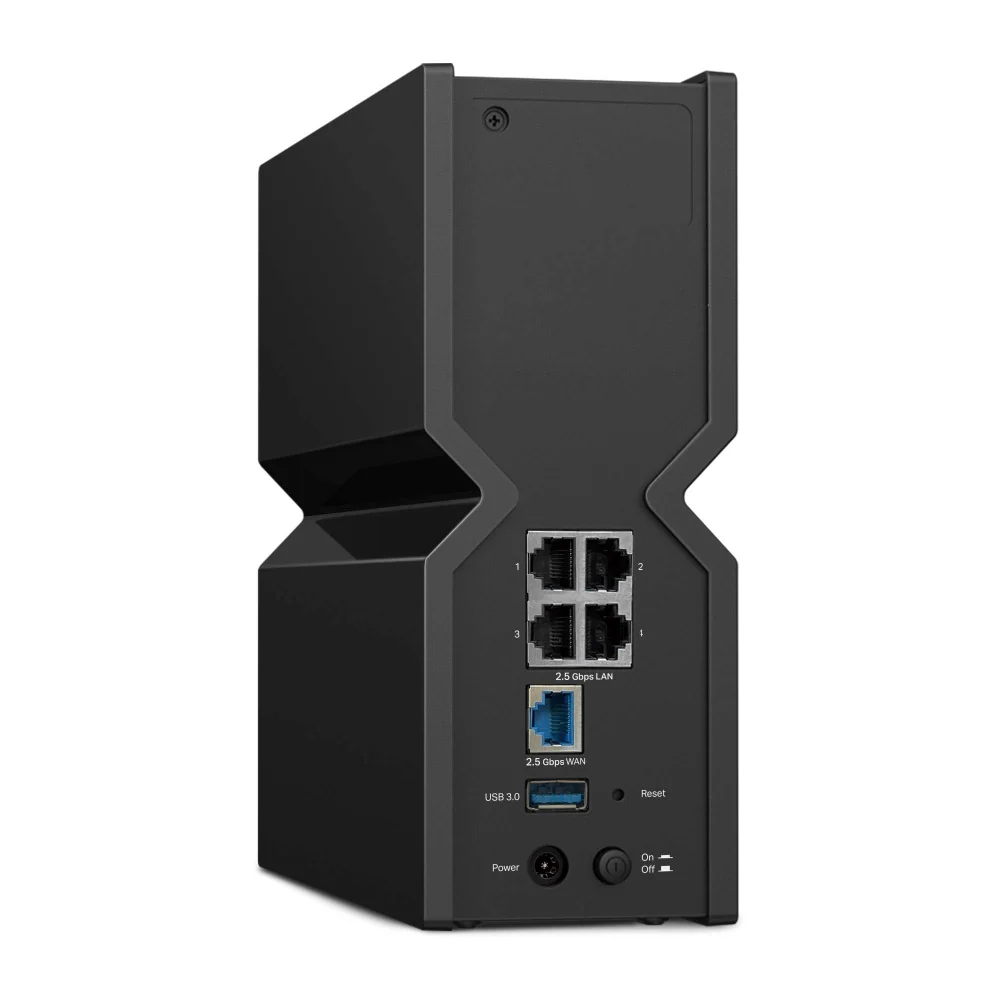
- Five 2.5 Gbps ports plus USB 3.0 give multi-gig wired options and simple storage sharing.
- BroadbandNow measured strong throughput even in a far bedroom under load, and easy setup through the Tether app.
- RTINGS rated its range very good and its top speeds excellent.
- Device prioritisation and parental controls sit in the Tether app, with a free HomeShield basic tier.
- Six internal antennas with beamforming; V1 carries a quad-core 2.2 GHz processor and 1 GB RAM.
Weaknesses
- Retail stock mixes V1 and V2 under one UPC; V2 steps down to a 1.8 GHz Cortex-A53 processor with no advertised change.
- Community threads report intermittent disconnects, inconsistent speeds and DHCP failures, often tied to older firmware.
- CNET flagged high packet loss on the 6 GHz band and likely dead zones in larger homes.
- The MLO implementation advertises only one concurrent link, so the multi-link marketing overstates it.
- Advanced HomeShield security and parental controls need a paid subscription.
- No wall-mount option, and the Archer series will not mesh with Deco units.
Verified specifications
| Model | Archer BE550, marketed as the BE9300 Tri-Band Wi-Fi 7 Router. |
|---|---|
| Wi-Fi standard | 802.11be (Wi-Fi 7) on 6 GHz and 5 GHz; 802.11ax (Wi-Fi 6) on 2.4 GHz. |
| Rated speeds | 5760 Mbps on 6 GHz, 2880 Mbps on 5 GHz and 574 Mbps on 2.4 GHz, 9214 Mbps in total on V1; the V2 datasheet quotes up to 9328 Mbps. |
| Channels and features | up to 320 MHz on 6 GHz, 4K-QAM, Multi-RUs and MLO. |
| Streams | six. |
| Ethernet | one 2.5 Gbps WAN and four 2.5 Gbps LAN, with 5 Gbps aggregation. |
| USB | one USB 3.0 port for FTP, media and Samba sharing. |
| Antennas | six internal, with beamforming and high-power FEM. |
| Modes | router and access point; EasyMesh compatible. |
| VPN server and client | OpenVPN, PPTP and L2TP; V1 firmware 1.2.1 added a VPN kill switch. |
| Guest networks | one each on 6 GHz, 5 GHz and 2.4 GHz. |
| Security | SPI firewall, access control, IP and MAC binding, ALG, and WPA/WPA2/WPA3. |
| Smart home | Alexa and Google Assistant, plus a separate IoT network. |
| Power | 12 V 3.3 A. |
| Dimensions | 3.0 x 9.1 x 8.0 in (76 x 231.7 x 203 mm); 2.4 lb (1.1 kg). |
| In the box | router, power adapter, RJ45 Ethernet cable and quick installation guide. |
| Warranty | Consumer Reports and Costco Canada both list two years; TP-Link’s US page states no length. |
Full research notes and sources
Speeds, ports and range
Wired, it gives you one 2.5 Gbps WAN port and four 2.5 Gbps LAN ports that can aggregate to 5 Gbps, plus a USB 3.0 port for FTP, media and Samba sharing. The chassis holds six internal antennas, and TP-Link rates it for four-bedroom houses; a Costco Canada listing claims up to 2000 sq ft of coverage.
Independent testing backs the speed claims. RTINGS rated the range very good and the top speeds excellent, though it judged the router unsuitable for competitive gaming over Wi-Fi. BroadbandNow tested it for a month in a three-floor condo and kept throughput above 466 Mbps in the farthest bedroom under load.
V1 and V2: which hardware you get
TP-Link ships two revisions of the same router. V1 uses a Qualcomm Networking Pro 620 platform, a quad-core 2.2 GHz Cortex-A73 chip with 1 GB of RAM. V2 moves to a Qualcomm Immersive Home 326, a quad-core 1.8 GHz Cortex-A53 with the same 1 GB of RAM. The external specs, port layout and Wi-Fi configuration are unchanged, and TP-Link does not advertise the swap on the product page. Firmware is not cross-compatible, so the two revisions sit on separate update tracks and features can arrive on one before the other. Retailers do not change the UPC between revisions, so you cannot pick a version when you order online; the hardware version is printed on the router’s label.
Stability, firmware and the app
Community reports are mixed. On the TP-Link forum, a V1 owner on EU firmware 1.0.12 with 1 Gbps fibre saw speeds fall from 800-850 Mbps to 200-300 Mbps until a reboot; a V2 owner on firmware 1.2.6 saw disconnects across about eight wired and two dozen wireless clients and went back to an Asus router; another V1 owner on firmware 1.2.4 lost internet and DHCP while the admin portal stayed shut. On Reddit, r/TpLink users describe wildly inconsistent Wi-Fi speeds, and one thread covers 2.4 and 5 GHz channel-width tweaks and the Archer line’s incompatibility with Deco mesh. Nobody has published a failure rate, so treat the disconnect reports as a firmware-and-configuration annoyance rather than a defect. Owners who fixed their issues often credit a firmware update.
TP-Link keeps updating both revisions. V1 got 1.2.1 (August 2025) with a VPN kill switch and stability fixes, and 1.1.2 (March 2025) fixed a 6 GHz band that failed to appear because of abnormal beacon behaviour. V2 got 1.3.3 (June 2026) fixing a drop in upload speed, plus earlier 1.3.1 and 1.2.6 releases; an EU build of 1.3.3 fixed an IPv6 crash triggered by iOS devices flooding router-solicitation packets. Because the revisions run separate tracks, a fix on one may not reach the other at the same time. One regulatory cloud hangs over the line: an FCC notice dated March 2026 bans the sale of new foreign-made routers, and CNET’s May 2026 update said TP-Link had not been exempted, with a risk to firmware updates after 2029-01-01.
Running costs
The router itself has no mandatory subscription. The optional cost is HomeShield Pro: TP-Link lists Security+ at $4.99 a month and advanced parental controls at $2.99 a month, or $129.99 a year for the bundle. The free HomeShield tier covers basic protection, and the router has no ISP lock-in.
Is it worth it?
At $180 or less the BE550 is a strong value for a tri-band Wi-Fi 7 router with five 2.5 Gbps ports and USB 3.0, given CNET’s price-per-Mbps finding. Between $181 and $240 it still reads well against its own listings: B&H Photo priced it at $250 and Sweetwater at $259.99, while deal coverage flagged $169.99 in early October 2026, down from $249.99. At the $299.99 list price the premium over street pricing is harder to justify, and above $300 the V1/V2 lottery, the single-link MLO implementation and the stability complaints weigh more heavily.
Which model this is
This page covers the Archer BE550, sold in the US as the BE9300 Tri-Band Wi-Fi 7 Router. It is not the Archer BE550 Pro (BE9700), the Archer BE800 or BE900, or the Walmart Archer BE9300 variant, which drops to one 2.5 Gbps LAN port and three 1 Gbps LAN ports instead of five 2.5 Gbps ports. It also differs from the Consumer Reports Archer BE9300 listing, which describes four gigabit ports. Two revisions ship under the same name: V1 and V2, with different processors and separate firmware. Match on the model number and check the label.
Sources
Manufacturer:
- Archer BE550 (BE9300 Tri-Band Wi-Fi 7 Router) — TP-Link US
- Archer BE550 V1 — TP-Link US
- Archer BE550 1.0 datasheet (TP-Link)
- Archer BE550 2.0 datasheet (TP-Link, 2026)
- Download for Archer BE550 V1 — TP-Link US
- Download for Archer BE550 V2 — TP-Link US
Independent reviews:
- Best Wi-Fi routers for 2026 — CNET
- The disappointing truth about Wi-Fi 7 MLO — RTINGS
- Wi-Fi 7 gaming router comparison — tech-insider
- TP-Link Archer BE550 V1 vs V2: what changed inside — FGTECH Store
Owner reports:
- BE550 — what is happening? (r/TpLink)
- Archer BE550 range and Wi-Fi 7 range extender availability (r/TpLink)
- TP-Link Archer BE550 poor connectivity and problems (TP-Link Community)
- Intermittent connectivity with the BE9300 or BE550 (TP-Link Community)
- Archer BE550 v1.0 Wi-Fi connection issues (TP-Link Community)
- Issues with Wi-Fi, TP-Link Archer BE550 (TP-Link Community)
Parts and stores: