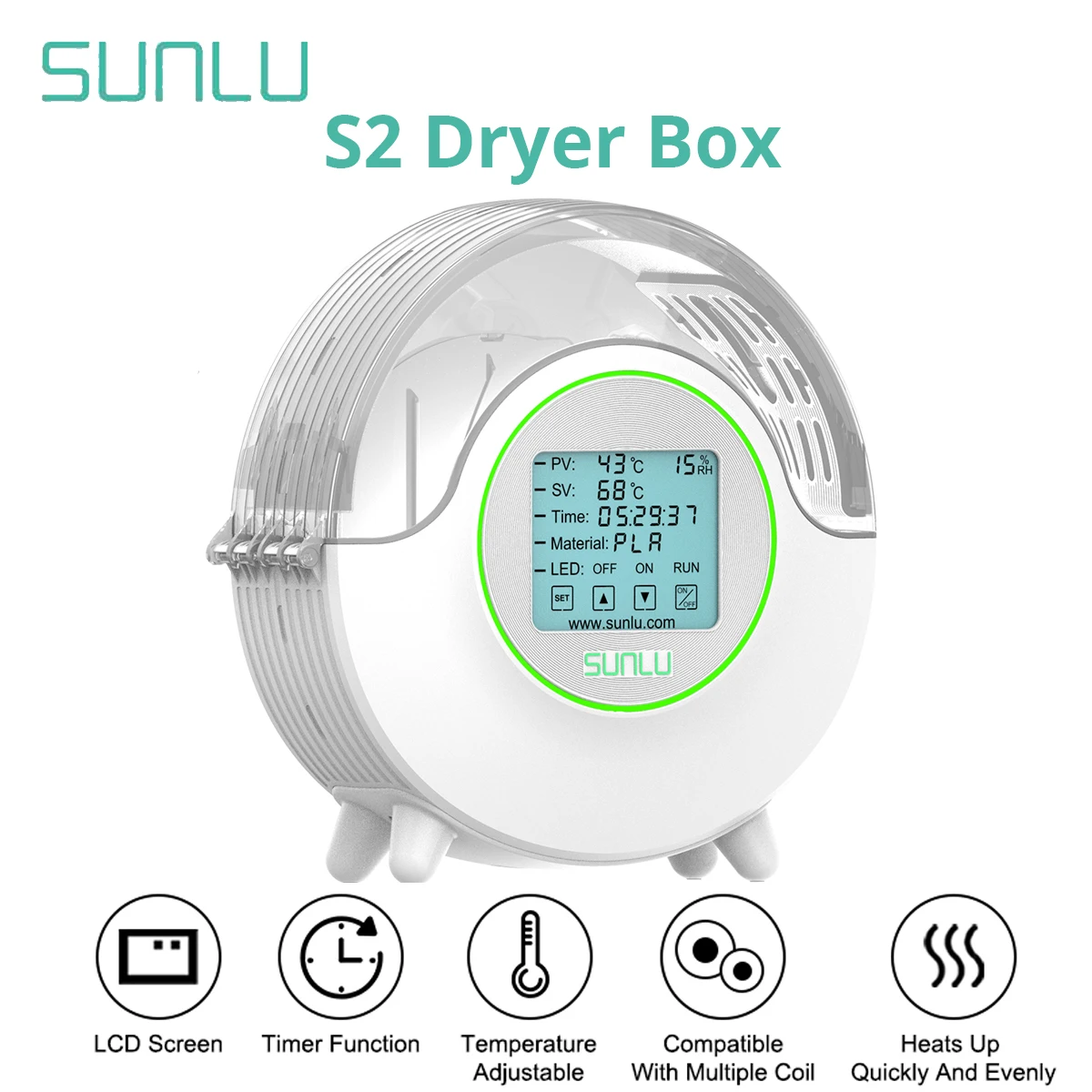
SUNLU FilaDryer S2
By SUNLU · Filament Dryers · 3D Printing · More from SUNLU
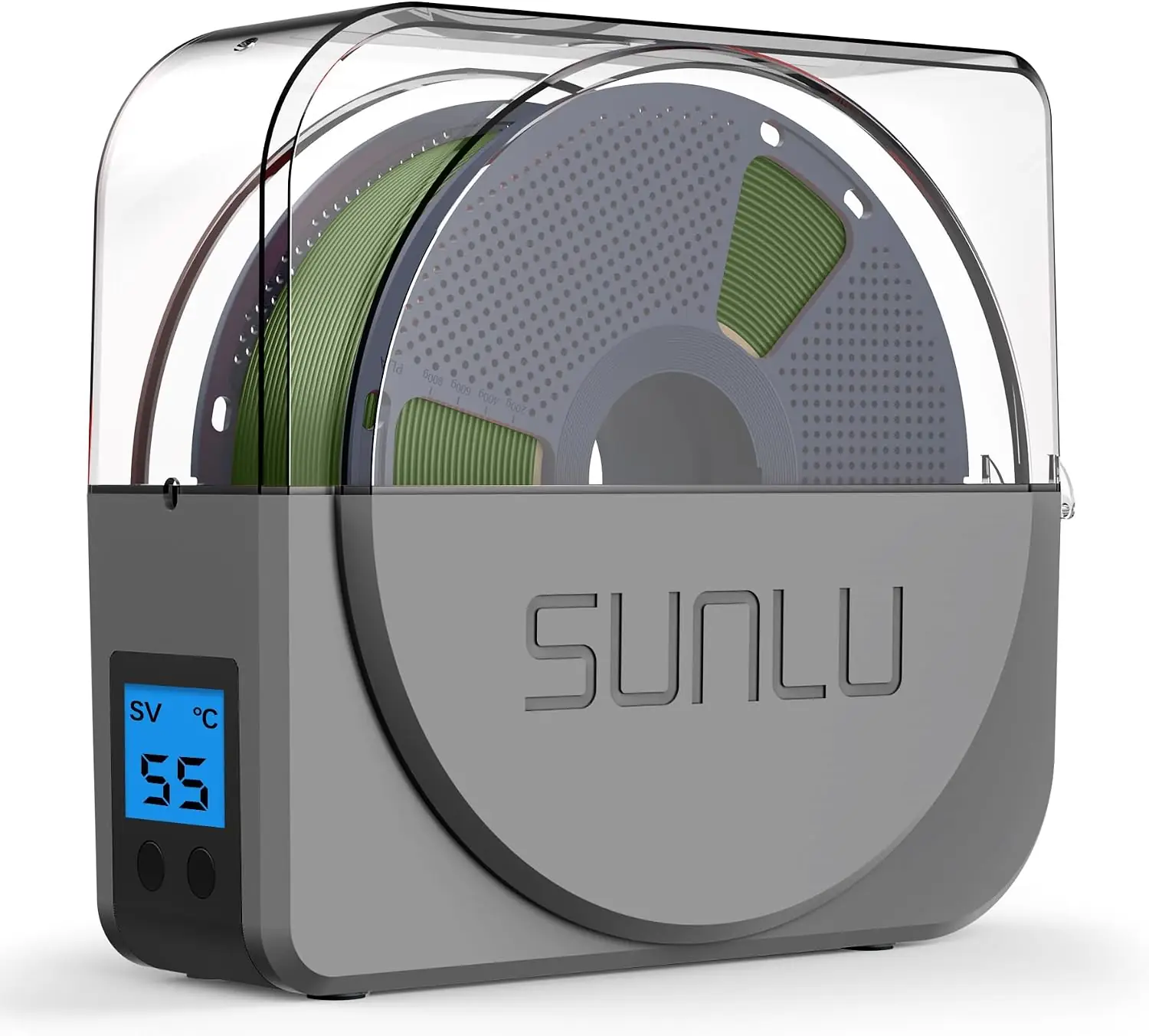
- 360° surround heating
- 4.6 inch LCD touchscreen
- Dry temp range 35-70°C
- Dry time range 1-99 hours
- Compatible with 1.75/2.85/3.00mm filament
Lowest price seen
$32.49
from $32.49 at eBay · Checked Oct 14, 2026
- eBay $32.49View at eBay
- AliExpress SUNLU3D Store $43.15View at AliExpress
- SUNLUView at SUNLU
- eBay (used) eBay: used, open-box, refurbishedView at eBay (used)
- AmazonView at Amazon
Prices are snapshots. Check the current price with the store.
Summary
A compact single-spool filament dryer for desktop users who need to dry one spool at a time, including while printing. Check the chamber ventilation before you buy: the enclosure is not airtight, and owners report moisture recirculating unless you open the lid periodically.
Strengths
- Dries filament effectively: a physics-trained reviewer measured reduced PETG stringing after drying.
- Quiet operation: measured at roughly 46 W heating and 2 W idle, described as effectively silent.
- Dry-while-printing feed hole lets you print straight from the dryer.
- One-touch material presets cover PLA through ABS at the right temperatures.
- Compact desktop footprint with removable rollers for easy spool swaps.
- A wet spool dried at 70°C for six hours produced a markedly cleaner print in one test.
Weaknesses
- The chamber is not airtight: moisture recirculates and displayed humidity can rise instead of fall.
- The enclosure has no vents, so owners must open the lid periodically to let moisture out.
- The humidity sensor is unreliable — one reviewer says not to trust the readings.
- Early S2 units shipped without an internal fan, reducing air exchange.
- Filament feed from the dryer to the printer can be fiddly, with one owner reporting PETG feed problems.
- The dark-tinted lid makes remaining filament hard to see from a distance.
Verified specifications
| Temperature range | 35-70°C, with one-touch presets for PLA, PETG, ABS, TPU and more. |
|---|---|
| Heating | 360° enclosed heating from dual upper and lower plates with a bottom fan. |
| Display | 4.6-inch LCD touchscreen. |
| Max working power | 48 W; standby 0.05 W. |
| Power adapter | AC 100-240 V, 50/60 Hz input; DC 24 V 2 A output. |
| Filament diameters | 1.75 mm and 2.85 mm per the manual; store listings add 3.00 mm. |
| Max spool capacity | Ø210 x 85 mm (H). |
| Working environment | 20-35°C, relative humidity below 90%. |
| Timer | default 50°C for 6 hours on PLA; user-adjustable. |
| Dimensions | 265 x 274 x 118 mm; net weight 1109 g (1190 g including the power adapter). |
| Warranty | one year limited. |
Full research notes and sources
Chamber ventilation and moisture
The most consistent owner complaint is that the S2 is not airtight. Moisture driven out of the filament stays in the chamber and can push displayed relative humidity up rather than down — one owner watched it climb from 51% to 70%. The fix is to prop the lid open for a few minutes every hour or so, which turns drying into an active chore rather than a set-and-forget task. A buyer in r/BambuLab notes the S2 “doesn’t have any vents, so it’s up to the user to let moisture out.” If you print very wet or highly hygroscopic filament, this is the spec that matters most.
Humidity sensor and controls
The built-in humidity sensor draws mixed reviews. AndroidGuys warns the readings are inaccurate and should not be trusted. The 4.6-inch touchscreen gives you one-touch presets — PLA/PLA+/WOOD/PETG/PVB/HIPS/PVA/ASA/TPU/PMMA at 45-50°C for 3-6 hours, PA/PC and ABS/ABS+ at 50-55°C for 6-12 hours — and the timer is adjustable. One hands-on reviewer describes an infinite mode. SUNLU’s store copy claims under 10 dB, and the Gambody reviewer found the fan quieter than a printer toolhead fan.
What owners report
Owners who use the S2 as intended — drying one spool at a time with regular lid openings — say it works. A one-month owner review states “Yes it works as advertised” and that heat itself drives out humidity. The 3D Printer Bee confirmed the core function with before-and-after PETG stringing tests. The friction points are all about the non-airtight chamber: multiple owners report having to vent manually, and one thread titled “Got a new Sunlu Filadryer S2 and it doesn’t dry” shows a user unable to get below 40% RH until advised to burp the dryer.
Repairs, parts and running costs
There is no user-serviceable parts catalog or teardown for the S2. The manual documents ER1/ER2 fault codes for temperature-probe poor contact, which owners can clear by reconnecting the probes. Rollers are removable for maintenance. The warranty is one year limited and is void if you use a different-specification power adapter or operate the unit contrary to the manual. Running costs are minimal: the unit draws 48 W at most and 0.05 W on standby, so even long drying cycles cost pennies in electricity. SUNLU does not publish a spare-parts channel for the S2.
Is it worth it?
At the SUNLU store’s promotional pricing — sale prices in the $44.99-$60.99 range against a $79.99 reference list price in 2026 — the S2 is an inexpensive way to stop wasting wet filament. A 2022 hands-on review had it at $80 or less. The trade-off is the non-airtight chamber: if you need fully dried, highly hygroscopic filament without manual venting, a food dehydrator or a dryer with active ventilation does the job with less attention. For PLA and moderate-humidity environments, the S2’s low power draw, quiet operation and dry-while-printing feed make it an easy recommendation.
Which model this is
This page covers the SUNLU FilaDryer S2, model reference S2. The Amazon listing is ASIN B09PMFRDSS. Note that “S2” covers at least two revisions — an early version with no internal fan and a later version that adds one — so the internal configuration can vary depending on when the unit was made. Do not confuse it with the S1, S1 Plus, S4, E2 or modular SP2, which are different products.
Sources
Manufacturer:
- SUNLU FilaDryer S2 product page
- SUNLU store — FilaDryer S2
- SUNLU FilaDryer S2 user manual (PDF)
- SUNLU FilaDryer S2 CE-LVD test report (PDF)
Independent reviews:
- The 3D Printer Bee — hands-on review with before/after tests
- AndroidGuys — review
- Gambody — Filadryer S2 2023 Edition review
- ManualsLib — FilaDryer S2 quick start manual
- Manua.ls — FilaDryer S2 manual
- 3DWithUs — SUNLU FilaDryer SP2 review
Owner reports:
- Does anyone have experience with their Sunlu S2 where the humidity… (r/3Dprinting)
- Sunlu S2 plus filament dryer (r/3Dprinting)
- Filament drying — which relative humidity percentage to aim for? (r/3Dprinting)
- Sunlu V2 Filament Dryer (r/3Dprinting)
- SUNLU S2 vs Creality Space Pi Bake-Off Review (Bambu Lab Community Forum)
- SUNLU S2 in 2026: Is It Still a Smart Lightweight Filament Dryer? (SUNLU UK store)
- SUNLU S2 vs S4 vs E2: Best Filament Dryer Comparison 2026 (SUNLU store)
- Sunlu Filament Dryer — Go Industrial
- SUNLU FilaDryer S2 User Manual (Manuals.plus)
- SUNLU FilaDryer S1/S2 Filament Dryer — Fashion3D
- Got a new Sunlu Filadryer S2 and it doesn’t dry (r/3Dprinting)
- Sunlu FilaDryer S2 filament feed problem (r/3Dprinting)
- Sunlu s4 vs s2 dryer (r/BambuLab)
- SUNLU FilaDryer S2 TDS / user manual (3dee.at)