SOLAKAKA A99 Pro Mechanical Keyboard with LCD Screen & Metal Knob
By SOLAKAKA · Mechanical Keyboards · Home & Workspace
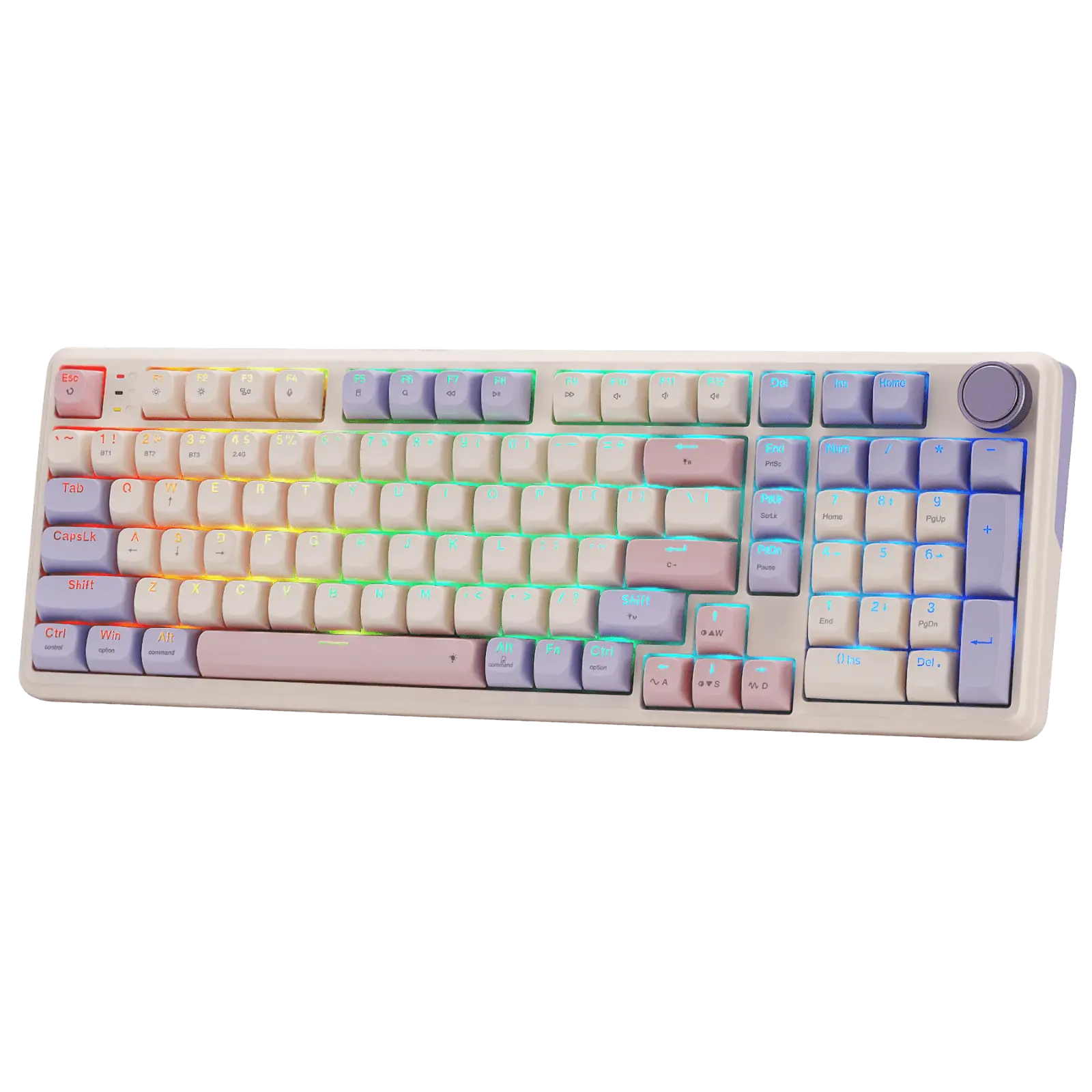
- 97 keys, 96% layout
- 8000mAh battery
- Tri-mode: BT5.0 / 2.4GHz / USB-C
- Five-layer gasket structure
- 16 RGB lighting modes plus 5 side-light modes
Price not listed
- SOLAKAKAView at SOLAKAKA
- eBayView at eBay
- AmazonView at Amazon (paid link)
- eBay (used) eBay: used, open-box, refurbishedView at eBay (used)
Stores are listed in a fixed order, never by price or commission. Prices are snapshots. Check the current price with the store.
Summary
A 97-key 96% wireless mechanical keyboard with a small LCD status screen, a metal knob and an 8000 mAh battery, aimed at buyers who want a numpad and a screen without a full-size board. Check the software before you buy: remapping, macros and GIF uploads need a wired USB-C connection to a Windows PC.
Strengths
- The LCD and metal knob are unusual together at this price.
- The 8000 mAh battery is rated for about 170 hours with the backlight off.
- The 96% layout keeps the number pad and arrow keys while staying narrower than a full-size board.
- Full hot-swap sockets and PBT keycaps mean switches and caps can be changed without soldering.
- Tri-mode wireless remembers five devices, so switching between a laptop, desktop and tablet avoids re-pairing.
- Reviewers describe the out-of-box sound as creamy and thocky on a solid-feeling chassis.
Weaknesses
- Configuration is wired-only and Windows-first; the driver does not cover macOS remapping or firmware.
- One aggregator reports key registration can be inconsistent on some units, producing missed inputs.
- The manufacturer’s remapping claims conflict with an aggregator’s statement that the board has no software-level remapping or layers.
- The LCD and side lighting drain the battery faster than a plain RGB board.
- The knob and screen menus replace dedicated media and function keys, adding menu steps.
- The tall front edge made one reviewer want a wrist rest, which is not included.
Verified specifications
| Layout | 96%, 97 keys, QWERTY, keeping the number pad and arrow keys. |
|---|---|
| Mount | gasket structure with five cushioning layers and a single-key slotted PCB. |
| Switches | pre-lubricated LEOBOG Star Vector linear switches; the vendor rates the Seiya/Star Vector switch at 40 g actuation, 1.8 mm pre-travel and 3.5 mm total travel. |
| Hot-swap | full 3-pin and 5-pin sockets, no soldering; keycap puller included. |
| Keycaps | double-shot PBT at OEM profile; stabilizers pre-lubricated. |
| Connectivity | tri-mode — Bluetooth 5.0, 2.4 GHz wireless and USB-C wired. |
| Multi-device | pairs and remembers up to five devices. |
| OS support | Windows, macOS, iOS and Android for typing. |
| Battery | 8000 mAh rechargeable, rated about 61 hours with the backlight on and about 170 hours with it off. |
| Charging | 5 V DC, 3.5 W maximum, charged from a computer; the manufacturer warns against fast charging. |
| Backlight | south-facing RGB, 16 lighting modes plus 5 side-light modes. |
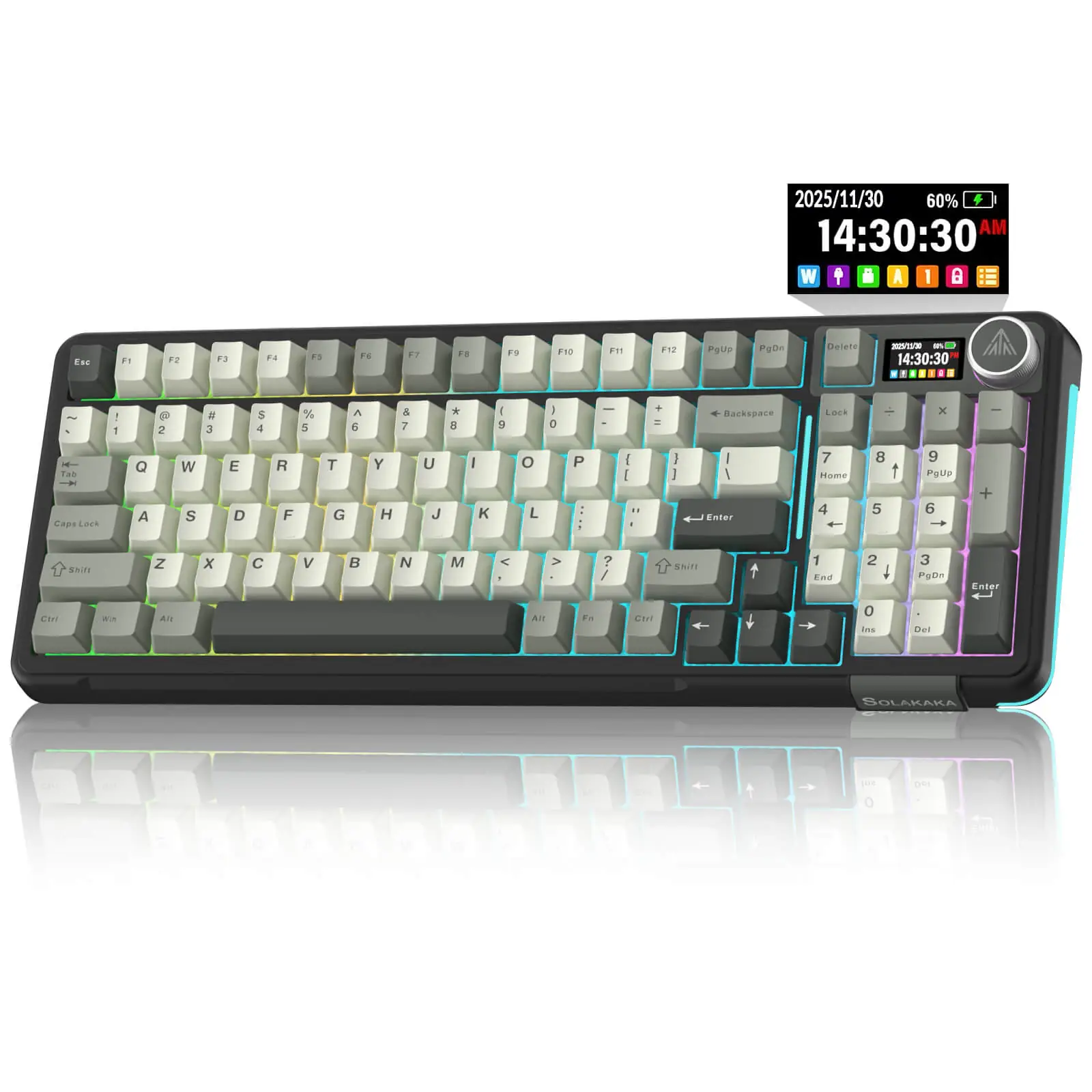
| Display | LCD showing date, time, battery level, connected system and connection mode, and able to play custom GIFs. |
| Control | a multifunction metal knob (rotate, short press, long press) for volume, brightness, lighting and system switching. |
| Software | SOLAKAKA web driver plus a downloadable driver and firmware, configured over a wired connection. |
| Keys | WIN-key lock and full N-key rollover. |
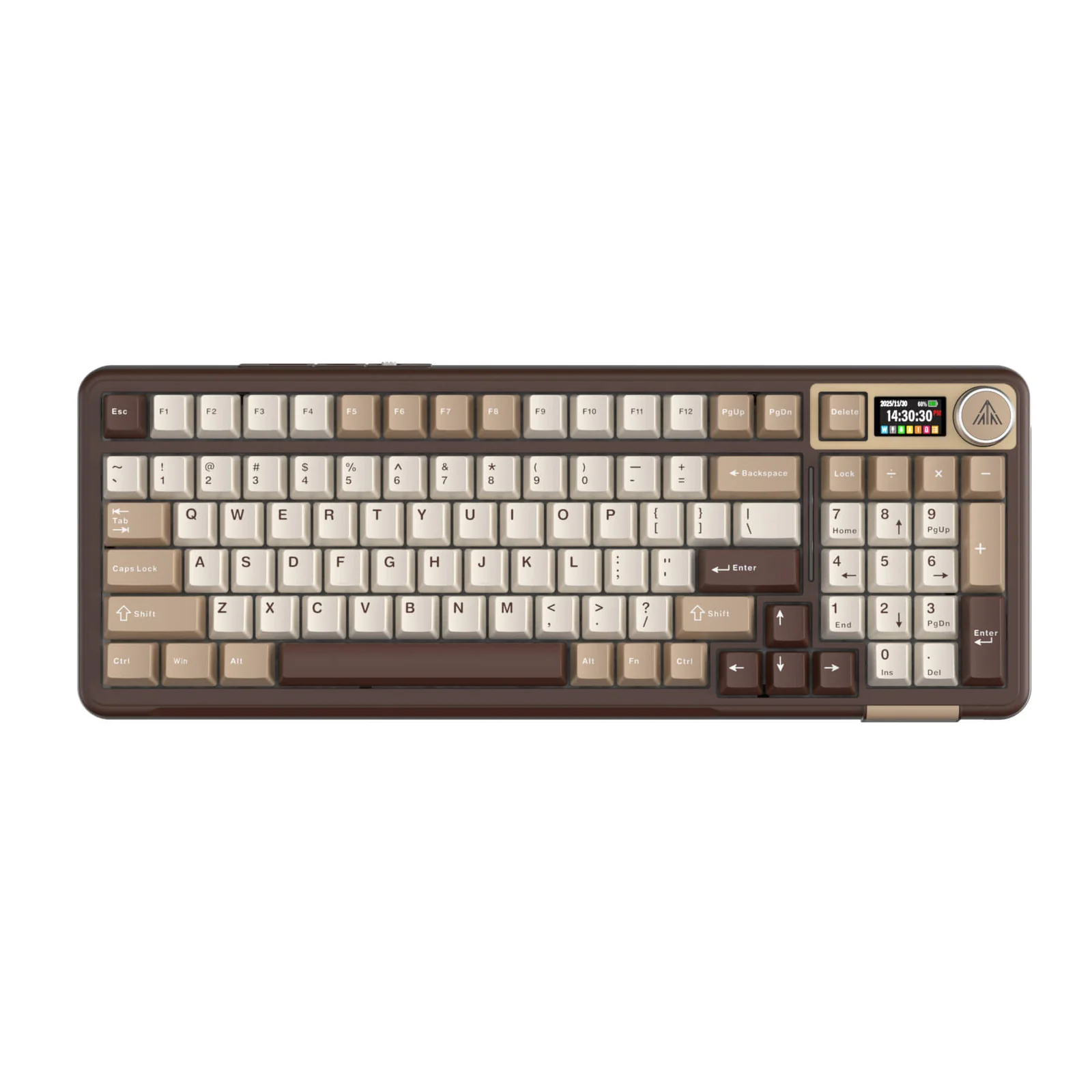
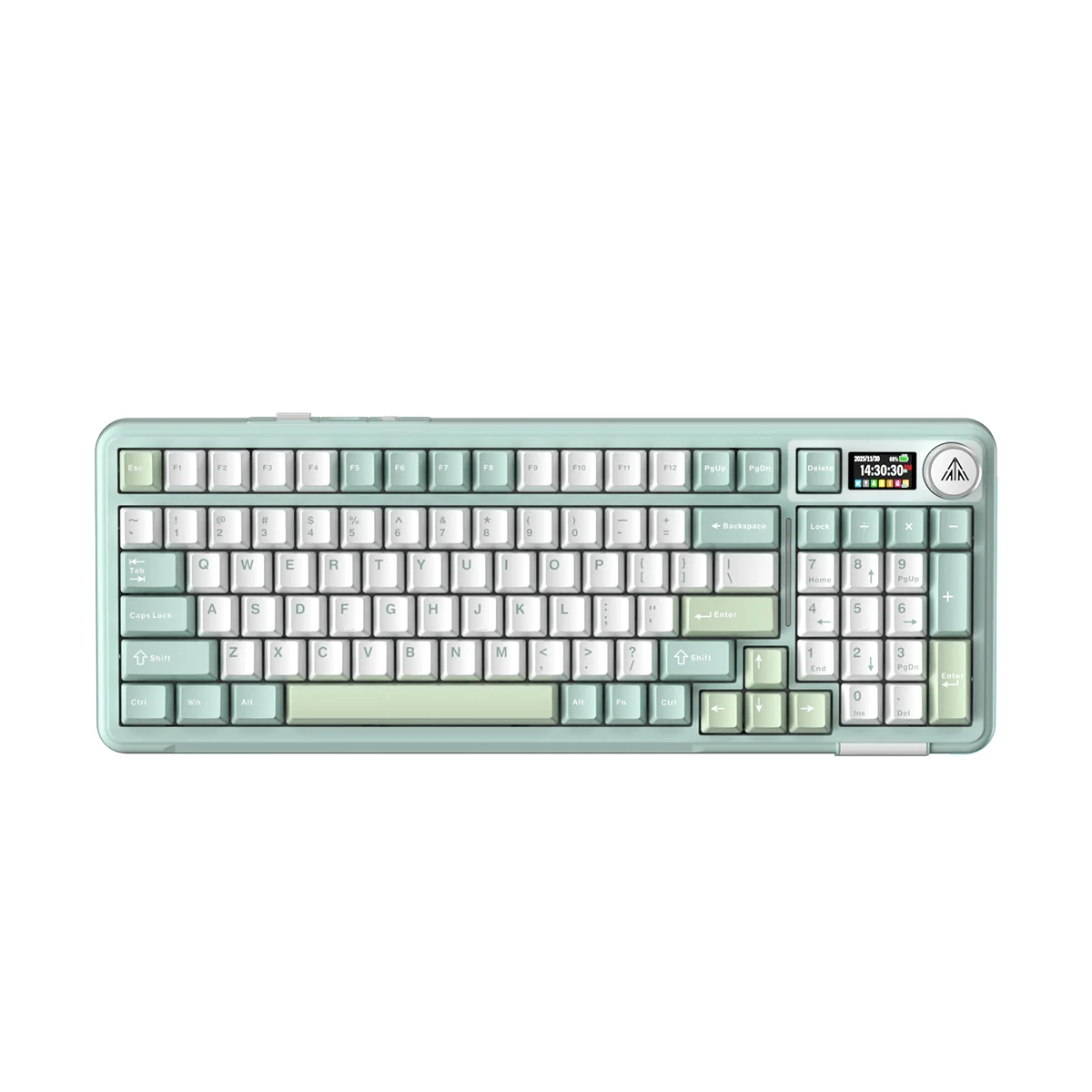
| Colorways | Coffee Brown, Mint Green, Gray-Black and Pink. |
| In the box | keyboard, keycap puller, USB cable and user manual; the 2.4 GHz receiver is not on the manufacturer’s in-box list. |
| Warranty | up to a 24-month manufacturer warranty, alongside a 30-day trial and free shipping from US warehouses. |
Full research notes and sources
Layout, build and feel
The A99 Pro is a 96%, 97-key board that keeps the number pad and arrow keys but condenses navigation into the function row. It uses a five-layer gasket mount with a slotted PCB, pre-lubricated LEOBOG Star Vector linear switches and pre-lubricated stabilizers. Third-party handling reports describe the housing as plastic, with only the knob in metal, so do not read “metal” in the title as an aluminum case. One owner writing on the manufacturer’s page says the number-pad zero key is shorter than on a full-size board, and a reviewer found the front edge tall enough that a wrist rest helped on long sessions.
Battery, charging and the screen
SOLAKAKA rates the 8000 mAh battery at roughly 61 hours with the backlight on and 170 hours with it off; those are first-party figures and nobody has measured a rundown independently. The LCD and the side lighting both pull power, so the lit figure is the realistic one for most use. Charging is limited to 5 V and 3.5 W, and the manufacturer recommends charging from a computer and warns against fast chargers. The screen shows the time, battery level, active system and connection mode, and can play GIFs you upload. A documented early quirk sent the GIF back to the home screen after sleep; the fix is a firmware update applied over the wired connection, then reconnecting the board.
Software, remapping and the QMK question
The configuration story is the part to weigh. SOLAKAKA’s own copy says the web driver at solakakadriver.com supports key mapping, macros, lighting, a sleep timer and GIF upload, and the board has a downloadable driver and separate firmware. But the driver is Windows-only and needs a wired USB-C connection, so macOS, iOS and Android users can type and switch systems but cannot remap. An aggregator states the board offers no software-level remapping or layers next to QMK/VIA boards; the manufacturer’s documentation supports the opposite, so treat this as an open question rather than settled. If you need layered keymaps, compare a QMK or VIA board first. The manufacturer’s own review lists Mac users who want deep customization among the people the board does not suit.
Reliability, parts and upkeep
Independent evidence on this exact variant is thin, and much of what exists comes from the related KI99 Pro, which is a different model with its own firmware. One aggregator warns that key registration can be inconsistent on some units; there is no measured failure rate, so test every key in wired and 2.4 GHz mode before the return window closes. A hands-on review recounts one other buyer’s two failed units — a dead charging port and a dongle that failed after a few weeks — but that is a secondhand anecdote, not a rate. Because the sockets are hot-swap, a single bad switch can be replaced without soldering; a failed PCB, charging port or receiver cannot. No spare battery, LCD module or replacement 2.4 GHz receiver was found for sale, and the manufacturer warns against cross-flashing firmware from other models.
Which model this is
This page covers the SOLAKAKA A99 Pro, the 97-key 96% board with the LCD and metal knob, sold in Coffee Brown, Mint Green, Gray-Black and Pink. It is not the KI99 Pro, which is a 96% board without this screen and with its own firmware, and it is not the A75, A75 Pro, Ki75, SK961 or SK966.
The US listing carries ASIN B0FZSYY892; a second listing, B0G1M6QL9M, appears to be the same board with a longer title, and the two may not share identical internals, so check the color and packaging at checkout.
Is it worth it?
At the manufacturer’s direct price of $65.99–$72.99 (solakaka.com, October 2026), the appeal is the combination of the LCD, the knob, the 96% layout and the 8000 mAh battery, which is uncommon at this price. The same money buys an AULA F99 at $69 (Best Buy, October 2026), a 99-key board with a conventional control layout and no screen, or you can step up to an EPOMAKER TH99 Pro at $87.99–$89.99 direct for a larger rated battery and a screen. A Newegg marketplace listing under the same title was seen at $127.78, well above the manufacturer’s own price, so it is not the normal street price. If you want a numpad, a screen and a knob without deep firmware work, the direct price is reasonable; if you need QMK layers or guaranteed per-key registration, spend the difference elsewhere.
Sources
Manufacturer:
- SOLAKAKA A99 Pro product page, specifications and FAQ
- SOLAKAKA driver download page
- SOLAKAKA web driver and firmware portal
- SOLAKAKA returns and refund terms
- SOLAKAKA contact and support
- SOLAKAKA A99 Pro + SM822 keyboard and mouse combo
- SOLAKAKA A99 Pro product page (solakaka.net)
Switch vendor:
Independent reviews:
Owner reports:
Parts and stores: