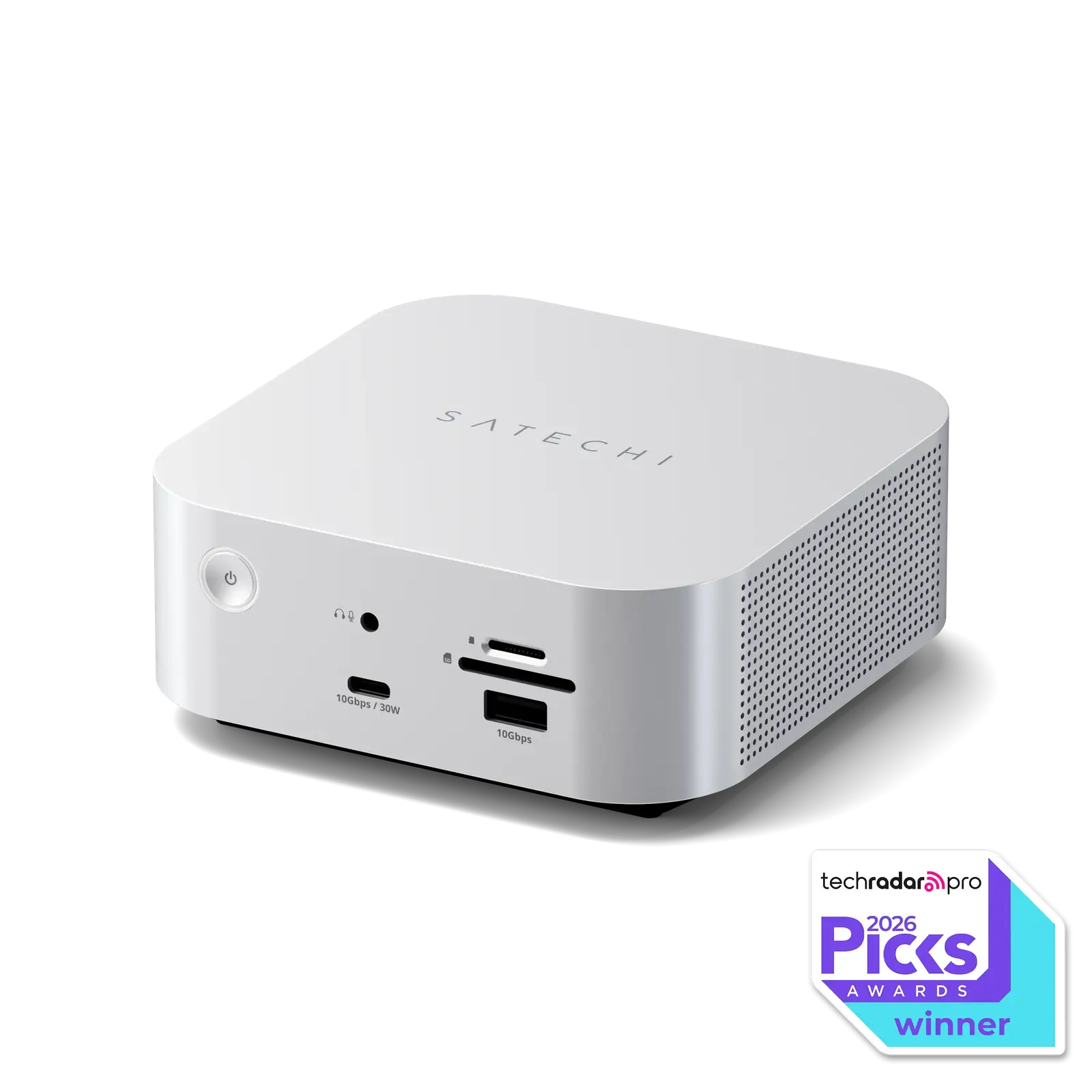
Satechi Thunderbolt 5 CubeDock with SSD Enclosure
By Satechi · Docking Stations · Desk & Streaming Setup
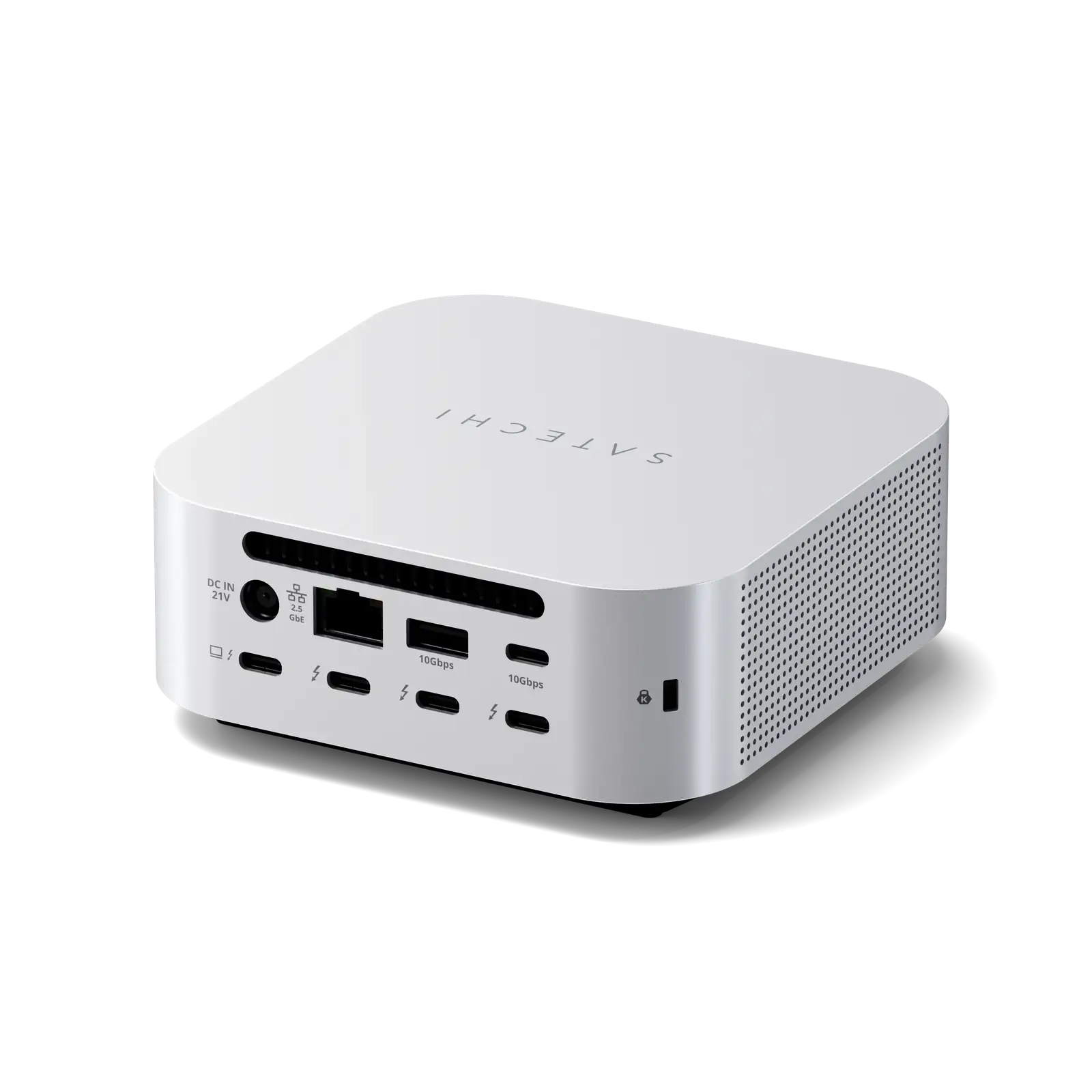
- Thunderbolt 5 dock with one upstream and three downstream Thunderbolt 5 ports
- Built-in M.2 NVMe SSD enclosure, SSD sold separately
- Up to 140W host charging
- 2.5G Ethernet
- SD and microSD card readers
Price not listed
- SatechiView at Satechi
- eBayView at eBay
- AmazonView at Amazon (paid link)
- eBay (used) eBay: used, open-box, refurbishedView at eBay (used)
Stores are listed in a fixed order, never by price or commission. Prices are snapshots. Check the current price with the store.
Summary
A Thunderbolt 5 docking station the size of a Mac mini with a built-in M.2 NVMe SSD enclosure, built for Mac users who want one cable, a dock and a fast external SSD on one desk. Check your monitors before you buy: there are no HDMI or DisplayPort outputs, so HDMI and DisplayPort displays need adapter cables you purchase separately.
Strengths
- The SSD enclosure is the reason to buy: Macworld measured 5800 MB/s transfers over Thunderbolt 5.
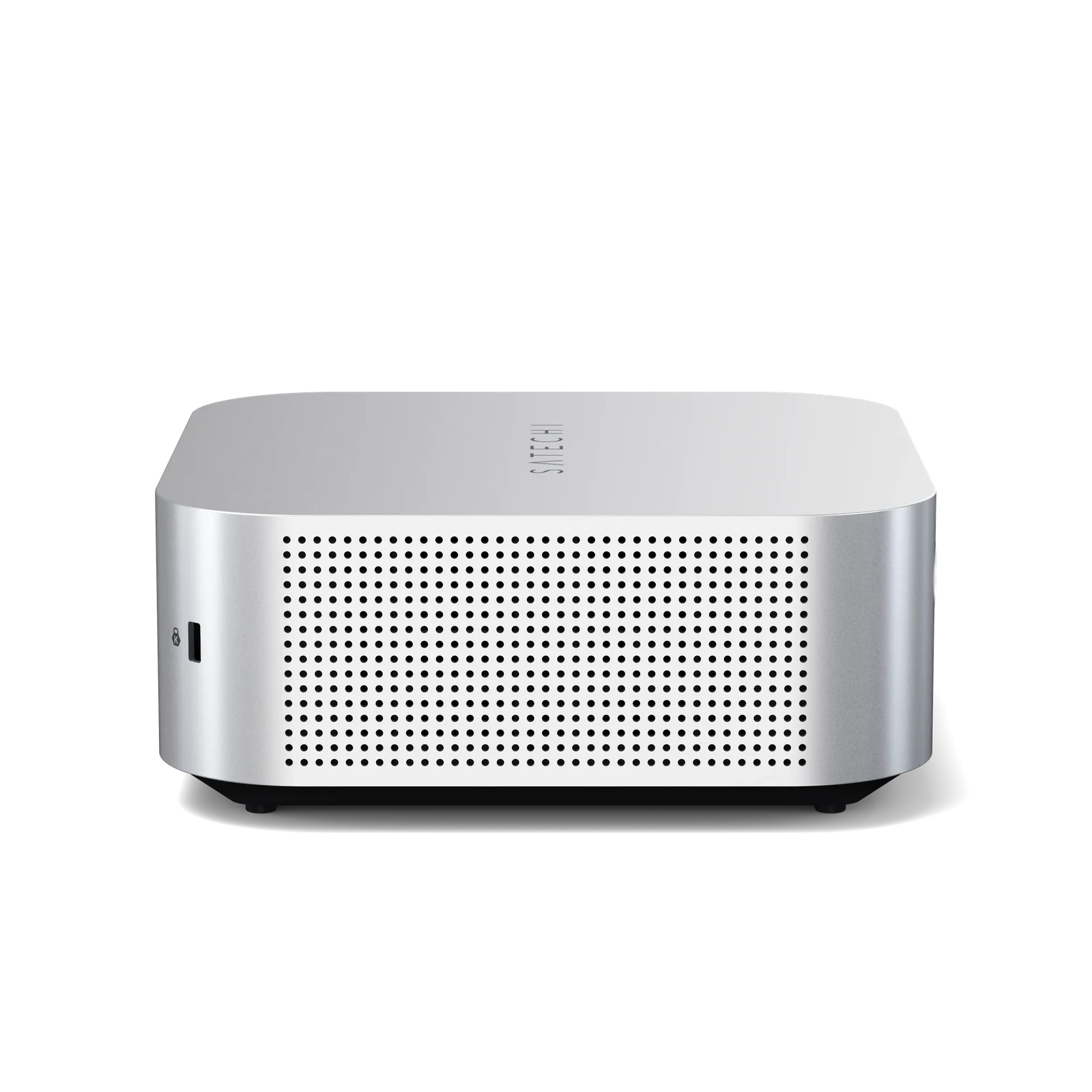
- The aluminum cube matches the Mac mini footprint and weighs less: 1.3 lb versus 1.48 lb.
- One cable delivers up to 140W to the host while three downstream Thunderbolt 5 ports handle displays and peripherals.
- UHS-II card readers at up to 312MB/s sit beside a 10Gbps front USB-C port and a 3.5mm audio jack.
- Macworld saw SSD speeds hold at 5100 MB/s with two Studio Displays attached.
- The SSD is user-replaceable, with a thermal pad, screws and a mini screwdriver in the box.
Weaknesses
- No HDMI or DisplayPort outputs: HDMI and DisplayPort monitors need adapter cables bought separately.
- At Satechi’s $399.99, the value is thin for the port count, and XDA called the 5 × 5 in chassis oversized.
- SSD installation is fiddly: a small screw must be positioned before the card seats, and two reviewers called it annoying.
- Fan noise splits reviewers, from “not at all noisy” to a “subtle electronic whine” that bothered MacRumors in a quiet room.
- The 180W supply is an external brick, and UK buyers previously paid $30 for shipping plus their own C5 power cable.
- A MacRumors forum commenter argues 180W is too little headroom for a 140W 16-inch MacBook Pro under heavy load.
Verified specifications
| Model | ST-DT5CES-US (US plug); ST-DT5CES-EU and ST-DT5CES-AU also exist. |
|---|---|
| Dimensions | 5 × 5 × 2.04 in (127 × 127 × 52 mm), 2 mm taller than the M4 Mac mini. |
| Weight | 1.3 lb (589 g) versus 1.48 lb (670 g) for the Mac mini M4. |
| Chassis | CNC-milled aluminum with an internal fan that Satechi says activates only when needed; stated fan noise 20–40 dB(A). |
| Thunderbolt 5 upstream (host) | 1 port, up to 120Gbps, up to 140W passthrough charging; a Thunderbolt 5 host is required for optimum performance. |
| Thunderbolt 5 downstream | 3 ports, up to 80Gbps each, 15W charging each, video output up to 8K/144Hz. |
| USB-C | front port 10Gbps, up to 30W; rear port 10Gbps, up to 7.5W. |
| USB-A | front port 10Gbps, up to 7.5W; rear port 10Gbps, up to 4.5W. |
| M.2 NVMe SSD enclosure | 2230/2242/2260/2280 form factors, capacities up to 8TB, PCIe 4x4, claimed up to 6000MB/s; SSD sold separately. |
| Ethernet | 2.5GbE. |
| Card readers | UHS-II SD and microSD, up to 312MB/s. |
| Audio | 3.5mm combo jack on the front. |
| Power | 180W external Smart Power Supply (21V DC), 140W max to host, 30W to peripherals; Kensington lock slot on the rear. |
| Display support | Windows up to 8K@144Hz single or triple 8K@60Hz on capable machines; macOS 6K@60Hz per port when the Mac supports it; a single external display on base M1/M2 Macs. |
| Backward compatible with Thunderbolt 4, Thunderbolt 3, USB4 and USB-C devices, with reduced functionality possible; daisy-chaining supported. | |
| In the box | CubeDock, Thunderbolt 5 cable, 180W power supply, thermal pad(s), mini screwdriver, SSD screws, quick guide. |
| Warranty | 2 years, per Satechi’s product page. |
Full research notes and sources
The SSD enclosure is the reason to buy
Under the bottom hatch sits an M.2 NVMe enclosure that takes 2230/2242/2260/2280 drives up to 8TB on a PCIe 4x4 link, claimed at up to 6000MB/s. NVMe only — no SATA or HDD support, which TechRadar questioned at launch. Satechi includes a thermal pad, SSD screws and a mini screwdriver, so the drive is a user-installable part you can replace later.
Speeds depend on the host. XDA measured 2996 MB/s reads and 1553.1 MB/s writes over a Thunderbolt 4 connection and says Thunderbolt 5 would be higher. Macworld, testing over Thunderbolt 5 with a Samsung 9100 Pro 2TB, measured 5800 MB/s read and write, settling at 5100 MB/s with two Studio Displays attached; the same host managed only about 1400 MB/s over Thunderbolt 4 with displays connected.
Installing the drive means positioning a small screw before the card seats, and both Macworld and MacRumors call the process fiddly — expect fiddling, not a quick swap. The drive itself is the main running cost: at Macworld’s June 2026 storage prices, 1TB ran about $175 and 8TB about $1,500. One verified buyer on Satechi’s page (June 2026) reports it “easily supported my 4TB SSD and connection to the new iMac M4”.
Displays and ports
Every display connects through the Thunderbolt or USB-C ports — there are no HDMI or DisplayPort outputs, so HDMI or DisplayPort monitors need adapter cables you buy separately. What you can drive depends on the machine. Satechi’s spec sheet promises up to 8K at 144Hz on Windows and 6K at 60Hz per port on macOS when the Mac supports it, but Macworld reports M4-generation Macs top out at 6K at 60Hz over Thunderbolt, and MacRumors says Satechi told it 8K is limited to Windows machines. For most Mac buyers, plan on one 6K display per port.
Macworld ran a 5K Studio Display alongside a 32-inch 4K 120Hz OLED with no issues, and MacRumors drove a 5K Studio Display plus a 4K 120Hz OLED while charging two iPhones and moving files between two SSDs. You can also daisy-chain through the Thunderbolt 5 ports. On the front sit a 10Gbps USB-C port at up to 30W, a 10Gbps USB-A port and the audio jack; the rear USB-C port tops out at 7.5W and the rear USB-A at 4.5W.
The 140W host charge and 30W of peripheral charging share one 180W budget. Satechi says the host gets full power no matter what is plugged in; one MacRumors forum commenter in June 2026 argued 180W is too little headroom when driving a 140W 16-inch MacBook Pro under heavy load and recommended 240W docks instead. That is one person’s experience, not a measured result.
Fan noise
Satechi rates the fan at 20 to 40 dB(A) and says it activates only when necessary. Three reviews give three answers. Macworld found it “not at all noisy,” while XDA noticed it next to a silent Mac Mini but quieter than a Wavlink dock. MacRumors was bothered by a “subtle electronic whine” in a quiet room. If you work in a near-silent space, the MacRumors account is the one to weigh.
Heat is handled better than noise. Macworld says the enclosure sustains transfer speeds even during extended workloads that would throttle passively cooled drives, and measured no meaningful slowdown with two displays attached. MacRumors found the dock warm to the touch — “a hand warmer on a cold day” — with no temperature difference whether or not an SSD was installed.
Is it worth it?
Satechi’s own page lists the CubeDock at $399.99 (Satechi, 2026-10-19), and Macworld found the same price at B&H, Best Buy and Walmart in June 2026. The value case hinges on the SSD slot. A Thunderbolt 5 dock alone runs around $300, and Satechi’s standalone DotDisk 80Gbps enclosure adds $199.99 — together they cost more than the CubeDock, which is Macworld’s argument for the bundle. Macworld calls it strong value at that price if you will use the bay, and XDA still recommends it despite the cost.
If you do not need built-in storage, the same money buys docks with more ports, dedicated display outputs or an integrated power supply. Outside North America the dock adds friction: the UK store added $30 for shipping and buyers needed their own C5 power cable, and one verified buyer in Australia received a US power cord. Satechi backs the dock with a 2-year warranty.
Which model this is
This page covers the Satechi Thunderbolt 5 CubeDock with SSD Enclosure, model ST-DT5CES-US for the US market; ST-DT5CES-EU and ST-DT5CES-AU cover other regions. Satechi announced it at CES 2026 and began shipping in Q1 2026. The Amazon listing for the US variant is ASIN B0G7VZKXPZ. Do not confuse it with Satechi’s Stand & Hub, the Snap Hub or the standalone DotDisk 80Gbps SSD Enclosure, which are different products.
Sources
Manufacturer:
- Thunderbolt 5 CubeDock Quick Guide — Satechi Support
- Satechi Thunderbolt 5 CubeDock with SSD Enclosure — official product page
- Why We Built the Thunderbolt 5 CubeDock — Satechi blog
- Device Compatibility and Daisy-Chaining FAQ — Satechi Support
Independent reviews:
- That’s no Mac mini—it’s Satechi’s wild new Thunderbolt 5 dock — PCWorld
- You might mistake Satechi’s new Thunderbolt 5 hub for Apple’s Mac Mini — The Verge
- Satechi unveils Thunderbolt 5 docking station that doubles as external SSD — TechRadar Pro
Owner reports: