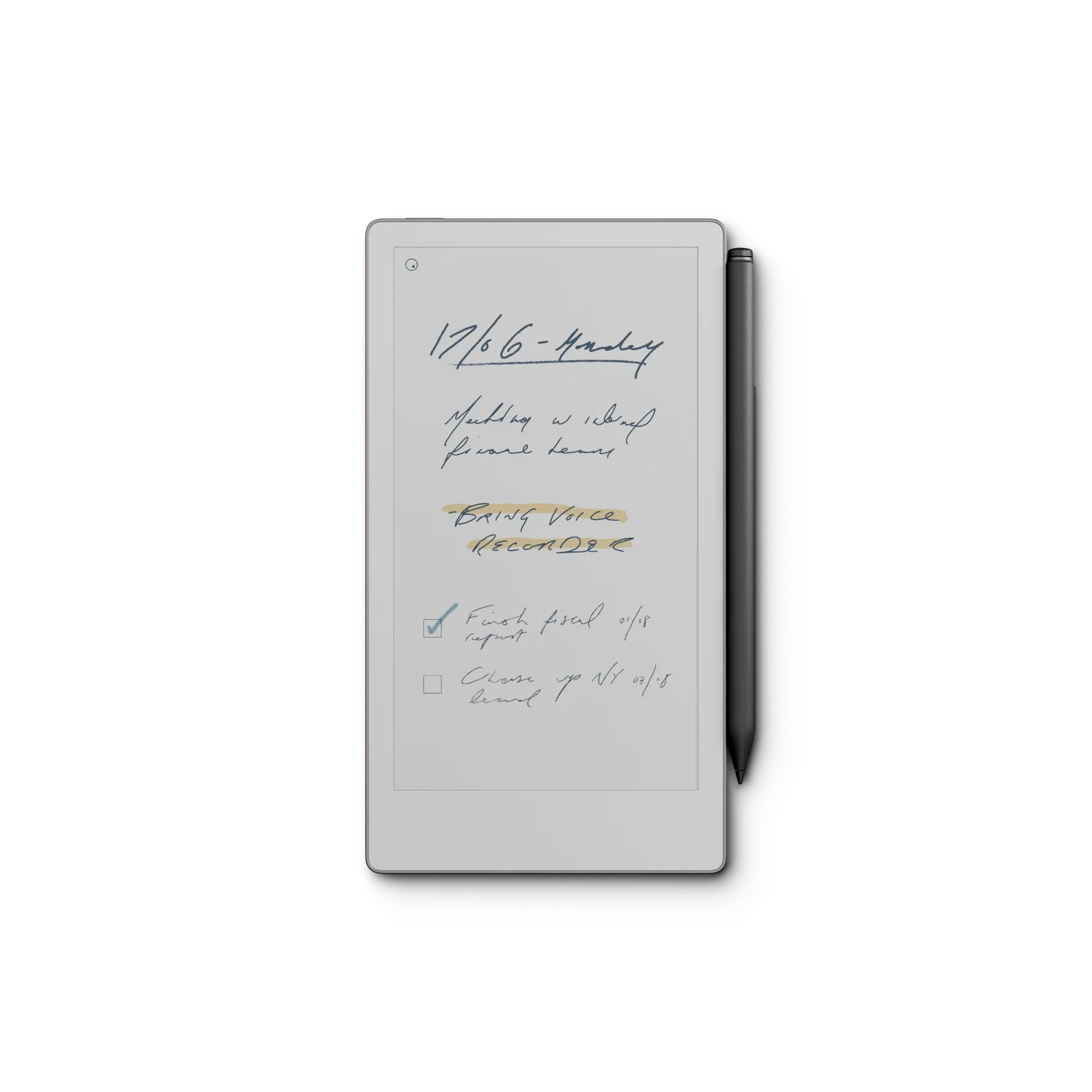
reMarkable Paper Pro Move with Marker Plus E-Reader
By reMarkable · E Readers · Desk & Streaming Setup · More from reMarkable
Compare all E Readers side by side →
- 7.3" Canvas Color display (1696x954 resolution)
- Up to 2 weeks battery life
- 1.7GHz dual-core Cortex-A55 CPU
- 64GB internal storage
- 2GB LPDDR4x RAM
Price not listed
- reMarkableView at reMarkable
- Best Buy15-day returns · store policyView at Best Buy
- Staples14-day returns · free shipping $35+ · price match · store policyView at Staples
- AmazonView at Amazon (paid link)
More on eBay (1)
- eBayView at eBay
- eBay (used) eBay: used, open-box, refurbishedView at eBay (used)
Stores with a price are sorted lowest first; commission never changes the order. Prices are snapshots. Check the current price with the store.
Summary
A pocketable 7.3" color e-paper notebook with paper-like writing and native cloud sync, at a premium price. Check your needs before buying: it has no keyboard, no Bluetooth and its handwriting search and cloud storage require a $2.99/month subscription; the 16:9 screen makes PDFs awkward and the front light is dim.
Size in context

19.6 cm · 7.7 in (W) × 10.8 cm · 4.2 in (D) × 0.7 cm · 0.3 in (H) · Drawn to scale from the maker's stated dimensions, next to everyday objects.
Strengths
- Writing feel is consistently described as the best on any tablet, with 12 ms latency and 0.92 mm pen-to-ink distance.
- Color is genuinely useful for highlighting and coding, and color strokes remain smooth.
- Native cloud sync across device, phone and laptop is fast and reliable.
- Device is compact and lightweight at about 230 g, fitting in a handbag or back pocket.
- No distractions: no notifications, no ads, no third-party apps or browser.
Weaknesses
- No keyboard, no Bluetooth and no external keyboard pairing for this model.
- Handwriting search and full cloud storage require Connect at $2.99 per month; without it only files used in the last 50 days stay in the cloud.
- Front light is dim; one reviewer could not tell it was on in dim conditions.
- Color strokes cause a distracting refresh flash, and true black renders as very dark indigo.
- 16:9 screen makes PDFs awkward: no smart page segmentation, frequent zooming and scrolling in portrait.
- No fingerprint sensor (passcode only) and no water-resistance rating.
Verified specifications
| Display | 7.3" Canvas Color, E Ink Gallery 3, 16:9 aspect ratio, 1696 × 954 resolution, 264 ppi, palm rejection, adjustable reading light. |
|---|---|
| Processor | 1.7 GHz dual-core Cortex-A55. |
| Storage / RAM | 64 GB internal storage, 2 GB LPDDR4x RAM. |
| Battery | built-in 2,334 mAh lithium-ion, USB-C charging; up to two weeks claimed, 0–90% in under 45 minutes, 10 minutes of charging for about three days of use. |
| Connectivity | Wi-Fi 2.4 GHz and 5 GHz, USB-C port. |
| Writing latency | 12 milliseconds; pen-to-ink distance 0.92 mm. |
| Size and weight | 195.6 × 107.8 × 6.5 mm (7.7 × 4.24 × 0.26 in), approximately 230 g. |
| Software | reMarkable OS, imports PDF and EPUB, exports PDF, PNG and SVG, handwriting conversion powered by MyScript. |
| Security | encryption on device and in transit, multifactor authentication, secure boot, optional passcode, automatic lock after 20 minutes of inactivity. |
| Audio/cellular | no Bluetooth, no Type Folio keyboard case, no external keyboard pairing. |
| Stylus | Marker or Marker Plus with built-in eraser; active USI-based capacitive pen, magnetically attaches to the right side and charges there. |
| Accessories | must buy with tablet; compatible pens are Marker or Marker Plus for Paper Pro and Paper Pro Move only. |
| In the box | Paper Pro Move, Marker or Marker Plus, 6 replacement tips, 1-meter USB-C charging cable. |
| Warranty | 50-day satisfaction guarantee with free returns and full refund. |
Full research notes and sources
Battery life and screen
Heavy use of the front light reportedly cuts runtime to just over a day. Charging is fast: 0–90% in under 45 minutes, and 10 minutes of charging provides about three days of use.
Color writing and highlighting are genuinely useful, but strokes arrive with a distracting refresh flash, and true black renders as a very dark indigo. The front light is dim enough that one reviewer could not tell it was on in dim conditions, and it is not as bright as a Kindle or smartphone.
Software, sync and subscription
reMarkable OS is a custom Linux-based system designed around handwriting. It imports PDF and EPUB, exports PDF, PNG and SVG, and includes nine writing tools with handwriting conversion powered by MyScript. Sync across device, phone and laptop is described as the best in e-ink, with notes moving cleanly between platforms.
Handwriting search and unlimited cloud storage require Connect at $2.99 per month, with a 50-day free trial. Without Connect, only files used and synced in the last 50 days remain in the cloud; reMarkable Cloud behaves as a sync service, not a full backup, and deleted cloud notebooks may only be recoverable from the device trash. There are no third-party apps, no browser and no smart page segmentation for PDFs; PDFs require frequent zooming and scrolling, especially in portrait.
Typing, ergonomics and PDFs
There is no keyboard, no Bluetooth and no Type Folio keyboard case for the Paper Pro Move. Short typed edits are possible with an on-screen keyboard, but long-form typing is cumbersome.
A six-month user also reports that waking from sleep when the folio is opened became slower after a software update, on both the Move and the Paper Pro.
Writing experience and accessories
Writing is the main reason to buy it. Every reviewer describes the feel as paper-like, with 12 ms latency and 0.92 mm pen-to-ink distance. The Marker and Marker Plus pens attach magnetically to the right side and charge there; Marker Plus has a built-in eraser on the reverse end. Marker tips are consumable and sold separately at $19. The stylus must be charged; if its battery dies the device cannot be written on until it recharges.
Marker for reMarkable 2 is incompatible with this device. Compatible pens are Marker or Marker Plus for Paper Pro and Paper Pro Move only; you cannot buy the tablet without a stylus.
Value and who it’s for
At $499 with the Marker Plus bundle and $449 with the standard Marker, it costs more than an iPad mini while doing less, and reviewers consistently frame it as a compact companion for people who already own a reMarkable device. A six-month reviewer recommends it mainly to people who already own a reMarkable and want a second, portable device, and explicitly steers first-time buyers toward the $629 Paper Pro.
For a shopper who writes short notes, lists and sketches away from a desk, that niche fits well. For long documents, typing or reading DRM ebooks, a Paper Pro or a conventional e-reader is the more defensible spend.
Which model this is
This page covers the reMarkable Paper Pro Move with Marker Plus. The manufacturer lists the device as “reMarkable Paper Pro Move”, sold in the US as the “reMarkable Paper Pro Move with Marker Plus” bundle. Do not confuse it with the 11.8" reMarkable Paper Pro ($629), the monochrome reMarkable 2, or the reMarkable 1. Marker and Marker Plus for reMarkable 2 use different technology and do not work with the Paper Pro Move.
ASIN B0FMS91Z9M.
Sources
Manufacturer:
- reMarkable Paper Pro Move product page
- reMarkable Paper Pro Move features and specifications
- reMarkable compare paper tablets
Independent reviews:
- Review: ReMarkable Paper Pro Move — WIRED
- reMarkable Paper Pro Move review: the tablet of my dreams, but maybe not yours — TechRadar
- reMarkable Paper Pro Move Review: Smaller Size, Few Compromises — Lifehacker
- ReMarkable Paper Pro Move review: E-paper in your pocket — Tom’s Guide
Owner reports: