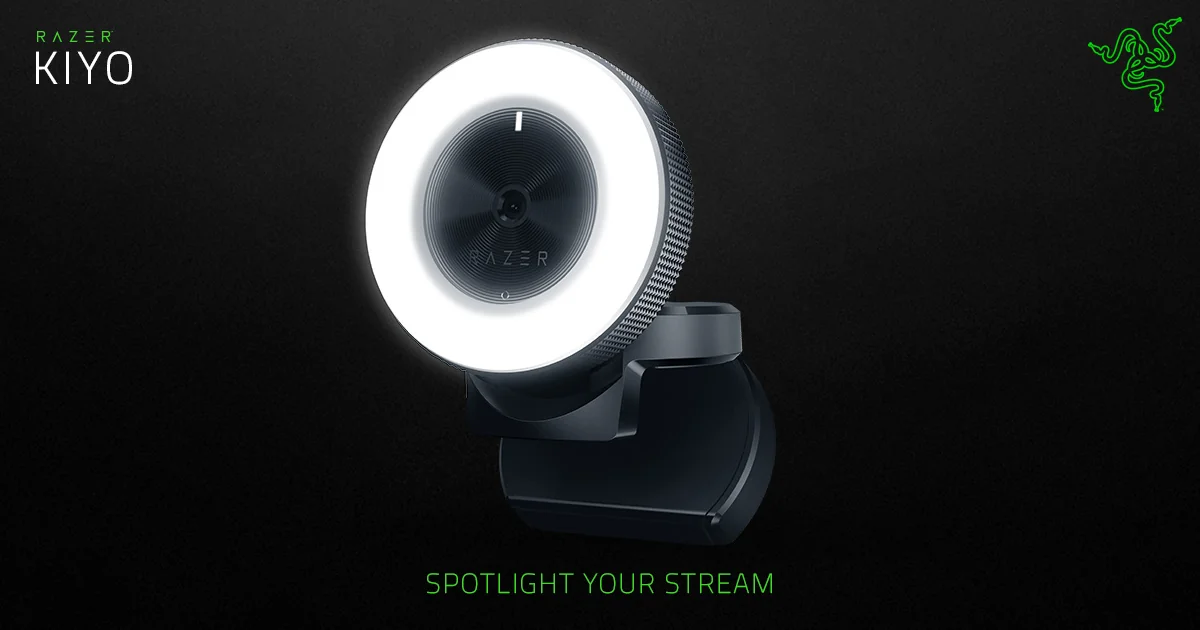
Razer Kiyo
By Razer · Webcams · Desk & Streaming Setup · More from Razer
- 1080p at 30 FPS video capture
- 720p at 60 FPS video capture
- Built-in 5600 K daylight-balanced multi-step ring light
- 81.6-degree field of view
- Fast, accurate autofocus
Price not listed
- RazerView at Razer
- WalmartView at Walmart
- eBayView at eBay
- AmazonView at Amazon (paid link)
- eBay (used) eBay: used, open-box, refurbishedView at eBay (used)
Stores are listed in a fixed order, never by price or commission. Prices are snapshots. Check the current price with the store.
Summary
The original Razer Kiyo is a 2017 USB webcam with a 12-LED ring light around the lens, built for people who need a decent 1080p picture in a dark room. Check your audio first: the built-in microphone is soft and muffled, so plan on adding a separate USB microphone.
Strengths
- The ring light switches on automatically when a capture app opens the camera, and the physical dial sets brightness in 12 steps.
- 720p at 60 FPS gives smoother motion when 1080p is not needed.
- The clip grips different monitor thicknesses, and the 1/4-20 thread takes a standard tripod.
- Autofocus is steady for a stationary desk, and Synapse exposes exposure, white balance and focus controls.
- Razer still publishes firmware pages for this model, including the v2.3.2_r2 updater.
Weaknesses
- The built-in microphone records soft, muffled audio, so a separate USB microphone is the usual fix.
- 1080p tops out at 30 FPS; the 60 FPS mode drops to 720p.
- The 1.5 m cable is permanently attached and cannot be replaced at the camera.
- There is no privacy shutter, no optical zoom and no motorized pan or tilt.
- The ring light stays at 5600K daylight white at every step and can be harsh at full brightness.
- Owners on Razer Insider report blinking rings, humming and the camera vanishing from the computer.
Verified specifications
| Connection | USB 2.0 Type-A, bus-powered, with a fixed 1.5 m (4.9 ft) braided cable. |
|---|---|
| Image resolution | 4 megapixels. |
| Video | 1080p at 30 FPS; 720p at 60 FPS; 480p at 30 FPS; 360p at 30 FPS. |
| Video encoding | YUY2, MJPEG or H.264. |
| Still image resolution | 2688 × 1520. |
| Field of view | 81.6° diagonal. |
| Focus | autofocus. |
| Ring light | 12 white LEDs at 5600K with a diffuser, adjusted by a 12-step rotary dial; rated 10 Lux at 1m. |
| Microphone | one omnidirectional mic, 16-bit, 48 kHz, sensitivity -38 dB. |
| Dimensions | diameter 68.7 mm (2.70 in); height 50 mm (1.96 in); weight 170 g (0.374 lb). |
| Mounting | L-shape joint and 1/4-20 tripod thread; tripod not included. |
| In the box | camera with attached USB cable and Important Product Information Guide. |
| Warranty | one-year limited product warranty. |
Parts, consumables and accessories
no Razer-approved detachable replacement, spare part number or retail price is published; a damaged cable is a service or whole-device decision rather than a swap, so a generic USB extension is the practical workaround.
- Compatible USB-C Type C 3.0 Charging Cable Cord for Razer Kiyo Pro Camera $9.29View at eBay
- Compatible USB CABLE CORD FOR RAZER KIYO PRO STREAMING WEBCAM $11.99View at eBay
built-in and not consumer-replaceable; the manual lists no OEM part numbers or prices, and no genuine US repair kit is documented.
- OEM Razer Kiyo 1080p Streaming Gaming Camera with LED Ring Light - Black $45View at eBay
Full research notes and sources
Image quality and the ring light
The Kiyo was built around one idea: put the light in the camera. Twelve white LEDs sit in a ring around the lens behind a milky diffuser, and the light comes on by itself when a compatible app selects the camera as its capture device. You twist the outer bezel to set brightness across 12 steps, so you never hunt for a lamp in a dark room or open a control app to dim one.
Independent reviews back the video side of that bet. Tom’s Guide found focus generally good in a 2024 hands-on test, Digital Camera World found smooth video under limited lighting in 2022, Laptop Mag found vivid colours and sharp footage in 2017, and Windows Central described a punchy, contrasty look in 2018. PCMag called the 1080p picture among the sharpest it had seen in a webcam and rated the low-light result without the ring light as clear but a bit noisy. These are reviewers’ impressions under different conditions, not lab measurements of the same camera.
The optics stop at 1080p30. The 60 FPS mode runs at 720p, so anyone who needs a smooth 1080p stream has to look at a different model in the Kiyo line. Focus is generally solid on a desk, though Windows Central noted that small head movements could pull focus, and Synapse can set a fixed focal distance if that bothers you.
Audio and the microphone
Audio is where the Kiyo disappoints. Tom’s Guide, Digital Camera World, Laptop Mag and PCMag all describe the built-in omnidirectional mic as weak, quiet or muffled; PCMag said test recordings were about as good as, or slightly worse than, a typical laptop microphone. There is no beamforming array or noise cancellation to lean on.
Plan the budget around a separate USB microphone or a headset if you stream or take calls people actually need to hear. That add-on cost is the number that decides whether this camera is good value for you.
Mounting and everyday annoyances
The body is a 68.7 mm disc on a folding hinged clip with a rubber grip and a forward tooth that sits on a monitor bezel. It also mounts on a standard 1/4-20 tripod, which is not included, so bring your own. Windows Central noted that the round body can cover part of a browser window when it sits on top of a laptop screen.
The camera tilts up and down but cannot pan left or right, so framing is done by hand. The fixed braided cable runs about 1.5 m, and Laptop Mag criticised that it cannot be replaced; a generic USB-A extension is the practical answer if your tower sits under the desk. At maximum brightness the ring light is close to your eyes and feels harsh for some people, and the colour temperature is fixed daylight white, so the dial changes intensity only. Wipe the lens with a soft cloth about once a month; Razer says not to use soap or harsh cleaners.
Running costs, failures and warranty
Running costs are $0 a year in practice. There is no subscription, no battery, no filter and no scheduled replacement part; the camera draws power over USB. The only real outlay is an optional microphone, light or tripod. Razer publishes no consumable or spare-part pricing for the ring assembly, optics, focus motor or cable, and no official repair-parts channel is documented.
Failures do show up in owner threads. A Razer Insider owner reported in April 2024 a blinking ring, humming and repeated USB cycling that killed the camera on a second computer after six months. In a longer Insider thread, one owner lost video as the light flickered 15 months after purchase in June 2024, another reported a camera making static sounds and disappearing from both Windows and Synapse in August 2025, and another said an original Kiyo had lasted 5–6 years. One reported replacement is not a repair promise, and nobody has published a failure rate, so treat this as a known annoyance rather than a defect.
Before buying a used unit, plug it in and check for a stable picture, working LEDs and a steady USB link for several minutes, and keep the return window in mind. Razer’s own firmware page lists v2.3.2_r2 with v2.03_r1 as an intermediate step; only flash files for the original RZ19-02320 and do not disconnect during flashing. A camera that buzzes, flickers and vanishes from more than one computer probably needs a warranty replacement rather than endless driver reinstalls.
Is it worth it?
Judge it as a cheap ring-lit 1080p30 camera, not a current all-rounder. New stock is thin and fragmented: GameStop listed the original Kiyo at $61.97 as clearance in October 2026, and at $58.87 for Pro members; Connection showed the exact RZ19-02320100-R3U1 at $55.31 but out of stock; B&H’s listing at $59.99 was marked no longer available; and Office Depot listed the same SKU at $120.99. Launch MSRP was $99.99.
Below $60 it is a sensible buy if the ring light is what you are after and you already have a microphone. At the $120.99 Office Depot listing it is poor value. Logitech’s Brio 100 is $24.99 on promotion and $39.99 otherwise, and the C920s Pro HD is $59.99 on sale and $69.99 otherwise, both with a physical privacy shutter and no ring light. Razer’s own store lists the Kiyo V2 X at $99.99 and the Kiyo V2 at $149.99, but those are different products without this camera’s 12-LED ring.
Which model this is
This page covers the original Razer Kiyo, support model RZ19-02320, US SKU RZ19-02320100-R3U1, released in 2017. Do not confuse it with the Kiyo Pro, Kiyo Pro Ultra, Kiyo V2 or Kiyo V2 X, which have different optics, frame rates and lighting. The original listing is ASIN B076QK6489.
Sources
Manufacturer:
- Razer Kiyo full specifications and support page
- Razer Kiyo Master Guide (PDF)
- Razer Kiyo firmware updater
- Razer Kiyo product page
- Razer limited warranty periods
- Razer streaming camera catalogue and prices
Independent reviews:
- Razer Kiyo review (Tom’s Guide)
- Razer Kiyo webcam review (Digital Camera World)
- Razer Kiyo review (Laptop Mag)
- Razer Kiyo streaming review (Windows Central)
- Razer Kiyo review (PCMag)
Prices and stores:
- Razer Kiyo clearance listing (GameStop)
- Original Razer Kiyo SKU listing (Connection)
- Razer Kiyo exact part number listing (B&H Photo)
- Razer Kiyo SKU listing (Office Depot)
- Razer Kiyo product page (Best Buy)
- Logitech webcam catalogue and prices
Owner reports: