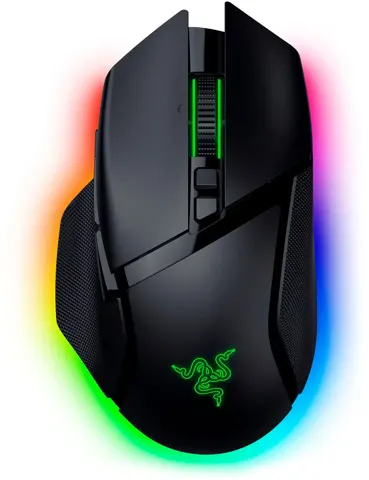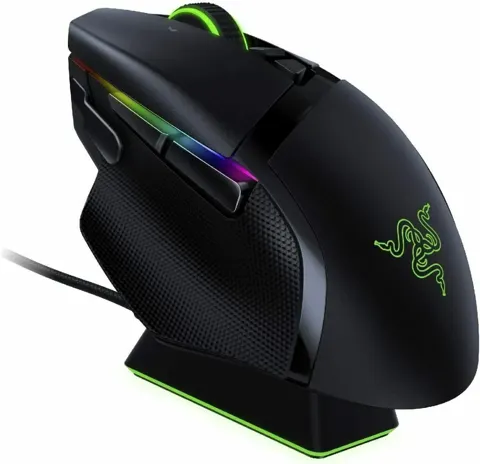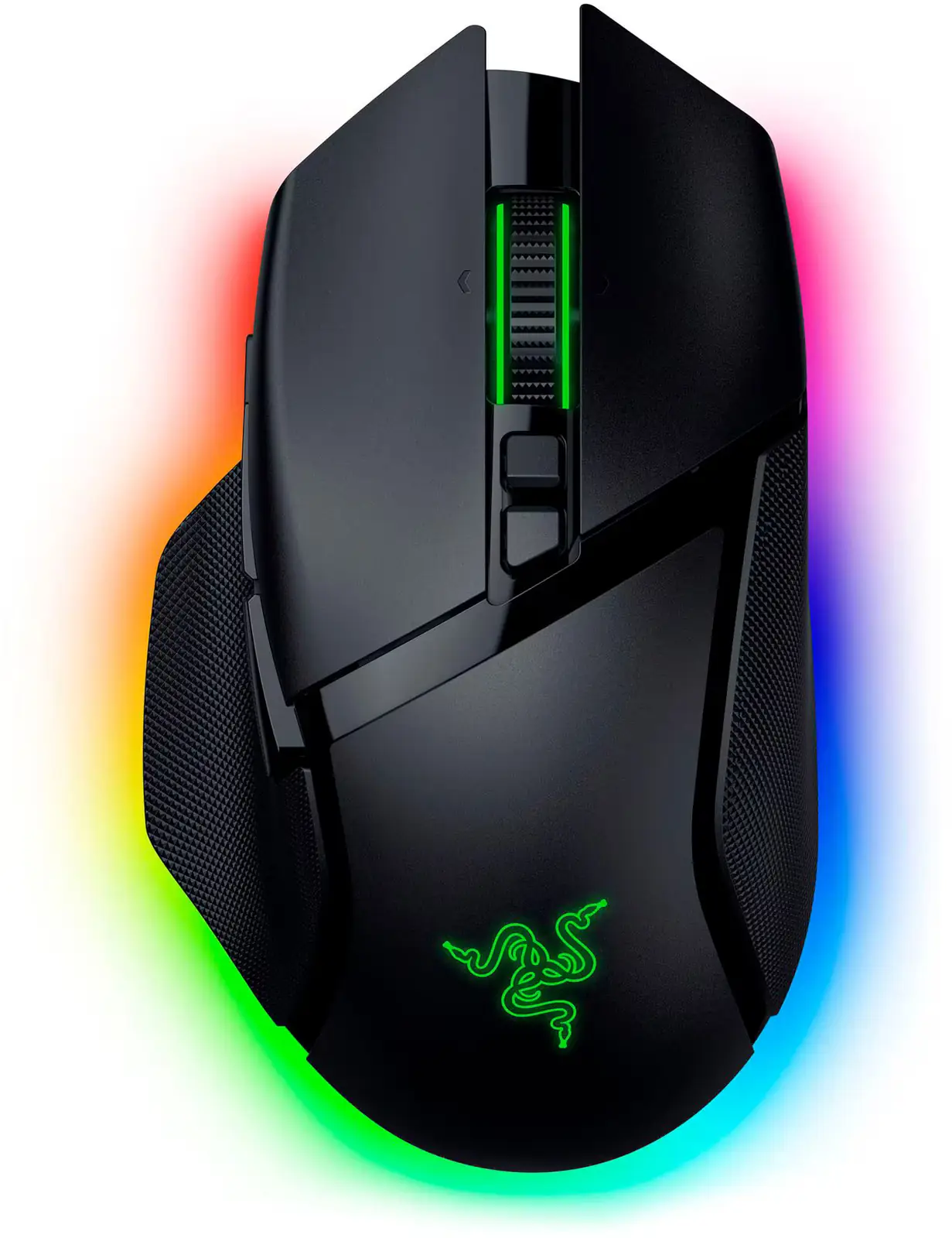
Razer Basilisk V3 Pro
By Razer · Computer Mice · Desk & Streaming Setup · More from Razer
- Focus Pro 30K optical sensor, 30000 DPI
- 11 programmable buttons
- up to 110 h battery (HyperSpeed) / 150 h (Bluetooth)
- 112 g weight (excluding cable)
- Gen-3 optical switches, 90M clicks
Price not listed
- RazerView at Razer
- WalmartView at Walmart
- eBayView at eBay
- AmazonView at Amazon (paid link)
- eBay (used) eBay: used, open-box, refurbishedView at eBay (used)
Stores are listed in a fixed order, never by price or commission. Prices are snapshots. Check the current price with the store.
Summary
A large right-handed wireless gaming mouse with Razer’s Focus Pro 30K sensor, 11 programmable buttons, a four-way tilt wheel and 13-zone RGB. Check the weight and the accessory bill before buying: it is 112–113 g and 4,000 Hz polling plus wireless charging cost extra.
Strengths
- TechPowerUp measured very low CPI deviation, low motion delay and 0.9 ms wireless click latency at 1,000 Hz.
- Gen-3 optical switches are rated to 90 million clicks with no debounce delay.
- The HyperScroll wheel covers tactile, free-spin, smart-reel and virtual acceleration modes.
- Onboard profiles let the mouse work without Synapse running.
- PTFE feet and a flexible cable drew praise for glide and handling.
- RGB color accuracy and vibrancy rated excellent across the 13 zones.
Weaknesses
- At 112–113 g it is heavy for players who want the lightest possible mouse.
- 4,000 Hz polling and wireless charging require separately sold accessories.
- One owner’s scroll-wheel middle click stopped registering after about three months.
- Synapse is resource-heavy and keeps background processes running.
Verified specifications
| Sensor | Razer Focus Pro 30K Optical Sensor (PixArt PAW3950). |
|---|---|
| Sensitivity | 30,000 DPI/CPI maximum; adjustable from 100 to 30,000 CPI. |
| Speed and acceleration | 750 IPS and 70 G maximum; 550 IPS and 40 G in Low Power mode. |
| Buttons | 11 programmable (10+1). |
| Switches | Razer Optical Mouse Switches Gen-3, rated to 90 million clicks with 0.2 ms actuation and no debounce delay. |
| Scroll wheel | Razer HyperScroll Tilt Wheel, 4-way, with tactile, free-spin, smart-reel and virtual acceleration modes. |
| Lighting | 13-zone Chroma RGB with 16.8 million colors. |
| Connectivity | 2.4 GHz HyperSpeed wireless, Bluetooth and wired USB-C. |
| Polling rates | 125, 500 and 1,000 Hz base; up to 4,000 Hz with the Razer Mouse Dock Pro or HyperPolling Wireless Dongle; Razer’s page also claims up to 8,000 Hz. |
| Cable | 6 ft / 1.8 m USB-C Razer Speedflex. |
| Onboard memory | up to five profiles via Razer Synapse 3. |
| Wireless charging | compatible with the Razer Wireless Charging Puck and Mouse Dock Pro, both sold separately. |
| Default DPI stages | 400, 800, 1,600, 3,200 and 6,400, customizable in Synapse. |
| Lift-off distance | adjustable (low, medium, high) with asymmetric cut-off. |
| Battery | 600 mAh rechargeable cell. |
| Charging speed | about 0.330 A over cable, about 0.100 A via the Mouse Dock Pro. |
| Software footprint | Razer Synapse 3 uses 478 MB foreground and 240 MB of background processes. |
| Dimensions | 130 × 75.4 × 42.5 mm (5.11/5.12 × 2.96 × 1.67 in); 112–113 g. |
| Chassis | plastic with a textured matte finish, glossy accents and rubberized side panels; black and white editions. |
| In the box | 2.4 GHz wireless dongle, USB extender and 6 ft USB-C to USB-A Speedflex cable; a removable bottom puck covers dongle storage. |
| Warranty and returns | up to 2 years; 14 days risk-free returns on direct RazerStore purchases. |
Full research notes and sources
Sensor and tracking
TechPowerUp measured CPI deviation that stayed positive and very low, with no smoothing at 1,600 or 30,000 CPI, motion delay around 0.5 ms wired and wireless, very low SRAV and a perfect control speed of at least 5 m/s. Polling stayed stable at 1,000 Hz wired and wireless, and the paint test showed no angle snapping, with significant jitter at 15,000 CPI and major jitter at 30,000 CPI, which is expected for a sensor without smoothing. Lift-off distance is adjustable with asymmetric cut-off, and Low Power mode trims tracking to 550 IPS and 40 G. The manual notes the sensor is tuned especially for Razer mouse mats.
Buttons, wheel and lighting
The 11 buttons cover left and right click, a three-click tilt wheel, two top buttons, two thumb buttons and a sniper button. Razer says the sniper button is positioned to avoid accidental clicks; TechPowerUp notes the paddle was shortened and is no longer replaceable with a different length. The tactile scroll-wheel mode is tuned well and the 4-way tilt is useful for productivity, but TechPowerUp observed slight wheel rattle when shaking the mouse and IGN found smart-reel mode clutched and vibrated on mode switches. The back side button’s actuation point felt somewhat flimsy in testing. RGB runs across 13 zones at 16.8 million colors with 300+ Chroma-integrated games.
Battery life and charging
Razer rates the 600 mAh cell at up to 90 hours over HyperSpeed at 1,000 Hz with lighting off. TechPowerUp measured about 40 hours with RGB at 33% brightness and estimated the cell could exceed 100 hours under lighter use. One Razer Insider owner reported about 20 hours at the same 33% brightness, and found life became reasonable after disabling RGB. Charging runs about 0.330 A over cable and about 0.100 A through the Mouse Dock Pro. The manual warns the Li-ion cell’s life expectancy depends on usage and should not be opened or exposed to heat or moisture.
Software and reliability
Razer Synapse 3 requires Windows 10 64-bit or higher and an internet connection, and it is heavy: 478 MB in the foreground plus 240 MB from background processes that persist even when set not to auto-start. Tilt-wheel mode switching is software-based but does not need Synapse running after configuration. A firmware updater exists for model RZ01-04620. Owner reports raise two cautions: one scroll-wheel middle click stopped registering after about three months despite firmware updates, reinstalls and resets, and one wireless dongle was bricked after a June 2025 firmware update on a roughly two-year-old mouse, with a replacement dongle refusing to pair. Neither establishes a defect rate.
Is it worth it?
MSRP is $159.99, or $199.99 bundled with the Mouse Dock Pro. The dock sells separately for $69.99, the HyperPolling Wireless Dongle for $29.99 and the Wireless Charging Puck for $19.99, so buyers wanting 4,000 Hz polling or wireless charging should budget an extra $30–$70. At that price it is a premium all-purpose wireless mouse whose value hinges on wanting the extra features: TechPowerUp had difficulty making a case for it over the more affordable Basilisk Ultimate, while IGN found it worth the cost for buyers who want everything. For players prioritizing the lightest possible mouse, value is lower because of the 112–113 g weight.
Which model this is
This page covers the original Razer Basilisk V3 Pro with the Focus Pro 30K sensor, not the newer Basilisk V3 Pro 35K. It ships in black and white editions with black glossy accents and black scroll wheels. Razer support threads reference model number RZ01-04620, and the manual PDF filename is BASILISKV3PRO-00000170-en.pdf. Razer’s page advertises up to 2 years of warranty and 14 days risk-free returns for direct RazerStore purchases; TechPowerUp lists two years, while Razer’s warranty policy page specifies 2 years only for the Razer Firefly HyperFlux. The Amazon listing for this mouse is ASIN B0B6Y3XYFG.
Sources
Manufacturer:
- Razer Basilisk V3 Pro product page
- Razer Basilisk V3 Pro user manual (PDF)
- Razer Basilisk V3 Pro firmware updater (RZ01-04620)
- Razer warranty policy
Independent reviews:
Owner reports: