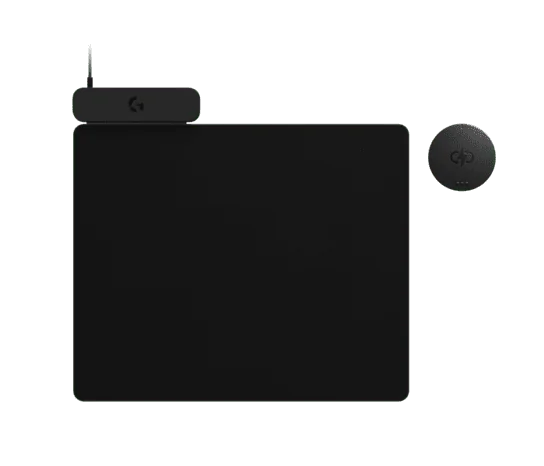
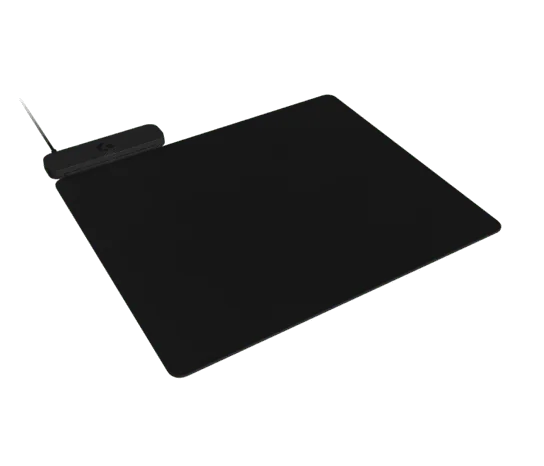
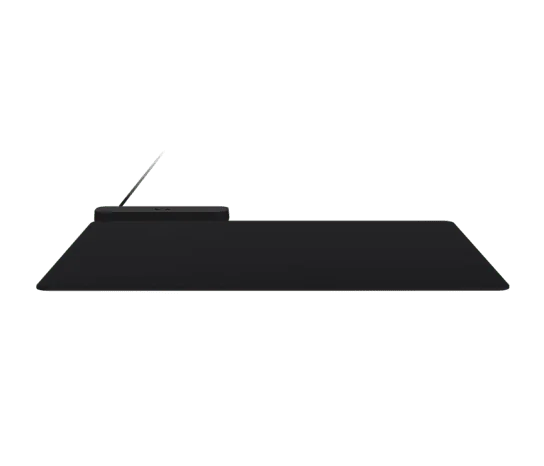
Logitech G POWERPLAY 2 wireless charging mat for gaming mice
By Logitech G · Computer Mice · Desk & Streaming Setup · More from Logitech G
Price not listed
- Logitech GView at Logitech G
- Best BuyView at Best Buy
- eBayView at eBay
- eBay (used) eBay: used, open-box, refurbishedView at eBay (used)
Stores are listed in a fixed order, never by price or commission. Prices are snapshots. Check the current price with the store.
Summary
POWERPLAY 2 is a power-only wireless charging mat that keeps one of 11 compatible Logitech G mice charged in use and at rest, with no pairing and no software. Check that your mouse is on the list and that you can live with a fixed cable and no built-in receiver before you buy.
Strengths
- Keeps a compatible mouse charged continuously, so you never charge it by hand.
- Setup is plug in the base, snap in the Coin and place the mouse on the pad; no pairing or software.
- Claimed 15% wider charging area than the original; the indicator lights when the whole mouse sits in any corner.
- Thinner than the original at a 3.5 mm total profile, which The Verge’s calipers confirmed on the shipping unit.
- Backed by a 2-year limited hardware warranty.
Weaknesses
- The cable is fixed and not USB-C, so the pad is not easy to move.
- No wireless receiver inside, so the mouse’s own dongle must stay plugged into the PC and two USB ports are used.
- No RGB logo, and only one cloth pad ships in the box versus the original’s hard and cloth pair.
- The Coin is not interchangeable with the original POWERPLAY pad, and the two are not cross-compatible.
- It is not Qi, so it will not charge phones, and it does not work on metal desks.
Verified specifications
| Type | power-only wireless charging mouse mat/base; no wireless receiver built in. |
|---|---|
| Base model | PR0006; POWERCORE module model: PR0007. |
| Dimensions | 320 × 284 × 344 mm (left × right × width); 335 g. |
| Base plate height | 2.2 mm; cloth gaming mouse pad: 283 × 343 mm. |
| Total profile | 3.5 mm (2.2 mm base plus 1.3 mm pad, per Logitech’s page). |
| POWERCORE module | 34.12 × 4 mm; 6 g. |
| Cable | fixed, 5.9 ft; USB Type-A, USB 2.0. |
| System requirement | one available USB-A port (USB 2.0). |
| Software | none required; plug in the base, snap in the Coin, place the mouse on the pad. |
| Warranty | 2-year limited hardware warranty. |
| Compatible mice | 11, including G309, G502 X PLUS, G502 X LIGHTSPEED, G502, G703, G903, PRO X SUPERLIGHT 2, PRO X SUPERLIGHT 2 DEX, PRO X SUPERLIGHT, PRO 2 LIGHTSPEED and PRO Wireless. The mouse is not included. |
| In the box | base, cloth gaming mouse pad, Coin (POWERCORE module), attached USB charging cable and documentation. Black, part number 947-000001. |
| Not Qi; it will not charge phones and it does not work on metal desks. | |
Full research notes and sources
What it is and how it works
POWERPLAY 2 is a power-only wireless charging base. Plug the fixed 5.9 ft USB-A cable into a USB 2.0 port, snap the magnetic POWERCORE Coin into the bottom of a compatible mouse, and the pad charges the mouse while it is used and while it rests. There is no pairing and no software. It works with 11 Logitech G mice, including the G502 X PLUS, G502 X LIGHTSPEED, PRO X SUPERLIGHT 2 and PRO Wireless; the mouse is sold separately. It is not Qi, so it will not charge a phone, and it does not work on metal desks.
Trade-offs versus the original POWERPLAY
Compared with the 2017 original, POWERPLAY 2 drops the integrated LIGHTSPEED wireless receiver, the RGB logo, the USB-C connector and the second hard pad surface, and its cable is fixed rather than replaceable. The mouse’s own dongle must stay plugged into the PC, so the setup uses two full-size USB ports and travel is harder. The Coin does not work with the original POWERPLAY pad and vice versa. Logitech’s page gives a 2.2 mm base and 1.3 mm pad for a 3.5 mm total, while The Verge’s calipers read 2.7 mm for the base; the total matched at 3.5 mm. What you keep is a claimed 15% wider charging area and a 3.5 mm total thickness against 4.3 mm for the original, and the charging indicator lights as long as the entire mouse rests within any corner of the pad, which was not always true before.
Reliability and running costs
Logitech’s support specification lists no software support at release and no spare parts, so there is no user-serviceable repair channel; the warranty is a 2-year limited hardware warranty. Durability signals come from the original generation: The Verge’s reviewer found the cloth pad was the one piece of his original that deteriorated over three years, and Reddit users reported pads peeling apart and occasional charging failures. No reliability or defect-rate data exists for POWERPLAY 2 itself. The recurring cost is the mouse, which is sold separately, and the Coin and pad are proprietary and not interchangeable with the original.
Is it worth it?
At $100 the accessory is reasonable, and at the $119.99 Logitech US store price it is defensible mainly for owners of compatible mice who want zero-interaction charging and can accept the removed features. Above $120 it should be discounted or bundled with a compatible mouse. The value is highest if you already own one of the 11 supported mice; it is weak if you would also have to buy one.
Which model this is
This page covers the 2025 second-generation POWERPLAY 2, base model PR0006 and POWERCORE module PR0007, retail part number 947-000001 in black. Logitech announced it on 2025-02-25 and began shipping in March 2025; The Verge reported a US on-sale date of March 11, 2025. Do not confuse it with the 2017 original POWERPLAY, which had a built-in receiver, RGB and two pads.
Sources
Manufacturer:
- POWERPLAY 2 WIRELESS CHARGING SYSTEM | Logitech G
- POWERPLAY 2 Wireless Charging System | Logitech G (technology page)
- Specification - POWERPLAY 2 | Logitech Support
- Warranty - POWERPLAY 2 | Logitech Support
- Is the POWERPLAY 1 coin compatible with POWERPLAY 2? | Logitech Support
- Getting Started - POWERPLAY 2 | Logitech Support
- FAQ - POWERPLAY 2 | Logitech Support
Independent reviews:
Owner reports:
- Found out Powerplay 2 is coming! | Reddit r/LogitechG
- The insides of your Logitech Powerplay mousepad | Reddit r/LogitechG
Reference: