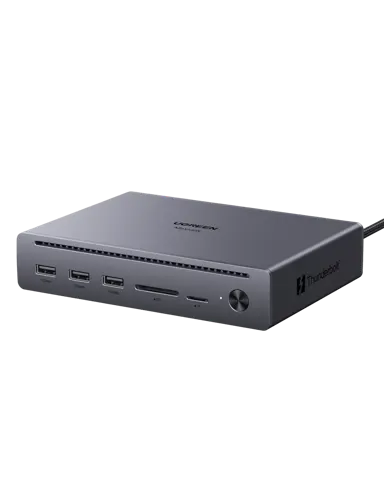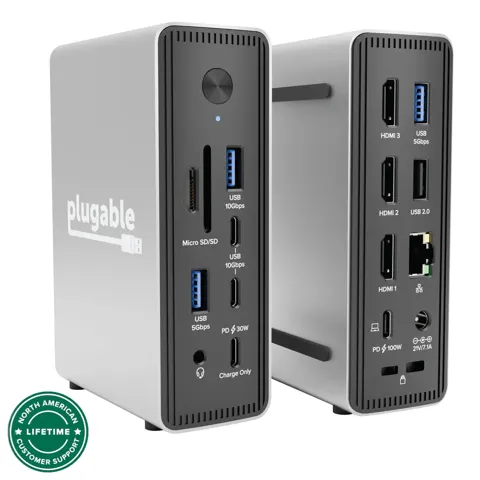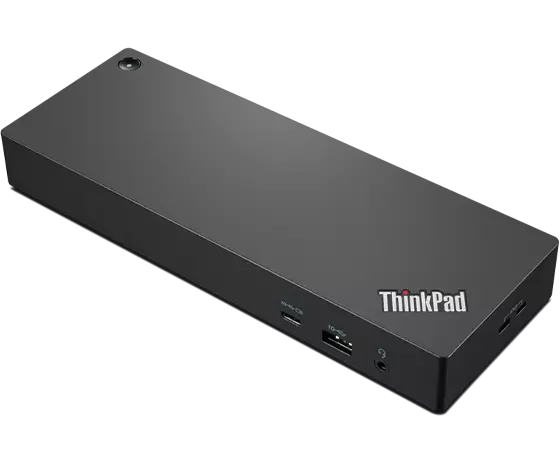
Lenovo ThinkPad Thunderbolt 4 Workstation Dock
By Lenovo · Docking Stations · Desk & Streaming Setup · More from Lenovo
Compare all Docking Stations side by side →
- 230W power delivery via Thunderbolt 4
- 4x USB-A + 1x USB-C + 1x Thunderbolt 4 ports
- 1x HDMI 2.1 + 2x DisplayPort 1.4
- up to 8K@30 or 4x 4K@60 displays
- 8.7 x 3.1 x 1.2 in (220 x 80 x 30 mm)
Lowest price seen
$269.89
from $269.89 at eBay · Checked Nov 10, 2026
- eBay $269.89View at eBay
- Lenovo $339.99View at Lenovo
- Best Buy15-day returns · store policyView at Best Buy
- Walmartfree shipping $35+ · store policyView at Walmart
- InsightView at Insight
- AmazonView at Amazon (paid link)
- eBay (used) eBay: used, open-box, refurbishedView at eBay (used)
Stores with a price are sorted lowest first; commission never changes the order. Prices are snapshots. Check the current price with the store.
Summary
A Thunderbolt 4 dock built for high-power ThinkPad workstations, with up to 230W charging through a proprietary split cable and a port set that covers CAD, video and modelling desks. Check the charge requirement of your laptop first: the 230W path only works with a compatible ThinkPad that has Slim Tip charging.
Size in context

19.6 cm · 7.7 in (W) × 27.2 cm · 10.7 in (D) × 8.9 cm · 3.5 in (H) · Drawn to scale from the maker's stated dimensions, next to everyday objects.
Strengths
- Delivers up to 230W, so a ThinkPad P-series runs at full power without a separate brick on the desk.
- One split cable feeds both the Thunderbolt link and the Slim Tip charger.
- Four 4K@60Hz displays, or one 8K@30Hz, from a single dock.
- Nine-plus ports cover displays, storage, network and audio without extra adapters.
- Enterprise IT features include PXE boot, Wake-on-LAN and MAC Address Pass-Through.
- Owners report fast transfers and reliable display support with compatible Lenovo workstations.
Weaknesses
- At 4.1 lbs plus a large 300W adapter, it stays on the desk; it is not a portable dock.
- The bundled 0.7m cable is short, so the dock has to sit close to the laptop.
- Owners report occasional flicker on 4K monitors during graphics-heavy work.
- Display wake and failure issues show up for some users and may need a firmware update.
- The dock runs warm during long sessions, which matters in a closed desk area.
- On non-Lenovo laptops, vPro/AMT pass-through and mirrored power-button behaviour may not work.
Verified specifications
| Model | Lenovo ThinkPad Thunderbolt 4 Workstation Dock, 40B00300US. |
|---|---|
| Host connection | Thunderbolt 4, 40 Gbps. |
| Power delivery | up to 230W to compatible ThinkPad workstations, via a 300W Slim Tip adapter and a split cable. |
| Display support | one 8K@30Hz display, one 5120x2880@60Hz display, two 3840x2160@60Hz displays, or four 3840x2160@60Hz displays. |
| Video outputs | 2x DisplayPort 1.4, 1x HDMI 2.1, and a downstream Thunderbolt 4 port. |
| USB ports | 4x USB-A 3.2 and 1x USB-C 3.2 (15W). |
| Network | Gigabit Ethernet, 1 Gbps. |
| Audio | 1x 3.5mm combo jack. |
| Downstream Thunderbolt port | rated to 15W (5V/3A); it cannot serve as a second host connection. |
| Enterprise features | PXE boot, Wake-on-LAN, MAC Address Pass-Through, and vPro/AMT pass-through. |
| Dimensions | 10.7 in L x 7.7 in W x 3.5 in H (dock body, without adapter). |
| Weight | 4.1 lbs (dock body, without adapter). |
| Included | dock, 300W AC power adapter, power cord, 0.7m Thunderbolt 4 split cable, setup poster and warranty poster. |
| Warranty | 3 years from Lenovo. |
Parts, consumables and accessories
included in the box and much larger than the 135W adapter that comes with Lenovo's Universal Thunderbolt 4 Dock; no separate price is published.
- OEM Lenovo ThinkPad Thunderbolt 4 Workstation Dock + 300W Adapter – New, Never Used $283.82View at eBay
- OEM Lenovo ThinkPad Thunderbolt 4 Workstation Dock 40B0 DK2131 w/ 170W AC Adapter $167.98View at eBay
included, and it carries both the Thunderbolt link and the Slim Tip charging connector; a longer replacement cable is the usual add-on, priced by the seller, and no price is published in the sources.
- OEM Lenovo ThinkPad Thunderbolt 4 WorkStation Dock Split Cable 0.7M 4X91K16970 New $54View at eBay
- OEM Lenovo Thunderbolt 4 Cable 0.7m Black $17View at eBay
- Compatible YD 1PCS FOR Lenovo ThinkPad Thunderbolt 4 WorkStation Dock Split Cable 0.7m 5C11B64632View at AliExpress
- Compatible L... FOR Lenovo ThinkPad Thunderbolt 4 WorkStation Dock Split Cable 0.7m 5C11B64632View at AliExpress
Full research notes and sources
Power delivery and the split cable
This is the dock’s whole reason to exist. The 300W Slim Tip adapter and the 0.7m split cable deliver up to 230W to the laptop, which covers the 170-230W that ThinkPad P-series workstations draw under load. Owners running CAD rendering, 3D modelling, video editing and machine learning say the single-cable approach keeps the machine off battery during long jobs.
Two details matter here. The 230W path is Lenovo Slim Tip charging, not standard USB-C Power Delivery, so it is limited to compatible ThinkPads. And the downstream Thunderbolt port only carries 15W, so it is there for a second display or extra storage, not for charging the host.
Displays, ports and compatibility
Lenovo rates the dock for one 8K@30Hz display, one 5120x2880@60Hz display, two 3840x2160@60Hz displays, or four 3840x2160@60Hz displays using both DisplayPort 1.4 outputs, the HDMI 2.1 output and the downstream Thunderbolt port. The port list is four USB-A 3.2, one USB-C 3.2, two DisplayPort 1.4, one HDMI 2.1, one downstream Thunderbolt 4, Gigabit Ethernet and a 3.5mm combo jack.
What you actually get depends on the host: GPU, Thunderbolt implementation, DisplayPort generation, DSC state and the internal panel all change the ceiling. Independent outlets have published no instrumented measurements of bandwidth or sustained power, so treat the display matrix as a target rather than a tested result. Some owners also hit initial connection trouble when setting up multiple monitors.
Lenovo’s own brochure says select non-Lenovo systems work over standard protocols, while the current support guide restricts use to qualifying Lenovo or ThinkPad notebooks. On third-party machines you keep the basic Thunderbolt and USB-C functions and lose the management extras.
Size, setup and firmware
The dock body is 10.7 by 7.7 by 3.5 inches and weighs 4.1 lbs before you add the 300W adapter, which is noticeably larger than the 135W adapter that comes with Lenovo’s Universal Thunderbolt 4 Dock. That bulk rules out travel use. The 0.7m cable also means the dock goes next to the laptop rather than across the desk.
Lenovo ships firmware through Lenovo Dock Manager, and owners say updates help with display wake and compatibility problems. Expect to install it and let it run before judging stability.
Is it worth it?
Lenovo’s suggested retail price for this dock is $439.99. Value depends on the buyer. At or below $250 the dock earns its keep for a ThinkPad P-series owner who needs the 230W charging and the full port set. Between $251 and $350 it stays reasonable, especially if the enterprise features and the three-year warranty matter to you. Above $440 the price needs justifying on its own.
If your laptop only needs 100W, this dock is more than you are paying for.
Which model this is
This page covers the high-power Workstation Dock, model 40B00300US, not Lenovo’s Universal Thunderbolt 4 Dock (40B00135US). The split cable and the 300W adapter are what tell the two apart. ASIN B0FB4RT95T.
Sources
Manufacturer:
- No manufacturer support page was captured in the research for this dock.
Independent reviews: