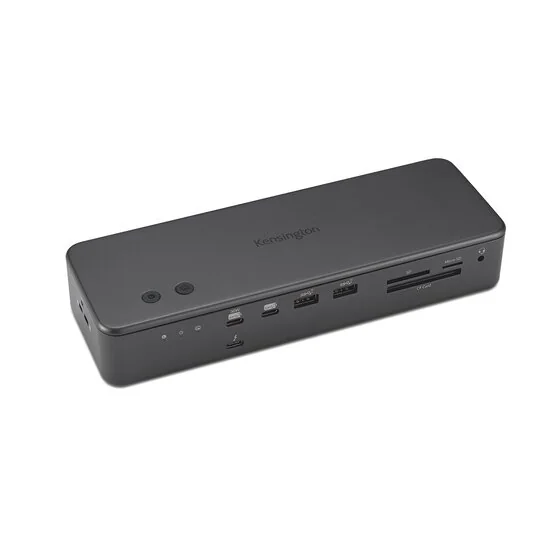
Kensington SD7100T5 EQ Pro 19-in-1 Thunderbolt 5 Docking Station
By Kensington · Docking Stations · Desk & Streaming Setup
- Up to 80Gbps bidirectional data transfer, up to 120Gbps with Bandwidth Boost
- Displays: up to three 4K @ 144Hz or two 8K @ 60Hz on Windows
Price not listed
- KensingtonView at Kensington
- eBayView at eBay
- AmazonView at Amazon (paid link)
- eBay (used) eBay: used, open-box, refurbishedView at eBay (used)
Stores are listed in a fixed order, never by price or commission. Prices are snapshots. Check the current price with the store.
Summary
A Thunderbolt 5 desk dock with 17 usable ports and an internal M.2 NVMe slot, for people who want one cable between laptop and desk. Check the status before you buy: Kensington’s US page now marks the dock discontinued and no longer available.
Strengths
- 17 external ports plus an internal M.2 slot behind a single Thunderbolt 5 cable.
- 2.5GbE Ethernet, where the Razer alternative stops at 1GbE.
- Measured M.2 speed of 5,810 MB/s read and 5,400 MB/s write with an SK hynix Platinum P41.
- Front-mounted UHS-II card reader, so camera cards plug in without a separate reader.
- Two programmable buttons on top, including one-button iPhone photo backup to the dock’s own SSD.
- 140W charging for the laptop and KonstantCharge keeps peripherals charging when you undock.
Weaknesses
- Kensington’s US page now lists the dock as discontinued and no longer available, and the replacement link on it is still empty.
- No native HDMI or DisplayPort, so displays with those inputs need an adapter.
- The M.2 slot is screw-secured rather than quick-release, and the top panel comes off with two screws.
- Only one front USB-C charges, at up to 30W, and it doubles as the iPhone photo-backup port; Windows Central measured 7.5W on the other USB-C and 4.5W on every USB-A.
- Display ceilings depend on the host: Thunderbolt 4 and USB4 lose triple output and dual 8K, USB-C Alt Mode manages one 4K at 60Hz, and Apple silicon stops at two displays except on M5 Pro and M5 Max.
- One diagnostic site reports 57-61°C under heavy load, signal drops when Bandwidth Boost renegotiates, and Ethernet coming back with a self-assigned IP after sleep.
Verified specifications
| Host connection | 1 x Thunderbolt 5 upstream port, 140W, 28V/5A, PD 3.1 EPR. |
|---|---|
| Downstream ports | 3 x Thunderbolt 5 (one front, two rear), each up to 15W. |
| USB-A | 4 x USB-A 3.2 Gen2 10Gbps (two front, two rear). |
| USB-C | 2 x USB-C 3.2 Gen2 10Gbps on the front; one charges up to 30W (15V/2A) and doubles as the iPhone photo-backup port, the other runs 5V/1.5A. |
| Card readers | 1 x UHS-II / SD 4.0 reader for CF, SD and microSD cards, front mounted. |
| Ethernet | 2.5GbE (10/100/1000/2500 Mbps); Kensington quotes about 1.6 Gbps on Apple devices in its own testing. |
| Audio | TOSLINK optical out, 3.5mm mic in, 3.5mm headphone out and a front 3.5mm combo jack. |
| Internal storage | 1 x M.2 PCIe Gen4 x4 slot under a removable top panel, lockable, drives up to 22 x 80 x 3.7 mm, SSD not included. |
| Top panel | 2 customizable function buttons. |
| Data rate | up to 80Gbps bidirectional, up to 120Gbps with Bandwidth Boost. |
| Video out | one display at 8K@60Hz or 1080p@540Hz; two at 8K@60Hz or 4K@144Hz; three at 4K@144Hz; HDCP 1.4 and 2.3. |
| Power | up to 140W PD 3.1 (5V/9V/15V/20V and 28V/5A), and the host needs USB-C PD 3.1 EPR for the full 140W; KonstantCharge keeps attached devices charging when the laptop is undocked. |
| Power supply | external 180W brick, 100-240V at 3.5A in, 21V DC at 8.58A out. |
| Compatibility | Thunderbolt 5, Thunderbolt 4, USB4 and USB-C hosts; Windows 11 (23H2 or later) or macOS 14.5 and later; plug and play, no drivers needed. |
| Software | DockWorks for Windows, Kensington Konnect for Windows and macOS, both free; Konnect is only needed to reprogram the two buttons. |
| Security | Kensington Security Slot and Kensington Nano Security Slot; cable locks K65020WW and K65021WW are sold separately. |
| Environment | 32°F to 104°F (0°C to 40°C) in use, -13°F to 158°F (-25°C to 70°C) for storage, 0% to 85% humidity. |
| Materials | stamped anodized aluminium shell and base, 92% post-consumer recycled aluminium excluding the PCBA, recycled plastic interior, Space Black. |
| Dimensions | packaging only, 9.68 × 4.25 × 4.45 in (246 × 108 × 113 mm) and 3.83 lb (1.737 kg); Kensington does not publish the dock’s own size or weight. |
| In the box | dock, Thunderbolt 5 cable, 180W power supply, NA power cord, quick installation guide, compliance sheet, warranty card and welcome card. |
| Warranty | limited 3 years. |
Full research notes and sources
Ports, displays and what your laptop can drive
The 19-in-1 count includes the upstream Thunderbolt 5 port and the internal M.2 slot, so 17 connectors face the outside. The front panel holds one Thunderbolt 5 port, the 30W USB-C that also backs up iPhone photos, a second USB-C, two USB-A ports and a UHS-II card reader. The back adds two Thunderbolt 5 ports, two USB-A ports, 2.5GbE, a TOSLINK output, separate mic and headphone jacks, the host port and the DC inlet. The two programmable buttons sit on top, next to the M.2 slot.
Kensington’s display numbers are generous but they depend on the machine at the other end of the cable. A Thunderbolt 5 Windows host drives three 4K monitors at 144Hz or two 8K monitors at 60Hz, and a single display can run at 8K@60Hz or 1080p@540Hz. A Thunderbolt 4 or USB4 host drops to one 8K@60Hz or two 4K@60Hz and cannot do three displays at all. A USB-C Alt Mode host manages a single 4K@60Hz. On a Mac, M5 Pro and M5 Max can drive three 6K@60Hz displays, while M4 and M5 Base, M2 and M3 Max/Pro and M1 and M2 Base stop at two 6K@60Hz, and MacBook Neo does one 4K@60Hz. Apple silicon does not do three displays over one cable except on those newest M5 Pro and M5 Max parts. Windows Central ran one 3440x1440 ultrawide and one 4K display with no trouble.
There is no HDMI or DisplayPort jack anywhere on the dock, so a monitor with those inputs needs an adapter.
The internal SSD slot and measured speed
The M.2 slot under the top panel is the reason to choose this dock over the rest of the Thunderbolt 5 class. It takes a PCIe Gen4 x4 NVMe drive up to 22 x 80 x 3.7 mm, ships with thermal pads in the compartment and comes with no drive in the box. Installing one means undoing a side screw, lifting the top cover and then a second screw on the slot cover; Windows Central put the whole job at about two minutes.
Through the dock, an SK hynix Platinum P41 read at 5,810 MB/s and wrote at 5,400 MB/s. The same drive on a desktop motherboard managed 7,150 MB/s read and 6,790 MB/s write, so the dock costs you some speed. Kensington recommends drives without a built-in thermal solution, warns against touching a drive straight after a transfer, and the slot is screwed down rather than quick-release.
Heat, sleep and other reported problems
Temperature is the least settled part of the picture. Windows Central ran the dock without overheating even though there is no fan inside, and the shell is rigid anodized aluminium. CGMagazine found it noticeably warm to the touch several times without it ever feeling alarming, and recommends open desk space for airflow. One diagnostic site publishes its own readings: 34°C idle with a 4K display, 48°C with dual 4K at 60Hz plus drive activity, 57°C with triple 4K at 120Hz sustained, and 61°C during a 4K export with the NVMe and two displays running.
The same site reports video signal dropping for a moment when Bandwidth Boost renegotiates bandwidth during a file transfer, Ethernet returning with a self-assigned IP after sleep on a MacBook Pro M3 Max, a Dell Precision 7780 and a Framework Laptop 16, and USB peripherals going unstable when another hub is stacked on top of the dock’s own hub tiers. It publishes no method or instruments, so read those as symptoms to test for rather than as a defect rate. It also claims the Kensington is the only dock in its class with an internal M.2 slot, which is wrong: the Razer Thunderbolt 5 Dock Chroma has one too.
Is it worth it?
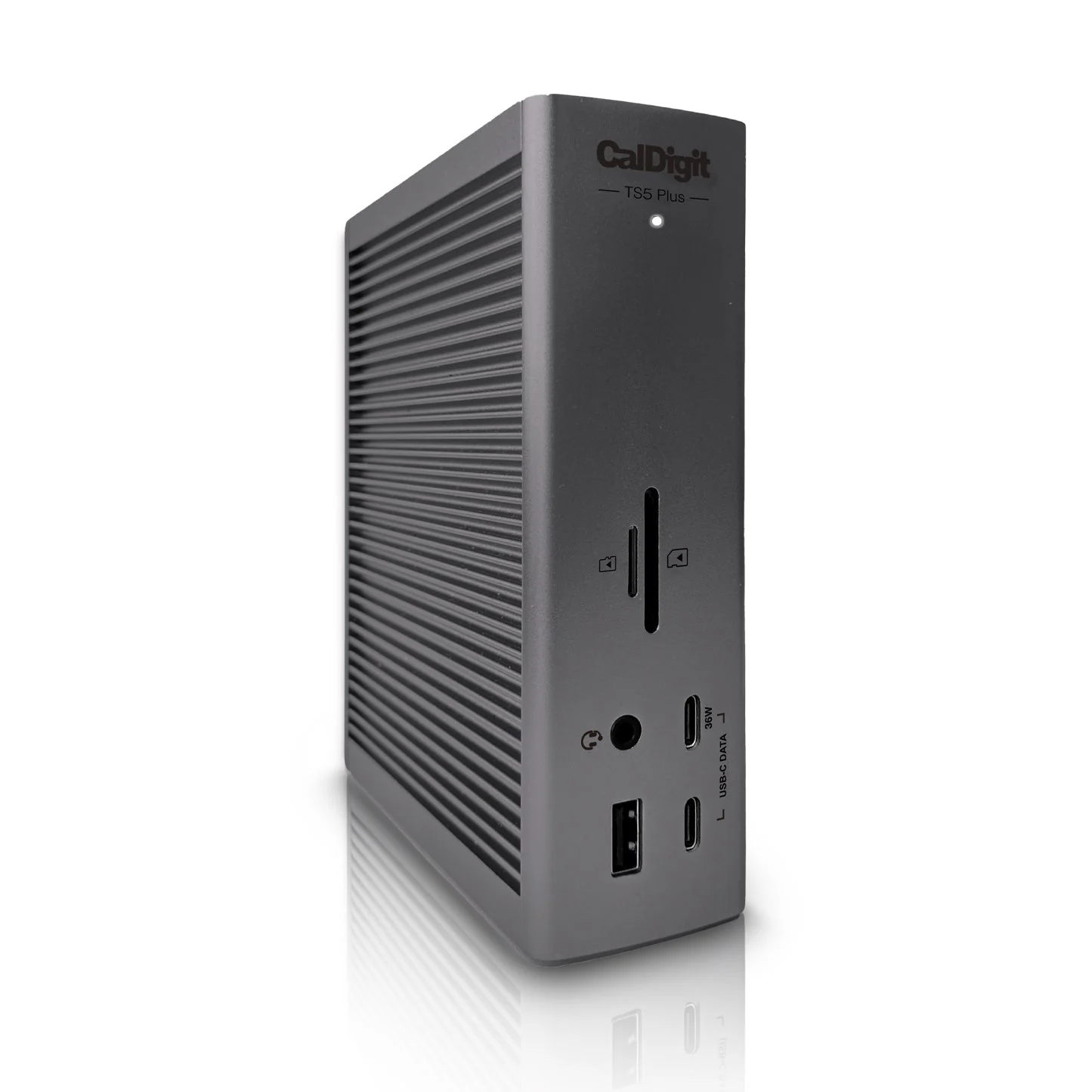
Kensington’s own US product page lists the dock at $449.99 and marks it discontinued and no longer available, with the replacement link still empty (October 2026). Retailer listings shown in the Windows Central review read $441.09 at Newegg, $449.99 at Lenovo and $476.25 at Best Buy (November 2025). Windows Central and Attract Mode put the launch price at about $450, against roughly $400 for the Razer Thunderbolt 5 Dock Chroma and about $500 for the CalDigit TS5 Plus, which trades 10GbE and two USB controllers for the missing M.2 slot (November 2025).
Buy it if you want internal NVMe storage, 2.5GbE and the widest port selection in the Thunderbolt 5 class from one box. Leave it if you only need a display hub, if you want native HDMI, or if 10GbE matters more to you than a drive bay. Two extras sit outside the box contents: an M.2 NVMe drive, which is not included, and the mounting bracket K34050WW if you want the dock on a monitor arm. The Thunderbolt 5 cable and the 180W power supply are included, DockWorks and Konnect are free, and nothing needs a subscription.
The warranty is a limited three years, stated on the product page, in the product sheet and on a card in the box. Because the dock is discontinued, ask whoever sells it to you whether they will still honour it.
Which model this is
This page covers the Kensington SD7100T5 EQ Pro 19-in-1 Thunderbolt 5 Docking Station with 140W PD and M.2 SSD Slot, sold in the US as SKU K33611NA, UPC 0 85896 33611 2.
Owner evidence is thin because the dock launched in late 2025. The only exact-model threads found are one r/Thunderbolt post from September 2026 titled “Kensington SD7100T5 works on MacBook and ThinkPad, but Legion detects dock and not monitors”, and two r/NewMaxx posts about the dock itself. Nobody has published a failure rate, so treat the thermal and handshake reports as a short list of things to test on your own setup.
Don’t confuse this dock with the K33612NA MacBook-optimized variant of the same family, with the SD5000T5 EQ that Kensington now promotes in its place, or with the older SD5780T and SD5780P Thunderbolt 4 docks.
The product listing for this dock is ASIN B0FY7L8KW7.
Sources
Manufacturer:
- Kensington SD7100T5 EQ Pro 19-in-1 Thunderbolt 5 Docking Station with 140W PD and M.2 SSD Slot, US product page (SKU K33611NA)
- SD7100T5 EQ Pro 19-in-1 Thunderbolt 5 Docking Station product sheet, K33611 (PDF)
- SD7100T5 EQ Pro 19-in-1 Thunderbolt 5 Docking Station accessible installation guide, K33611 (PDF)
Independent reviews:
- Windows Central test of the SD7100T5 EQ Pro, showing $441.09 at Newegg, $449.99 at Lenovo and $476.25 at Best Buy in November 2025
- CGMagazine hands-on look at the SD7100T5 EQ Pro Thunderbolt 5 docking station, which lists it at $449.99
- Attract Mode hands-on look at the Kensington SD7100T5 EQ Pro Thunderbolt 5 dock
Diagnostics:
Owner reports: