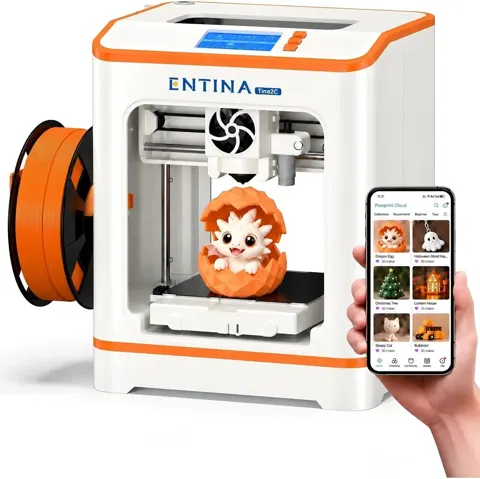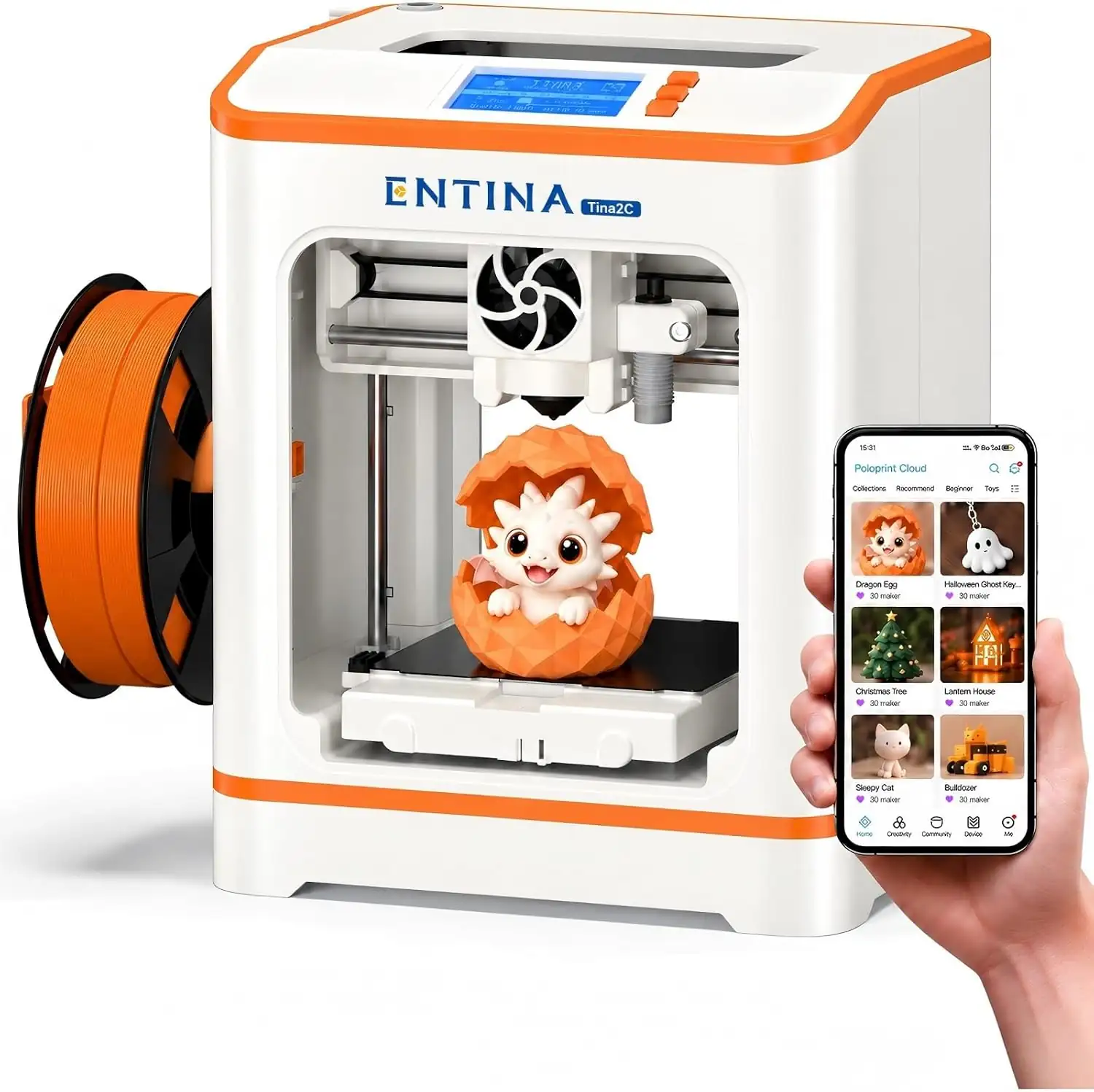
Entina Tina2C 3D Printer for Beginners & Kids
By Entina · Budget 3D Printers · 3D Printing
Compare all Budget 3D Printers side by side →
- Build volume 100 × 100 × 100 mm
- Machine size 200 × 165 × 252 mm
- 0.04 mm printing precision
- 70 mm/s print speed
- 60 W power adapter
Lowest price seen
$199.00
from $199.00 at Entina · Checked Nov 10, 2026
- Entina $199.00View at Entina
- Walmartfree shipping $35+ · store policyView at Walmart
- AmazonView at Amazon (paid link)
More on eBay (1)
- eBayView at eBay
- eBay (used) eBay: used, open-box, refurbishedView at eBay (used)
Stores with a price are sorted lowest first; commission never changes the order. Prices are snapshots. Check the current price with the store.
Summary
The Entina Tina2C is a compact, fully assembled FDM 3D printer aimed at kids, families and classrooms, with a 100 × 100 × 100 mm build volume, automatic leveling and app-based model printing. Check the bed before you buy: it has no heater, so PLA and TPU are the only filament that works.
Size in context

20.3 cm · 8.0 in (W) × 16.5 cm · 6.5 in (D) × 25.4 cm · 10.0 in (H) · Drawn to scale from the maker's stated dimensions, next to everyday objects.
Strengths
- Prints out of the box with no assembly, and setup from unboxing to first print takes under 10 minutes.
- Built-in auto-leveling and a magnetic spring steel plate make small prints easy to remove.
- Quiet enough for bedrooms and classrooms at roughly 50 dB.
- PoloprintCloud app and Wiibuilder slicing keep model selection and slicing in one flow.
- Quick-swap high-flow hotend with a ceramic heater is simple to replace.
Weaknesses
- The 100 mm cube build area caps project size hard; most toys and enclosures will not fit.
- No heated bed means PLA and TPU only, and PETG or ABS will not stick to the plate.
- The power switch sits inline in the cable rather than on the machine, and long-term owners report adapter and switch problems.
- Power and USB cables exit on the upper side, which makes everyday setup awkward.
- One cooling fan serves both hotend and part cooling, so steep overhangs cool poorly.
Verified specifications
| Build volume | 100 × 100 × 100 mm |
|---|---|
| Machine size | 200 × 165 × 252 mm |
| Item weight | 2.5 kg |
| Printing precision | 0.04 mm |
| Print speed | 70 mm/s, with 150 mm/s maximum travel speed |
| Power adapter | 60 W |
| Display | 2.4" screen |
| Mainboard | R81A |
| Build plate | magnetic flexible spring steel plate, unheated |
| Nozzle | high-flow quick-release hotend with ceramic heater, up to 245°C |
| Heated bed | none |
| Auto-leveling | yes, built in |
| Filament support | PLA and TPU; the unheated bed rules out PETG and ABS |
| Connectivity | 2.4G WiFi, TF card, USB with Type-C USB 3.0 adapter |
| Noise level | about 50 dB |
| Spool capacity | foldable holder for spools up to 1000 g |
| Special features | auto-cleaning nozzle brush, power loss recovery, white LED light |
| Box contents | 8 mm wrench, Phillips screwdriver, hex wrench, AC power adapter and cord, solid glue stick, 100 g PLA filament sample, Type-C USB 3.0 adapter |
Full research notes and sources
Materials and print quality
Community review summaries report good print quality on small educational models and toys. The hotend runs to 245°C and the stated precision is 0.04 mm, which is enough for desk toys, keychains and classroom prototypes.
The unheated build plate is the hard limit. The vendor lists PLA and TPU as supported, and PETG and ABS fail because of poor bed adhesion. If your project needs a warm bed, this is not the machine.
Cooling is the second constraint. A single fan handles both hotend and layer cooling, so overhangs and small bridges come out stringy or droopy more often than on a printer with a dedicated part-cooling fan.
Noise, setup and daily use
Auto-leveling removes the usual first-layer guesswork, and the magnetic spring steel plate peels prints off without a scraper fight.
The cables are the everyday annoyance. Power and USB routing sits on the upper side of the machine, and the mains switch is built into the power cable. Long-term owners report problems with the adapter and that inline switch, so expect the cable to take the beating for a small desktop printer that gets moved around.
Filament runs on 1.75 mm PLA or TPU spools, and the foldable holder takes spools up to 1000 g. The auto-cleaning nozzle brush purges excess filament before prints, which helps when a job is abandoned mid-layer.
Running costs and parts
The recurring cost is filament plus occasional wear parts. PLA and TPU in 1.75 mm are the normal refills, and replacement nozzles or hotend modules cover the rest. The quick-release high-flow hotend is the part most likely to need swapping, and the ceramic heater sits in that module. The ENTINA Direct store lists the printer at $179.00 against a listed regular price of $229.00, and standard market pricing has run about $179 to $200.
ENTINA sells directly with a 1-year after-sales warranty and a 7-day refund policy.
Which model this is
This is the Tina2C from ENTINA / Weedo, the fully assembled mini printer in the Tina2 family. It is not the Tina2 Basic, Tina2S or Tina2 Plus, which differ in speed and bed heating. ASIN B0H5V6K81F.
Sources
Manufacturer:
Independent reviews:
Owner reports:
- No owner reports were published for this model in the research.