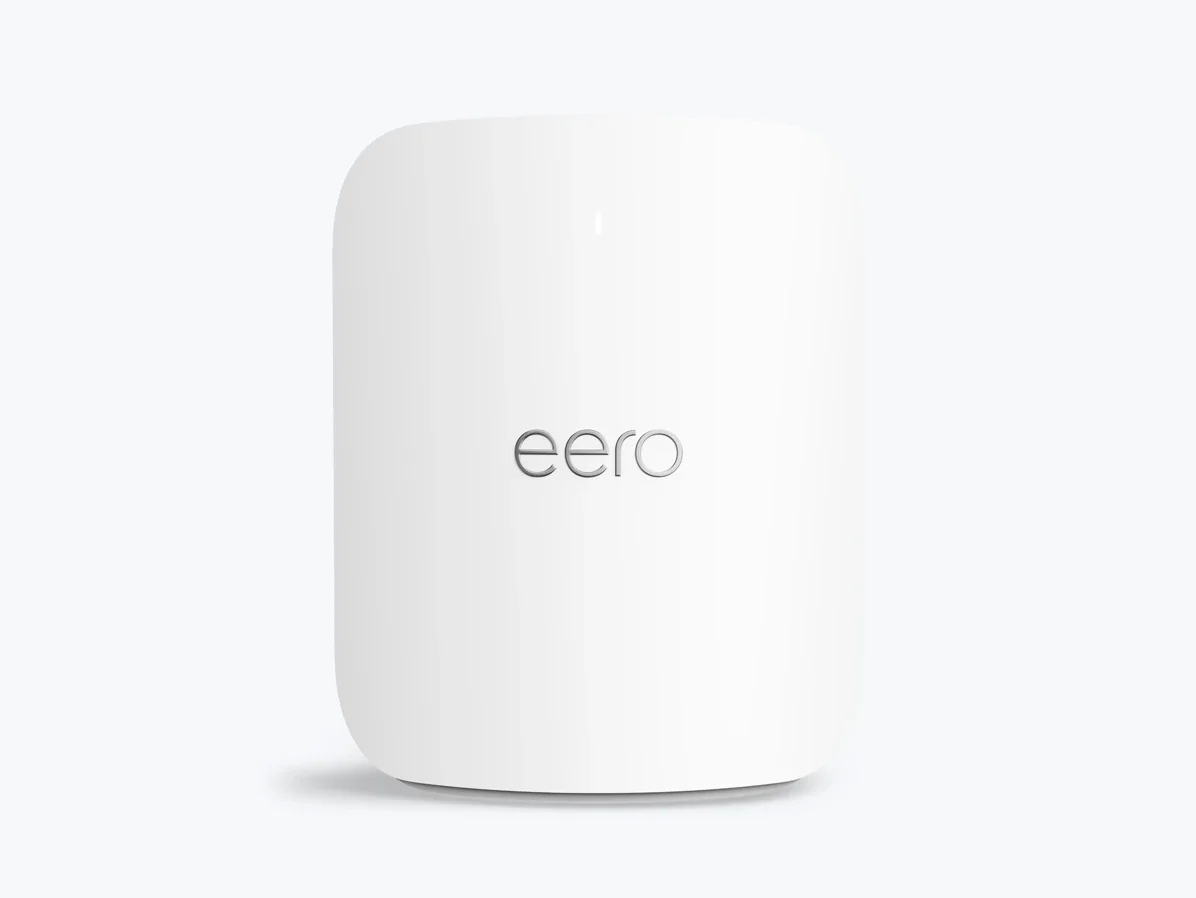
eero Pro 7 BE3900 Tri-Band Wi-Fi 7 Mesh Router
By eero · Wifi Routers · Desk & Streaming Setup
- Wireless speeds up to 3.9 Gbps and wired speeds up to 4.7 Gbps
- Two auto-sensing 5 GbE Ethernet ports per node
- 2,000 sq
- Built-in smart home hub: Thread, Zigbee and Matter (controller only), Bluetooth LE 5.0
Price not listed
- eeroView at eero
- eBayView at eBay
- eBay (used) eBay: used, open-box, refurbishedView at eBay (used)
Stores are listed in a fixed order, never by price or commission. Prices are snapshots. Check the current price with the store.
Summary
The eero Pro 7 is a tri-band Wi-Fi 7 mesh router with an integrated smart-home hub, aimed at homes that want a set-and-forget network rather than deep controls. The one thing to check before buying: parental controls and network security sit behind a paid eero Plus subscription.
Strengths
- PCMag measured 2,850 Mbps at close range and 860 Mbps at 30 feet for the router node, leading its comparison group at distance.
- Two auto-sensing 5 GbE ports per node let you wire a PC, console or backhaul without a switch.
- The built-in Thread, Zigbee and Matter controller plus Bluetooth LE 5.0 handles the smart home in the same box as the network.
- Tri-band Wi-Fi 7 with a 6 GHz radio and 320 MHz channels suits a home with many connected devices.
- Setup runs through the eero app in minutes, and owners repeatedly call it easy to set up and maintain.
- The 3-year warranty is longer than most consumer mesh systems.
Weaknesses
- Parental controls and network security software are behind a paid eero Plus subscription.
- There are no USB ports for storage or peripherals.
- Advanced configuration is limited, and eero is managed only through the mobile app with no web admin interface.
- Setup requires an eero account and a modem power cycle.
- Some owners report intermittent stability and hours-long support calls, though these are anecdotes, not a failure rate.
- Sonos speakers and older 2.4 GHz IoT devices sometimes drop from Wi-Fi 7 networks generally.
Verified specifications
| Standard | Wi-Fi 7 (802.11be). |
|---|---|
| Bands | tri-band 2.4 GHz, 5 GHz and 6 GHz. |
| Radios | 2x2/2x2/2x2 SU-MIMO, with 5 internal antennas. |
| Wireless speed | up to 3.9 Gbps. |
| Wired speed | up to 4.7 Gbps. |
| Ethernet | two auto-sensing 5 GbE ports per node. |
| Coverage | up to 2,000 sq ft (190 m²) per unit; eero’s support page says 2,500 sq ft per device. |
| Device capacity | 200+ connected devices per unit. |
| CPU, RAM, storage | 1.5 GHz quad-core ARM, 1 GB RAM, 4 GB flash. |
| Smart-home hub | Thread, Zigbee, Matter (controller only), Bluetooth Low Energy 5.0. |
| Security | WPA2 and WPA3. |
| Power | 27 W USB-C adapter, 100–240 V AC, 50/60 Hz. |
| Dimensions | 7.1 × 5.77 × 3.09 in (180 × 146 × 78 mm). |
| In the box | router, 27 W USB-C adapter, Cat6a Ethernet cable. |
| Warranty | 3 years, with 30-day returns and free shipping. |
Full research notes and sources
Setup and coverage
eero manages the whole system through its mobile app, and setup requires an account and a modem power cycle. TrueMesh with TrueRoam and TrueChannel handles node handoff and channel selection automatically. PCMag’s signal maps showed strong coverage to all corners of its test home, and owners using four units call the coverage excellent whole-home.
Speed and radios
Each node carries a 2.4 GHz, 5 GHz and 6 GHz radio in a 2x2/2x2/2x2 configuration. eero rates it at up to 3.9 Gbps wireless and 4.7 Gbps wired, recommends it for internet plans up to 5 Gbps, and covers up to 2,000 sq ft per unit. PCMag’s instrumented test delivered 2,850 Mbps at close range and 860 Mbps at 30 feet for the router node, and 2,293 Mbps close-range with 1,118 Mbps at 30 feet for the satellite, which it rated an Editors’ Choice for midrange Wi-Fi 7 systems.
Subscription and configuration
The recurring tradeoff is software. Parental controls and network security features are behind the eero Plus subscription at $9.99 a month or $99.99 a year, and PCMag lists that paywall plus the lack of USB ports as its two cons. There is no web admin interface; owners who want browser-based configuration sometimes run a separate router as the main network and use eero nodes as a secondary bridge mesh. The system also needs internet access for the local network, a limitation owners call out.
Reliability and support
No user-serviceable parts or published parts channel exist; replacement goes through eero support and returns. eero says new Wi-Fi 7 routers carry a three-year warranty, and firmware updates are handled through the app. Owner threads in r/amazoneero describe repeated device drops, hours-long support calls and a firmware rollback request, ending in one owner switching away from eero. These are individual anecdotes, not a failure rate.
Is it worth it?
At $299.99 for a single node, $549.99 for a two-pack and $799.99 for a three-pack, the Pro 7 sits in the midrange for Wi-Fi 7 mesh. If you want the integrated Thread, Zigbee and Matter hub and the 3-year warranty, that is fair value; if you want deep networking controls or free security and parental features, look at a mesh system with more advanced configuration. PCMag’s three-piece system carried an MSRP of $699.99 and a street price of $799.99, which frames the Pro 7 as a midrange Wi-Fi 7 pick rather than a budget one.
Which model this is
This page covers the eero Pro 7, a tri-band Wi-Fi 7 mesh router sold in 1-pack, 2-pack and 3-pack configurations. The Amazon listing for the single unit is ASIN B0C6RBS846. Don’t confuse it with the dual-band eero 7, the higher-end eero Max 7, the older eero Pro 6E, or the eero Outdoor 7, which are distinct products.
Sources
Manufacturer:
- eero Pro 7 product page
- eero Pro 7 support specifications
- eero Pro 7 buy page and warranty
- Introducing eero 7 and eero Pro 7 (eero blog)
Independent reviews:
Retailers:
Owner reports:
Roundups: