Dell WB5023 Webcam
By Dell · Webcams · Desk & Streaming Setup · More from Dell
- 2K QHD (2560x1440) at 30 fps
- Full HD 1080p at 30 fps / HD 720p at 60 fps
- 78-degree diagonal field of view
- 4x digital zoom
- Built-in noise-reduction microphone
Price not listed
- DellView at Dell
- WalmartView at Walmart
- AmazonView at Amazon (paid link)
More on eBay (1)
- eBayView at eBay
- eBay (used) eBay: used, open-box, refurbishedView at eBay (used)
Stores are listed in a fixed order, never by price or commission. Prices are snapshots. Check the current price with the store.
Summary
Check your lighting and your port before buying: footage turns soft and noisy in dim rooms, and the cable is USB-A with no adapter included.
Strengths
- Sharp, natural-looking 2K image in good light, with an f/2.0 lens and Sony STARVIS sensor.
- Effective HDR for bright windows and backlit scenes, keeping the subject visible.
- Compact 155 g cylinder with an integrated rubberized monitor clip and tripod thread.
- Plug-and-play over USB without software, with granular controls in Dell Peripheral Manager.
- Magnetic privacy cap and a built-in noise-reduction microphone with noise reduction.
Weaknesses
- Footage turns soft and noisy in dim rooms despite the 2K label.
- AI auto-framing is slow and digital, not a physical gimbal.
- Microphone is thin and echo-prone, and must be enabled manually in software.
- Auto-exposure and white balance take a second or two to settle.
- USB-A only, with no adapter included; non-detachable cable means replacement is the whole unit.
- No Windows Hello support.
Verified specifications
| Model | Dell Pro Webcam (also sold as Dell Pro 2K Webcam), model number WB5023. |
|---|---|
| Resolution and frame rate | 2K QHD (2560x1440) at 24 or 30 fps; Full HD (1920x1080) at 24, 30 or 60 fps; HD (1280x720) at 24, 30 or 60 fps. |
| Field of view | 65 or 78 degrees diagonal, selectable in software (78 default). |
| Zoom | up to 4x digital. |
| Autofocus | yes. |
| HDR | Advanced Digital Overlap (DOL) HDR. |
| Image sensor | Sony STARVIS. |
| Aperture | f/2.0 (fixed). |
| Microphone | built-in noise-reduction (omnidirectional) mic, range up to 3 m (about 10 ft). |
| Noise reduction | Video Noise Reduction (3D + 2D), Temporal Noise Reduction (3DNR), Spatial Noise Reduction (2DNR). |
| Auto white balance | yes. |
| Facial detection auto exposure (FDAE) | yes. |
| AI auto-framing | yes (digital, follows face). |
| Privacy | magnetic lens cap (attaches to front for privacy/storage, rear when in use). |
| Connection | USB-A, USB 2.0, non-detachable cable. |
| Cable length | 1.5 m (5 ft). |
| Mount | integrated monitor clip with rubberized surface and adjustable tilt foot, plus 1/4"-20 UNC tripod thread. |
| Software | Dell Peripheral Manager (Windows 10/11 and macOS); settings are saved on the camera. |
| System requirements | Windows 10/11 or macOS; Linux gets basic features only (no Peripheral Manager). |
| Certifications | Microsoft Teams and Zoom. |
| Windows Hello | not supported. |
| Power | USB 2.0 compliant; idle 0.7 W, up to 2.1 W (Full HD with HDR), down to 1.7 W (HD 30 fps, no HDR); USB 2.0 limit 2.5 W / 0.5 A. |
| Temperature profiles in software | Default, Smooth, Vibrant, Warm. |
| Dimensions | 44 mm (1.73 in) diameter × 92 mm (3.62 in) length; 155 g (0.34 lb). |
| Body | plastic with a glass-covered lens. |
| Included items | webcam with integrated cable and mount, magnetic lens cap, documentation. No USB-A to USB-C adapter included. |
| Mounting clip grips monitors up to about 4 cm thick. | |
Full research notes and sources
Image quality and lighting
HDR helps with bright windows and backlit scenes, though ghosting can appear at high-contrast edges in very poor light. Auto-exposure and white balance take 1-2 seconds to settle, and the white balance can read slightly sallow or green. There is no instrumented lab benchmark in any source; all findings are reviewer observation.
Auto-framing and autofocus
AI auto-framing follows the face and keeps the user centered, but it is slow, digital rather than a physical gimbal, and zooms only modestly. Autofocus works but could be faster. Image quality takes a hit when auto-framing is active, and zoom past 2x looks grainy. There is no built-in background blur.
Microphone and setup
The built-in noise-reduction microphone has a range up to 3 m and is adequate for calls, but it sounds thin and echo-prone to some callers and must be enabled manually in Dell Peripheral Manager before apps can use it. The camera is certified for Microsoft Teams and Zoom and works plug-and-play without software, though software conflicts can occur if another app is already using the camera.
Build, cable and compatibility
The body is plastic with a glass-covered lens, not aluminum like the Dell UltraSharp. The 1.5 m USB-A 2.0 cable is permanently attached, so cable damage likely means replacing the whole unit. The magnetic lens cap magnet is weak and can fall off during transport. The integrated clip grips monitors up to about 4 cm thick and can be wobbly on bevelled-edge laptop lids. System support is Windows 10/11 and macOS through Dell Peripheral Manager; Linux gets basic features only. There is no USB-C and no adapter included, so USB-C-only machines need a dongle. The camera does not support Windows Hello.
Is it worth it?
At sale prices around $80 to $100 it is a sensible mainstream upgrade to a laptop camera, with 2K detail, HDR and AI framing at a modest price. At the $135 MSRP it competes with the Razer Kiyo Pro and Elgato Facecam and is limited by 2K at 30 fps and noise in dim rooms. Reviewers disagree on its merit: PCMag gave it an Editors’ Choice for affordable webcams, while Trusted Reviews and Digital Camera World found the image quality disappointing.
Which model this is
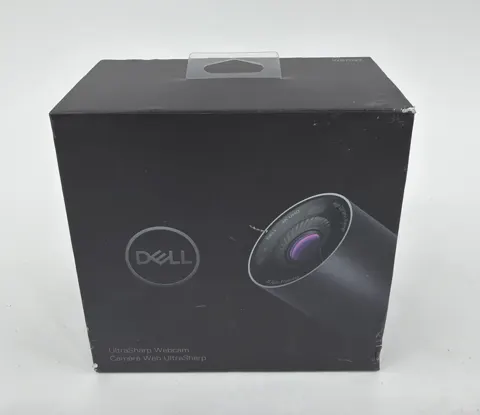
This page covers the Dell Pro Webcam, model WB5023, launched August 2022: a 155 g plastic cylinder, 44 × 92 mm, with a Sony STARVIS sensor, an f/2.0 lens, an integrated USB-A cable and a magnetic privacy cap. It is not the Dell UltraSharp Webcam (4K, aluminum body, no microphone) or the newer Dell Pro 5 Webcam 2K. Retailers also list it as the Dell Pro 2K Webcam WB5023, including SKU WB5023-DDAO at B&H. The Amazon listing is ASIN B0BL987XN7. No hardware revisions or color variants were documented in the research.
Sources
Manufacturer:
- No verified manufacturer page was accessible; Dell support pages returned 403 during research.
Independent reviews:
- Dell Pro Webcam Review (PCMag)
- Dell Pro Webcam Review (Trusted Reviews)
- Dell Pro Webcam review: zooms in on the right stuff (Creative Bloq)
- Dell Pro Webcam review (Digital Camera World)
Owner reports:
- None: no owner forums or long-term reports were read.