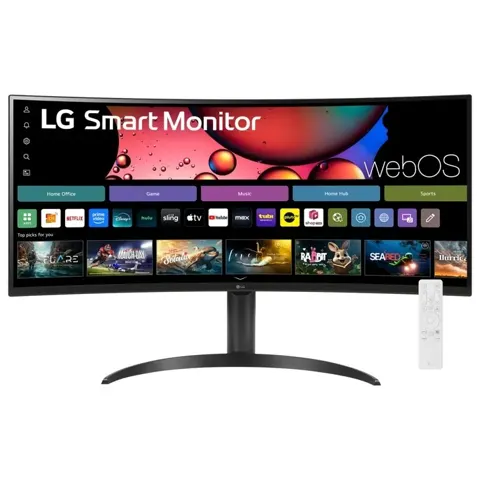
Dell Ultrasharp U2718Q
By Dell · Computer Monitors · Desk & Streaming Setup · More from Dell
- 27-inch 3840x2160 4K IPS
- 350 cd/m2 brightness
- 1300:1 contrast ratio
- 99.9% sRGB color gamut
- 5ms (GtG) response time
Price not listed
- DellView at Dell
- WalmartView at Walmart
- eBayView at eBay
- AmazonView at Amazon (paid link)
- eBay (used) eBay: used, open-box, refurbishedView at eBay (used)
Stores are listed in a fixed order, never by price or commission. Prices are snapshots. Check the current price with the store.
Summary
A 27-inch 4K IPS monitor from 2017 for desk work, photo and video editing and casual gaming, with a fully adjustable stand, a factory calibration report and a built-in USB 3.0 hub. Check the panel before you buy on the used market: owners report red glow in the corners, image retention and flicker, and independent measurements fall well short of Dell’s contrast and color claims.
Strengths
- Sharp 4K image with wide 178° viewing angles and excellent uniformity in testing.
- Fully adjustable stand (height, tilt, swivel, pivot) plus a 100 × 100 mm VESA mount.
- Factory calibration report included in the box; 99.9% sRGB claim.
- Built-in USB 3.0 hub and Dell Display Manager with Easy Arrange.
- Three-year Advanced Exchange Service and Limited Hardware Warranty with Premium Panel Guarantee (zero bright pixels).
- Good for productivity and video consumption at a discounted price.
Weaknesses
- Measured contrast around 600:1, 97% sRGB and 2.5 average Delta E fall short of the 1300:1, 99.9% and below-2 claims.
- HDR is input-only: 350 cd/m² peak, no local dimming, 80.7% DCI-P3, so little real HDR benefit.
- Backlight uses PWM, so it is not flicker-free; may bother flicker-sensitive users.
- No FreeSync or Adaptive-Sync and 60 Hz only; not a gaming monitor.
- Color tint out of the box, notably greens, that calibration only partly fixes; about 75% Adobe RGB.
- Owners report red or IPS glow in the corners, image retention or burn-in, and flickering, sometimes even in self-test mode.
Verified specifications
| Model | U2718Q (regulatory model U2718Qb). |
|---|---|
| Screen | 27 in (68.47 cm) diagonal, 16:9; active area 596.74 × 335.66 mm. |
| Resolution | 3840 × 2160 at 60 Hz. |
| Panel | IPS, antiglare hard-coating 3H. |
| Pixel pitch | 0.1554 mm; 163 PPI. |
| Brightness | 350 cd/m² typical. |
| Contrast ratio | 1300:1 typical (manufacturer claim). |
| Viewing angle | 178°/178°. |
| Response time | 5 ms GtG (fast mode), 8 ms (normal). |
| Color depth | 1.07 billion colors (8-bit + FRC). |
| Color gamut | 99.9% sRGB, 99.9% Rec. 709, 80.7% DCI-P3; factory calibrated to Delta E < 2 (average). |
| Backlight | LED edgelight. |
| HDR | HDR10 input support over HDMI 2.0a (“Dell HDR”). |
| Ports | 1× DisplayPort 1.2, 1× mini-DisplayPort 1.2, 1× HDMI 2.0, 1× USB 3.0 upstream, 4× USB 3.0 downstream (2 with BC1.2 charging at 2 A), audio line-out. |
| USB hub | USB 3.0 super-speed hub built in. |
| HDCP 2.2 on all digital inputs. | |
| VESA | 100 × 100 mm. |
| Refresh rate | 60 Hz; no VRR/FreeSync. |
| Stand | tilt -5/+21°, swivel ±45°, pivot ±90°, height 0–130 mm. |
| Power | 100–240 VAC, 50/60 Hz, 1.5 A; 30 W typical, 24.32 W ENERGY STAR, <0.3 W standby. |
| Dell Display Manager support; Easy Arrange. | |
| Speakers | none (optional Dell AE415 soundbar). |
| OS support listed | Windows 10, 8.1, 7. |
| Dimensions | with stand 24.07 × 16.15–21.27 × 7.89 in (611.3 × 410.2–540.2 × 200.3 mm); without stand 24.07 × 14.02 × 1.93 in (611.3 × 356.2 × 49.1 mm). |
| Weight | panel only 8.16 lb (3.70 kg); with stand 14.44 lb (6.55 kg); with packaging 20.72 lb (9.40 kg). |
| Border width | 7.3 mm top/left/right, 9.0 mm bottom. |
| In box | monitor with stand, power cable, DisplayPort cable (mini-DP to DP), USB 3.0 upstream cable, quick setup guide, drivers and documentation media, safety and regulatory info, factory calibration report. |
Full research notes and sources
Which model this is
This page covers the Dell UltraSharp 27 4K Monitor, model U2718Q, regulatory model U2718Qb: a 27-inch 3840 × 2160 IPS panel from 2017, Dell’s consumer and prosumer 4K model without PremierColor. Do not confuse it with the Dell UP2718Q, the PremierColor variant with 384-zone full-array local dimming, or the older P2715Q. Retailers and Dell use the same U2718Q name across revisions, so panel behavior and tint vary by unit.
The Amazon listing for this model is ASIN B073VYVX5S.
Image quality and color
Dell’s spec sheet claims 350 cd/m² brightness, 1300:1 contrast, 99.9% sRGB and 99.9% Rec. 709 coverage with factory calibration to below 2 average Delta E, plus 80.7% DCI-P3. Independent testing does not back all of that up: MonitorNerds measured roughly 600:1 contrast, 97% sRGB and 2.5 average Delta E, and found greens oversaturated. Fstoppers and InPics both report an excessive green tint out of the box that calibration improves but does not fully remove, and Adobe RGB coverage around 75%, so color-critical print work is better served by a wider-gamut display. Uniformity is a strength: RTINGS rated it excellent, with no visible backlight bleed in the Fstoppers and InPics samples, and gradients handle well.
HDR, gaming and flicker
“Dell HDR” is an HDMI 2.0a HDR10 input feature, not a true HDR display. The panel is edgelit at 350 cd/m² with no local dimming and only 80.7% DCI-P3, so HDR image quality is software-emulated and RTINGS calls it poor. For gaming, input lag measured about 9 ms at DisplayNinja and 14 ms at MonitorNerds, with 5 ms gray-to-gray in fast mode and 8 ms in normal mode, but there is no FreeSync or Adaptive-Sync and the panel is 60 Hz only. The backlight uses PWM, so the monitor is not flicker-free despite ComfortView; flicker-sensitive users should look elsewhere.
Ergonomics and connectivity
The stand adjusts for height from 0 to 130 mm, tilt from -5 to +21 degrees, swivel plus or minus 45 degrees and pivot plus or minus 90 degrees, and the panel mounts on a standard 100 × 100 mm VESA pattern. Inputs are one DisplayPort 1.2, one mini-DisplayPort 1.2, one HDMI 2.0, one USB 3.0 upstream and four USB 3.0 downstream ports, two of them with BC1.2 charging at 2 A, plus an audio line-out that does not support headphones or the Dell soundbar. HDCP 2.2 is supported on all digital inputs. There are no built-in speakers; Dell sells an optional AE415 soundbar. The monitor ships with a DisplayPort cable (mini-DP to DP), a USB 3.0 upstream cable, a power cable and a factory calibration report.
Reliability, warranty and value
Owners report recurring issues that calibration does not fix: red or IPS glow in the corners on dark backgrounds, possible burn-in or image retention, and flickering that can appear even in self-test mode with no input, sometimes persisting after firmware resets and cable swaps. Dell backs the panel with a three-year Advanced Exchange Service and Limited Hardware Warranty plus a Premium Panel Guarantee that covers even a single bright pixel during the warranty period. On value, Fstoppers listed a regular price of $449 and a used B&H price of $313.95 at the time of review, DisplayNinja puts the usual price around $460, and the PremierColor UP2718Q is about $1,342 while the BenQ SW2700PT is $599. The U2718Q makes sense for 4K productivity and video at a discounted or used price, provided the unit is checked for red glow, retention and flicker; new color-critical work should look elsewhere.
Sources
Manufacturer:
- Dell UltraSharp 27 4K Monitor U2718Q product spec sheet (PDF)
- Dell UltraSharp U2718Q monitor user’s guide (PDF)
Independent reviews:
Owner reports: