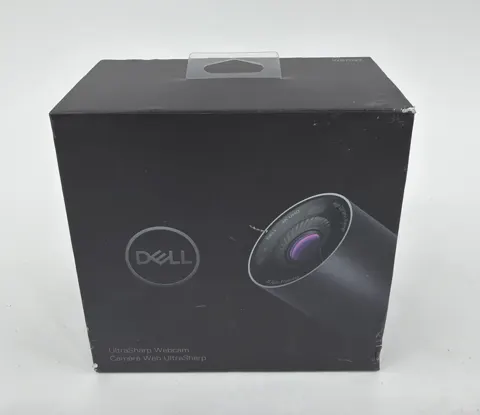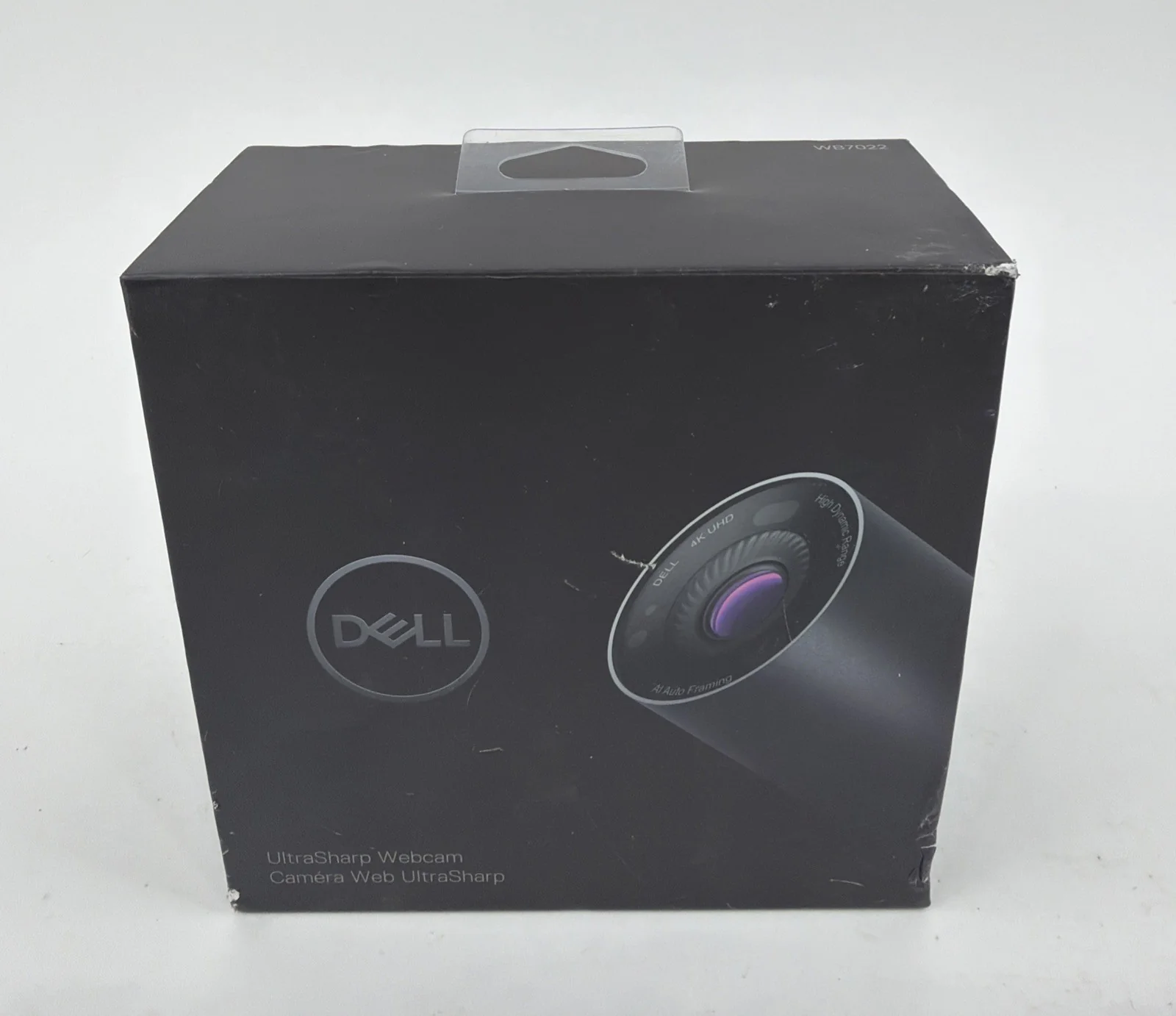
Dell UltraSharp HDR 4K Webcam
By Dell · Webcams · Desk & Streaming Setup · More from Dell
- 4K UHD at 24/30 fps
- 8.3MP
- 65/78/90 degree field of view
- f/2.7 aperture
- 2 m USB-C to USB-A cable
Price not listed
- eBay (used) eBay: used, open-box, refurbishedView at eBay (used)
Stores are listed in a fixed order, never by price or commission. Prices are snapshots. Check the current price with the store.
Summary
A 4K USB webcam built around an 8.3 MP Sony STARVIS sensor, with selectable 65, 78 and 90 degree fields of view, Windows Hello and no microphone. Check your setup before buying: it needs a true USB 3.0 path for 4K, HDR and Hello, and a separate microphone for sound.
Strengths
- Sharp 4K picture in testing: Tom’s Hardware preferred its clarity side by side with the Razer Kiyo Pro, and PC Gamer praised image quality and tracking.
- Flexible framing: selectable 65, 78 and 90 degree fields of view plus digital framing give more background control than fixed-view webcams.
- Windows Hello worked in reviewer testing, including at Tom’s Hardware and Windows Central.
- Aluminum body, easy magnetic cap and mounts, included tripod adapter and detachable long cable; reviewers broadly liked the physical construction.
- Dell software offers HDR, exposure and image adjustments, zoom, focus, presets and auto-framing, which can improve consistency when tuned for the room.
- A July 2026 B&H purchaser reported good 4K conferencing quality and convenient tripod or monitor mounting.
Weaknesses
- No microphone: a separate microphone or headset and its cables and settings are mandatory for meetings.
- The monitor arm tilts but does not swivel horizontally; some reviewers found the stand insecure or limited in adjustment.
- Auto-framing cannot be combined with 60 fps and can change the crop unexpectedly; turning it off is preferable to a moving picture in formal calls.
- HDR can hurt appearance in low light; a dedicated light or switching HDR off may help.
- Zoom and Teams often deliver lower resolution than the sensor maximum; a Zoom Community report observed a 640 by 360 feed in one setup.
Verified specifications
| Model | WB7022, regulatory model WB7022c; Dell part 319-BBHP, manufacturer part 8YK83; B&H lists WB7022-DDAO. |
|---|---|
| Sensor | 8.3 MP Sony STARVIS CMOS; 3840 x 2160 at 24 or 30 fps; 1920 x 1080 at 24, 30 or 60 fps. No 4K at 60 fps. |
| Lens and framing | autofocus; selectable 65, 78 and 90 degree fields of view; up to 5x digital zoom; f/2.7 aperture on the Dell US listing. |
| Image processing | Digital Overlap HDR, automatic white balance, facial-detection auto-exposure, temporal and spatial noise reduction. AI auto-framing for one person within about 2 m; not available at 60 fps. |
| Security and presence | IR sensor for Windows Hello; presence sensor for Dell ExpressSign-In and Walk Away Lock on supported Dell Windows PCs. Presence features are not generally supported on non-Dell systems or in all PC sleep states. |
| Audio | no built-in microphone and no ring light; a separate microphone or headset is required. |
| Body | anodized aluminum tubular body, 42 mm diameter by 90 mm long; body about 111.56 g; complete kit about 299 g. Magnetic detachable privacy cap; white in-use LED. |
| Connection | USB-C socket on camera; included 2 m (6.6 ft) USB 3.1 Gen 1 Type-C-to-Type-A cable. A functional USB 3.0 path is required for 4K, HDR, Windows Hello and auto-framing; USB 2.0 removes those features. |
| Mount | included monitor clamp and magnetic mount, tripod adapter, cable and cap; tripod not included. Monitor thickness up to 5.4 cm; tilt 20 degrees down and 10 degrees up; no built-in left or right swivel. |
| Compatibility | Windows 10/11 and supported macOS machines. Dell Display and Peripheral Manager feature support varies by Mac processor and OS; current Dell support excludes iMac from that utility. |
| In the box | camera, monitor mount, tripod adapter, 2 m cable, magnetic privacy cap and documentation. |
Full research notes and sources
Image quality and auto-framing
Tom’s Hardware and PC Gamer preferred the image, while Windows Central found it dark, soft and slower to focus than Logitech Brio 4K. HDR can hurt in low light; a dedicated light or switching HDR off can help. Dell documents flicker under fluorescent or LED lighting; enable Anti-Flicker, try 50 or 60 Hz in its software, and disable HDR if flicker persists. Auto-framing works for a single person within about 2 m and is unavailable at 60 fps; Dell acknowledges jumping or unexpected zoom with virtual backgrounds, poor light, downward-facing eyes or distances beyond 2 m. Face the camera, sit within 2 m and improve lighting, or disable tracking.
Setup, ports and compatibility
Verify a true USB 3.0 path before blaming the camera. Connected over USB 2.0, 4K, HDR, Windows Hello and tracking disappear; some docks and hubs may provide inadequate power. Dell advises the supplied USB 3.0 cable connected directly, a fully seated camera-end plug and updated host or dock firmware. Some 2.4 GHz or Bluetooth dongle keyboards and mice can lag when plugged into a neighboring port or hub; separate the dongle and webcam USB connections. On Mac, Dell Display and Peripheral Manager support varies by processor and OS, with full support on Apple Silicon macOS 14, 15 or 26 and limited support on Intel Mac macOS 14 or later; current Dell support excludes iMac.
Owner reports and reliability
Dell Community and Reddit posts describe a camera that works once and then reports in use, fixed only by reconnecting USB or restarting the PC; two reports from October 2025 and February 2026, not a measured failure rate. Another owner said auto-framing stopped after a firmware update from 0.0.7.1 to 0.0.7.5 in January 2022, with a replacement unit showing the same behavior after update; no evidence establishes that this affects current firmware. A January 2025 Zoom Community owner reported blurry or choppy footage only in Zoom, briefly corrected by launching Dell software, with a reply citing a 640 by 360 feed; the root cause was not established. PC Gamer noticed a very warm shell after a roughly 30-minute call; Dell says 40 to 42 C surface temperatures while recording are normal and swapping units will not necessarily change that. No credible population-wide failure-rate statistics or median failure age were found.
Parts, repairs and running costs
No scheduled user-replaceable consumables are listed; the camera is USB powered and Dell describes no paid subscription. Running cost is effectively $0 per year, excluding a separate headset or microphone, room lighting, accidental loss of the cable or cap, and host power. No independently verified watt draw was found, so a dollar-per-year electricity estimate cannot be made from the checked material. The original 2 m USB 3.1 Gen 1 USB-C-to-USB-A cable is bundled; Dell requires an adequate USB 3.0 cable and has no verified separately orderable replacement cable part number or price, so contact Dell support for a fitted spare rather than substituting any Type-C to Type-A cable. The magnetic privacy cap and monitor mount are included; no verified standalone Dell spare part numbers or prices were found for them. A tripod is not supplied. The internal sensor and lens are not owner-serviceable. Dell’s user guide states a three-year limited hardware warranty; if purchased with a Dell computer, the webcam follows the system’s warranty. U.S. coverage and remedies depend on Dell terms and the sales channel; accidental damage and seller extensions are not assumed.
Is it worth it?
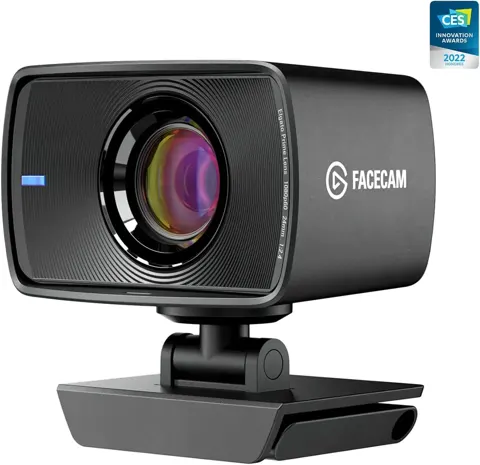
Verified US store offers on October 29, 2026: Dell US listed $169.99 and showed temporarily out of stock when opened; B&H Photo listed $149.99 in stock as an authorized dealer with manufacturer model WB7022-DDAO; Newegg marketplace listed $129.99 sold and shipped by third-party PlugnParts, with warranty details through the seller. Editorial thresholds based on those offers: $125 or less new with full kit and a credible seller and warranty is a strong buy for someone who wants Windows Hello and owns a microphone; $126 to $155 is acceptable if the 4K sensor, Hello and tracking genuinely matter; at about $170 or higher, compare the Logitech MX Brio, shown by Logitech at $169.99 for the Pale Gray variant and $199.99 for Graphite, which adds a microphone and newer imaging features. Elgato Facecam 4K at $199.99 MSRP offers 4K at 60 fps with a Sony STARVIS 2 sensor and fixed focus, for creators rather than Windows sign-in.
Which model this is
This page covers the Dell UltraSharp WB7022, also called the Dell UltraSharp HDR 4K Webcam: a USB webcam with hardware model WB7022 and regulatory model WB7022c, Dell part 319-BBHP and manufacturer part 8YK83. It is sold in black. The B&H listing uses manufacturer model WB7022-DDAO. Do not confuse it with the Dell Pro 2K WB5023 or Logitech and Elgato 4K webcams, which are separate products with different features.
Sources
Manufacturer:
- Dell UltraSharp Webcam WB7022 product and sales page
- Dell UltraSharp Webcam WB7022 user guide
- Dell WB7022 specification sheet v8, April 2025
- Dell: USB 3.0 required for 4K and advanced features
- Dell: unwanted moving or zoom with AI auto-framing
- Dell: video flicker under artificial light
- Dell: wireless interference with WB7022 and USB dongles
- Dell: WB7022 surface temperature during recording
- Dell: Display and Peripheral Manager for macOS supported devices
- Dell: WB7022 usage and troubleshooting guide
Independent reviews:
Owner reports:
- Reddit r/Dell: auto-framing and firmware, January 2022
- Dell Community: works once then locked out, October 2025
- Zoom Community: choppy video on Mac, January 2025
Prices and stores: