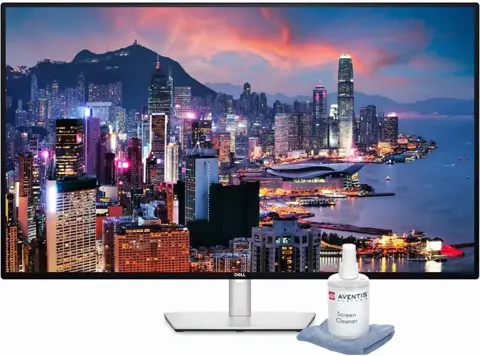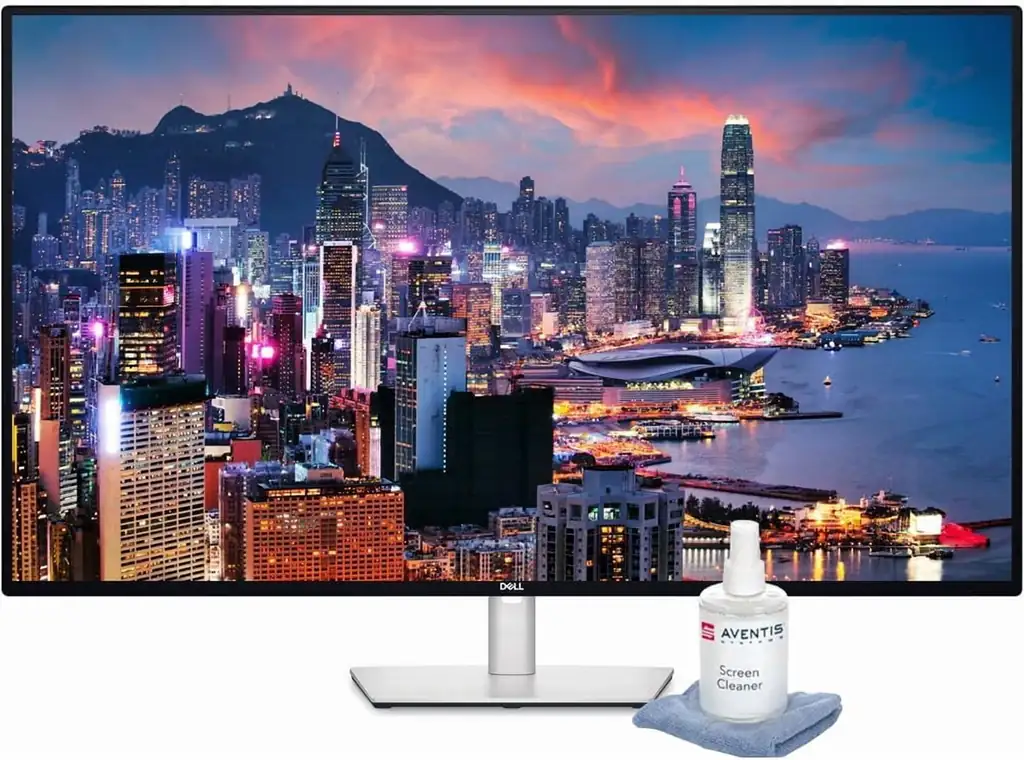
Dell U4323QE Computer Monitor
By Dell · Computer Monitors · Desk & Streaming Setup · More from Dell
- 42.5-inch 3840x2160 4K UHD IPS at 60 Hz
- 350 nits brightness
- 1000:1 contrast ratio
- 95% sRGB, 1.07 billion colors
- USB-C with 90W power delivery
Price not listed
- DellView at Dell
- B&H PhotoView at B&H Photo
- CdwView at Cdw
- NeweggView at Newegg
- RadwellView at Radwell
- AmazonView at Amazon (paid link)
More on eBay (1)
- eBayView at eBay
- eBay (used) eBay: used, open-box, refurbishedView at eBay (used)
Stores are listed in a fixed order, never by price or commission. Prices are snapshots. Check the current price with the store.
Summary
A 42.51-inch 4K IPS monitor built as a work surface: four-PC KVM switching, up to 90 W of USB-C laptop charging, 10 Gbps USB ports and Gigabit Ethernet in one panel. Check your desk depth and your winters before you buy — it is 38.08 inches wide and 40.90 lb assembled.
Strengths
- A 42.51-inch 4K canvas holds four Full-HD windows or dense spreadsheets at 103.6 PPI.
- One USB-C cable can carry video, data, Ethernet and up to 90 W of charging to a laptop.
- Four-computer KVM with per-input USB binding replaces a separate switcher and dock.
- The two built-in 8 W speakers are more useful than thin monitor audio for calls and demos.
- Three-year Advanced Exchange coverage and a policy that replaces a single bright subpixel.
Weaknesses
- All inputs cap at 4K/60, and the HDMI 2.1 label excludes VRR, HDR and FRL.
- Rear ports point downward and one reviewer moved the desk to reach them.
- KVM needs each non-USB-C PC wired for data and bound in the OSD, and some functions need PIP/PBP enabled.
- Enabling iMST over the main USB-C upstream cuts USB and network speed.
- A 90 W port will not fully charge a 130 W laptop; plug the adapter in for those machines.
Verified specifications
| Panel | 42.51-inch flat IPS LCD, 3840 × 2160 at 60 Hz, 16:9, 103.6 PPI, 0.2451 mm pixel pitch, anti-glare 3H coating. |
|---|---|
| Brightness and contrast | 350 cd/m² typical, 1000:1 typical, 95% sRGB (manufacturer figures). |
| Response time | 8 ms gray-to-gray normal, 5 ms Fast. |
| Video inputs | 2 × DisplayPort 1.4, 2 × HDMI 2.1 (TMDS), 1 × USB-C with DisplayPort Alt Mode. |
| Laptop charging | up to 90 W over the main USB-C upstream port; systems needing 130 W are not supported at full charging capacity. |
| USB hub | 4 × USB-A 10 Gbps downstream, 1 × USB-C 10 Gbps downstream with up to 15 W charging, 3 × USB-C 3.2 Gen 2 data-only upstream ports. |
| Networking | 1 × Gigabit RJ45 with PXE, MAC pass-through and Wake-on-LAN. |
| KVM | shares keyboard and mouse among up to four computers; Auto KVM and OSD USB-to-source assignment. |
| Screen partition | iMST divides one USB-C or DisplayPort-connected PC into up to four 1920 × 1080 partitions. |
| Audio | 2 × 8 W built-in speakers, 3.5 mm line out, no webcam. |
| HDR | not supported as an input; VRR, FRL, HDR and ALLM are excluded by the manual. |
| Ergonomics | 60 mm height adjustment, -5° to +10° tilt, about ±20° swivel, no portrait rotation, VESA 100 × 100 mm and 200 × 200 mm. |
| Dimensions | 967.21 mm (38.08 in) wide, 595.2–655.2 mm tall with stand, 256.4 mm (10.09 in) deep; 18.55 kg (40.90 lb) assembled with cables, 13.16 kg (29.01 lb) panel only. |
| Power | 52.1 W on mode, 37.59 W Energy Star P-on, 0.3 W standby, 250 W maximum, 119.24 kWh Energy Star TEC; AC input 100–240 V 50/60 Hz. |
| Cables in the box | 1.8 m DisplayPort, 1.8 m HDMI, 1 m USB-A-to-C upstream, 1 m USB-C-to-C Gen 2 with PD. |
| Warranty | 3-year Limited Hardware Warranty with Advanced Exchange Service and Premium Panel Exchange. |
Full research notes and sources
Desk size and ergonomics
The panel is 38.08 inches wide and 22.1 inches tall before the stand, far bigger than a 27- or 32-inch office display. At close range you turn your head to read corners, so sit back or plan for wall mounting. Height travel is a modest 2.36 inches, and there is no portrait rotation in the official physical spec, despite some retail menus labeling a pivot option.
Rear connectors face downward. Expert Reviews found them hard to reach even with the stand extended and moved their desk to plug things in. A pop-out front housing carries one USB-A and one USB-C for temporary peripherals, but Ethernet and permanent upstream cables still go behind the panel.
Four computers on one screen
The KVM shares keyboard, mouse and peripherals across up to four hosts, and iMST splits one machine’s picture into four Full-HD quadrants. These are different features: iMST divides a single computer’s output, while KVM switches whole machines. A DisplayPort or HDMI PC also needs its own USB upstream data link, and owners report mapping each video source to the right USB input in the OSD takes effort.
iMST over the main USB-C upstream reduces data and network throughput, and the number of partitions depends on GPU capacity. Dell Display Manager tiles windows on one desktop instead, which is easier when you do not need four independent machines.
Video and color
The two DisplayPort 1.4 and two HDMI inputs are labeled HDMI 2.1 but run TMDS, and the manual rules out the optional HDMI 2.1 features including VRR, FRL, HDR and ALLM. Do not read the label as 4K/120 or gaming bandwidth.
Color is good for sRGB office work, not for reference grading. TechRadar’s different instrument and protocol returned 109.6% sRGB volume, 77.6% DCI-P3 and average Delta E below 1. The results disagree, so treat the gamut as unproven for wide-gamut work. TechRadar also found dark scenes washed out, which fits an ordinary IPS panel with no HDR.
What owners report
Dell community posts from 2024 and 2025 describe KVM switching that would not move the mouse to the chosen machine, an OSD message saying USB Switch needs PIP/PBP enabled, rear USB-A ports where a camera and keyboard intermittently stopped recognising, and one unit that occasionally showed no picture after a PC start or resume. A Reddit user described the monitor’s Ethernet adapter following the KVM source and severing the laptop’s network. One KVM case later appeared to work; the others have no published fix, and none of these threads established a common root cause.
Nobody has published a failure rate for this model, so treat these as workflow friction rather than a defect. Dell support’s advice for the switching message was to bind each video source to its upstream USB input and temporarily disable Auto Select and Power Button Sync.
Parts, repairs and running costs
There are no filters, batteries or subscriptions to buy. Replacement items are cables, the stand or base assembly, and internal service modules; Dell’s service guide lists power board, interface board, speaker, USB access port, rear cover and stand assemblies without published consumer prices, so out-of-warranty work needs a quote. Opening the unit can void warranty.
Power draw is the real running cost. At 52.1 W for 2,000 working hours that is 104.2 kWh a year, plus 2.028 kWh in standby for 106.228 kWh, or about $21.25 a year at $0.20/kWh and $31.87 at $0.30/kWh. Charging a laptop and running peripherals adds to that. Dell’s 119.24 kWh Energy Star figure uses a regulatory workload, and the 250 W maximum only applies at full brightness with all USB loads attached.
If you want an arm, check its weight rating against the 29.01 lb panel and its size limit against a 42.51-inch diagonal. B&H lists the Ergotron HX 45-475-026 at $329 for 20–42 lb and displays up to 42 inches, so its stated size cap sits below this panel. Compatibility needs checking before you order.
Is it worth it?
Prices around this panel are wide. Dell’s own pages showed $1,124.99 promotional and $1,199.99 standard in October 2026, B&H Photo listed $1,099.99 in stock with another snapshot at $1,149.99, and CDW quoted $1,157.99 promotional with $1,199.99 elsewhere. Below $900 new with the original Dell coverage it is a strong buy for real four-PC KVM work, $900–$1,050 is good, $1,050–$1,160 is reasonable if the monitor replaces a dock and several screens, and $1,160–$1,250 is only fair.
If you do not need the hub, LG’s 43SQ700S-W was listed at $499 at Walmart Business and $499.99 at Best Buy, though LG calls it discontinued and retailer pages were out of stock. Dell’s U4924DW 49-inch curved ran about $1,410–$1,500 direct from Dell with 5120 × 1440 and 2000:1 claimed contrast, and the U4025QW 40-inch curved Thunderbolt 4 about $2,250–$2,400 for 5120 × 2160 at 120 Hz with 140 W charging.
Which model this is
This page covers the Dell UltraSharp U4323QE, regulatory model U4323QEt, a 43-inch 4K USB-C hub monitor with four-PC KVM and iMST. It is not the U4320Q, the U4025QW, the U4924DW, or the 27-inch U2723QE.
Sources
Manufacturer:
- Dell — U4323QE user guide, Rev A00, September 2022 (PDF)
- Dell — UltraSharp U4323QE datasheet with KVM, iMST, USB specs and 3-year support (PDF)
- Dell — display pixel guidelines covering Premium Panel Exchange
- Device.report — Dell U4323QE simplified service manual with exploded assemblies
Independent reviews:
- B&H Photo — Dell U4323QE authorized retailer listing and included features
- CDW — Dell U4323QE commercial reseller listing and 3-year Advanced Exchange
- B&H Photo — Ergotron HX 45-475-026 heavy-duty monitor arm
Owner reports:
- U4323QE KVM configuration problem, January 2024 (Dell Community)
- KVM USB switching not working and Dell support OSD advice, November 2025 (Dell Community)
- Rear USB-A port stopped working for camera and keyboard, November 2025 (Dell Community)
- Screen blackout during switch on or hibernate, December 2024 (Dell Community)
- Ethernet connection transferred to another host by KVM, September 2024 (r/Dell)