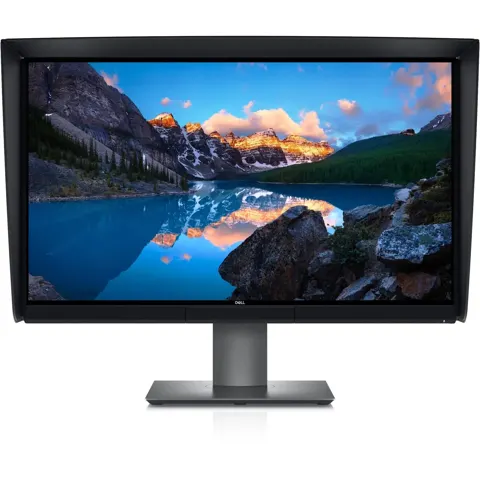
Dell U2720Q UltraSharp
By Dell · Computer Monitors · Desk & Streaming Setup · More from Dell
- 27-inch 4K UHD (3840 x 2160)
- IPS panel
- 60 Hz refresh rate
- 350 cd/m² brightness
- 1300:1 contrast ratio
Price not listed
- DellView at Dell
- eBayView at eBay
- AmazonView at Amazon (paid link)
- eBay (used) eBay: used, open-box, refurbishedView at eBay (used)
Stores are listed in a fixed order, never by price or commission. Prices are snapshots. Check the current price with the store.
Summary
A 27-inch 4K IPS productivity monitor with accurate color, full ergonomics and USB-C power delivery up to 90 W. Check the used market carefully: USB-C video failures are a documented owner complaint, and 60 Hz with no Adaptive Sync rules out gaming.
Strengths
- Sharp 27-inch 4K text and fine detail at 163 ppi, well suited to code, documents and photo editing.
- Wide color gamut: 99% sRGB and 95% DCI-P3 rated, with measured 100% sRGB and 95.3% DCI-P3.
- USB-C with up to 90 W power delivery plus a USB-A hub, replacing a laptop charger and dock cable.
- Fully adjustable stand: 130 mm height, tilt, swivel and pivot, plus VESA 100 × 100 mm mounting.
- Factory calibration report in the box and a 3-year parts and labor warranty per PCMag.
Weaknesses
- 60 Hz refresh with no Adaptive Sync; not suited to variable-refresh gaming.
- DisplayHDR 400 is entry-level HDR with no local dimming; dark-room contrast is ordinary IPS.
- No built-in speakers; only a 3.5 mm line out.
- USB-C video can fail while charging continues; owner reports span years.
- Anti-glare coating glares with side or rear lighting.
- Dense 4K text at 27 inches can be hard to read without OS scaling.
Verified specifications
| Model | Dell UltraSharp U2720Q, 27-inch IPS, 3840 × 2160, 16:9, 60 Hz. |
|---|---|
| Pixel density | 163 ppi, 0.1554 mm pitch. |
| Refresh and response | 60 Hz maximum (24–75 Hz vertical scan); 5 ms Fast / 8 ms Normal GtG. |
| Contrast | 1300:1 rated; PCMag measured 1267:1 at default settings; MonitorNerds measured 1230:1 at 50% brightness. |
| Viewing angle | 178° horizontal and vertical (typical). |
| Color | 99% sRGB, 99% Rec.709, 95% DCI-P3 rated; MonitorNerds measured 100% sRGB, about 83% Adobe RGB, 95.3% DCI-P3; deltaE 1.85 default, 0.9 calibrated. |
| HDR | VESA DisplayHDR 400. |
| Adaptive Sync | none. |
| Input lag | 10 ms (MonitorNerds). |
| Connectivity | 1 DisplayPort 1.4, 1 HDMI 2.0, 1 USB-C upstream with DisplayPort Alt Mode, USB 3.0 and up to 90 W power delivery, 3 USB-A downstream (one with BC1.2 charging), 1 USB-C downstream (3 A, 15 W), 1 3.5 mm audio line out. |
| Audio | no built-in speakers. |
| Power | 100–240 VAC, 50 or 60 Hz; 2.5 A maximum. |
| Dimensions | 525.2 × 611.3 × 185.0 mm with stand (20.68 × 24.07 × 7.28 in); 356.0 × 611.3 × 49.7 mm without stand. |
| Weight | 4.4 kg (9.70 lb) without stand, 6.6 kg (14.55 lb) with stand, 9.6 kg (21.16 lb) with packaging. |
| Stand | height adjustment 130 mm, tilt -5° to 21°, swivel -45° to 45°, pivot -90° to 90°. |
| VESA mounting | 100 × 100 mm. |
| Cables included | DisplayPort to DisplayPort 1.8 m, USB-C to USB-C 1.0 m, USB-C to USB-A 1.8 m. |
| Backlight and coating | LED backlight, anti-glare 3H hard coating. |
| Power consumption | 33 W typical, 200 W maximum with USB and peripherals, under 0.3 W standby. |
| Warranty | PCMag lists 3 years parts and labor; the manual is silent. |
Full research notes and sources
USB-C and single-cable docking
The USB-C upstream carries DisplayPort 1.4, USB data and up to 90 W of power delivery, so one cable can drive the panel and charge a laptop. Dell’s OSD offers a USB-C Prioritization choice: High Resolution gives up to 4K at 60 Hz with USB 2.0 data, while High Data Speed enables USB 3.0; on an HBR2 host that mode is limited to 4K at 30 Hz. Power delivery profiles run 45, 65 and 90 W, so a 130 W laptop may charge slowly or need its own charger. Dell states that USB-C power delivery cannot be disabled independently while keeping the USB-C video connection.
Owner reports document a recurring failure mode: the monitor keeps charging the laptop over USB-C while the video signal drops, with HDMI still working. Reports appear from May 2020 through February 2025, across multiple cables and hosts. A June 2022 Dell moderator update confirms one affected unit received a refurbished warranty replacement. No population defect rate exists, so treat this as a real buying risk rather than a guaranteed fault. Before accepting a used unit, test USB-C video and charging together under real load, try a known-good full-featured cable and a second host, and check both HDMI and DisplayPort.
Other owner-reported USB-C problems include flicker and intermittent black screens, often with Macs, and a July 2020 case where the monitor lost all power after twenty to thirty minutes on USB-C and recovered after an AC unplug. A cable swap cleared at least one flicker case, so the cause is not always the monitor itself.
Color, HDR and gaming limits
Independent testing confirms strong color performance: PCMag measured 100% sRGB, and MonitorNerds measured 100% sRGB, about 83% Adobe RGB and 95.3% DCI-P3, with a default deltaE of 1.85 improving to 0.9 after calibration. PCMag recorded 232 nits and a 1267:1 contrast ratio at default settings, below the rated maxima because the default backlight is not the maximum level. RTINGS’ tested sample showed strong sharpness and wide gamut, decent rather than exceptional out-of-box color accuracy, poor dark-room black levels and a very poor HDR local-dimming implementation. DisplayHDR 400 certification is entry-level HDR with no local dimming, so dark-room black levels stay ordinary IPS. There is no Adaptive Sync, FreeSync or G-Sync support, and the panel is 60 Hz, so variable-refresh gaming is out. Backlight bleed varies by unit, with minor upper-corner leaks reported on some samples. Anti-glare coating glares with side or rear lighting, and 4K density at 27 inches makes small text hard to read without scaling.
Reliability, parts and running costs
A July 2025 owner with two U2720Q units reported occasional color shifts, ghost images and flicker that sometimes persisted with the source disconnected; a March 2026 commenter said a Dell replacement did not fix similar symptoms. No instrumented proof identifies panel wear, software or a defective part, so test any unit with full-screen white, black and color images and compare cold and warm behavior. Dell’s manual documents an LCD conditioning option and pixel diagnostics; its bright-pixel replacement policy historically applies to UltraSharp panels for the duration of the actual warranty. A used monitor can also have a scratched anti-glare coating or a loosened USB-C socket, so inspect ports and coating before buying. Dell issued macOS firmware M2T105 on September 24, 2021, mainly for Dell Display Manager support; it is not established as a fix for USB-C video failure.
The U2720Q is not built around proprietary consumables. Expected upkeep is cleaning and cable inspection; Dell documents no panel or backlight replacement interval. Parts and their notes:
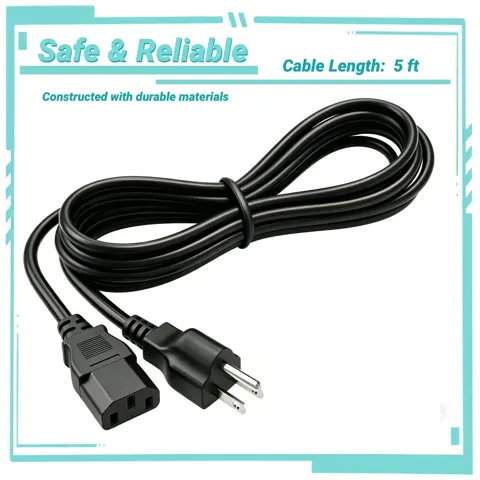
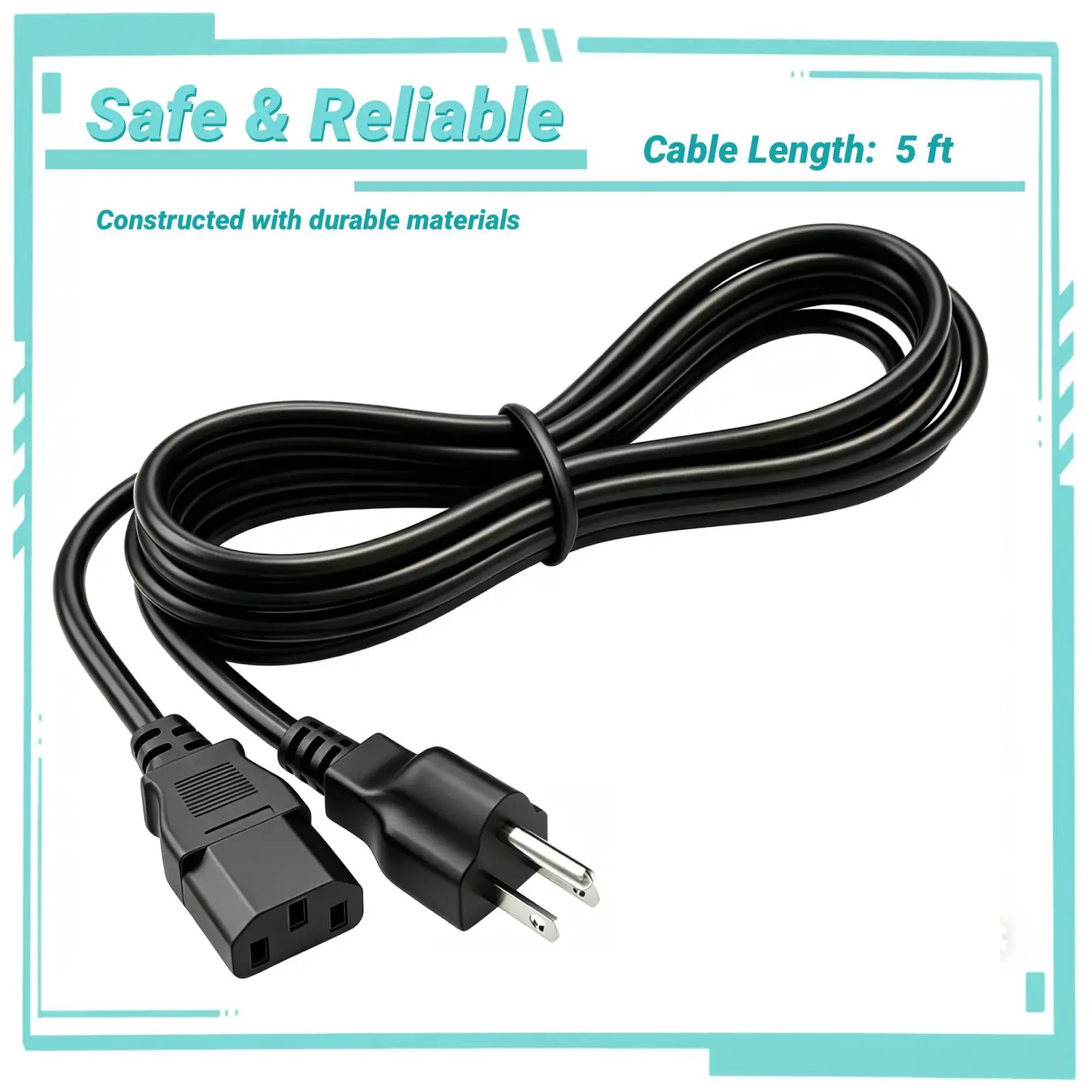
- AC power cord: originally included; a third-party PGENDAR cable sold as U2720Q compatible was listed at $12.98 by a Walmart marketplace merchant. That compatibility claim comes from the seller, not Dell OEM validation.
- USB-C to USB-A upstream cable: originally included for hub-only use through a USB-A port; it does not carry video or laptop charging.
- LCD panel, backlight, internal power board, USB-C input board, main logic board and on-screen buttons: Dell offers whole-monitor support and exchange rather than a public retail spare-parts list. No verified part numbers, prices or labor costs were found.
Running costs are modest. Dell’s reference is 33 W typical active, under 0.3 W standby and 200 W maximum only with maximum backlight plus USB and peripheral loads. Illustrative electricity for active work is about 66 kWh per year at 8 hours a day over 250 workdays, or about $13.20 a year at $0.20 per kWh; standby adds roughly 1.75 kWh, or about $0.35, though those figures overlap and are illustrative rather than metered. USB-C laptop charging raises wall draw, but that energy mostly goes to the laptop. There is no maker-required annual consumable. If an out-of-warranty unit develops USB-C board or panel damage, repair economics may be unfavorable against observed used replacements in the $150 to $300 range, but no quoted diagnostic or labor amount was found.
Warranty at first sale was 3 years limited hardware with Advanced Exchange Service and Premium Panel Exchange per Dell’s brochure; Premium Panel Exchange covers bright pixel defects under an active qualifying warranty, not every stuck-dark pixel or uniformity flaw. The original 2020-era three-year term may long since be over, and a used buyer should verify the individual Service Tag and warranty expiration on Dell’s portal rather than trust a seller’s claim. Owner-reported support outcomes vary: a June 2022 moderator confirmed one refurbished exchange after USB-C video failure, a December 2022 owner reported an exchange but complained about its condition, a February 2025 buyer asked about USB-C video loss with no warranty, and a March 2026 respondent said an exchange did not resolve similar symptoms. Dell’s M2T105 macOS firmware from September 24, 2021 is optional and aimed at Display Manager support; it can damage the monitor if interrupted and is not promised to repair failed USB-C hardware.
Is it worth it?
At or below about $400, the U2720Q is strong value for a color-accurate 4K productivity monitor with 90 W USB-C and full ergonomics. From about $400 to $500, value is fair; compare against the Dell UP2720Q and other professional monitors. Above $500, and especially at the $719.99 MSRP, value is weak unless USB-C power delivery, color accuracy and ergonomics are specifically required. StorageReview calls it a mid-market option about $1000 less than the UP2720Q. PCMag listed an MSRP of $719.99 and observed $379.99 at Dell at review time; StorageReview reported a $580 street price directly from Dell.
Observed US listings around October 27, 2026 vary by condition and shipping: eBay used without a stand at $149.99 with free shipping; $250.00 plus $47.98 delivery; $255.00 plus $67.38 delivery; a completed August 2026 with-stand sale at $129.99 plus $49.99 shipping; Newegg third-party new or renewed listings at $649; Iconic Micro refurbished at $449.99 but sold out. A thoroughly tested unit delivered for $120 to $160 is a good used buy when high refresh is not needed; $160 to $220 is acceptable with proof of USB-C function, return rights and good cosmetics. Above $250 to $300, the new Dell S2725QC at $329.99 with 120 Hz and a current warranty is usually preferable unless 90 W power delivery and a physical DisplayPort socket are required. Above $350 to $400, the ASUS ProArt PA279CRV at $419.99 at B&H Photo, with a $429 ASUS reference price, is a clearer creator-market choice. The S2725QC offers 27-inch 4K IPS at 120 Hz, adaptive refresh, 65 W USB-C and speakers; the PA279CRV offers 27-inch 4K IPS at 60 Hz, 96 W USB-C and factory calibration. Buyers who need a DisplayPort socket and 90 W power delivery, and who can verify a used unit’s USB-C behavior, still have a reason to choose the U2720Q at a low enough price.
Which model this is
This page covers the Dell UltraSharp U2720Q, a 2020-generation 27-inch 4K IPS monitor with regulatory model U2720Qt. Do not confuse it with the UP2720Q, which has a built-in colorimeter the U2720Q lacks, or the U2720QM, which shares the same technical specifications but ships with an HDMI cable instead of a DisplayPort cable. Newer Dell models such as the U2723QE and U2725QE are different products. Amazon listings for this model carry varying ASINs, including ASIN B08F638C2W; match on the model number U2720Q, not the ASIN. The monitor’s regulatory model is U2720Qt.
Sources
Manufacturer:
- Dell U2720Q user’s guide (PDF)
- Dell U2720Q launch data sheet (PDF)
- Dell S2725QC 27-inch 4K USB-C monitor
- Dell display pixel guidelines
- Dell warranty status by Service Tag
- Dell U2720Q macOS firmware M2T105
Independent reviews:
Owner reports:
- reddb.ai aggregation of 26 Reddit mentions
- Reddit r/Dell: color shift and ghosting, July 2025
- Reddit r/Dell: USB-C video broken but charging works, February 2025
- Dell Community: USB-C charges but no video, May 2020
- Dell Community: USB-C video failure with refurbished replacement, June 2022
- Dell Community: USB-C video failure and replacement condition, December 2022
- Dell Community: USB-C flicker and cable swap
- Dell Community: USB-C disconnect and reconnect, June 2020
- Dell Community: power loss under USB-C workload, July 2020
- Dell Community: USB-C charging cannot be disabled
- Dell Community: Mac firmware M2T105 signal loss
- Dell Community: Mac firmware installed in app folder before flashing
Parts and stores: