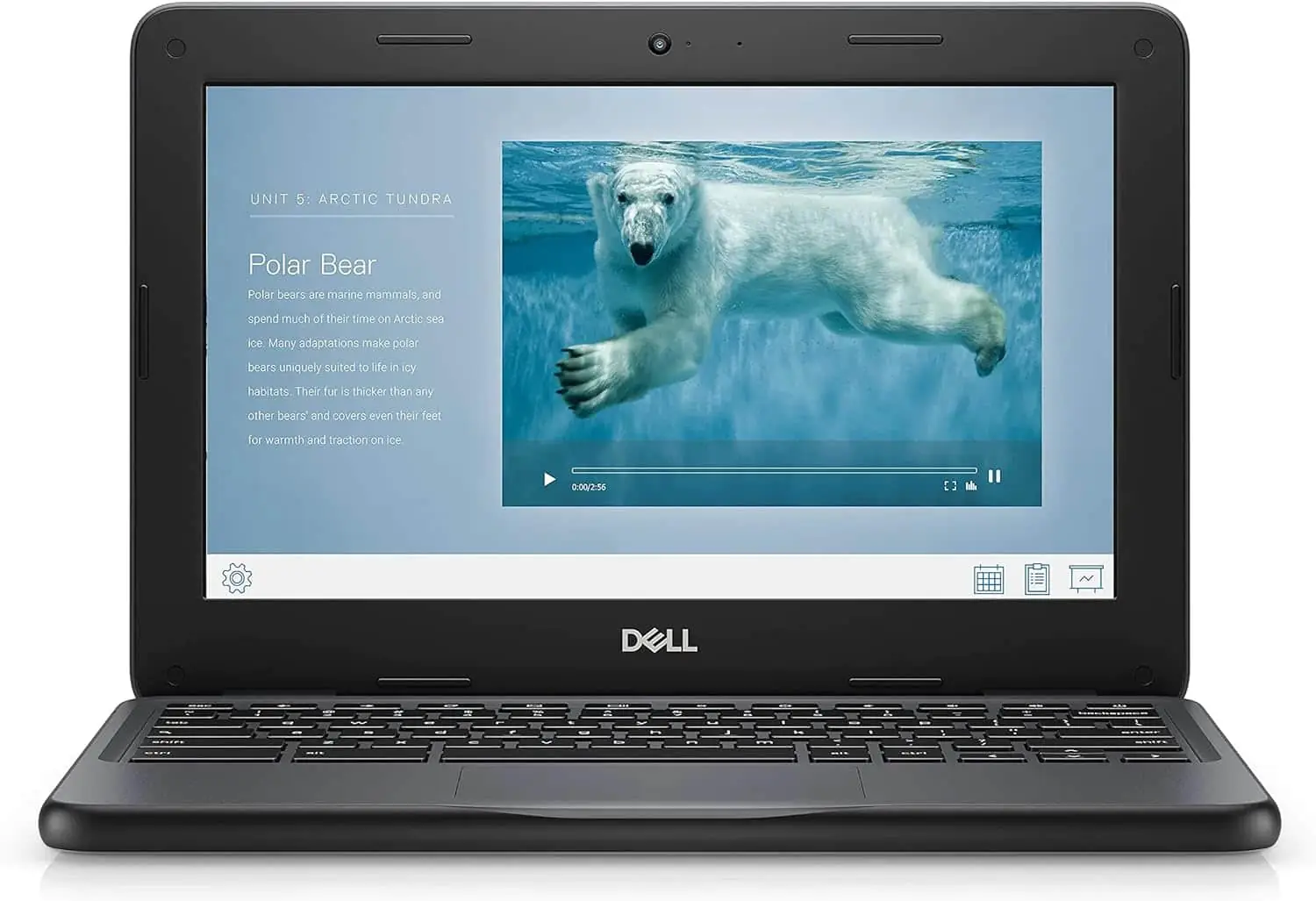
Dell Chromebook 11 3100 11.6" Chromebook
By Dell · Laptops · Phones & Computers · More from Dell
Compare all Laptops side by side →
- 11.6-inch TN display (1366 x 768)
- Intel Celeron N4020 processor
- 4 GB LPDDR4 SDRAM
- 16 GB eMMC storage
- 42 Wh 3-cell battery
Price not listed
- Dell30-day returns · store policyView at Dell
- eBayView at eBay
- Best Buy15-day returns · store policyView at Best Buy
- Targetfree shipping $35+ · store policyView at Target
- AmazonView at Amazon (paid link)
- eBay (used) eBay: used, open-box, refurbishedView at eBay (used)
Stores with a price are sorted lowest first; commission never changes the order. Prices are snapshots. Check the current price with the store.
Summary
An 11.6-inch rugged school Chromebook with a spill-resistant removable keyboard, four USB ports and a battery that ran nearly ten hours in PCMag’s video test. Check the Wi-Fi where you plan to use it: the radio struggled to hold a connection away from the router.
Size in context

30.4 cm · 12.0 in (W) × 20.8 cm · 8.2 in (D) × 2.1 cm · 0.8 in (H) · Drawn to scale from the maker's stated dimensions, next to everyday objects.
Strengths
- Rugged plastic chassis with rubber bumpers and recessed ports, built for school bags.
- The keyboard survives a spill and lifts out as one module for replacement.
- PCMag measured 9:26 of video playback on one charge.
- Four USB ports, two USB-C and two USB-A, on a machine this small.
- Light enough for a first-grader to carry at 2.85 lb.
- Optional 4G LTE and accidental-damage coverage for four years.
Weaknesses
- Wi-Fi reception was poor in PCMag’s testing; the radio failed to connect reliably outside the router’s room.
- The 1366x768 TN panel is dim at 187 nits and low in resolution.
- Memory and storage are soldered, so there is no way to add more later.
- No SD card reader, so storage cannot be expanded with a card.
- The touchpad is stiff and the bottom half wiggles.
- Performance from the Celeron N4020 and 4 GB of memory is middling.
Verified specifications
| Model | Dell Chromebook 11 (3100), regulatory model P29T, regulatory type P29T001. |
|---|---|
| Operating system | Google Chrome OS. |
| Processor | Intel Celeron N4020, 2 cores, 2 threads, 1.10-2.80 GHz, 4 MB cache, 6 W TDP. |
| Graphics | Intel UHD Graphics 600, 12 execution units, 200-650 MHz. |
| Memory | 4 GB LPDDR4 SDRAM at 2400 MHz, soldered on board and not upgradable. |
| Storage | 16 GB or 32 GB eMMC 5.1, soldered on board, no M.2 slot and no SD card reader. |
| Display | 11.6-inch 16:9 1366x768 TN at 60 Hz, 135 ppi, 187 nits, 500:1 contrast, anti-glare; touchscreen optional with Gorilla Glass NBT. |
| Camera | 720p (1280 × 720) fixed-focus CMOS, up to 30 fps. |
| Audio | stereo speakers, 2 × 2 W, microphone and headphone/microphone combo jack. |
| Wireless | Intel Wireless-AC 9560 dual-band 802.11a/b/g/n/ac (Wi-Fi 5), Bluetooth 5.0; 4G LTE optional on some SKUs. |
| Ports | 2 × USB-C 3.1 Gen 1 (5 Gbps) with Power Delivery, 2 × USB-A 3.1 Gen 1 (5 Gbps), headphone/microphone combo, Noble wedge lock slot. |
| Security | TPM 2.0 and a wedge lock slot. |
| Keyboard | full-size QWERTY, 74 keys, spill-resistant up to 12 oz (355 ml) of liquid, tamper-resistant, self-contained removable module. |
| Touchpad | 99.4x54.4 mm with five multi-touch gestures. |
| Charger | 65 W USB-C adapter, input 120/230 V, output 5/9/15/20 V. |
| Battery | 3-cell, 42 Wh, 11.40 V, lithium-ion or polymer depending on SKU. |
| Dimensions | 303.9 × 207.9 × 20.75 mm (11.96 × 8.19 × 0.817 in). |
| Weight | 1.29 kg (2.85 lb) for Wi-Fi units, 1.33 kg (2.93 lb) for 4G LTE units. |
| Chassis | textured black plastic with rubber bumpers; ENERGY STAR certified. |
| Warranty | one year mail-in service. |
Full research notes and sources
Which model this is
This is the clamshell Dell Chromebook 11 (3100), an education laptop with an optional touchscreen and an optional 4G LTE module. A separate 2-in-1 convertible, the Dell Chromebook 3100 2-in-1, uses a different chassis. Do not confuse it with the Dell Chromebook 3110, the 3120, the 3180/3189 or the Inspiron Chromebook 11 3181. Some regional units carry an Intel Celeron N4000 instead of the N4020, and storage comes as 16 GB or 32 GB. The listing for this configuration is ASIN B08SHN3TZP.
Performance and battery life
The Celeron N4020 with 4 GB of LPDDR4 is enough for web-based schoolwork, and PCMag’s benchmark results came out middling against comparable machines. Chrome OS updates are free and there is no subscription to pay for, so the ownership cost is basically just charging over the 65 W USB-C adapter.
Pick your storage before you buy. The 32 GB option added $20 to the price in 2021, and neither RAM nor storage can be replaced later.
Screen, keyboard and touchpad
The 11.6-inch TN panel is 1366x768 at 187 nits according to the Dell manual; PCMag described the backlight as rated 200 nits. At this size and price a TN panel is tolerable, but it is not sharp and it is not bright.
The keyboard is the part that stands out. It is spill-resistant, tamper-resistant and removes as a single module, so an IT department can swap it without replacing the palm rest. The touchpad is the weak point: PCMag found the lower half wiggly and the click stiff, so expect children to tap-to-click or use a mouse.
Ruggedness, warranty and repairs
The textured plastic body, rubber bumpers and a 30-inch drop survival claim target school use, and the sealed ports back that up. Dell published setup, service and technical manuals, and the keyboard is designed to be replaced by IT staff rather than the owner. Warranty coverage is one year of mail-in service, and Dell offered accidental-damage coverage for four years for $60 in 2021. Nobody has published a failure rate or a parts price list for this model, so treat battery and keyboard availability as something to ask a school reseller about before committing.
Is it worth it?
At $100 or less for a renewed unit that is verified working, the 3100 is good value for a child’s school machine given the rugged body and long battery. Between $100 and $150 it is fair, and you should weigh newer 11-inch Chromebooks with better Wi-Fi and IPS panels. Between $150 and $200 the fixed 4 GB of memory, 16 GB of storage and TN panel start to age poorly. Above $200 new it is weak value unless you specifically need the rugged chassis or the LTE modem. For reference, PCMag’s 2021 review cited an MSRP of $239 and a Dell listing of $259, with the LTE option adding $150, touchscreen clamshells starting around $275 and 2-in-1 versions above $300.
Sources
Manufacturer:
Independent reviews:
- Dell Chromebook 3100 full specs and details (Productindetail)
- Dell Chromebook 3100 specs and analysis (WindowsTip)
- Dell Chromebook 3100 UK specifications (MobileSpecs)
Owner reports:
- No owner forum threads were located for this exact model.