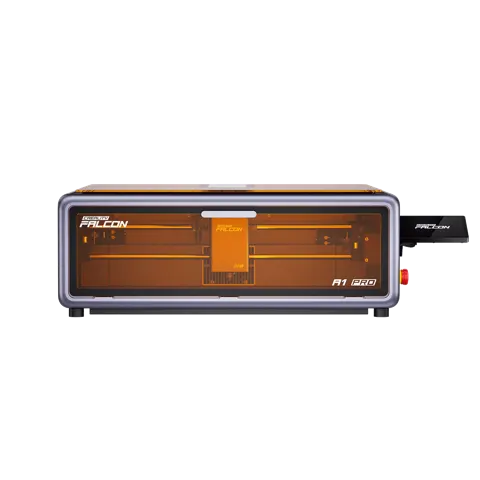
Creality (In Stock) Falcon A1 20W Laser Engraver & Cutter
By Creality · 3D Printers · 3D Printing · More from Creality
- 20W blue laser (2W IR optional)
- 358mm x 268mm work area
- 600mm/s max engraving speed
- autofocus <0.3mm precision
- 567 x 468 x 211mm dimensions
Lowest price seen
$799.00
from $799.00 at Creality 3D Official · Checked Oct 24, 2026
- Creality 3D Official $799.00View at Creality 3D Official
- Creality Falcon $879.00View at Creality Falcon
- CrealityView at Creality
- eBayView at eBay
- eBay (used) eBay: used, open-box, refurbishedView at eBay (used)
Stores are listed in a fixed order, never by price or commission. Prices are snapshots. Check the current price with the store.
Summary
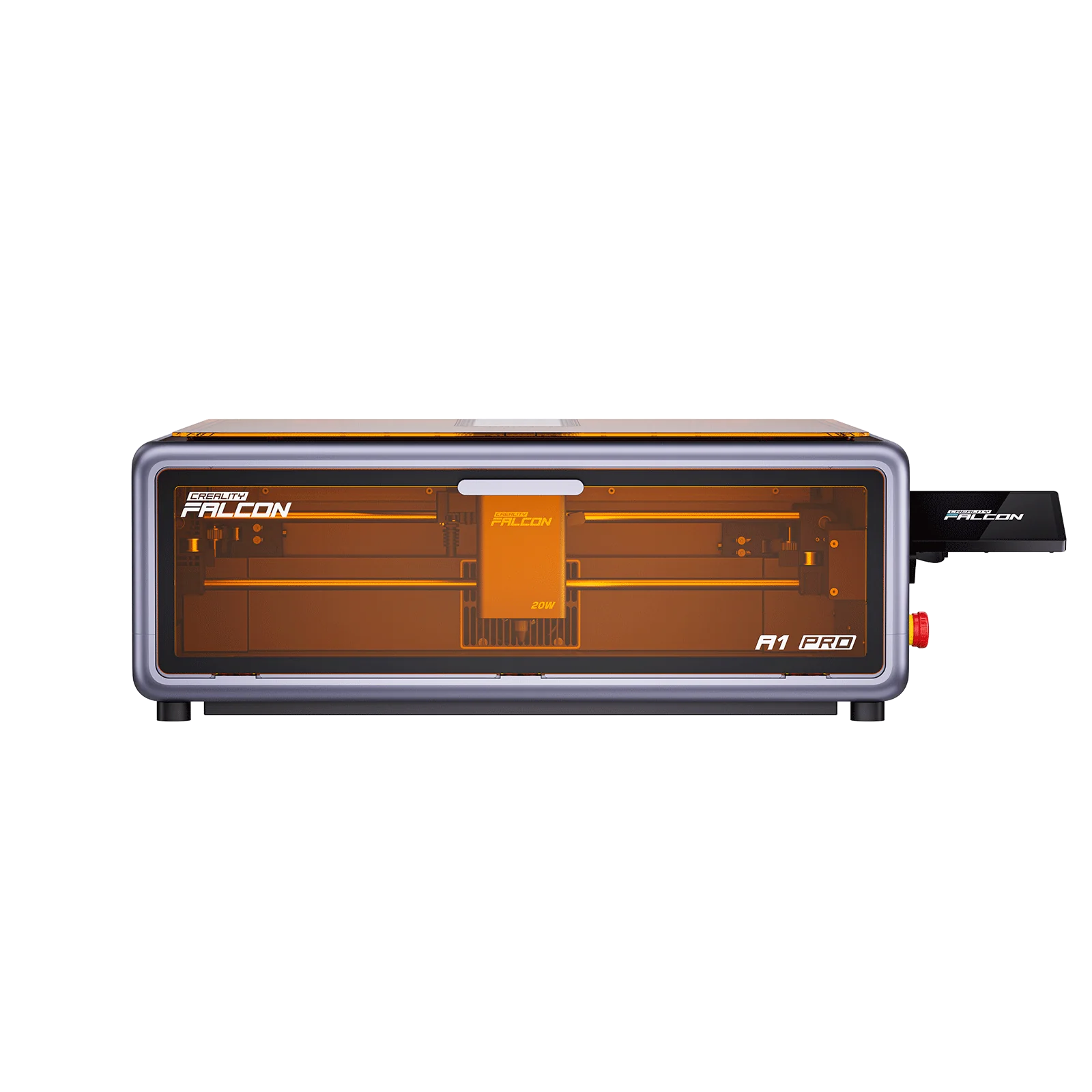
An enclosed CoreXY diode laser for home and classroom use, with a 20 W blue laser and an optional 2 W infrared module, a 358 × 268 mm work area, and a built-in camera and touchscreen. Every performance figure is a manufacturer claim: no independent test or owner discussion of this exact model was found, so weigh warranty and return terms before buying.
Strengths
- Enclosed Class 1 chamber with lid-open stop, flame detection and tilt/drop stop keeps the beam contained in normal use.
- Built-in HD camera, autofocus and touchscreen promise a camera-first workflow without a separate laptop.
- CoreXY motion rated to 600 mm/s with a 358 × 268 mm work area covers small-to-medium projects.
- Dual-laser option adds a 2 W infrared module for metals and dark acrylics.
- Built-in air assist and smoke exhaust filter are included, not add-ons.
- Runs on 100–240 V and supports Windows and macOS with free Falcon Design Space and LaserGRBL.
Weaknesses
- Every performance figure is a manufacturer claim; no independent test of this exact model was found.
- The 2 W infrared module is optional and purchased separately.
- Transparent acrylic cannot be cut with the blue laser source.
- IR module performance degrades with temperature and use above 35 °C is excluded from warranty.
- Long runs can raise laser temperature, reducing output; a 30+ minute cooldown is recommended.
- Flame detection can false-alarm near bright windows or rapidly changing light.
Verified specifications
| Laser (standard) | 20 W semiconductor (blue) laser, 455±5 nm, spot size approximately 0.08–0.10 mm. |
|---|---|
| Laser (optional) | 2 W solid-state laser, 1064±1 nm, spot size approximately 0.03 mm, purchased separately. |
| Work area | 358 × 268 mm. |
| Engraving speed | up to 600 mm/s. |
| Autofocus | AI visual autofocus rated under 0.012 in precision (manufacturer claim). |
| Camera | built-in HD camera for real-time preview, batch processing and auto-positioning. |
| Control | integrated touchscreen, mobile app, App-to-Screen start. |
| Safety | Class 1 (FDA), enclosed design with lid-open stop, flame detection with app alerts, tilt/drop emergency stop, airflow monitoring. |
| Air assist | built-in. |
| Smoke handling | built-in smoke exhaust filter and two cooling fans on the laser head. |
| Software | Falcon Design Space, LightBurn, LaserGRBL. |
| File formats | JPEG/JPG/PNG/BMP/SVG/DXF and others. |
| Operating system | Windows and macOS. |
| Power | 100–240 V, 50–60 Hz; output DC 24 V, 7.5 A. |
| Dimensions | 567 × 468 × 211 mm (685 × 468 × 211 mm after screen installation); 16.8 kg. |
| Certifications | FDA, CE, ROHS, FCC, PSE. |
| Warranty | 12 months from purchase for non-artificial performance failure under normal use. |
| Materials (blue laser) | cardboard, wood, bamboo, rubber, leather, fabric, acrylic, plastic, painted metal and others; the blue laser cannot cut transparent acrylic. |
| Materials (IR module) | gold, silver, brass, iron, aluminum, stainless steel, plastic, dark opaque acrylic, titanium alloy, electroplated metal, shale, ceramic coasters and others. |
| Claimed material count | over 350 materials. |
| In the box | a free test kit is mentioned; other contents were not documented on the pages read. |
Full research notes and sources
Safety and enclosure
The enclosure is rated Class 1 (FDA), so the beam stays contained during normal use and goggles are not strictly required, though the manufacturer still recommends them. Flame detection sends app alerts but can false-alarm near bright windows or in rapidly changing ambient light. The manufacturer strongly recommends an air purifier, especially for acrylic and organic materials. Belt tension affects geometry; a loose belt can turn circles into ellipses.
Laser and materials
The standard source is a 20 W blue semiconductor laser at 455±5 nm with a spot size of approximately 0.08–0.10 mm. The optional 2 W infrared module at 1064±1 nm with a spot size of approximately 0.03 mm extends the machine to metals and dark opaque acrylics, but it is bought separately and its performance degrades with temperature: preheat below 20 °C, optimal at 20–30 °C, thermal protection above 30–35 °C, and use above 35 °C is not covered by warranty. The blue laser cannot cut transparent acrylic. Long use can raise laser temperature, reducing output and causing uneven cutting, so a 30+ minute cooldown is recommended.
Software and workflow
Control runs through Falcon Design Space, LightBurn or LaserGRBL on Windows and macOS, with common image and vector formats supported. LightBurn is a 30-day trial before a paid license; Falcon Design Space and LaserGRBL are free. The machine accepts 100–240 V input.
Maintenance and warranty
Per the manufacturer FAQ, clean the protective lens and air nozzle with a dust-free cloth and alcohol, keep the honeycomb plate under wood to reduce back-side burn marks, adjust belt tension, maintain the exhaust fan, and use weak air assist for engraving and stronger flow for cutting. Warranty runs 12 months for non-artificial performance failure under normal use, and the buyer must ship the item within 7 natural days after contacting support to receive free warranty service. Repair-parts availability for this exact model was not documented on the pages read.
Is it worth it?
The captured store price was $879.00 against a $1,099.00 compare-at figure (Creality official store, 2026-10-24). At $879 the machine sits in the premium enclosed-diode tier, and its case rests on the combination of an enclosed Class 1 chamber, camera preview, touchscreen, autofocus, air assist and dual-laser capability rather than on any single spec. Ownership costs extend beyond the machine: materials, an optional air purifier, optional risers and honeycomb accessories, replacement lenses, and a LightBurn license after its 30-day trial. No subscription or capsule lock-in applies. Without independent validation, the purchase decision should weigh the enclosed safety, camera workflow and dual-laser flexibility against alternatives with deeper test and owner histories, and weigh return policy and warranty terms heavily.
Which model this is
This page covers the Creality Falcon A1 Pro 20W Dual-laser Engraver, sold as “Falcon A1 Pro 20W Laser Engraver & Cutter,” an enclosed Class 1 diode laser with a standard 20 W blue semiconductor laser and an optional separately purchased 2 W infrared module. It is not the Falcon A1 10 W, Falcon A1C, Falcon2 or Falcon2 Pro, and those models’ performance data are not used as exact-model evidence. No color or revision variants or alternate SKUs were documented on the pages read. Machine dimensions are 567 × 468 × 211 mm, or 685 × 468 × 211 mm after screen installation, with a net weight of 16.8 kg.
Sources
Manufacturer:
- Creality Falcon A1 Pro 20W Dual-laser Engraver product page
- Creality Falcon Warranty Policy
- Creality Wiki: Falcon A1 Pro FAQ
- Creality Wiki: Falcon A1 Pro
- Creality Falcon download center
- Creality store product page (original listing)
Independent reviews:
- No independent instrumented test of this exact model was located.
Owner reports:
- No exact-model owner discussion was usable as a source in this research pass.