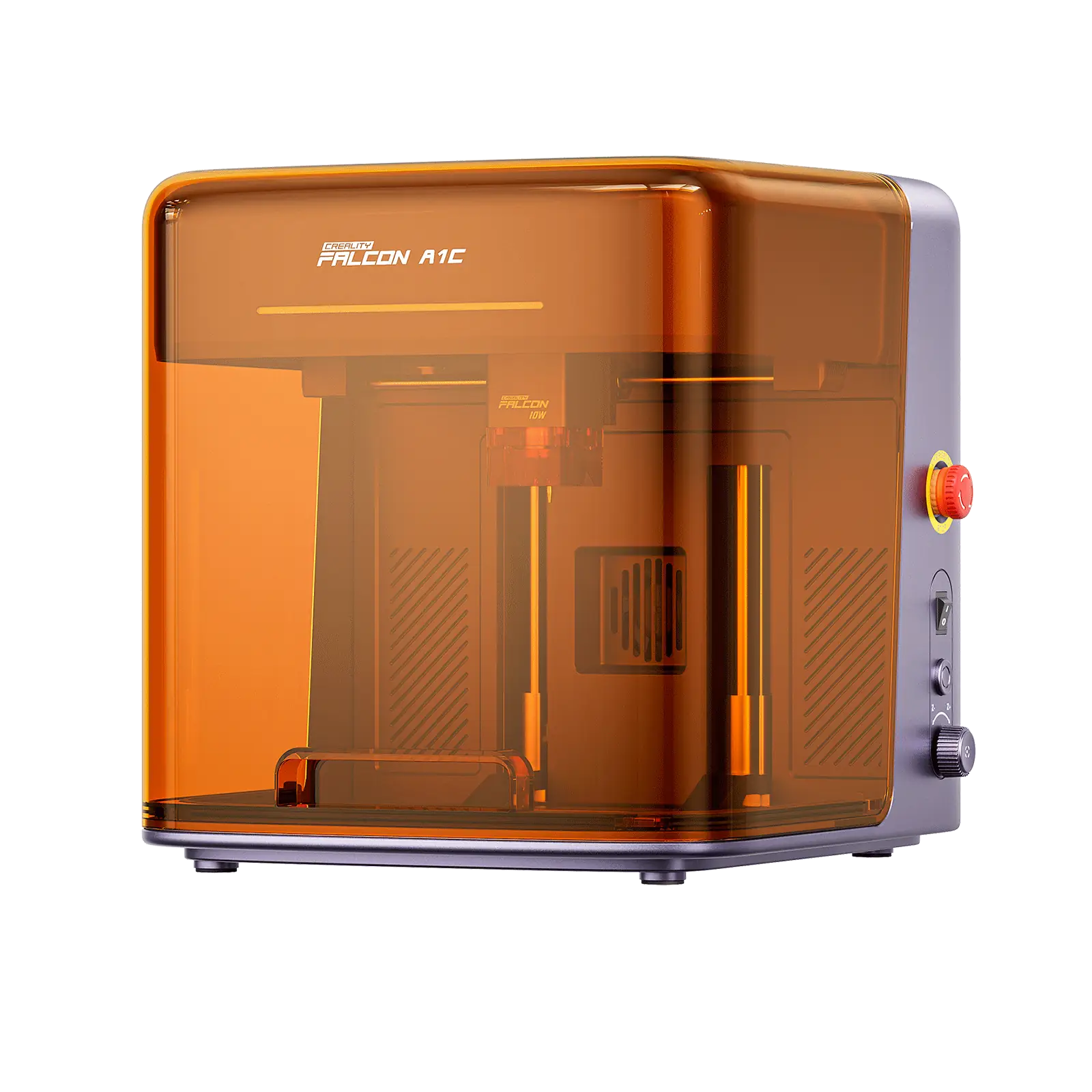
Creality Falcon A1C Laser Engraver Camera - 10W
By Creality · 3D Printing Accessories & Scanners · 3D Printing · More from Creality
- 10W diode laser module
- Work area 150 x 150 x 148 mm
- Engraving speed up to 15,000 mm/min
- Class 1 fully enclosed safety design
- Built-in AI HD camera with auto focus
Lowest price seen
$299.00
from $299.00 at Creality Falcon US Store · Checked Oct 25, 2026
- Creality Falcon US Store $299.00View at Creality Falcon US Store
- WalmartView at Walmart
- eBayView at eBay
- AmazonView at Amazon (paid link)
- eBay (used) eBay: used, open-box, refurbishedView at eBay (used)
Stores are listed in a fixed order, never by price or commission. Prices are snapshots. Check the current price with the store.
Summary
An enclosed, Class 1 desktop laser engraver with a 10 W blue diode, a 150 × 150 mm work area, auto focus and an AI camera for positioning on the camera variant. Check the hard 150 mm square bed limit and confirm the listing you buy actually includes the camera, since the camera is not present on every unit sold under the A1C name.
Strengths
- Visual camera placement makes positioning designs on existing objects easier than framing by hand.
- Fully enclosed Class 1 design with flame, tilt and overheat protection.
- Auto focus, LightBurn support and a mobile app at a promotional price under $400.
- Interchangeable 5 W, 10 W and 1.2 W IR laser modules.
Weaknesses
- The 150 × 150 mm bed is a hard limit for signs, placemats and batch sheets.
- No independent instrumented test or measured accuracy data exists for this exact model.
- One review unit had a loose internal camera cable that took about a month to diagnose.
- Owners report camera Y-axis offsets of about 4 mm in some units, with others aligning correctly.
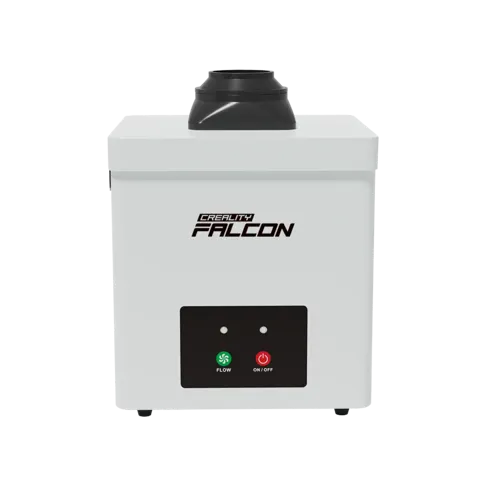
- Fume extraction is not included and must be arranged separately.
Verified specifications
| Model | Creality Falcon A1C, camera variant, 10 W diode configuration. |
|---|---|
| Work area | 150 × 150 mm; maximum material clearance 148 mm. |
| Maximum working speed | 15,000 mm/min (250 mm/s). |
| Laser | 10 W optical blue diode, 445 ± 5 nm (one source states 445 ± 15 nm), spot size about 0.08 × 0.20 mm. An optional 1.2 W, 1064 nm infrared head is sold separately for surface marking of suitable metals and plastics. |
| Focus | automatic probe/contact-pin focus, triggered per job. |
| Camera | built-in HD preview with AI-assisted material detection, alignment and layout on the camera variant only. |
| Laser safety class | Class 1, with flame detection, tilt detection, USB safety key, pause on cover opening and overheat detection. |
| Worktable maximum load | 3 kg. |
| Cutting capability (10 W) | cuts basswood up to 5 mm thick in one pass in one test; 3 mm stock is the more comfortable everyday choice. |
| Software | free Falcon Design Space (Windows 10+ and macOS 11+) plus LightBurn compatibility. |
| Connectivity | Wi-Fi (2.4 GHz in independent testing), Bluetooth Low Energy, USB (Type-C), mobile app control and offline processing from a USB drive. |
| Power | 24 V 5 A adapter for the 10 W or 1.2 W IR module; 24 V 3 A adapter for the 5 W module. |
| Machine dimensions | 336 × 377 × 341 mm; net weight 9.8 kg (camera variant) or 9.7 kg (non-camera variant); gross weight 13.0-13.3 kg (camera variant) or 12.9-13.2 kg (non-camera variant). |
| Package dimensions | about 470 × 395 × 410 mm. |
| Color | Purple-Gray (camera variant) or White (non-camera variant). |
| IR precautions | processing pauses above 35 °C; camera calibration required on first use of the IR module. |
| Materials | engraves cardboard, wood, bamboo, rubber, leather, fabrics, acrylic, painted metal and plastic; cuts cardboard, wood, bamboo, cloth, leather, fabrics, dark acrylic and plastic. Transparent acrylic cannot be cut. |
Full research notes and sources
Engraving and cutting
TechRadar’s month-long hands-on with the 10 W camera edition reported crisp wood and paper results, with a 3 mm plywood engraving running about 18 minutes with little scorching. 3DPrinting.com cut 5 mm plywood once at 90% power and 300 mm/min, but with little headroom, and preferred 3 mm stock for comfortable everyday cutting. Wood species, glue content and airflow change outcomes, so these are single-reviewer results, not a standardized repeatability trial. A September 2026 owner marked stainless steel after lowering speed from 5,000 to 1,000 mm/min, and an October owner fixed banding on black aluminum cards by adjusting power and speed; these are one-user settings, not proof of deep bare-metal engraving.
Camera and software
The camera is the main differentiator and the main risk. It is absent from the White (Basic) variant and cannot be added later. Owners report both correct alignment and roughly 4 mm Y offsets after repeated auto-calibration, so results vary by unit. The camera preview can be dark on some materials and requires adjusting the exposure slider. Wi-Fi in independent testing required a 2.4 GHz network and a phone app for initial onboarding, and the camera did not work over USB alone. Auto focus must be triggered per job and the software can allow starting without it; on bowed material one-point focus may vary across the workpiece.
Safety and fumes
The enclosure is Class 1 for normal closed-lid operation, but it does not remove ignition, smoke or hot-surface risks. Creality’s FAQ still recommends laser safety glasses, especially with the rotary kit where the beam is exposed. Do not laser-cut PVC, vinyl or unknown chlorinated material. Source extraction vented outdoors is preferable where feasible; an indoor carbon purifier is not equivalent to verified elimination of laser fumes. One owner reported the exhaust run-on setting reverting to 30 seconds and automatic extraction not engaging on metal, though this was not formally diagnosed.
Observed US offers in October 2026: Walmart Business listed the 10 W camera unit at $359 with free shipping; Creality’s store listed $379 for 10 W with camera on a “live exclusive” offer; an eBay official Creality listing showed $399. These are promotional or channel-specific prices, not stable list prices. Falcon Design Space is free and no mandatory subscription is stated. Adding a $159 exhaust fan brings a typical setup to about $518 before tax and ducting; an AP1 mini purifier at $299 brings it to about $658 before tax and filters. At an assumed 100 W average draw and 5 h/week, electricity is about 26 kWh, or roughly $5.20 a year at $0.20/kWh; this is a planning assumption, not a measured figure. Materials, scrap and optional heads dominate real cost.
Is it worth it?
At $359 or below delivered, the 10 W camera unit is a good buy against the checked $379-$399 references, provided it is a genuine US unit with full warranty. Between $360 and $400 is normal offer territory for this new product. Above $420, buyers wanting a larger work area should compare the Falcon A1 10 W at $466, which is a different design with a 305 × 381 mm bed. The purchase is sensible for small projects and visual positioning, but buyers should verify camera inclusion, module and adapter matching, and weigh unverified durability against machines with deeper independent testing.
Which model this is
This page covers the Creality Falcon A1C with AI camera in the 10 W configuration, with Purple-Gray chassis, 150 × 150 mm bed and 148 mm clearance. It is not the camera-less White (Basic) variant, the 5 W camera version, the larger Falcon A1 10 W, or an A1C bundle with a separately purchased 1.2 W infrared head. Creality lists the camera-equipped A1C as a distinct, non-retrofittable choice: the Basic machine cannot receive the original AI camera later. The 10 W package includes a cutting plate; the 5 W package does not, and a replacement plate is $29. Creality Falcon store SKUs are 1005010291 (5 W) and 1005010376 (10 W).
Amazon listings for this family use ASIN B0H412D1NH for the 10 W camera unit and ASIN B0HFZNL9TF for a bundle with the 1.2 W IR head.
Sources
Manufacturer:
- Falcon A1C AI-Powered Home Laser Engraver (Creality)
- Falcon A1C | Creality Wiki
- Falcon A1C FAQ | Creality Wiki
- Creality Falcon A1C Laser Engraver with AI Camera (Creality Falcon store)
- Creality Falcon A1C Laser Engraver (Creality store, live exclusive)
- Creality Falcon A1C prelaunch (Creality)
- Creality Falcon A1C launch page
- Creality Falcon warranty policy
- Creality Falcon download center
Independent reviews:
Owner reports:
Parts and stores:
- Walmart Business — Falcon A1C 10W AI Camera Purple
- Walmart US consumer listing — 10W camera unit
- eBay — official Creality 3D Store A1C 10W with AI Camera
- Creality Falcon — 1.2 W infrared module for A1C
- Creality Falcon — A1C cutting plate
- Creality Falcon — 10 W diode head for A1C
- Creality Falcon — accessory catalog
- US EPA — Guide to Air Cleaners in the Home
- Device.report — indexed A1C with AI Camera manual
- Creality Falcon — Falcon A1 10W enclosed
- Creality Falcon store homepage