Creality Creator Knomi Hi for Hi
By Creality · 3D Printers · 3D Printing · More from Creality
- 178° viewing angle
- 15 status icons
- 3 display modes
- 119×148.5×89 mm package
- 0.115 kg weight
Lowest price seen
$55.99
from $55.99 at BIQU Equipment · Checked Oct 25, 2026
- BIQU Equipment $55.99View at BIQU Equipment
- eBayView at eBay
- AmazonView at Amazon (paid link)
- eBay (used) eBay: used, open-box, refurbishedView at eBay (used)
Stores are listed in a fixed order, never by price or commission. Prices are snapshots. Check the current price with the store.
Summary
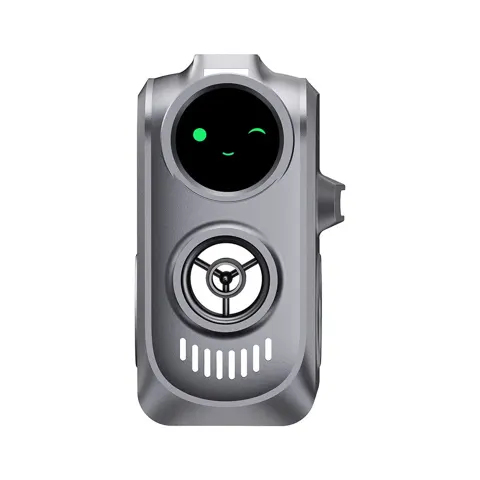
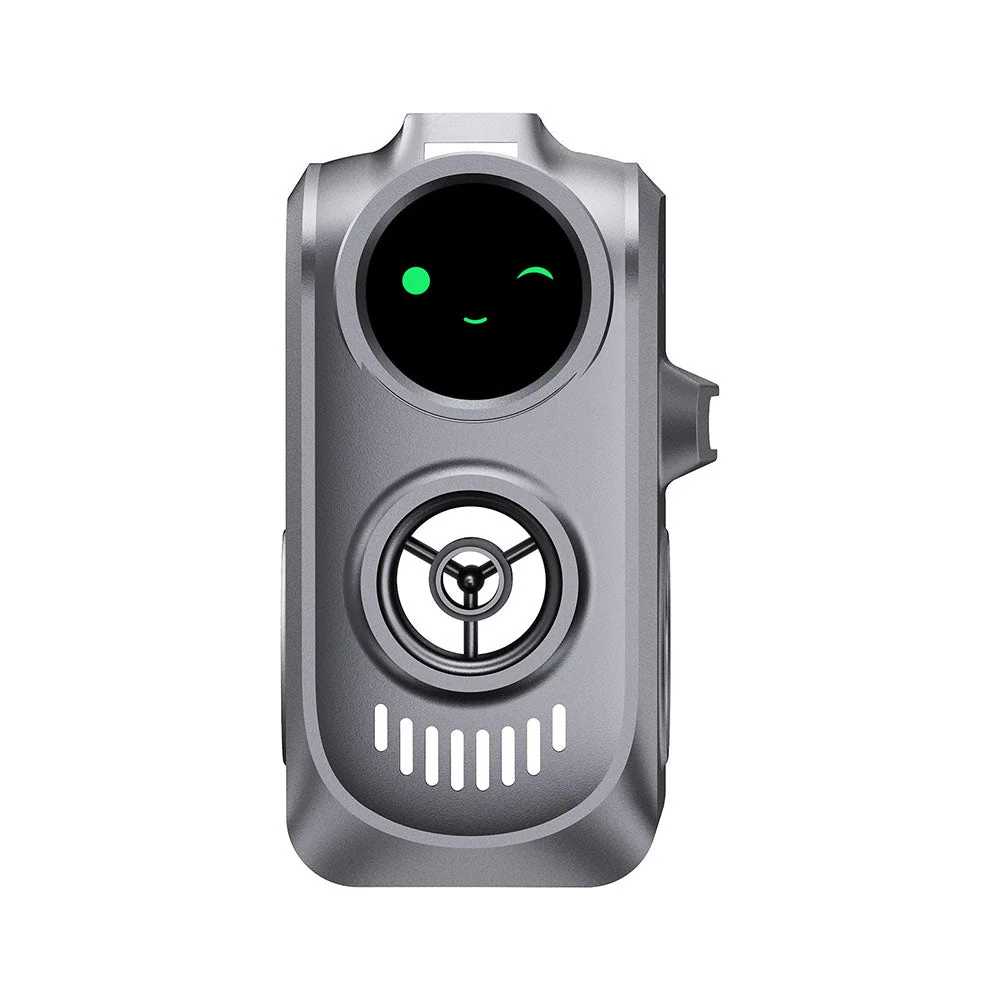
A 1.28-inch round color display that mounts on the Creality Hi Combo toolhead and shows print status over 2.4 GHz Wi-Fi, with customizable GIFs and OTA updates. It only works on a Creality Hi running Klipper, and it is not a touchscreen.
Strengths
- Mounts on the toolhead, so status is visible at the printer without a second screen on the table.
- Shows print state, temperatures and progress through 13 factory animations over 2.4 GHz Wi-Fi.
- Customizable: colors, GIFs and .img themes through the local web UI, within the 3 MB pool.
- Setup needs no cloud account; AP mode and manual IP entry are supported.
- Low draw at 0.65 W rated, with no consumables or battery to replace.
- Discounted direct price makes it a cheap visual upgrade for a Creality Hi Combo owner.
Weaknesses
- Works only on the Creality Hi Combo print head running Klipper; stock Marlin is not supported.
- Not a touchscreen, despite some retailer copy; all control is through a browser.
- 2.4 GHz Wi-Fi only; a 5 GHz-only network cannot connect it.
- Setup means wiring plus editing printer.cfg, gcode_macro.cfg and sensorless.cfg.
- A printer firmware update can wipe the Knomi config file, as one owner reported in December 2025.
- A recurring “Binding Printer” animation can reappear mid-print (open GitHub issue #6, filed February 10, 2026).
Verified specifications
| Display | 1.28 in round color LCD, 240 × 240 px, driver GC9A01; active area 32.4 × 32.4 mm; 400 cd/m² backlight; viewing angle described as “All View”. |
|---|---|
| Processor/memory | ESP32 Xtensa dual-core 32-bit LX6 up to 240 MHz; 8 MB PSRAM (4 MB RAM + 4 MB Himem); 16 MB flash. |
| Power | 5–24 V input, 3.3 V logic, 0.65 W rated. |
| Connectivity | 2.4 GHz Wi-Fi (IEEE 802.11 b/g/n) only. |
| Thermal | module -20 °C to +70 °C; shell -30 °C to +130 °C; storage -30 °C to +80 °C. |
| Custom content | one GIF up to 1.5 MB (1536 KB); 3 MB (3072 KB) total; GIFs 240 × 240 px or smaller. |
| Binding | auto scan uses port 7125 by default; manual entry default port 7125; printer web UI on port 4408. |
| Firmware | initial release 01.00.00.00. |
| Touch | none; control and setup are through the browser web UI. |
| Factory reset | via web UI or holding the Boot button for 5 seconds. |
| Hostname | 8–32 characters (15 characters max on firmware v1.0.2 or earlier). |
| Package | 119 × 148.5 × 89 mm, 0.115 kg gross. |
| Display module | 34.6 × 37.9 × 3.5 mm. |
| Factory GIF set | 13 animation states; about 1,374 KB of the 3 MB pool. |
| Screensaver | built-in short animation about every 15 seconds on some screens. |
| AP hotspot | default IP 192.168.254.1; default password 987654321. |
| Moonraker discovery | 50–300 seconds. |
| Warranty terms | Creality store “Up to 12-Month Warranty” with 14-day returns; BIQU lists “180-days Warranty”. |
Full research notes and sources
Setup and Klipper
It replaces the stock front cover of the Creality Hi Combo print head: remove the original cover, connect the short harness, fit the display shell and reuse the original screws. Then configure the printer web service at printer-IP:4408, upload Creator_Knomi_Hi_01.00.00.00.cfg, include it in printer.cfg, and edit sensorless.cfg and gcode_macro.cfg as BIGTREETECH documents. Binding by LAN scan targets Moonraker port 7125 and may take 50–300 seconds; manual IP and port entry is the fallback when auto-scan fails. If you are not comfortable editing Klipper configuration, this is not a plug-and-play accessory.
Owners report two recurring setup snags. One Creality Hi owner upgraded to printer firmware 1.1.0.60 in December 2025 and got XS3002 on restart because the Knomi .cfg had disappeared; re-uploading it from BIGTREETECH’s GitHub fixed the error. Open GitHub issues #3 and #4 concern getting all factory GIFs to display and correct gcode_macro.cfg placement, which is why some animation transitions depend on printer-side macros rather than pairing alone. Back up printer.cfg and your macros before any firmware update.
Display and customization
The factory set covers 13 states, including standby, hotend and bed heating, homing, leveling, input shaping, filament cutting and unloading, progress and completion. The documented three display modes are percentage, animation, and alternation every 10 seconds. A built-in short screensaver runs about every 15 seconds on some screens to reduce burn-in risk.
Custom GIFs must be 240 × 240 px or smaller, 1.5 MB or less each, and 3 MB total across all files; the factory set already uses about 1,374 KB. The web UI shows remaining space and refuses over-budget uploads. Users can change colors, replace animations and export or import .img theme bundles. Factory reset restores settings but does not restore custom GIFs, so back up a known-good theme first.
A 1.28-inch circular 240 × 240 display is fine for quick status icons and temperature glances, but it is not a replacement for the printer’s own touchscreen or a full control surface.
Problems owners report
Owners report a “Binding Printer” animation reappearing periodically even after successful pairing, usually during a print (GitHub issue #6, filed February 10, 2026). The issue tracker shows the symptom but does not establish the root cause, how many units are affected, or a permanent fix. Check 2.4 GHz signal, local LAN access, printer IP and port, and restart status before assuming a hardware fault.
Touch is the other open question. BIQU’s product copy calls the module a touchscreen, but BIGTREETECH’s technical wiki documents setup and customization through a browser, and an open hardware question asks whether the front surface is touch-enabled at all. No technical touch-controller specification or on-screen control procedure was found. Do not buy it for touch input.
Running costs
No subscription or cloud service is required for local status display, Wi-Fi binding or GIF themes. The only recurring cost is electricity: at the rated 0.65 W, 8 hours a day for 365 days is 1.898 kWh a year, about $0.38 at $0.20 per kWh; left on 24 hours a day it is 5.694 kWh, about $1.14. Those are calculations from the rated draw, not wall-meter measurements, and printer power-supply losses may change actual use.
As an acquisition allocation rather than a predicted life: $35.99 over three years is about $12.00 a year, excluding shipping. No replacement parts prices or repair costs were found, and the device is treated as a whole-unit replacement if damaged. If a future firmware update wipes the config, restore the configuration before replacing hardware.
Is it worth it?
At $30–$36 before tax and shipping, it is a reasonable buy for a Creality Hi Combo owner who wants toolhead-level status and custom GIFs and can handle Klipper setup. At $37–$45 delivered it is acceptable. Above $55 delivered it is hard to justify for status alone, since the printer’s existing web UI already monitors operation. The original touchscreen and browser UI remain the better tools for logs, queues and full control.
Store prices checked 2026-10-25: Creality US store lists $35.99 against a $62.90 reference, with a selected option at $32.39; BIQU lists $55.99 (item 1040000080) with a 180-day warranty; the Creality VIP catalog references $62.90 (item 4008030118). Creality’s multibuy tiers show $30.59 each for two, $28.79 each for four and $25.19 each for six. Small-accessory shipping is $8.99 under the free-shipping threshold, so a single $35.99 unit lands near $44.98 before tax. For comparison, Creality’s own Hi Touch Screen Kit is $17.99 and a different K-Touch wireless controller is $79.00.
Which model this is
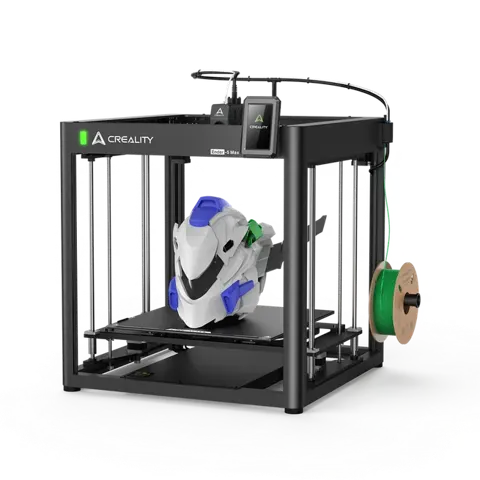
This page covers the BIGTREETECH Creator Knomi Hi sold under Creality branding as “Creator Knomi Hi for Creality Hi”, item 4008030118 (Creality) or 1040000080 (BIQU). It is the circular toolhead-mounted display for the Creality Hi and Hi Combo print head running Klipper. It is not the standard KNOMI, KNOMI2, Panda Knomi or Panda Knomi 3D, which are separate products for other printers, and it is not a 3D printer, filament dryer or general-purpose portable display. Hardware model identifier for the Amazon listing is ASIN B0FL7PCFD9. Only one firmware release is documented: 01.00.00.00.
Sources
Manufacturer:
- BIGTREETECH Creator Knomi Hi wiki
- Creality US product page
- Creality VIP catalog entry
- BIQU Equipment product page
- BIGTREETECH GitHub repository
- BIGTREETECH GitHub issue tracker
- Creality Hi Combo accessories collection
- Creality Hi Combo product page
- Creality Hi Touch Screen Kit
- BIQU K-Touch wireless controller
- BIGTREETECH GitHub docs
- BIGTREETECH warranty policy
- Creality return policy
- Creality shipping policy
Independent reviews:
Owner reports: