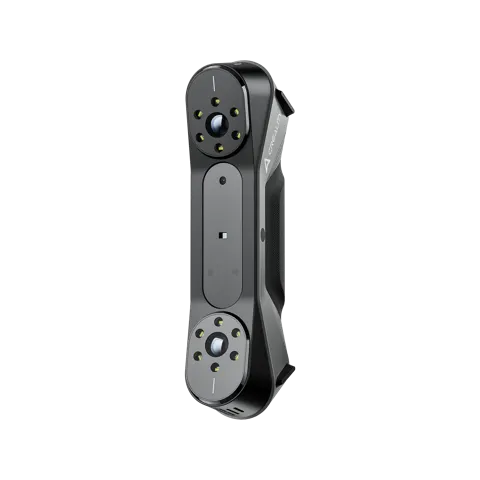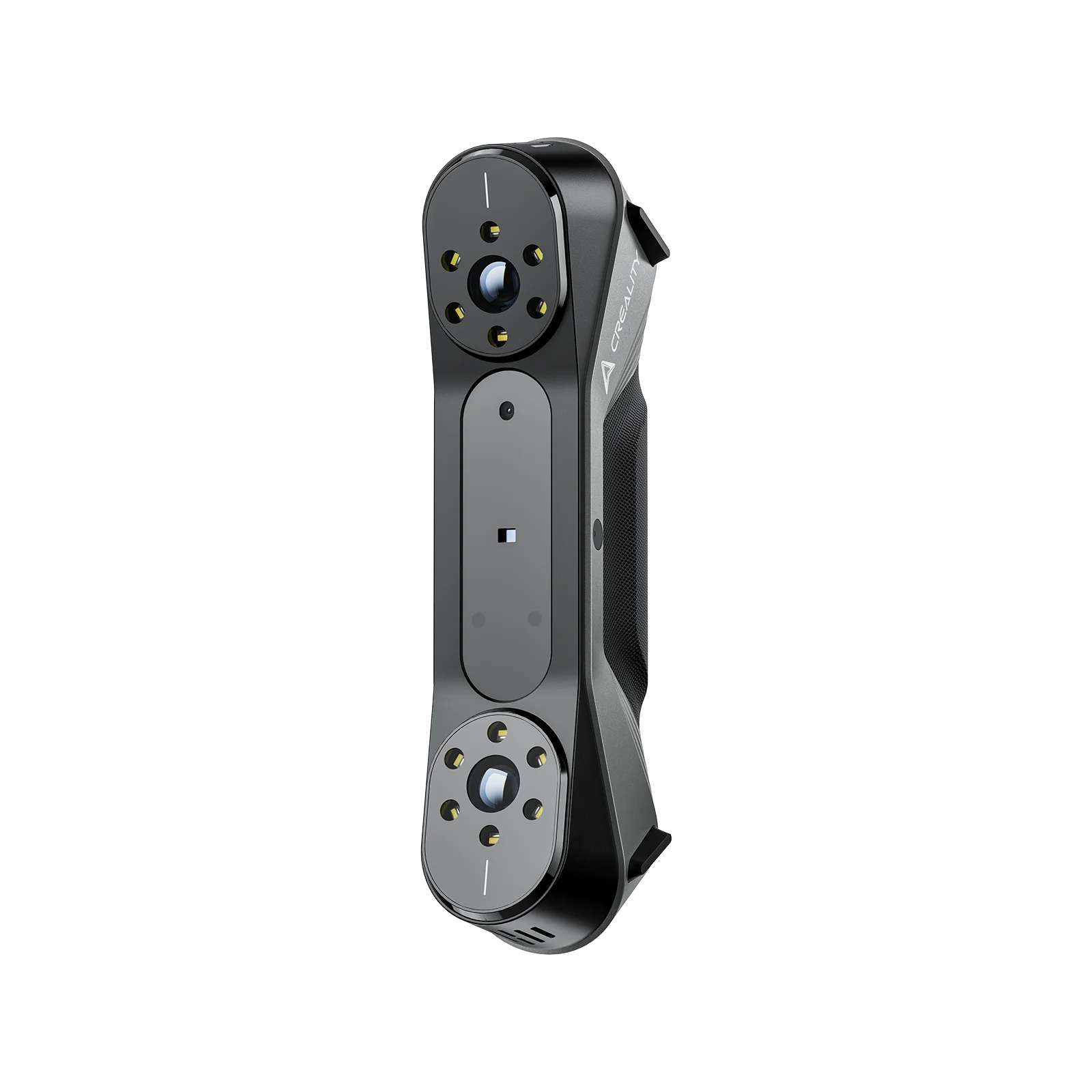
Creality CR-Scan Raptor 3D Scanner - Raptor
By Creality · 3D Printers · 3D Printing · More from Creality
- 0.02mm accuracy (blue laser mode)
- 7 parallel blue laser lines
- Up to 60fps scan speed
- 24-bit full-color scanning
- 372g handheld weight
Price not listed
- CrealityView at Creality
- Best BuyView at Best Buy
- eBayView at eBay
- eBay (used) eBay: used, open-box, refurbishedView at eBay (used)
Stores are listed in a fixed order, never by price or commission. Prices are snapshots. Check the current price with the store.
Summary
A 372 g tethered hybrid 3D scanner that switches between a 7-line blue laser (up to 0.02 mm accuracy at 100 mm, markers required) and NIR structured light (0.05–0.1 mm, marker-free) for organic shapes. Check your PC before you buy: it needs an 8-core CPU, a dedicated GPU and 16 GB of RAM, and the scanner runs only over USB-C.
Strengths
- Blue-laser mode captures sharp edges on mechanical parts and dark or reflective metals without dulling spray.
- Hybrid design covers both mechanical parts (laser) and organic shapes (NIR) in one device.
- Lightweight 372 g body with a balanced grip suits 20–30 minute handheld sessions.
- 24-bit color capture with 12 white LED fill lights works in ambient and bright (up to 30,000 lux) light.
- Included hard travel case, calibration board, markers and cable make it usable out of the box.
- Active user community on Creality’s forum and Reddit for setup and scanning tips.
Weaknesses
- Tethered USB-C only; no wireless scanning on the base unit.
- High PC demands; underpowered or AMD-GPU systems see crashes, latency and driver quirks.
- Blue-laser mode needs reflective markers, with at least 4–5 visible in frame.
- Transparent or glossy surfaces may still need dulling spray.
- Creality Scan software is functional but less polished than Artec or Shining 3D offerings.
Verified specifications
| Model | CR-Scan Raptor (base “Raptor” configuration); hybrid blue-laser + NIR scanner. |
|---|---|
| Scanning modes | Blue Light (blue 7-line laser) and NIR (infrared binocular structured light). |
| Accuracy | up to 0.02 mm at 100 mm in blue-laser mode (lab condition, 100 mm sphere pair); NIR accuracy reported as 0.05–0.1 mm. |
| Scanning speed | up to 60 fps blue; up to 20 fps NIR. |
| Scan range | 5 mm to 2000 mm; minimum scan volume 5 × 5 × 5 mm blue, 150 × 150 × 150 mm NIR. |
| Single capture range | 270 × 170 mm at 300 mm and 930 × 580 mm at 1000 mm blue; 665 × 574 mm at 1000 mm NIR. |
| Working distance | 150–400 mm blue; 170–1000 mm NIR. |
| Color | 24-bit full color via a 1920 × 1200 (2.3 MP) camera; 12 white LED fill lights; 12 blue LED marker-recognition lights. |
| Alignment modes | Marker / Geometry / Texture (NIR); Marker (blue). |
| Output formats | OBJ, STL, PLY. |
| Power and interface | 12 V, 2 A via USB-C / USB 3.0; tethered only. |
| Laser safety | Class 1 (eye safe). |
| System support | Windows 10/11 (64-bit) or macOS 11.7.7+; recommended Intel i7 (8th gen or newer) with 16 GB RAM and an NVIDIA GPU, or Apple M1/M2/M3 with 16 GB RAM. |
| Software | Creality Scan, minimum version 3.1.6. |
| In the box | scanner, 3 m USB 3.0 cable (USB-C/USB-A), power adapter with international converter, reflective marker points (D6 mm × 2), scanning pad, portable case, cleaning cloth, Type-C converter, quick operation guide, compliance certificate, warranty card; glass calibration board included. |
| Warranty | up to 12 months per the Creality US store banner. |
Full research notes and sources
Blue laser and NIR
In blue-laser mode the scanner handles dark and reflective metals without spray and preserves sharp edges on mechanical parts, verified against gauge blocks and machined brackets in hands-on testing. NIR mode is faster (20 fps against 60 fps) and better for organic subjects but less suited to fine mechanical detail. The 5 mm to 2000 mm scan range covers small fasteners through large objects, and color capture runs through a 1920 × 1200 camera with 12 white LED fill lights.
The 0.02 mm figure is a maximum measured in laboratory conditions (100 mm sphere pair); actual results vary with temperature, vibration and environment, so treat it as a best case rather than a guaranteed field tolerance. Deep cavities and narrow holes need multiple angled passes because the laser lines project in one orientation, and blue-laser mode consumes significant RAM, which limits the size of scannable objects.
PC, power and tethered use
The base Raptor is USB-C tethered only; wireless scanning needs the RaptorX or future accessories. It demands a strong host PC (8-core CPU, dedicated GPU, 16 GB RAM) and a powered USB hub is recommended, since the scanner is power-hungry and USB disconnections are a recurring complaint, often tied to Windows updates or insufficient power delivery. Creality documents Raptor-series USB disconnection troubleshooting on its wiki.
Accuracy and surfaces
Highly reflective or transparent surfaces (polished chrome, glass) may still need dulling spray despite the blue laser handling dark metals well. Calibration difficulties and tracking loss occur on smooth, featureless surfaces, where marker placement is critical. The 0.02 mm claim is lab-only; real-world achieved accuracy on actual parts is not published.
Creality US store lists $879.00 (compare-at $1,499.00, save $620.00). Third-party tracking reports a historical range of $879.00 to $1,599.00 with an average near $979.22 and an MRP of $1,099.00; the Raptor Pro lists at $1,499.00 on the same tracker. At around $879 the hybrid laser-plus-NIR design is strong value against single-mode scanners; at $980–$1,100 it is fair value, with the Raptor Pro and Einstar-class scanners worth comparing on software maturity and wireless needs; above about $1,300 it is weak value unless the hybrid capability or Creality ecosystem is specifically required.
Warranty is up to 12 months per the store banner. The manual’s two-year warranty text applies to Alza.cz (Czech retailer) purchases and is not the US term, and Creality’s warranty-rights page does not state a blanket term.
Which model this is
The model number is “CR-scanner” and the brand is listed as “CREALITY FALCON” on the price-tracking record. No hardware revision letters for the base Raptor were documented. Do not confuse it with the Ferret, Otter or Sermoon scanner lines.
Sources
Manufacturer:
- Creality US store — CR-Scan Raptor 3D Scanner
- Creality official — CR-Scan Raptor 3D Scanner
- Creality US store — (15%off) CR-Scan Raptor (live exclusive)
- Creality — Warranty & Device Rights Check
- Creality CR-Scan Raptor user manual (ManualsLib)
- ManualsLib — product specifications (page 5)
- Creality Wiki — CR Scan Raptor manual
- Creality Wiki — USB disconnection issues with Raptor series
Independent reviews:
- Latest in Tech — Creality CR-Scan Raptor Review
- Tom’s Hardware — best 3D scanners 2026 (Raptor not included)
Owner reports: