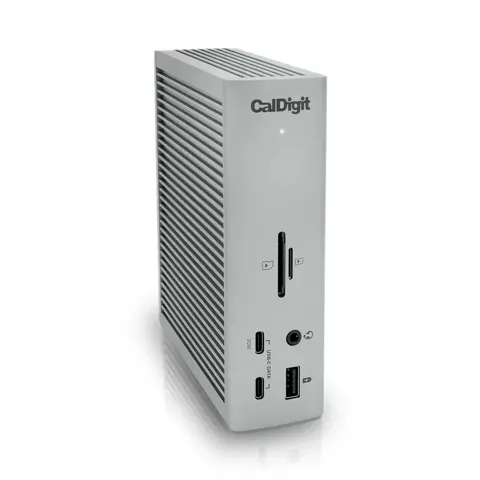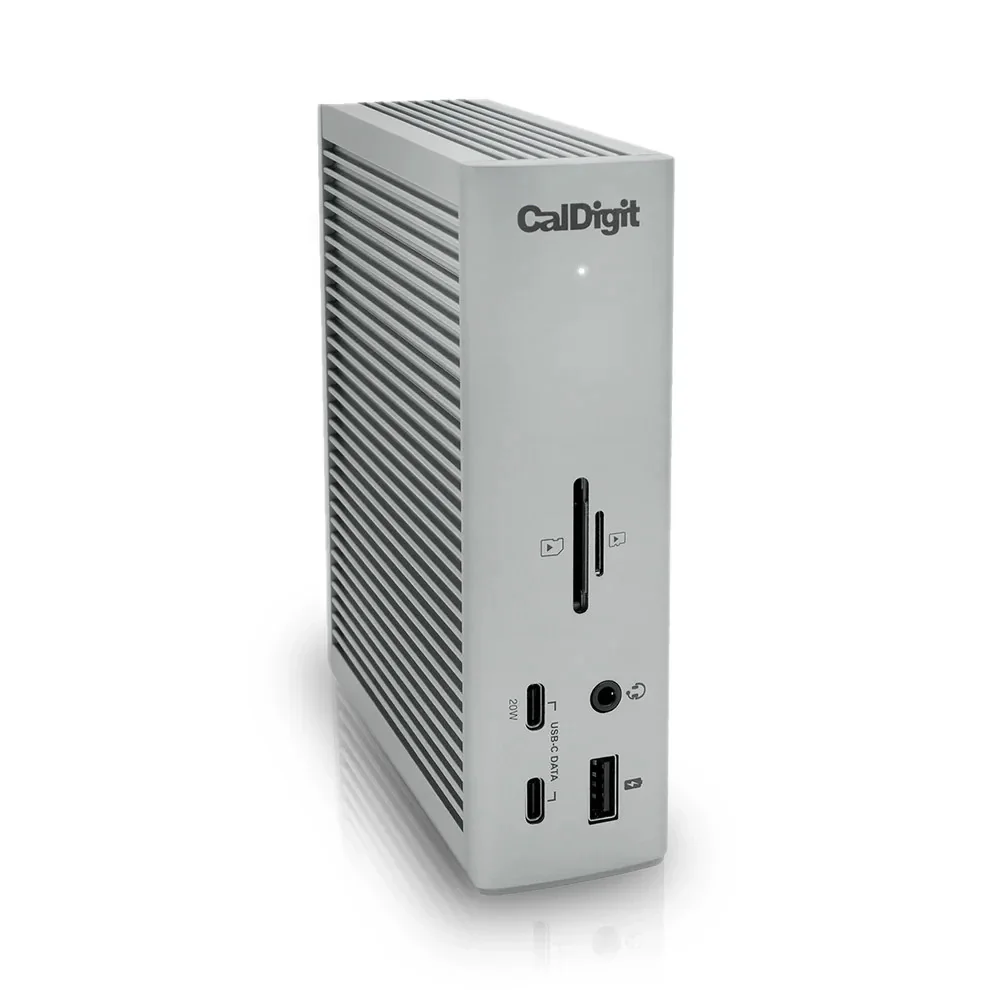
CalDigit TS4 Thunderbolt 4 Dock
By CalDigit · Docking Stations · Desk & Streaming Setup
- 18 ports
- 98W laptop charging
- 2.5GbE Ethernet
- single 8K or dual 6K 60Hz displays
Price not listed
- CalDigitView at CalDigit
- eBayView at eBay
- AmazonView at Amazon (paid link)
- eBay (used) eBay: used, open-box, refurbishedView at eBay (used)
Stores are listed in a fixed order, never by price or commission. Prices are snapshots. Check the current price with the store.
Summary
An 18-port Thunderbolt 4/USB4 desk dock with two downstream Thunderbolt 4 ports, 2.5GbE, 10 Gbps USB, UHS-II card readers and up to 98 W host charging. Check the host first: an 18-port dock does not override a base M1/M2 Mac’s one-external-display limit, and HDMI needs an active adapter.
Strengths
- One-cable desk docking for Ethernet, USB, display and laptop power.
- More connectivity than modest docks: 10 Gbps USB-A × 5, USB-C × 3, two downstream 40 Gbps TB4 ports, separate SD/microSD readers, 2.5GbE.
- Aluminum housing, horizontal or vertical placement; host cable and adapter included.
- Native Thunderbolt/DisplayPort video path avoids DisplayLink software for supported configurations.
- TechRadar praised build and ports; Macworld still listed it among powerful Thunderbolt 4 docks in October 2026.
Weaknesses
- No built-in HDMI; HDMI-only monitors need an active adapter.
- External 230 W power brick is sizable; host cable is only 0.8 m.
- Not every USB port supplies 20 W fast charge; ordinary ports are 7.5 W.
- Base M1 and some hosts cannot run two native displays through it.
- Wake/sleep can unmount drives or drop Ethernet/USB; firmware updates help but do not guarantee zero problems.
- An asking price of $380 is nearly twice a basic $200 Thunderbolt 4 dock.
Verified specifications
| Ports | 18 by CalDigit’s count; 3 Thunderbolt 4 (one host, two downstream) at 40 Gbps; 3 USB-C 10 Gbps; 5 USB-A 10 Gbps; 1 DisplayPort 1.4; separate UHS-II SD and microSD; 1 2.5Gb Ethernet; front 3.5 mm combo audio; separate rear analog audio input and output; DC power input. |
|---|---|
| Host charging | up to 98 W via host Thunderbolt port; downstream TB4 up to 15 W each; front USB-C charging up to 20 W; other USB-C and each USB-A up to 7.5 W. |
| Included | 0.8 m certified Thunderbolt 4 cable, dock, 230 W external power adapter and mains cord, two rubber foot strips. Size 141 × 42 × 113 mm; weight 0.64 kg excluding brick. |
| Supported hosts | Thunderbolt 3/4, USB4 and some USB-C computers/tablets; minimum macOS 11.4 and Windows 10 20H2. |
| Displays | up to single 8K on compatible Windows; dual 4K/60 on compatible Intel/Windows; dual 6K/60 on MacBook Pro M1 Pro/Max. Base M1 supports one external display. HDMI is not built in; DisplayPort needs an active adapter. |
| Firmware | 45.1 (January 27, 2026) current published; 39.x addressed earlier issues. |
| Power supply | 230 W rated capacity, not measured draw. |
Full research notes and sources
Displays and host compatibility
Buying 18 ports does not override the host’s display limit. Base M1 Macs support one external display; base M3 supports two only in clamshell mode; Pro/Max M1/M2/M3 and supported M4/M5 Macs can provide two streams subject to the exact Mac’s specs. HDMI is not built in: the full-size DisplayPort needs an active adapter for conversion, and passive adapters may fail; the second monitor can use a downstream Thunderbolt port with a compatible USB-C video adapter. Manufacturer advertises up to single 8K on compatible Windows systems and dual 4K/60 on compatible Intel/Windows machines. Verify the exact laptop and monitor models before purchase.
Reliability and wake/sleep
CalDigit acknowledges affected Apple Silicon/macOS 12 configurations with crashes, unmounted drives, missing Ethernet after wake and occasionally an unresponsive Thunderbolt port; guidance is to update macOS and Thunderbolt firmware. A January 2026 MacRumors poster with an M1 Pro reported nearly two years trouble-free then repeated reconnect failures under macOS Tahoe, restored by Mac restart rather than unplugging devices; causation was not conclusively diagnosed. December 2024 forum reports describe displays failing to wake or needing firmware changes, while other owners reported about a year problem-free. No representative failure rate or median years to failure exists; forum posts are self-selected.
Is it worth it?
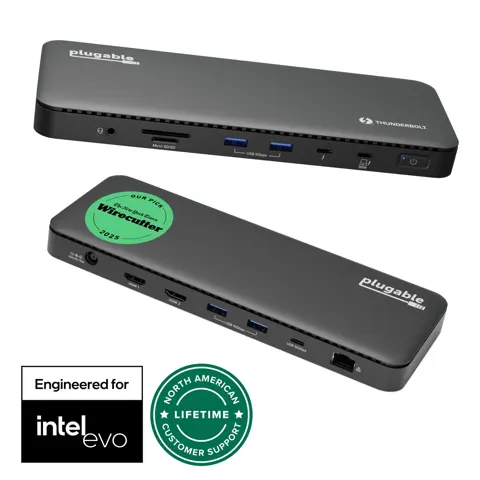
The TS4 suits a desk that needs many 10 Gbps USB ports, two downstream Thunderbolt 4 ports, 2.5GbE and UHS-II readers in one cable, and is worth about $380 only if those ports are used. For a basic dual-HDMI setup, the $199.95 Plugable TBT4-UD5 is the better value. For a Thunderbolt 5 laptop, the TS5 at $399.99 or the OWC TB5 dock at $329.99 win on bandwidth and charging. New TS4 listed at $379.99 at CalDigit (out of stock on the checked page) and $379.99 at B&H (in stock in that snapshot); open-box at $339.99 carried a one-year warranty instead of two. A good buy is $300 or less new with valid warranty; $300–$340 is reasonable if two downstream TB4 ports, extra USB-A, 2.5GbE and both UHS-II readers are mandatory; above about $350 cross-shop the TS5 or OWC TB5 dock. These are editorial thresholds against asking prices, not historical sale prices. No 12-month average price or universally available sub-$300 sale was established.
Which model this is
This page covers the CalDigit Thunderbolt Station 4 (TS4), an 18-port Thunderbolt 4 dock with three Thunderbolt 4 ports, 2.5GbE and UHS-II readers. Do not confuse it with the newer CalDigit TS5 (Thunderbolt 5, 15 ports, $399.99) or the TS3 Plus. Host and OS determine which features are available; a USB-C-only connection can lose 2.5GbE and full bandwidth.
Sources
Manufacturer:
- CalDigit TS4 technical specifications
- CalDigit TS4 user manual (PDF)
- CalDigit TS4 support, manual, software and drivers
- CalDigit TS4 macOS firmware update procedures, v45.1
- CalDigit Thunderbolt dock sleep-mode issues under macOS 12+
- CalDigit TS4 power delivery profiles
Independent reviews:
Owner reports:
- Is there still issues with the TS4? (r/CalDigit, Dec 2024)
- Non-existent customer support? (r/CalDigit, Dec 2024)
- CalDigit TS4 issues on MBP (MacRumors, Jan 2026)
Retailers and parts: