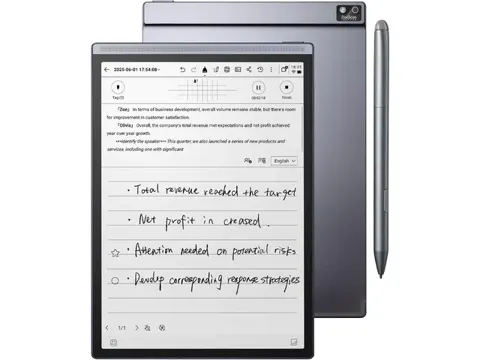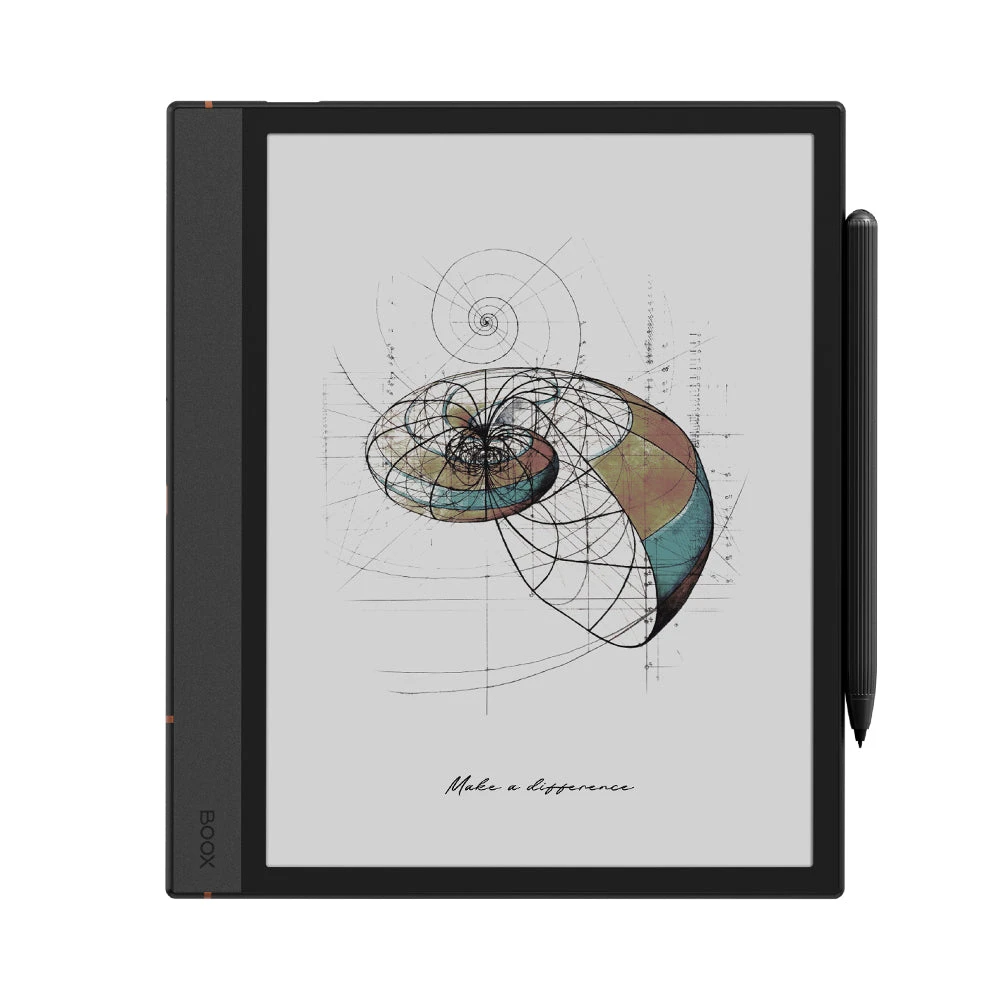
BOOX Note Air 4 C E-Reader
By BOOX · E Readers · Desk & Streaming Setup · More from BOOX
Compare all E Readers side by side →
- 10.3" Kaleido 3 color screen
- 6GB RAM
- 64GB ROM
- Android 13 OS
- 3,700mAh battery
Price not listed
- BOOXView at BOOX
- Walmartfree shipping $35+ · store policyView at Walmart
- Lowe'sprice match · store policyView at Lowe's
- AmazonView at Amazon (paid link)
More on eBay (1)
- eBayView at eBay
- eBay (used) eBay: used, open-box, refurbishedView at eBay (used)
Stores with a price are sorted lowest first; commission never changes the order. Prices are snapshots. Check the current price with the store.
Summary
Check the display in person if you care about white backgrounds: color E Ink is darker than monochrome and wants the frontlight on indoors.
Size in context

22.6 cm · 8.9 in (W) × 19.3 cm · 7.6 in (D) × 0.6 cm · 0.2 in (H) · Drawn to scale from the maker's stated dimensions, next to everyday objects.
Strengths
- Play Store on a color E Ink tablet, so Kindle, Kobo, Libby and library apps all work.
- Pen Plus stylus and magnetic folio come in the box.
- Native Notes app with templates, layers, shapes, lasso, audio recording and text recognition.
- NeoReader handles fonts, margins, presets, bold, night mode, split-screen and 11 highlight colors.
- Geekbench 6 scores of 746 single-core and 1,775 multi-core made it the quickest Boox tablet at launch.
- MicroSD expansion and BooxDrop wireless transfer with 10 GB of free cloud storage.
Weaknesses
- Color E Ink is darker and lower-contrast than monochrome, and it usually needs the frontlight indoors.
- Frontlight cuts battery life to roughly 3–5 days, against weeks on non-BSR monochrome tablets.
- The USB-C port sits under the folio spine, so you cannot charge with the case closed.
- Speakers are weak, and volume control hides in the Control Center.
- Android 13 is dated and Boox promises firmware updates rather than full OS upgrades.
- Owners in the XDA comments report screen failures after about a year with repair quotes near $400.
Verified specifications
| Display | 10.3-inch E Ink Kaleido 3, 4,096 colors, Carta 1200 glass with flat cover-lens. |
|---|---|
| Resolution | 2480 × 1860 (300 ppi) in grayscale, 1240 × 930 (150 ppi) in color. |
| Touch | Wacom EMR with 4,096 pressure levels plus capacitive touch. |
| Processor | octa-core CPU at 2.0 GHz with a BSR GPU; ewritable identifies it as Snapdragon 750G. |
| RAM | 6 GB LPDDR4X. |
| Storage | 64 GB internal, plus a microSD slot. |
| Connectivity | Wi-Fi 2.4 GHz and 5 GHz, Bluetooth 5.1. |
| Frontlight | adjustable warm and cool. |
| Sensors | G-sensor for auto-rotate, fingerprint sensor in the power button. |
| Audio | dual speakers and a microphone. |
| Ports | USB-C with OTG; audio needs an adapter. |
| Battery | 3,700 mAh lithium-ion polymer; no charger in the box, charging is 5 V / 2 A. |
| Dimensions | 226 × 193 × 5.8 mm (8.9 × 7.6 × 0.23 in). |
| Weight | 420 g (14.8 oz) for the tablet, about 625 g with the folio. |
| In the box | tablet, Pen Plus stylus, USB-C cable, card eject tool, quick start guide, warranty card, magnetic folio case, and five spare stylus nibs. |
| Folio | magnetic attachment, folds into a three-position stand (portrait and two landscape angles). |
| Warranty | one year per the product page badge and the warranty card. |
Parts, consumables and accessories
optional upgrade at $79.99 (XDA, April 2025); adds a side button and eraser that the Pen Plus lacks.
- Compatible Stylus Pen for BOOX Compatible with Tablet Note Air 4 C Black $21.62View at eBay
an optional extra, with no price reported in the research.
- Compatible Screen Protector for Onyx Boox Note Air5 C/Air 4 C/Air 3 C Light anti Glare $32.99View at eBay
- Compatible Screen Protector Designed for Boox Note Air6 C/Note Air 5 C/Note Air 4 C $24.13View at eBay
included in the box and acts as a three-position stand, so a replacement is rarely needed.
- Compatible Case for 10.3" Boox Note Air 4 C (2024 Released)/Note Air 3 C Tablet ePaper(2... $27.69View at eBay
- Compatible Magnetic Stand Case for Onyx Boox Note Air 5 C/Note Air 4 C/Note Air 3 C (2025/2 $53.89View at eBay
- Compatible Cover for 10.3" BOOX Note Air 4 C/B/W BOOX 3 C/B/W, Flip Folio Slim Portable Durable Closure Cases Protective SleeveView at AliExpress
Full research notes and sources
Reading on the Kaleido 3 screen
PCMag UK described the colors as muted, closer to newsprint than print, which suits charts, comics and children’s books but not photographs.
NeoReader is the strongest part of the software. You get presets, bold weight, night mode, custom templates, split-screen and 26 supported formats without any DRM. Files from Kindle, Kobo or Nook need their own apps, and once you read them there you lose NeoReader’s annotation tools; the Kindle app keeps highlights but drops handwriting.
The Pen Plus stylus has 4,096 pressure levels and tilt response, and ewritable found the film on the screen gives a grainy, paper-like texture. There is a slight parallax gap where the frontlight layer sits above the writing surface, and the screen lags slightly against non-frontlit tablets.
XDA called the writing feel like a marker on paper, and preferred the reMarkable Paper Pro for pure writing, but valued the Android app freedom here. Tips wear out every few months; five spares ship in the box.
Battery life and charging
PCMag UK saw about 25 % drain over a week of heavy use, which fits the same pattern: the frontlight decides whether you count days or weeks.
The BSR refresh modes (HD, Balanced, Fast, Ultrafast) improve speed and cost power, so a reading-mode setting per app helps. Charging is 5 V / 2 A over USB-C and no charger is included. The left-edge port sits under the folio spine, so leave the case open while charging; ewritable and XDA both flag the risk of straining the cable or the port with the folio closed.
Software and performance
ewritable benchmarked the tablet at 746 single-core and 1,775 multi-core in Geekbench 6, the strongest results in the Boox lineup at the time of testing, and rated the firmware 89 %. PCMag UK found the octa-core chip and 6 GB of RAM snappy, with no stutter across multiple apps, and XDA called the processor underpowered for general tablet work.
Boox promises more than three years of firmware updates from the October 2024 launch, and the current build is v4.3 from September 2026. That is a security path, not an OS path: Android 13 shipped in 2022, the Air 3 C stayed on Android 12, and nobody has confirmed an Android 14 or 15 release for this model. Only the Play Store is pre-installed; Chrome, Gmail and Calendar are not.
Running costs, warranty and repairs
Pen Plus replacement nibs run about $10 to $15 for a five-pack, and an optional Pen2 Pro stylus is $79.99. A microSD card and a screen protector are the other likely extras. Boox’s own return policy has drawn complaints from reviewers.
The battery is not user-replaceable and the glass is fused to the display, with no official parts store for the screen or mainboard. Multiple owners in the XDA comments report cracks or faults after about a year without any drop, and Boox quoting roughly $400 for an out-of-warranty screen repair with warranty denied as pressure damage. Nobody has published a failure rate, so treat this as a known annoyance rather than a defect. There is no water or dust rating either.
Is it worth it?
The Boox shop US warehouse listed the tablet at $469.99 (October 2026), the Boox Hong Kong shop at $499 plus possible import tax, and PCMag UK at US$529.99, with a Pen2 Pro bundle at $577.99. At that money you get open Android, a color screen, 6 GB of RAM, the stylus and the folio in one package, which is hard to match elsewhere.
XDA’s advice holds: buy it if you read across several platforms, take notes and want color, and skip it for gaming, heavy Android work or a guaranteed OS upgrade path. A USB-C port you cannot reach with the case on is the daily annoyance most owners accept.
Which model this is
The Amazon listing for this unit is ASIN B0F65YH79J.
Sources
Manufacturer:
Independent reviews:
Owner reports: