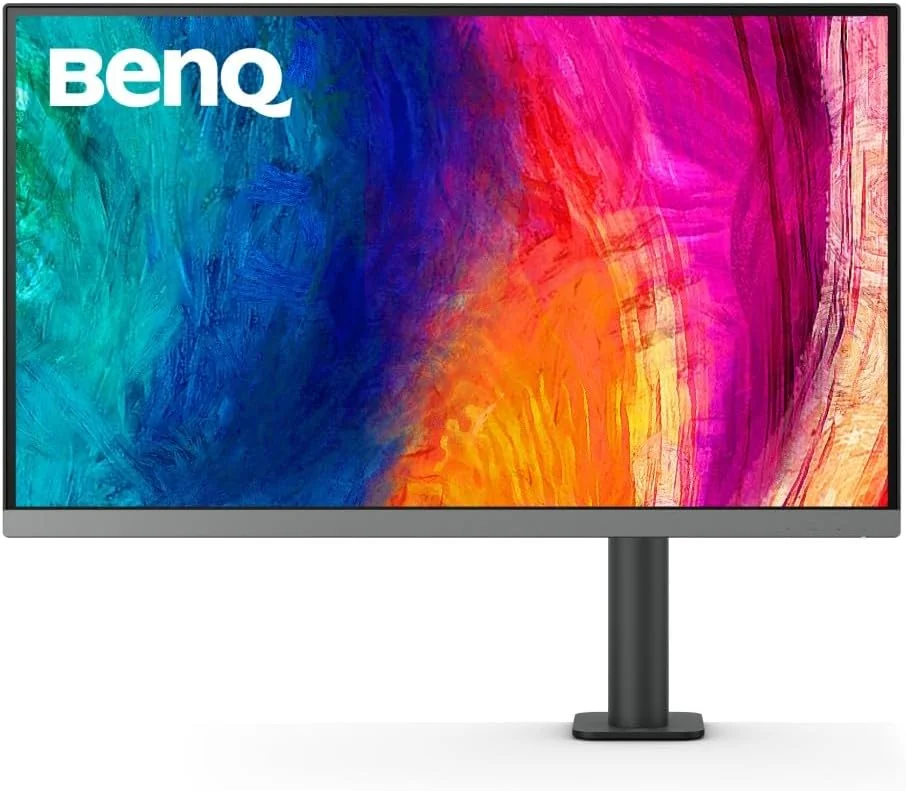
BenQ PD2706UA Computer Monitor
By BenQ · Computer Monitors · Desk & Streaming Setup · More from BenQ
- 27 inch 3840x2160 IPS
- 60 Hz refresh rate
- 350 nits typical (400 nits peak HDR)
- 1200:1 native contrast
- 95% P3 / 99% sRGB / 99% Rec.709
Price not listed
- BenQView at BenQ
- Best BuyView at Best Buy
- NeweggView at Newegg
- AmazonView at Amazon (paid link)
More on eBay (1)
- eBayView at eBay
- eBay (used) eBay: used, open-box, refurbishedView at eBay (used)
Stores are listed in a fixed order, never by price or commission. Prices are snapshots. Check the current price with the store.
Summary
A 27-inch 4K IPS monitor for creative and productivity work, sold with an Ergo Arm C-clamp stand, factory calibration, wide color coverage, a KVM switch and 90 W USB-C power delivery. Check the unit you receive: measured brightness and contrast vary widely between reviewers and units, and some owners report backlight bleed.
Strengths
- Factory calibration to Delta E <= 3, Calman verified and Pantone Validated, with 100% sRGB and 95% P3 coverage.
- Ergo Arm C-clamp frees desk space, manages cables and adjusts smoothly.
- KVM switch and 90 W USB-C single-cable setup suit laptop users.
- Hotkey Puck G2 makes brightness, inputs and color modes quick to change.
- Sharp 4K image at 163 ppi, useful for photo and design work.
- Three-year US warranty with a 30-day Zero Bright Dot guarantee.
Weaknesses
- Measured brightness and contrast fall well below the rated 350 nits and 1200:1 contrast on some units.
- No automatic input switching, and the hotkey puck cannot select a disconnected input.
- 10-bit color over USB-C may require setting USB speed to 2.0 in the OSD.
- Quiet 2.5 W speakers suit calls and monitoring only.
- Backlight bleed or IPS glow on some units, in some cases severe.
Verified specifications
| Panel | 27-inch, 16:9, IPS, W-LED edge backlight, 3840x2160, 163 ppi, matte anti-glare coating. |
|---|---|
| Brightness | 350 nits typical, 400 nits peak HDR. |
| Contrast | 1200:1 native. |
| HDR | HDR10, VESA DisplayHDR 400. |
| Refresh rate | 60 Hz. |
| Response time | 5 ms GtG. |
| Color depth | 10-bit (8-bit + FRC), 1.07 billion colors. |
| Color gamut (manufacturer) | 100% sRGB, 100% Rec.709, 95% P3. |
| Viewing angle | 178° horizontal / 178° vertical. |
| HDCP | 2.2. |
| Gamma | 1.8 to 2.6, sRGB. |
| Color temperature presets | 5000 K, 6500 K, 9300 K, user define. |
| Color modes | DCI-P3, Display P3, Rec.709, sRGB, HDR, M-book, DICOM, CAD/CAM, Animation, Darkroom, Low Blue Light, User, ePaper. |
| Features | DualView, Auto Pivot, Uniformity Technology, KVM switch, PIP/PBP, ICCsync, Hotkey Puck G2. |
| Factory calibration | Delta E <= 3, Calman verified, Pantone Validated, Pantone SkinTone Validated, Solidworks certified, TUV flicker-free and low blue light. |
| Audio | 2.5 W × 2 speakers, 3.5 mm headphone jack. |
| Video inputs | HDMI 2.0 × 1, DisplayPort 1.4 × 1, USB-C with DP Alt Mode × 1. |
| USB | USB-C downstream × 1, USB Type-B upstream × 1, USB 3.2 downstream × 3. |
| Eye care | flicker-free, low blue light, ePaper. |
| Software | Display Pilot 2, Palette Master Ultimate, Display ColorTalk, Display Quickit. |
| Power | 100-240 V, built-in supply, 45 W normal, 230 W max, under 0.5 W sleep, 90 W USB-C power delivery. |
| VESA mount | 100 × 100 mm. |
| Dimensions | with Ergo Arm 552.7-702.7 × 613.8 × 463.0 mm (21.76-27.67 × 24.17 × 18.23 in); panel without base 367.6 × 613.8 × 87.7 mm (14.47 × 24.17 × 3.45 in). |
| Weight | 9.1 kg / 20.1 lb net, 5.3 kg / 11.68 lb without base. |
| Ergonomics | tilt -5 to +30°, swivel 275° each way, pivot 90°, height adjustment 150 mm, fore/aft reach 10.5 to 18.5 in. |
| Materials | plastic cabinet with metal interior, matte texture; 8 mm bezels at top and sides, 20 mm at bottom. |
| Power use | 45 W normal, 230 W maximum, under 0.5 W sleep; Tom’s Hardware measured 23 W at 200 nits. |
| Included | Hotkey Puck G2, power cord, HDMI, DisplayPort, USB 3.0 and USB-C cables, warranty card, calibration report, quick-start guide, IO cover, safety instruction. |
| Warranty | 3 years parts and labor in the US and Canada, depot service; DOA claims within 30 days; shipping damage claims within 7 business days; RMA numbers valid 30 days; BenQ covers shipping within warranty. |
| Zero Bright Dot guarantee | free exchange for one or more bright pixels during the warranty period, 30 days for PD models. |
| Pixel policy for UHD | up to 2 bright sub-pixels, 5 dark sub-pixels, 5 total. |
| A 1-year Pantone Connect Premium subscription is included with purchase, apparently US-only. | |
Full research notes and sources
Color accuracy and measured performance
Tom’s Hardware gave it an Editor’s Choice and measured 6.68% screen uniformity, native contrast around 1200:1 and HDR contrast above 5300:1 with field dimming. PCMag rated it 4.0/Excellent but measured 281 nits and 674:1 contrast. TechRadar measured 96% P3, 100% sRGB, 89% Adobe RGB and an average Delta E of 1.12. Beebom measured 323.8 nits, 1200:1 contrast, 96% P3 and Delta E about 1.1, and found the uniformity feature lowers brightness to about 225 nits. Parka Blogs measured only 153 nits maximum and 94% P3. The uniformity compensation feature halves contrast and raises the black level; turning it off restores contrast but may reveal panel non-uniformity.
Ergonomics and stand
The Ergo Arm C-clamp frees desk space, improves cable management and adjusts smoothly, with tilt from -5 to +30°, swivel 275° each way, pivot 90° and 150 mm of height adjustment. Owners praise the arm, but the monitor is heavy at 9.1 kg net and setup alone is difficult. Bezels are 8 mm at the top and sides and 20 mm at the bottom.
Inputs, KVM and USB-C
The monitor has one HDMI 2.0, one DisplayPort 1.4 and one USB-C with DP Alt Mode, plus a KVM switch, PIP/PBP and DualView. There is no automatic input switching; the monitor connects to the last-used source and the hotkey puck cannot select an unconnected input. 10-bit color over USB-C may require setting the monitor’s USB speed to 2.0 in the OSD; at USB 3.0 some owners report 8-bit output. The downstream USB ports do not work with Thunderbolt external storage, and there is no SD card reader. The built-in 2.5 W speakers are adequate for calls and monitoring only.
Owner reports
Owners praise the Ergo Arm, color accuracy, sharp 4K image, KVM and single-cable setup, plus Mac compatibility and M-book color matching. One community thread asks about using the PD2706UA for Lightroom work; no captured answer was found.
Warranty and running costs
The monitor carries a 3-year US warranty with a 30-day Zero Bright Dot guarantee and a published pixel policy allowing up to 2 bright and 5 dark sub-pixels, 5 total. Exclusions include normal wear, misuse, unauthorized service, improper environment, power fluctuations and shipping damage reported late. No public replacement-parts catalog or panel-availability information was found, so serviceability beyond warranty is unknown. Ownership costs are low: 45 W typical and 230 W maximum power draw, no consumables, and a 3-year warranty. MSRP is about $629.99; Beebom lists $629. A 1-year Pantone Connect Premium subscription is included with purchase, apparently US-only. Refurbished units carry a separate warranty policy whose length is not stated in the sources.
Is it worth it?
At $600 to $630, the monitor is strong value for users who need the Ergo Arm, factory calibration, KVM, 90 W USB-C charging and 4K sharpness in one package. Below about $500 it becomes a clear bargain for creative and productivity use. Between $630 and $700, buyers should compare against 4K productivity monitors with IPS Black or Mini-LED panels that offer higher measured contrast. Above about $700, the value weakens unless the Ergo Arm, Mac compatibility or Pantone validation is specifically required. TechRadar, in July 2023, put it at about $100 more than the $499 HyperX Armada 27, implying roughly $599 at that time. UK pricing is 430 GBP and 549 GBP; Singapore pricing is SGD 959 for the PD2706UA and SGD 799 for the PD2706U. BenQ’s US store lists the product as End of Life, so availability and pricing may be limited.
Which model this is
This page covers the BenQ PD2706UA, a 27-inch 4K UHD IPS designer monitor sold with the Ergo Arm C-clamp stand. The same panel is sold as the BenQ PD2706U with a traditional stand. Do not merge with the PD2725U, PD3225U or other PD-series monitors. The Amazon listing for this monitor is ASIN B0BS5Q44TF. BenQ’s US store currently lists the PD2706UA as having reached End of Life. No documented hardware revision differences between Ergo Arm and stand variants were found beyond the stand.
Sources
Manufacturer:
Independent reviews:
Owner reports:
- Brand new BenQ DesignVue PD2706UA with insane light bleed (r/BenQ)
- BenQ PD2706UA bandwidth issues (r/BenQ)
- Why my BenQ PD2706UA is showing 8 bit instead of 10 bit (r/BenQ)
- BenQ India PD2706UA backlight bleeding issue (r/BenQ)
- BenQ PD2706U bad colour green tint (r/BenQ)
- What monitor do you use? BenQ PD2706UA for Lightroom (Lightroom Queen community)