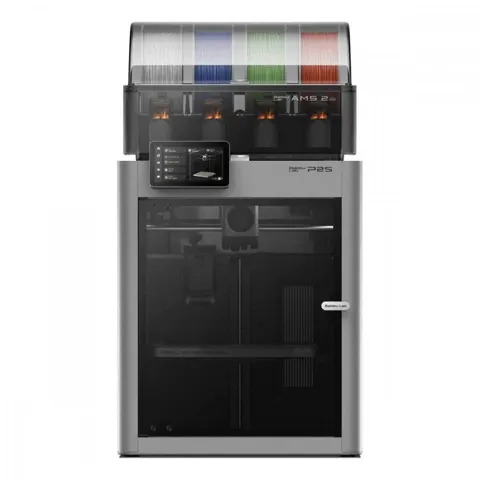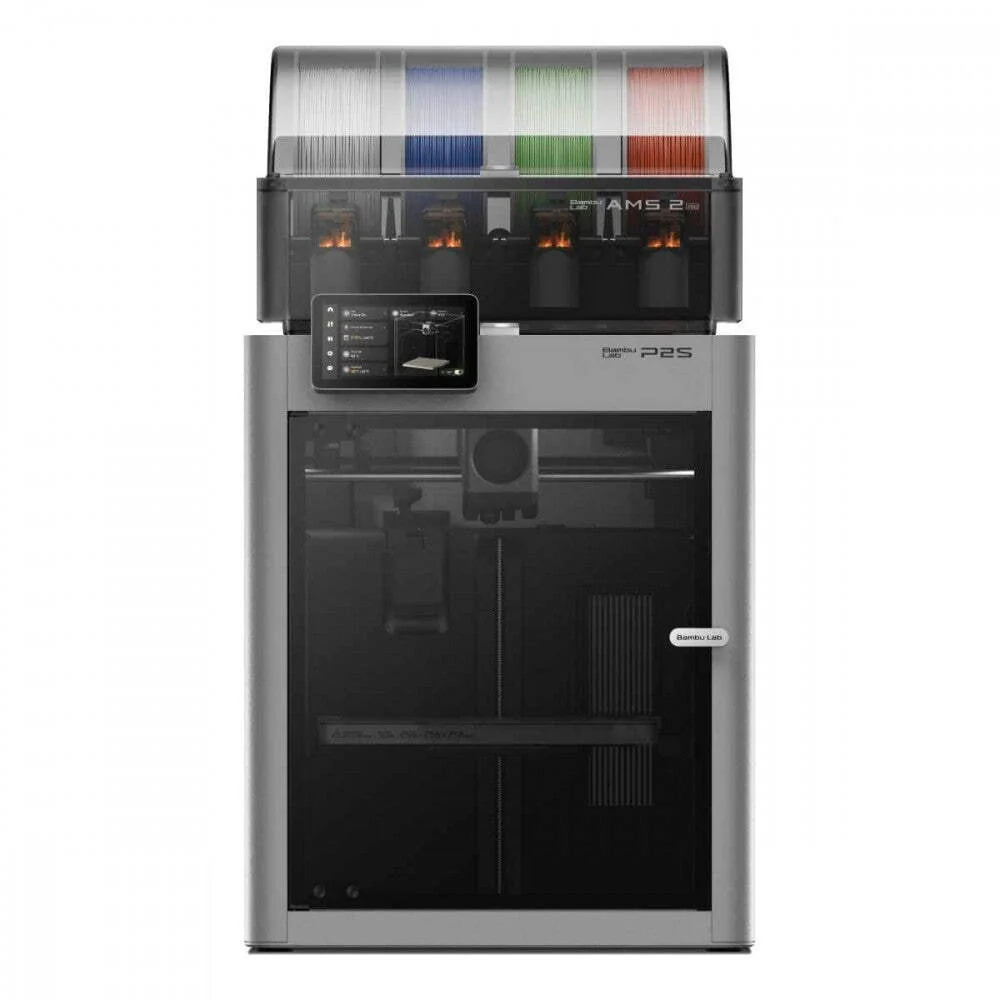
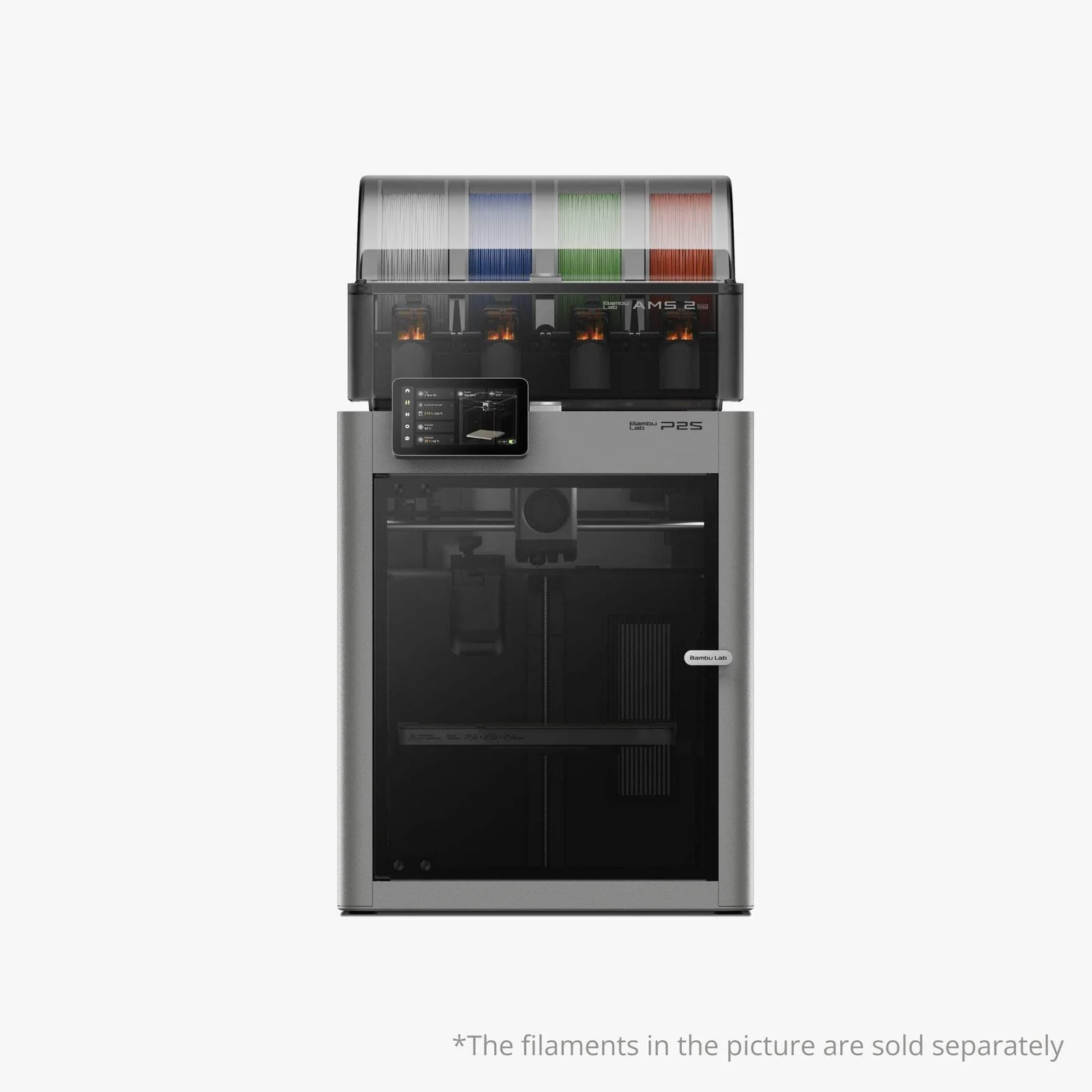
Bambu Lab P2S 3D Printer
By Bambu Lab · Enclosed 3D Printers · 3D Printing · More from Bambu Lab
Compare all Enclosed 3D Printers side by side →
- 256 × 256 × 256 mm³ build volume
- 5-inch touchscreen with 2nd-Gen UI
- PMSM servo extruder with 8.5 kg max force
- 50°C chamber for engineering filaments
- Active airflow system with carbon filter
Check today's price at the stores
- Bambu LabView at Bambu Lab
- AmazonView at Amazon (paid link)
- DynamismView at Dynamism
- eBayView at eBay
- eBay (used) eBay: used, open-box, refurbishedView at eBay (used)
Stores with a price are sorted lowest first; commission never changes the order. Prices are snapshots. Check the current price with the store.
Summary
The Bambu Lab P2S is an enclosed CoreXY FDM printer with a 256 mm cube build volume, released late 2025 as the successor to the P1S, aimed at beginners and enthusiasts who want reliable multicolor printing with minimal setup. Before buying, check whether your space can handle the heat, fumes and vibration at top speed, since the chamber is passively heated and there is no built-in exhaust filtration.
Size in context

39.2 cm · 15.4 in (W) × 40.6 cm · 16.0 in (D) × 47.8 cm · 18.8 in (H) · Drawn to scale from the maker's stated dimensions, next to everyday objects.
Strengths
- Excellent print quality and consistency across PLA, PETG, ABS, ASA and TPU.
- 5-inch touchscreen and second-generation UI are a major quality-of-life jump over the P1S.
- Tool-free nozzle swap in under 30 seconds.
- Adaptive airflow lets PLA print with the door closed without clogs.
- AI error detection catches spaghetti and nozzle blobbing and pauses the print.
Weaknesses
- Multicolor prints create substantial purge waste and take longer because of the single nozzle.
- No active heated chamber; the “50 °C chamber” is passive, bed-heater-driven heat retention.
- No Ethernet port; connectivity is Wi-Fi or USB only, and no built-in exhaust filtration beyond the carbon filter.
- Strong vibration at top speed needs a very stable surface.
- Intense fumes from ASA and ABS can leak around the door despite the carbon filter.
- Heat creep and clogs reported in rooms above about 33 °C (92 °F), and extruder motor failures by some owners.
Verified specifications
| FDM (fused deposition modeling) printing technology | |
| Build volume | 256 × 256 × 256 mm (10 × 10 × 10 in) |
|---|---|
| Enclosed CoreXY motion system | |
| Direct-drive PMSM servo extruder; hardened steel gear; max extrusion force 8.5 kg, about 70% more than the predecessor; samples resistance and position at 20 kHz for real-time clog and grind detection | |
| Hardened steel nozzle, 0.4 mm included; supported sizes 0.2, 0.4, 0.6 and 0.8 mm; tool-free magnetic swap | |
| Max nozzle temperature | 300 °C (572 °F) |
| Filament diameter | 1.75 mm |
| Heatbed | flexible steel plate with textured PEI included; supported plates textured PEI, smooth PEI and Cool Plate SuperTack; max 110 °C (230 °F) |
| Max toolhead speed | 600 mm/s; max acceleration: 20,000 mm/s²; max flow 40 mm³/s |
| Filtration | activated carbon filter; VOC and particulate matter filtration supported |
| Camera | built-in 1920 × 1080 at 30 fps |
| Sensors | door sensor, filament runout, filament tangle, filament odometry (with AMS), power-loss recovery |
| Cooling | part cooling fan, hotend cooling fan, auxiliary part cooling fan, all closed-loop; adaptive airflow with cold-air intake for PLA and sealed, heat-preserving mode for ABS and nylon |
| Supported filaments | PLA, PETG, ABS, ASA, TPU, PET, PA, PC, PVA, support materials and CF/GF reinforced variants (PA-CF, PETG-CF, ABS-GF, etc.); PEEK and Ultem not supported |
| Touchscreen | 5-inch, 854 × 480, capacitive |
| Storage | built-in 8 GB eMMC plus USB port |
| Motion controller | dual-core Cortex-M4 plus single-core Cortex-M7; application processor quad-core 1.5 GHz ARM A7; NPU 2 TOPS |
| Slicer and OS | Bambu Studio plus third-party G-code slicers; macOS, Windows, Linux |
| Electrical | 100-120 / 200-240 VAC, 50/60 Hz; max power 1000 W at 110 V and 1200 W at 220 V; PLA steady-state about 200 W; max power maintained about 3-5 min during heat-up |
| Working temperature | 10-30 °C |
| AI | computer-vision error detection for spaghetti, nozzle blobbing and build-plate mismatch |
| Dimensions | 392 × 406 × 478 mm (15.4 × 16 × 18.8 in) |
| Net weight | 14.9 kg (32.8 lb) |
| Chassis | plastic and steel; outer frame: plastic and glass |
| Included with the printer (per Tom’s Hardware): tools, spare nozzle-wiping pads, a 0.5 kg refillable spool of white PLA, a paper getting-started guide, test models in memory and a QR code linking to an unpacking video; no USB stick included | |
| Combo adds the AMS 2 Pro multi-material unit with active filament drying, claimed 30% faster than sealed heating | |
| Energy use (PCMag) | spikes to about 940 W during heat-up and settles to about 200 W while printing PLA |
Parts, consumables and accessories
tool-free magnetic swap under 30 seconds.
- Compatible High Flow Nozzle 0.4mm for Bambu Lab P2S X2D 3D Printer Hotend Replacement $26.99View at eBay
- Compatible 2 PCS P2S Hardened Steel Nozzle Hotend 0.2/0.4mm For Bambu Lab 3D Printer Part $24.20View at eBay
- Compatible High Flow Hotend Kit For Bambu Lab P2S X2D One-Piece Hardened Steel Nozzle Hot End For Bambulab P2S 3D Printer Replacement PartsView at AliExpress
Bambu filaments from about $15/roll; other brands vary.
- Compatible Extruder Filament Sensor Replacement for Bambu Lab P2S 3D Printer $19.99View at eBay
- Compatible Filament Buffer For Bambu Lab P2S Feeding Filament Buffer 3D Printer Accessories $31.49View at eBay
about $30; useful for better adhesion on certain materials.
- Compatible 3D Printer Build Plate for Bambu Lab A1/X2D/P2S/X1C/X1E/P1P/P1S, 257x257mm $20.06View at eBay
- Compatible 3D Printer Bambu Labs Build Plate for Bambu Lab P2S/X2D/X1C/X1/X1E/P1P/P1S/A1,Do $33.05View at eBay
Full research notes and sources
Print quality and speed
Independent tests report strong results. PCMag printed a 3DBenchy in 14 min 38 s, held ABS gear within 0.04 mm, PETG overhangs to 70°, TPU at 80 mm/s, noise 48 dB, uptime above 99% over 100+ hours, no clogs or skips over 120 hours and dimensional accuracy within 0.4 mm. TechRadar ran 300+ hours without failure and scored print quality 28/30, with dimensional accuracy room for improvement. CNET found a 0.2 mm tolerance test snug but not fused and no ringing. Makers101 compared the P2S with the X2D on a multicolor panda: about 4 h and 62 g waste versus 1 h 37 min and 8 g. The 600 mm/s figure is a maximum; real-world sustained speed in one test was about 400 mm/s. Energy use spikes to about 940 W during heat-up and settles to about 200 W while printing PLA.
Multicolor printing and waste
The AMS 2 Pro enables up to 20 slots with four AMS 2 Pro plus four AMS HT units and active filament drying claimed 30% faster than sealed heating. Multicolor prints create heavy purge waste, sometimes weighing more than the model, and take longer because of the single nozzle. A feeder grease defect in the AMS 2 Pro led to a replacement program shipping four free feeders from May to July 2026.
Noise, vibration and fumes
High-temperature filament fumes can be intense and may leak around the door despite the carbon filter; WIRED found ASA fumes overwhelming, while Impulse Gamer reported no fumes next to a baby, so it depends on material and ventilation. Noise reports range from quiet enough for a home office to sufficiently loud, depending on surface and environment.
Heat, materials and chamber
The chamber is passively heated by the bed; there is no active heater, so the P2S is not rated for PEEK or Ultem and large ABS parts need care. Heat creep and clogs are reported in rooms above about 33 °C (92 °F). Supported filaments include PLA, PETG, ABS, ASA, TPU, PET, PA, PC, PVA, support materials and CF/GF reinforced variants. Working temperature is 10-30 °C.
Reliability, maintenance and repair
Bambu provides a usage-based maintenance schedule: light use (under 1 h/day) means top rails every 3 months and the Z-axis every 5; regular use (1-5 h/day) means every 2 and 4 months; heavy use (over 150 h/month) means monthly. Lubricate rails with light machine oil and the Z lead screw with lithium grease; wipe with IPA. Nozzle swap is under 30 seconds and tool-free. Hardened steel nozzle and gears resist wear, and carbon rods were replaced with steel rails. Power-loss recovery works. Warranty is 1 year (parts and labor) per the PCMag specs table; the manufacturer warranty page was not read. Repairability: Bambu sells spare parts and nozzles with a quick-swap hotend, with no data on pump, heater or control board availability as service parts.
Running costs and ownership
US bare printer: $549 (Bambu Lab direct). US Combo with AMS 2 Pro: $799 (Bambu Lab direct). Street and sale prices seen: bare $449-$479; Combo $649-$660. Other regions: EU €519/€749; UK £479/£699; CA $799/$1,049 CAD; AU $949/$1,249 AUD. Black Friday 2026: P2S Combo $649 (per Makers101). Accessory costs: smooth engineering plate about $30; AMS 2 Pro separately about $299; Bambu filaments from about $15/roll; external exhaust kit extra. P1S now $399 bare and $549 Combo after P2S launch. Recurring costs are filament, occasional nozzles (0.2/0.6/0.8), maintenance lubricants and filters; no subscription or capsule lock-in. These figures are dated and sale-dependent, so verify at purchase time.
Which model this is
This is the Bambu Lab P2S, an enclosed CoreXY FDM printer released late 2025 as the successor to the P1S. It is not the P1S or P1P, the A-series bed-slingers, the X1C or X2D, or the H-series dual-nozzle machines. It is sold in two main configurations: a bare printer and a “Combo” with the AMS 2 Pro. Regional electrical variants are 100-120 V and 200-240 V. No separate numeric model code beyond “P2S” was published; revisions are expressed as configuration and regional electrical variant rather than documented mechanical revisions.
Is it worth it?
At about $449-$549 bare, the P2S is strong value: enclosed CoreXY, 600 mm/s, 300 °C hotend, hardened steel, 5-inch touchscreen, AI monitoring and AMS expandability at a mid-range price. At about $649-$799 Combo, still good value if multicolor printing is wanted; the AMS 2 Pro alone is about $299. Above about $800, or if dual-nozzle multicolor waste matters, consider the X2D, H-series or Snapmaker U1. For PLA-only budget buyers, the A1 Combo (about $360-$499) or the P1S ($399) may be better value. The main value differentiator is reliability plus ecosystem plus ease of use, not raw speed, since 600 mm/s is common in this class.
Sources
Manufacturer:
Independent reviews:
Owner reports:
- No owner-report URLs in the research.