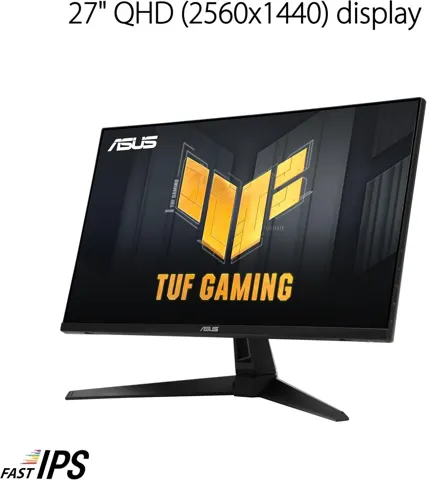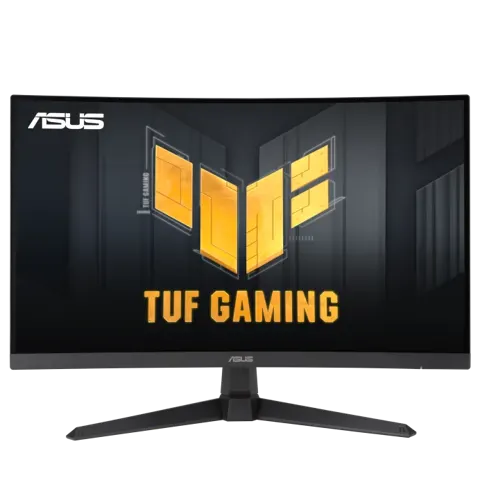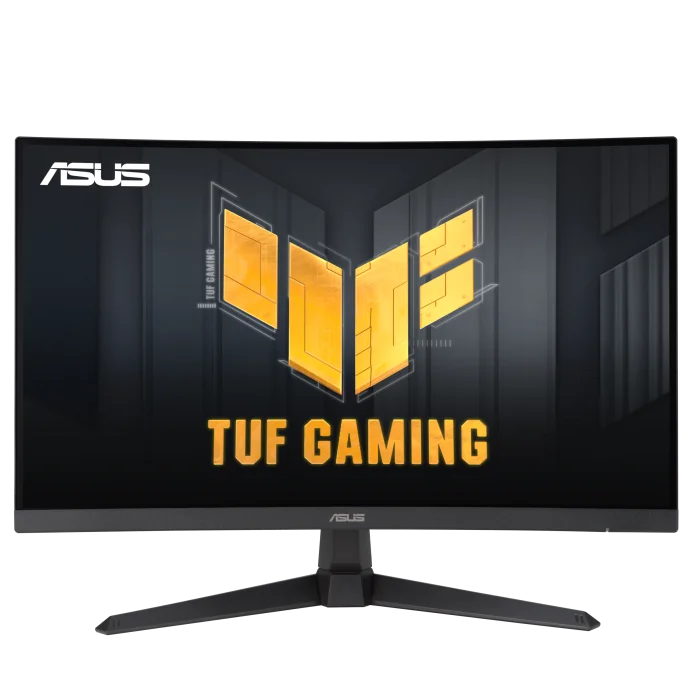
ASUS VG27WQ3B Computer Monitor
By ASUS · Computer Monitors · Desk & Streaming Setup · More from ASUS
- 27-inch QHD 2560x1440, 16:9
- 180Hz refresh rate
- 1500R curved Fast VA panel
- 1ms GTG (0.5ms min.) response time
- 90% DCI-P3 color gamut
Price not listed
- ASUSView at ASUS
- eBayView at eBay
- AmazonView at Amazon (paid link)
- eBay (used) eBay: used, open-box, refurbishedView at eBay (used)
Stores are listed in a fixed order, never by price or commission. Prices are snapshots. Check the current price with the store.
Summary
A 27-inch 2560 × 1440 1500R curved Fast VA monitor for mixed gaming at up to 180 Hz over DisplayPort, with high native contrast and adaptive sync. Before buying, confirm the tilt-only stand, the 144 Hz HDMI ceiling, and that HDR10 here is not convincing full HDR.
Strengths
- Native VA contrast well above ordinary IPS levels on tested samples.
- 180 Hz over DisplayPort with responsive adaptive sync and variable overdrive.
- Strong white-field uniformity and low color error reported on some samples.
- Flexible picture tuning with multiple color-space and GameVisual modes.
- DisplayWidget Center allows adjusting settings from Windows.
Weaknesses
- Tilt-only stand with no height adjustment.
- HDMI stops at 144 Hz, so HDMI-only laptops lose the top refresh rate.
- HDR10 is a supported input format but not convincing full HDR.
- Wide-gamut settings can look oversaturated; sRGB mode locks some color controls.
- Some retail listings mislabel the panel as IPS or the resolution as Full HD.
- No credible model-specific longitudinal failure survey exists.
Verified specifications
| Panel | 27-inch 1500R curved Fast VA, 2560 × 1440, 0.233 mm pitch (~109 ppi), 16:9. |
|---|---|
| Brightness and contrast (manufacturer) | 300 cd/m² typical, 5000:1 typical contrast, 90% DCI-P3, 125% sRGB, 16.7 million colors. |
| Measured samples | 369.8 cd/m² and 5597:1 contrast in Scenery; 270.9 cd/m² and 5525:1 in Racing (GECID); about 380 cd/m² and just under 4000:1 contrast (Mezha). |
| Refresh | up to 180 Hz via DisplayPort 1.4, up to 144 Hz via either of two HDMI 2.0 ports. |
| Motion | FreeSync/Adaptive-Sync, Variable OD levels 1–5 (default level 3), ELMB; ELMB disabled below 85 Hz. ASUS advertises 1 ms GtG / 0.5 ms minimum. |
| HDR | HDR10 support. |
| Color modes | Wide Gamut, DCI-P3 and sRGB; nine GameVisual modes. |
| Ergonomics | tilt -5° to +23° only, no height adjustment; VESA 100 × 100 mm with M4 × 10 mm screws; ~4.9 kg with stand, ~4.2 kg without. |
| Audio | 2 × 2 W speakers. |
| Power | under 23 W (manufacturer test conditions); about 27 W in Racing and 36 W in brighter presets (GECID). |
| Box | power cord, stand/base, paperwork and fasteners; HDMI and DisplayPort cables are optional by package, and a DisplayPort cable is listed in US regional accessories. |
| Warranty | ASUS US general LCD policy indicates up to 36 months for most non-ZBD monitors, with a limited number of bright/dark dots allowed; an ASUS Answers reply on the exact Best Buy page states 1 year parts and labor. Confirm in writing before purchase. |
Full research notes and sources
VA contrast and viewing angles
The Fast VA panel’s main advantage is native contrast: GECID measured 5597:1 in Scenery and 5525:1 in Racing on its sample, while Mezha measured just under 4000:1. Brightness landed around 270.9–380 cd/m² depending on mode and unit. Color coverage reached 99.6% sRGB on GECID’s sample and 91% DCI-P3 on Mezha’s. Off-axis viewing reduces VA contrast and color stability despite acceptable straight-on viewing, and built-in speakers have modest volume with weak bass. These are sample-level results, not guarantees of the production average.
Motion and overdrive
Variable OD runs levels 1–5 with level 3 as default; Mezha favored level 4 at 180 Hz, and level 5 produced stronger overdrive artifacts. ELMB is disabled below 85 Hz input refresh. Reviewers found some ghosting in UFO tests but little that distracted in games, and ELMB Sync can introduce visible artifacts depending on frame rate and content. ASUS advertises 1 ms GtG / 0.5 ms minimum, which is not an independently verified worst-case transition.
Reliability and support
One documented case: an owner reported a dead pixel after a couple of days, and ASUS Customer Loyalty pointed to the retailer replacement window or warranty RMA while warning that standard panel policies usually require several defective dots. Another owner described a flashing vertical line in games, with no confirmed cause or resolution. No credible model-specific failure survey, field failure percentage or median time-to-failure was found, and no recurring confirmed internal power-supply, backlight or control-board failure is documented. A retailer’s short return window may offer a better remedy for initial pixel defects than a later manufacturer RMA.
US asking prices on 2026-10-23, before tax: Newegg sold by Newegg at $169.99 (displayed comparison price $239.99); ASUS US store at $219.00. Value thresholds: good buy at $150–$170, especially for a buyer wanting 1500R VA contrast; conditional at $171–$199 only if the VA panel and curve are wanted; above $200 generally skip. Comparisons: Acer Nitro KGB271U 27-inch WQHD IPS up to 200 Hz at $149.99, and Alienware AW2725DM 27-inch QHD IPS 180 Hz at $199.99. These are observed retailer offers, not verified historical averages.
Running costs
No subscription or scheduled consumables. Electricity only: GECID measured about 27–36 W across named presets, so 8 hours/day for 365 days gives 78.8–105.1 kWh/year, about $15.77–$21.02/year at an assumed $0.20/kWh. Standby under 0.5 W for 16 hours/day adds less than 2.92 kWh/year, or less than $0.59/year. Actual use varies with brightness, HDR mode and daily hours; PC power, tax and accessories are excluded.
Which model this is
This page covers the ASUS TUF Gaming VG27WQ3B: a 27-inch 1440p 1500R curved Fast VA monitor. Do not confuse it with the 1080p VG27VQ3B, the flat IPS VG27AQ3A, or the VG27WQ1B. Buy by exact model number and the manufacturer’s specification, since some retail titles mislabel the panel or resolution.
Sources
Manufacturer:
- ASUS VG27WQ3B technical specifications
- ASUS VG27WQ3B user guide (PDF)
- ASUS US LCD monitor pixel-defect policy
- ASUS VG27WQ3B warranty-support page
Independent reviews:
Owner reports:
- Target purchaser comments and ASUS support reply
- Reddit flashing vertical line (r/Monitors)
- Reddit Fast VA versus IPS descriptions (r/ASUS)
Parts and stores: