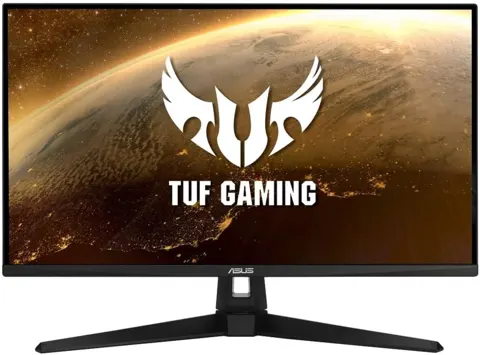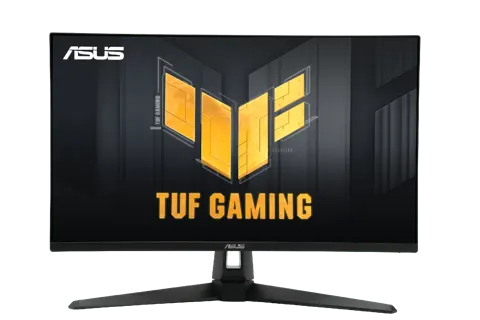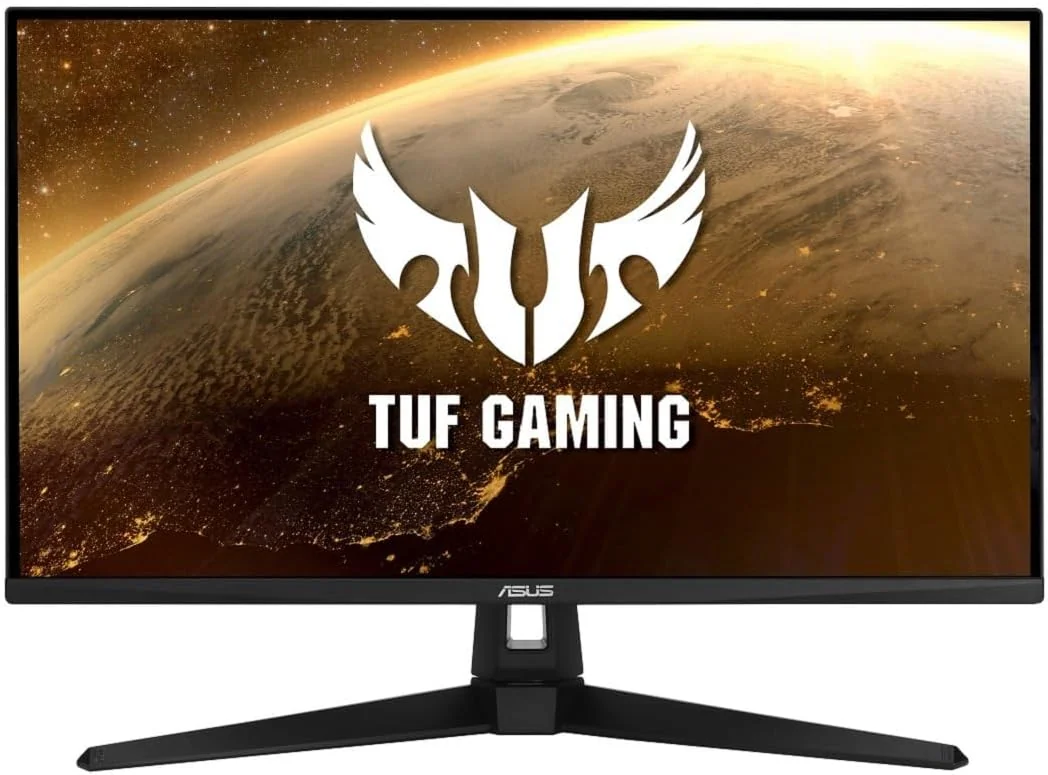
ASUS VG249Q1A Computer Monitor
By ASUS · Computer Monitors · Desk & Streaming Setup · More from ASUS
- 23.8 in IPS panel, 1920x1080
- 165 Hz max refresh rate
- 1 ms MPRT response time
- 250 cd/m² brightness
- 1000:1 contrast ratio
Price not listed
- ASUSView at ASUS
- WalmartView at Walmart
- eBayView at eBay
- AmazonView at Amazon (paid link)
- eBay (used) eBay: used, open-box, refurbishedView at eBay (used)
Stores are listed in a fixed order, never by price or commission. Prices are snapshots. Check the current price with the store.
Summary
ASUS’s TUF Gaming VG249Q1A is a budget 23.8-inch 1080p IPS monitor with a 165 Hz overclocked refresh rate, aimed at competitive gamers on a tight budget. Check that a tilt-only stand and no HDR are acceptable before buying, and use DisplayPort for the full 165 Hz.
Strengths
- 165 Hz overclocked refresh with 1 ms MPRT ELMB and low measured input lag (3.5–4 ms) gives smooth, responsive 1080p gaming.
- FreeSync Premium and G-Sync compatibility keep gameplay nearly tear-free across PC and consoles.
- 120 Hz mode over HDMI makes it usable with PS5 and Xbox Series X/S.
- Compact 23.8-inch footprint fits small desks; VESA 100 × 100 mm mount support.
- Built-in speakers and Low Blue Light / Flicker-free certification cover basic needs.
Weaknesses
- Tilt-only stand with no height, swivel or pivot adjustment; many owners call ergonomics terrible.
- Mediocre contrast (1000:1 static) and no HDR; blacks look washed out.
- Modest color coverage and weak factory accuracy; yellows stay inaccurate even after calibration.
- Reported backlight bleed and clouding on dark scenes; prevalence unknown.
- HDMI 1.4 caps refresh at 120 Hz and VRR does not work over HDMI; full 165 Hz needs DisplayPort.
- Occasional pixel discoloration and failures after extended use reported by owners.
Verified specifications
| Model | ASUS TUF Gaming VG249Q1A, 23.8-inch 16:9 1920 × 1080 IPS panel, 0.2745 mm pixel pitch, 178°/178° viewing angles. |
|---|---|
| Refresh rate | 165 Hz maximum (overclocked; 144 Hz also supported); vertical range 48–165 Hz. |
| Response time | 1 ms MPRT via Extreme Low Motion Blur (ELMB); measured 3 ms minimum, 6 ms average. |
| Input lag | 3.5 ms (aggregator) or 4 ms at 165 Hz (MonitorNerds). |
| Brightness | 250 cd/m² typical; measured 290 cd/m² at 100%. |
| Contrast ratio | 1000:1 static typical (10000:1 dynamic); measured 1114:1 at 60% brightness. |
| Color | 16.7 million colors; 8-bit panel (6-bit + FRC); 90% DCI-P3 (one site) / 92.5% sRGB coverage, 100% sRGB volume measured; factory 2.4–2.97 dE average, about 1.23 dE after calibration. No HDR support. |
| Adaptive sync | AMD FreeSync Premium and Adaptive-Sync; NVIDIA GeForce compatible (GTX 10/16 series, RTX 20 series and newer). ELMB and FreeSync generally cannot run together. |
| Ports | DisplayPort 1.2 ×1, HDMI 1.4 ×2, 3.5 mm earphone jack. No USB ports. HDMI capped at 120 Hz; VRR does not work over HDMI. |
| Audio | built-in 2 W ×2 speakers. |
| Power | under 21 W typical, under 0.5 W in power-saving mode, under 0.3 W off; 100–240 V, 50/60 Hz. |
| Features | Trace Free, GameVisual with 7 presets, GamePlus, Shadow Boost, Low Blue Light, Flicker-free, HDCP, VRR, GameFast Input, DisplayWidget. TÜV Low Blue Light and Flicker-free certified. |
| Software support | manufacturer lists a 3-year security update period, until 31/12/2026. |
| Dimensions | with stand 54.10 × 39.33 × 17.40 cm (21.30 × 15.48 × 6.85 in); without stand 54.10 × 32.33 × 5.78 cm (21.30 × 12.73 × 2.28 in); net 3.47 kg, 2.9 kg without stand. VESA 100 × 100 mm mounting. |
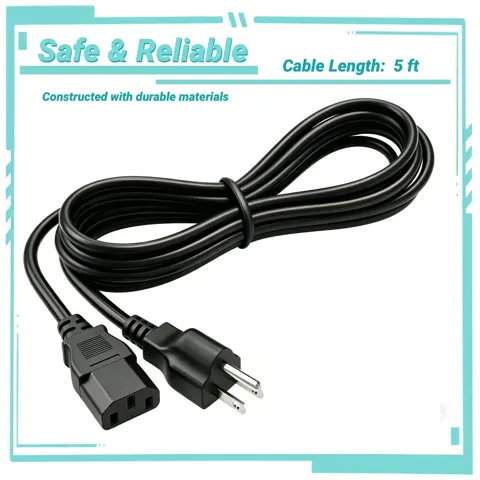
| In the box | warranty card, quick start guide, power cord, L-shaped screwdriver, HDMI cable, DisplayPort cable (varies by region); an Amazon listing snapshot adds a 3-month Adobe Creative Cloud voucher valid through 2026-08-31. |
Full research notes and sources
Motion and gaming performance
RTINGS calls the VG249Q1A a decent budget monitor with amazing motion handling and superb response times, and owners use it for competitive play. The 1 ms MPRT figure comes from ELMB, which strobes the backlight at fixed refresh rates; measured response times are 3 ms minimum and 6 ms average, and input lag measures 3.5–4 ms at 165 Hz. FreeSync Premium and G-Sync compatibility keep frames nearly tear-free, and a 120 Hz mode works over HDMI for PS5 and Xbox Series X/S. The catch is that ELMB and FreeSync generally cannot run at the same time, and VRR does not work over HDMI at all, so the full feature set needs a DisplayPort 1.2 connection.
Color, contrast and HDR
There is no HDR support at all. Contrast is mediocre: 1000:1 static typical, 1114:1 measured at 60% brightness, so blacks look washed out in a dark room. Color coverage is modest at roughly 92.5–97% sRGB (100% sRGB volume) and about 90% DCI-P3, and factory accuracy is weak at 2.4–2.97 dE average, improving only to about 1.23 dE after calibration, with yellows still off. RTINGS does not recommend it for content creation for that reason. Brightness is fine for most rooms: 250 cd/m² typical, 290 cd/m² measured at full backlight.
Ergonomics, ports and audio
The panel is VESA 100 × 100 mm, so a mount arm fixes the problem if your desk allows it. Ports are DisplayPort 1.2, two HDMI 1.4 and a 3.5 mm earphone jack; HDMI is capped at 120 Hz and there are no USB ports despite some listings claiming them. Two 2 W speakers are built in for basic audio, and the monitor runs under 21 W typical. Low Blue Light and Flicker-free certification, plus the anti-glare coating, are the comfort features on offer.
Reliability and owner reports
Owners and a review site that aggregates user feedback report backlight bleed on the edges and clouding on all-black images, occasional pixel discoloration, and monitor failures after extended use. None of these are quantified, and review sites may be summarizing the same retailer review pool, so treat them as cautions rather than a defect rate. The panel’s security update support runs three years, until 31/12/2026, and repair parts availability and exact warranty terms are not confirmed in the sources read.
Is it worth it?
It is a reasonable pick for competitive 1080p gaming on a small desk, especially where a VESA arm is acceptable. Buyers who need accurate color, deeper blacks, an adjustable stand, or HDR should look at better-equipped alternatives. No price data was recorded in this research, so compare current listings yourself.
Which model this is
This page covers the ASUS TUF Gaming VG249Q1A, model year 2020 per a third-party specification aggregator, a 23.8-inch 1920 × 1080 IPS monitor in black. Manufacturer model number VG249Q1A; UPCs 192876922019 and 192876921975. The Amazon listing carries ASIN B08LCN9PGW. Do not confuse it with the predecessor VG249Q, the VG249Q3A, the VG249QM, or other 24-inch ASUS monitors, which share chassis and panel families. Security updates run to 31/12/2026.
Sources
Manufacturer:
Independent reviews:
Owner reports:
- Owner thoughts (r/Monitors)
- Is this monitor good? (r/Monitors)
- Good for gaming? (r/buildapc)
- VG249Q vs VG249Q1A (r/buildapcmonitors)
- Backlight bleeding acceptable? (r/Monitors)
- Backlight bleed (r/monitor)
- Bad monitor? (r/Monitors)
- Best OD level (r/ASUS)
- Why is this happening? (r/PHGamers)
- Backlight bleeding (Linus Tech Tips)