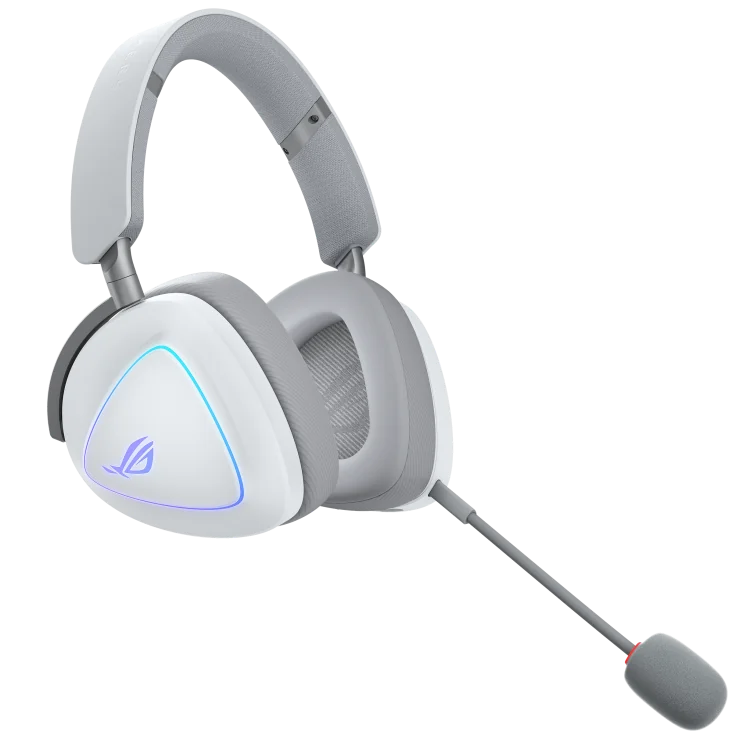
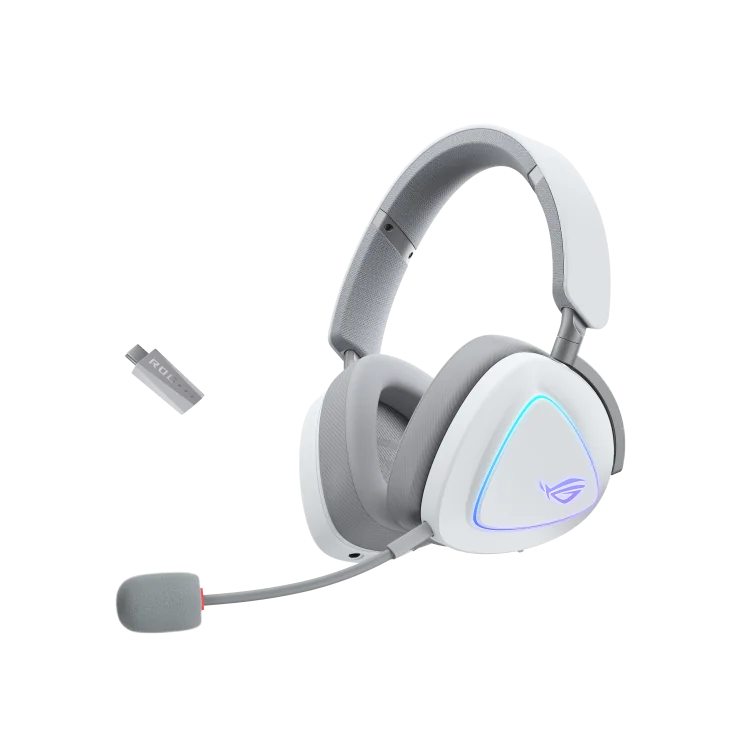
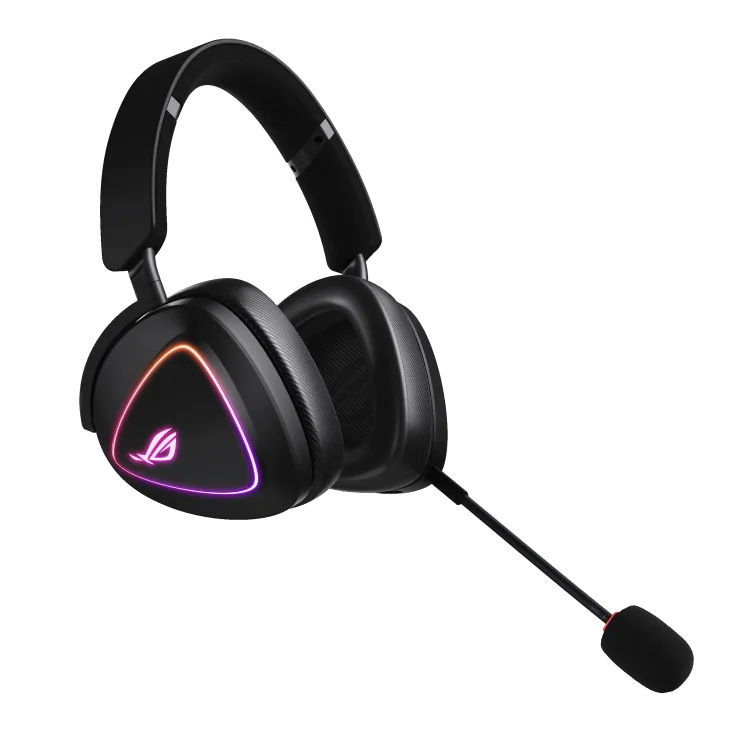
ASUS ROG Delta II Wireless Gaming Headset
By ASUS · Gaming Headsets · Audio & Electronics
- 50 mm titanium-plated diaphragm drivers, 24-bit/96 kHz audio in 2.4 GHz mode
- Battery: up to 110 h in 2.4 GHz mode with RGB off (140 h in Bluetooth)
- Weight 318 g
- LC3+ codec with 20 Hz-20 kHz response
Lowest price seen
~$185.99 (approx.)
from $185.99 at Amazon
- Amazon ~$185.99 (approx.)View at Amazon
- ASUSView at ASUS
- Best BuyView at Best Buy
- WalmartView at Walmart
- B&H PhotoView at B&H Photo
- Micro CenterView at Micro Center
- NeweggView at Newegg
- eBayView at eBay
- eBay (used) eBay: used, open-box, refurbishedView at eBay (used)
Prices are snapshots. Check the current price with the store.
Summary
A tri-mode wireless gaming headset: 2.4 GHz dongle, Bluetooth and 3.5 mm analog in one 318 g body, with a detachable boom microphone and an ASUS rating of up to 110 hours on 2.4 GHz with the lighting off. The reason to pick it is DualFlow, which plays a 2.4 GHz game and a Bluetooth call at the same time; check the return terms if your sessions depend on 2.4 GHz voice chat, because owners report brief dropouts and a robotic-sounding mic.
Strengths
- DualFlow plays a 2.4 GHz game and a Bluetooth call at once, with dedicated controls for each source.
- Rated battery life of up to 110 hours on 2.4 GHz with the lighting off, and PCWorld reached that figure at 50% volume.
- 318 g is light for a battery-powered over-ear headset.
- Gaming positional audio is strong; Tom’s Hardware praised footstep and gunshot direction.
- Broad connectivity: PC, PlayStation, Switch, phones and analog devices in one headset.
- Two ear-cushion sets are included, so you can trade isolation against heat without buying more.
Weaknesses
- No active noise cancellation, and no AI microphone noise cancellation in the specs.
- Xbox is analog only; the wireless dongle is not part of that path.
- RGB cuts battery life hard: PCWorld measured about 25-30 hours with the lighting on.
- Owners report random one- to two-second 2.4 GHz disconnects and robotic microphone audio that only a restart clears.
- The neutral tuning is not engaging for music; Tom’s Hardware found the bass restrained.
- Professional reviews disagree on comfort, and PCWorld warns the fit can be loose on smaller heads.
Verified specifications
| Drivers | 50 mm titanium-plated dynamic. |
|---|---|
| Impedance | 32 ohm; frequency response 20 Hz to 20 kHz. |
| Connectivity | 2.4 GHz wireless, Bluetooth and 3.5 mm analog input. |
| Dual-source audio | DualFlow plays a 2.4 GHz and a Bluetooth source at the same time, with separate controls and call handling on the earcup. |
| Wireless audio | ASUS specifies 24-bit/96 kHz playback in 2.4 GHz mode. |
| Microphone | detachable 10 mm super-wideband unidirectional boom; response 100 Hz to 10 kHz, sensitivity -40 dB. |
| Battery | 1,800 mAh; ASUS rates up to 110 hours on 2.4 GHz with the lighting off, and says 15 minutes of charging gives up to 11 hours. |
| Lighting | Aura RGB. |
| Devices | PC, Mac, PS4, PS5, Switch, iPad, iOS, Android and Bluetooth devices. Xbox works only through the controller’s 3.5 mm jack. |
| Noise cancellation | none. ASUS does not list AI microphone noise cancellation in its specification table. |
| Weight | 318 g. |
| Ear cushions | two sets in the box, standard and ROG Hybrid. |
| Cables | 1.5 m USB-C charging cable and 2 m 3.5 mm analog cable; Tom’s Hardware reports about 1.4 m for the charging cable. |
| Software | Armoury Crate and Armoury Crate Gear, with Gear Link browser configuration added in February 2026. |
| Warranty | ASUS USA lists headsets at 12 months from delivery. |
| In the box | detachable microphone, both ear-cushion sets, 2.4 GHz USB-C dongle, USB-C-to-USB-A adapter, USB-C charging cable, 3.5 mm cable, user guide. |
Full research notes and sources
Three ways to connect
The tri-mode set is the reason to pick this headset. The 2.4 GHz USB-C dongle handles PC and PlayStation, Bluetooth covers your phone, and the 3.5 mm cable covers analog controllers and anything else with a jack. Owners of multi-device setups describe the three modes as repeatedly useful because they are native to the exact model rather than an adapter you have to buy.
DualFlow is the standout. GamesRadar tested simultaneous 2.4 GHz and Bluetooth playback and called ASUS’s implementation exceptional because each stream gets its own volume and playback controls instead of making you rebalance devices by hand. Tom’s Hardware rated the dual-wireless implementation as one of the headset’s strongest features.
The gap is Xbox. ASUS supports the console through the 3.5 mm connection on the controller, and wireless support for Xbox is not listed. If the dongle is the reason you would buy it, you are buying it for a PC or PlayStation.
Battery life
The strongest number on the spec sheet is battery life: ASUS rates up to 110 hours over 2.4 GHz with the lighting disabled. PCWorld reports the headset reached that figure at 50% volume with RGB off, and GamesRadar used it roughly 3-5 hours a day for about three weeks before needing a charge. Those runs share one condition: the lighting is off.
Turn the RGB on and the picture changes. PCWorld measured only about 25-30 hours with lighting enabled, and GamesRadar saw roughly one week with lighting against about three weeks without. The pack is 1,800 mAh, and ASUS does not document it as a user-replaceable part or publish a US replacement price. Nobody has published a battery failure rate, so treat longevity as an unknown rather than a promise.
Sound, comfort and the microphone
Tom’s Hardware put the Delta II at 318 g, confirmed the 50 mm titanium-plated drivers and the tri-mode connection set, and found the headset comfortable and versatile. The same review found the bass restrained and music somewhat boring even after EQ changes, and GamesRadar wanted more energy in the lower frequencies. Gaming positional audio drew better marks: Tom’s Hardware described it as detailed and layered, and GamesRadar found competitive positioning unusually precise.
Comfort is genuinely unsettled. GamesRadar liked the earcups but said the narrow headband caused crown pressure on long sessions, Laptop Mag found the headset uncomfortable overall, and PCWorld called the fit light but warned it may suit smaller heads less well. Changing ear pads is also cumbersome, according to PCWorld and Tom’s Guide.
The microphone is a detachable 10 mm unidirectional boom, and ASUS does not list AI microphone noise cancellation in its specification table. Professional tests were positive on voice: GamesRadar called it crisp and textured, PCWorld called speech crystal clear, and Tom’s Hardware found voice output loud and clear but noted background-noise pickup. Owners describe both ends of the experience. One 2026 owner reports random one- to two-second 2.4 GHz disconnects with intermittent robotic microphone audio that clears only after a restart. Another reports a 2.4 GHz problem where microphone input or headphone output works but not both at once in Discord, Meet or Zoom, even after a firmware update and different USB ports. A separate owner reported audio working while the microphone was not detected. Two or three reports are not a failure rate; read them as a reason to check the return terms before you commit to a 2.4 GHz setup.
Repairs, parts and running costs
There are no scheduled consumables and no subscription fee. Two ear-cushion sets ship in the box, and third-party Delta II-compatible pads sell on Newegg marketplace listings from about $13 to $60 depending on material (Newegg, 2026). If you replaced a $13 set every two years, that averages about $6.50 a year, but that is an example scenario, not a manufacturer interval. ASUS does not publish a US replacement price for the microphone, the dongle or the 1,800 mAh battery, and no official battery replacement procedure exists, so plan on replacing the headset if the pack fails.
The warranty is short for the class: ASUS USA lists headsets, batteries, dongles, cables and microphones at 12 months from delivery. Support is active, with an Armoury Crate Gear package and Gear Link browser configuration for normal settings.
Is it worth it?
Buy it for the switching, not for the sound. Around $186 or less it is a good buy if DualFlow is genuinely useful; $186-$200 is fair, and above $200 the value weakens unless simultaneous 2.4 GHz and Bluetooth is the whole point. ASUS direct lists $204.99 against a $229.99 comparison price, and Best Buy lists $185.99, with open-box units around $149.99-$185.99 (both October 2026). For comparison, the SteelSeries Arctis Nova 7 Wireless Gen 2 lists at $199.99, the HyperX Cloud III S Wireless from $129.99, and the Razer BlackShark V3 Pro at $249.99. If audio quality is your priority, Tom’s Hardware did not put it at the top of the price band, so compare other premium headsets first.
Which model this is
The name matters when you shop this category. ASUS also sells the ROG Delta, the Delta S, the Delta S Wireless, the Delta Core and the separate Delta II-KJP edition, and those are different headsets with different drivers, microphones and wireless options. This page covers the standard US black ROG Delta II: PC, Mac, PlayStation, Switch and mobile devices are supported, and Xbox is reached through the controller’s 3.5 mm jack rather than through the dongle. Check the box for the exact model before you buy the wrong Delta.
Sources
Manufacturer:
- ASUS ROG Delta II technical specifications
- ASUS ROG Delta II product page
- ASUS support: ROG Delta II drivers and tools
- ASUS USA warranty and process
- ASUS ROG forum: Gear Link support for ROG Delta II
Independent reviews:
- GamesRadar: ASUS ROG Delta II review
- Tom’s Hardware: ASUS ROG Delta II review
- PCWorld: ASUS ROG Delta II review
- Laptop Mag: ASUS ROG Delta II review
- Tom’s Guide: ASUS ROG Delta II review
Owner reports:
- Random 2.4 GHz disconnects and microphone issues (r/ASUSROG)
- Microphone or sound on 2.4 GHz, but not both (r/ASUSROG)
- Microphone not detected (r/ASUS)
- Microphone problem on the wired Xbox connection (r/ASUSROG)
- September 2026 owner review (r/ASUSROG)
Parts and stores: