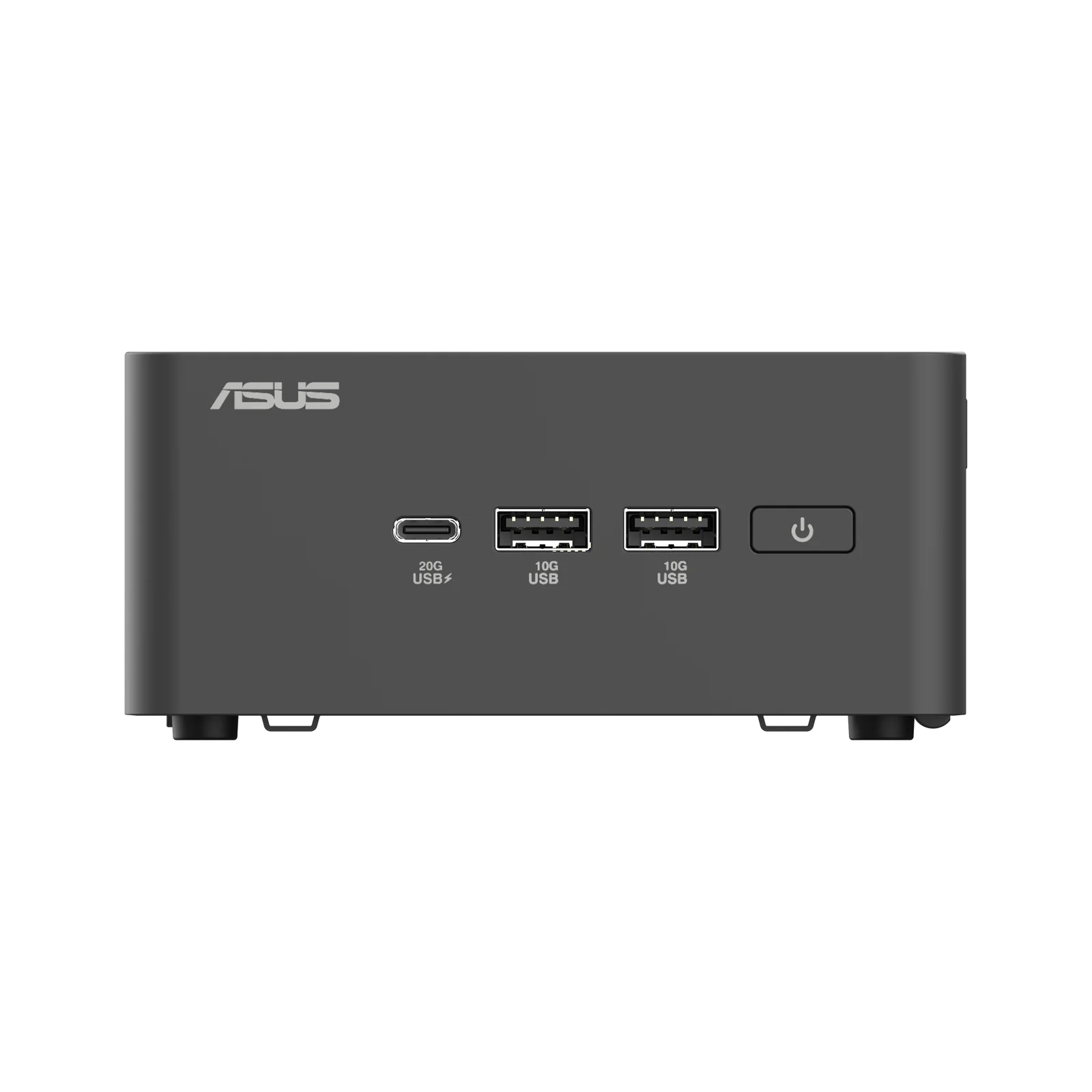
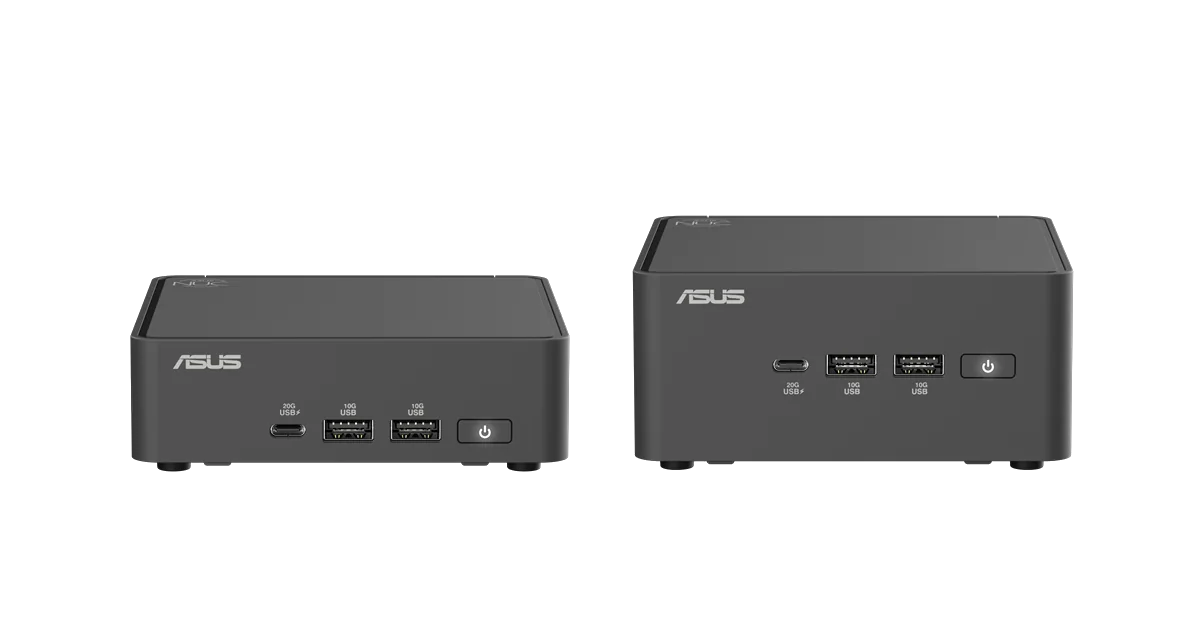
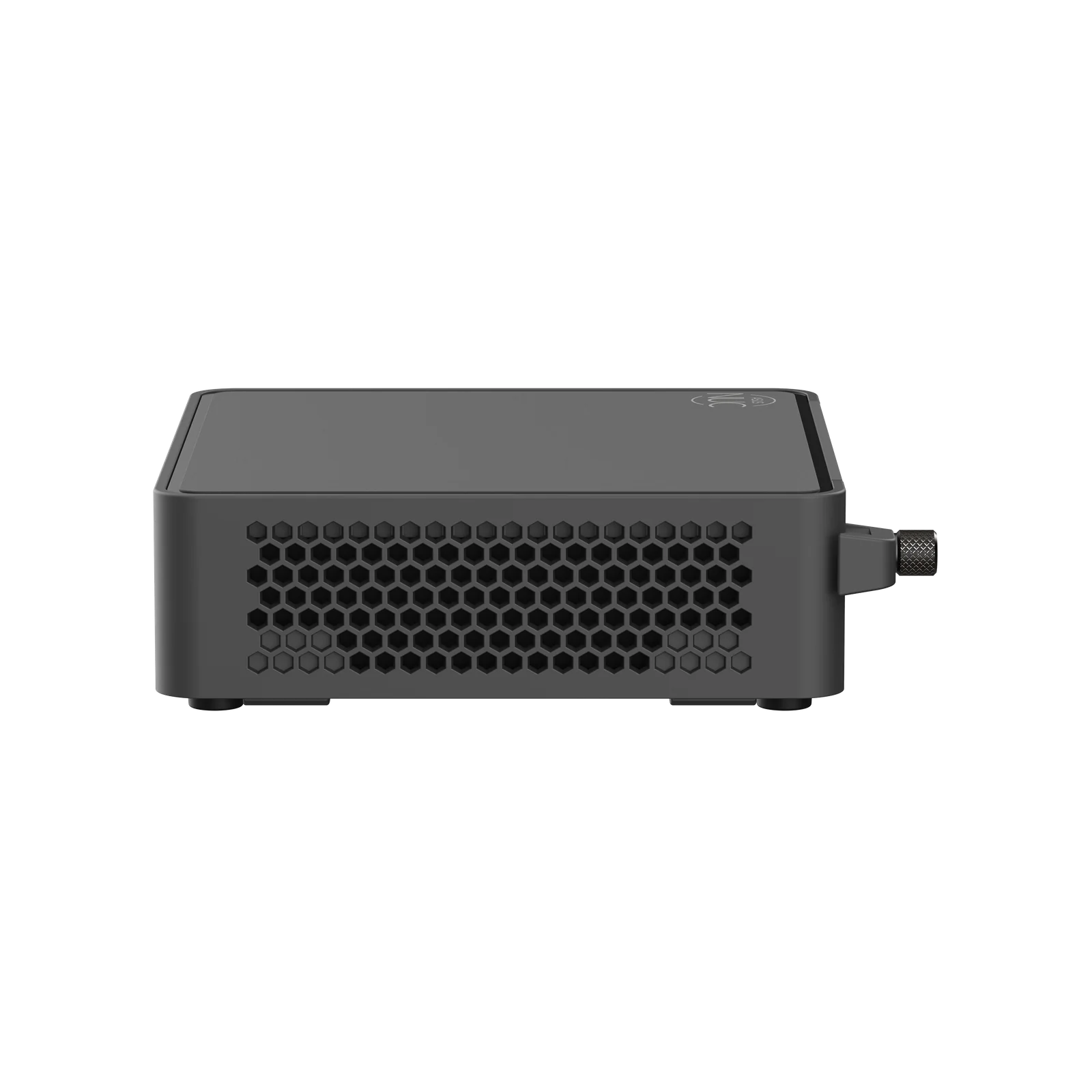
ASUS NUC 15 Pro (Core Ultra 7 255H Barebone Mini PC)
By ASUS · Desktop Computers · Phones & Computers
- Intel Core Ultra 7 255H processor (16 cores) with Intel Arc graphics
- Supports up to 96GB dual-channel DDR5-6400 memory (2x SODIMM)
- Storage: 1x M.2 22x80 PCIe Gen5 NVMe + 1x M.2 22x42 PCIe Gen4 NVMe with tool-less mounting
Lowest price seen
~$645.25 (approx.)
from $645.25 at Amazon
- Amazon ~$645.25 (approx.)View at Amazon
- ASUSView at ASUS
- NeweggView at Newegg
- eBay (used) eBay: used, open-box, refurbishedView at eBay (used)
- eBayView at eBay
Prices are snapshots. Check the current price with the store.
Summary
A 0.48L barebone mini PC built around a 16-core Intel Core Ultra 7 255H, with dual Thunderbolt 4, Wi-Fi 7 and a tool-less chassis that takes your own RAM, storage and OS. Check the memory rules first: 96GB needs CSO-DIMM modules, and standard SO-DIMMs top out at 48GB.
Strengths
- The 0.48L chassis can VESA-mount behind a monitor.
- A tool-less bottom cover makes RAM and storage upgrades screwdriver-free.
- The 16-core Core Ultra 7 255H handles productivity, multitasking and content creation well.
- Connectivity runs to two Thunderbolt 4 ports, two HDMI 2.1 outputs, Wi-Fi 7 and 2.5GbE.
- Power draw under full load is 90W, down from 146W on the previous generation.
- The three-year warranty is longer than the usual one-year mini PC cover.
Weaknesses
- Fan noise under load is the most consistent complaint; Digital Citizen measured about 45dB.
- Memory compatibility is fussy: owners report boot failures with 128GB kits and some 5600MHz modules.
- USB-C and Thunderbolt port failures are reported on newer ASUS NUC models.
- There is no 3.5mm audio jack, so audio has to go through HDMI, USB or Bluetooth.
- CPU temperature reaches 105°C under load, close to Intel’s 110°C limit.
- Barebone pricing sits above cheaper mini PCs that already include memory and storage.
Verified specifications
| Model | NUC15CRH tall kit and NUC15CRK slim kit, project code NUC15CRH. |
|---|---|
| CPU | Intel Core Ultra 7 255H, 16 cores (6 performance, 8 efficient, 2 low-power efficient), 16 threads, up to 5.1 GHz turbo, 24MB cache, 40W cTDP. |
| Graphics | integrated Intel Arc 140T (Xe architecture). |
| NPU | Intel AI Boost, up to 13 TOPS; it does not meet the 40 TOPS Copilot+ PC bar. |
| Memory | two SODIMM slots, up to 96GB DDR5-6400 CSO-DIMM or 48GB DDR5-5600 SO-DIMM. |
| Storage | one M.2 2280 PCIe Gen5 x4 NVMe and one M.2 2242 PCIe Gen4 x4 NVMe. |
| Wireless | Intel Wi-Fi 7 (BE201 or BE202) and Bluetooth 5.4. |
| LAN | Intel Ethernet Controller I226-V, 2.5GbE. |
| Front I/O | one USB 3.2 Gen2x2 Type-C, two USB 3.2 Gen2 Type-A and a Kensington lock. |
| Rear I/O | two Thunderbolt 4 (DisplayPort 2.1, USB4), two HDMI 2.1 at 4K@60Hz, one USB 3.2 Gen2 Type-A, one USB 2.0 Type-A, RJ45 LAN and DC-in. |
| Power | 19V DC, 6.32A, 120W external adapter. |
| OS support | Windows 11, RedHat Enterprise Linux and Ubuntu. |
| Durability | MIL-STD-810H certified. |
| Displays | up to four 4K screens through dual HDMI 2.1 and dual Thunderbolt 4. |
| Dimensions | tall kit 117 × 112 × 54 mm (4.6 × 4.4 × 2.13 in), about 600g (1.32 lb); slim kit 117 × 112 × 37 mm (4.6 × 4.4 × 1.46 in), about 500g (1.1 lb). |
| Warranty | three years from ASUS. |
| In the box | the barebone unit, a 120W AC adapter, power cord, VESA bracket and screws, cable clip, safety insert and warranty card. No RAM, storage or OS. |
Full research notes and sources
Fan noise and cooling
Digital Citizen measured about 45dB under load and a peak CPU temperature of 105°C, against Intel’s 110°C limit. PCMag, testing the NUC 15 Pro+, said the fan ran through every benchmark and was surprisingly loud. Owners in r/MiniPCs describe background fan noise during light work and the fan spinning up for small tasks. Tech-Critter, by contrast, found the cooling quiet across a 30-minute stress test. How loud it gets depends on your workload and which chassis you pick.
Memory, storage and upgrades
The barebone arrives with no RAM, storage or OS. The 96GB ceiling needs CSO-DIMM modules; with standard SO-DIMMs the board tops out at 48GB, which many buyers miss. ASUS does not support XMP or EXPO, so memory runs at JEDEC speeds. Reddit owners report boot failures, with the “3 blinks - minor pause - 3 blinks” error, on 128GB configurations and some 5600MHz modules, especially on the slim kit. The bottom cover opens on a hinged lever, and the tall kit adds internal headers for a second M.2 2280 SSD, a second 2.5GbE LAN port or an RS232 serial port; the slim kit does not.
Repairs, parts and running costs
The barebone is the cheap part. You still need DDR5 memory, an NVMe SSD, a Windows licence if you are not on Linux, and peripherals, which adds roughly $150-300 to the kit price. US listings in October 2026 put the tall U7-255H kit at $644.99 at CDW, $662.99 at Newegg and $624.69 at Compsource, and a UK store listed the Core Ultra 5 225H kit at £449.99. PCMag’s configurations ran $615 for a Core Ultra 5 255H barebone and $755 for a Core Ultra 7 255H barebone, up to $1,199 for a Core Ultra 9 285H with 32GB and 1TB. ASUS covers the NUC 15 Pro with a three-year warranty, sells replacement parts through its Parts Shop and claims a 0.4% global failure rate for NUC products.
Is it worth it?
At $625-665 the barebone is fair value for a 16-core Core Ultra 7 255H with Thunderbolt 4, Wi-Fi 7 and PCIe Gen5, even though competitors at that price often bundle memory and storage. Between $665 and $800 it only makes sense if you need the tall kit’s expansion headers or the ASUS NUC ecosystem. Above $800 a fully configured mini PC with comparable performance is usually the better buy. The three-year warranty and tool-less upgrades are what you are paying for.
Which model this is
This page covers the ASUS NUC 15 Pro with the Core Ultra 7 255H in barebone form: the tall kit is NUC15CRHU7 (ASUS part RNUC15CRHU70000U) and the slim kit is NUC15CRKU7 (RNUC15CRKU70000U). The NUC 15 Pro uses a 0.48L black plastic chassis with integrated Arc 140T graphics only. Don’t confuse it with the NUC 15 Pro+ (silver aluminium, up to Core Ultra 9 285H) or the NUC 15 Performance (a 3L chassis with a discrete RTX 5060 or 5070 laptop GPU).
Sources
Manufacturer:
- ASUS NUC 15 Pro product page
- ASUS NUC 15 Pro tech specs
- ASUS eShop USA: NUC 15 Pro
- ASUS support: system hangs, shutdowns and blue screens
- ASUS support: failed boot on NUC products
- ASUS Canada blog: NUC performance, AI, memory and energy
Independent reviews:
- PCMag: Asus NUC 15 Pro+ review
- Digital Citizen: ASUS NUC 15 Pro review
- Tech-Critter: ASUS NUC 15 Pro review
- Club386: Asus NUC 15 Pro hands-on
- Notebookcheck: Asus NUC 15 Pro announced
- TechSpot: Asus unveils the NUC 15 Pro
- Consumer Reports: Asus NUC 15 Pro mini desktop
- illgaming.net: ASUS NUC 15 Pro (NUC15CRK) review
- Root-Nation: ASUS NUC 15 Pro review
- TechRadar: Asus unveils its most powerful mini PC to date
- Mezha: ASUS NUC 15 Pro review
Owner reports:
- RAM issues with a new ASUS NUC 15 Pro barebone (r/MiniPCs)
- USB-C failure on newer ASUS NUC 15 units (r/intelnuc)
- ASUS NUC 15 Pro+ noisy under load (r/MiniPCs)
- ASUS NUC reliability and the 0.4% failure claim (r/intel)
Parts and stores: