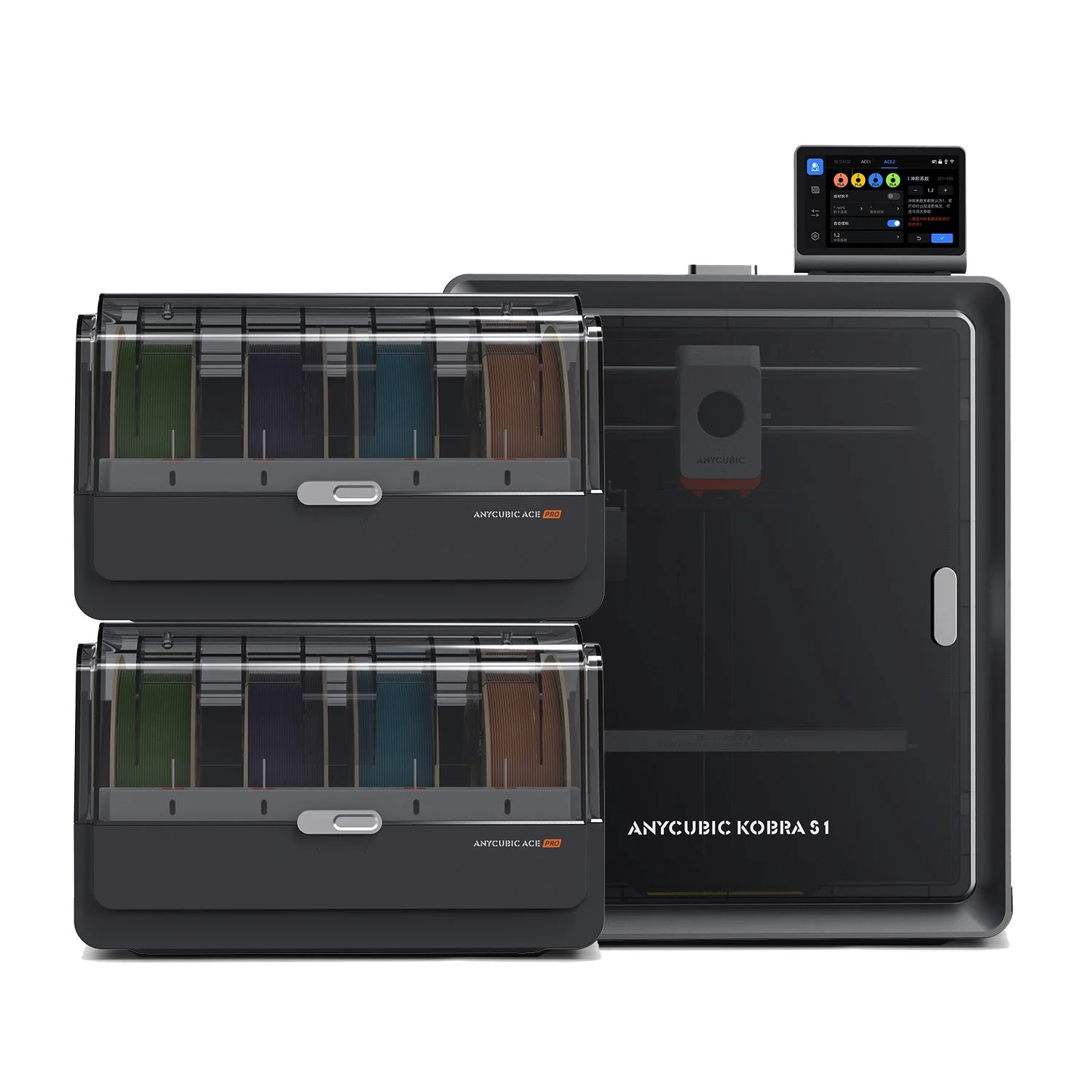
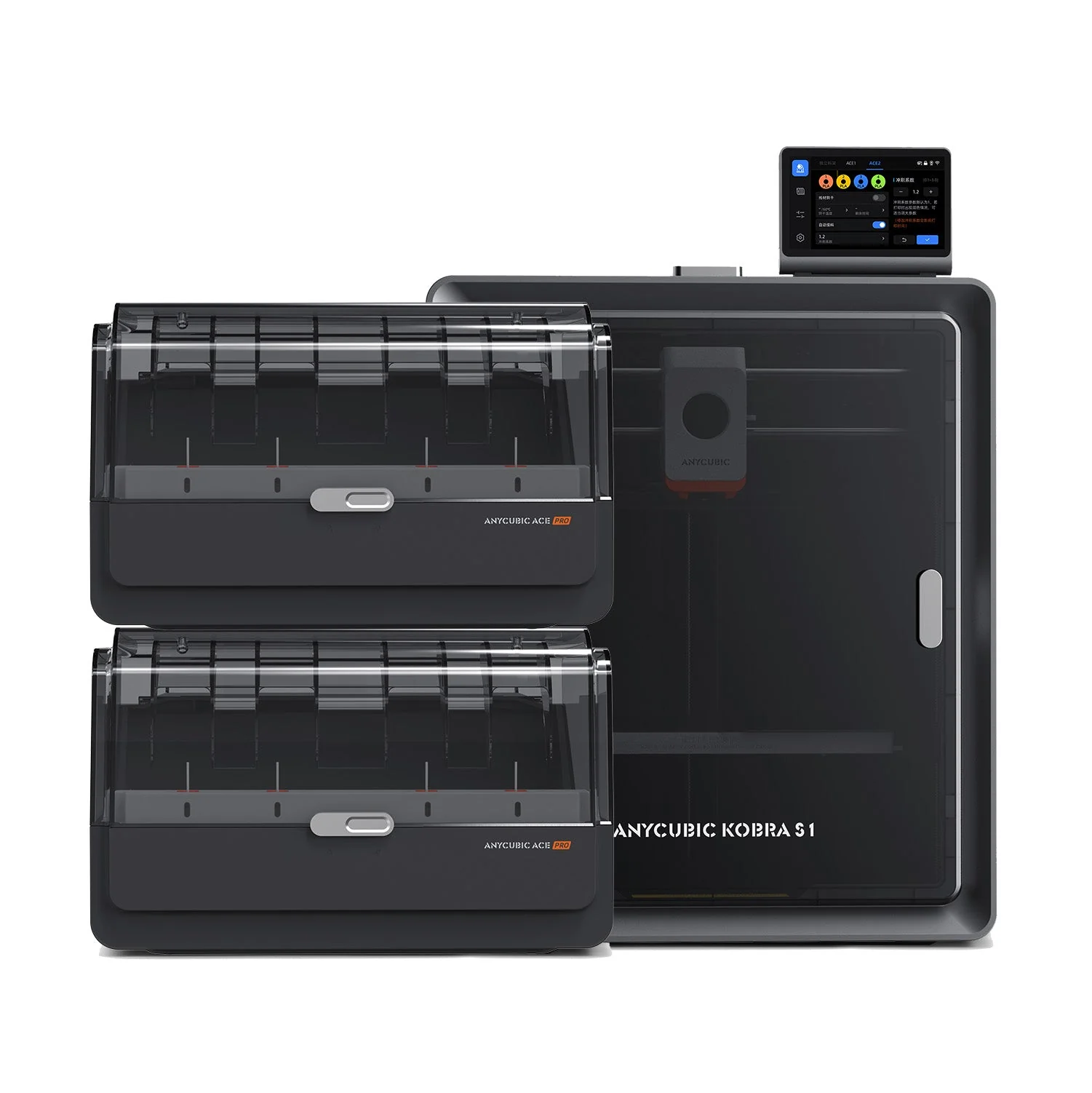
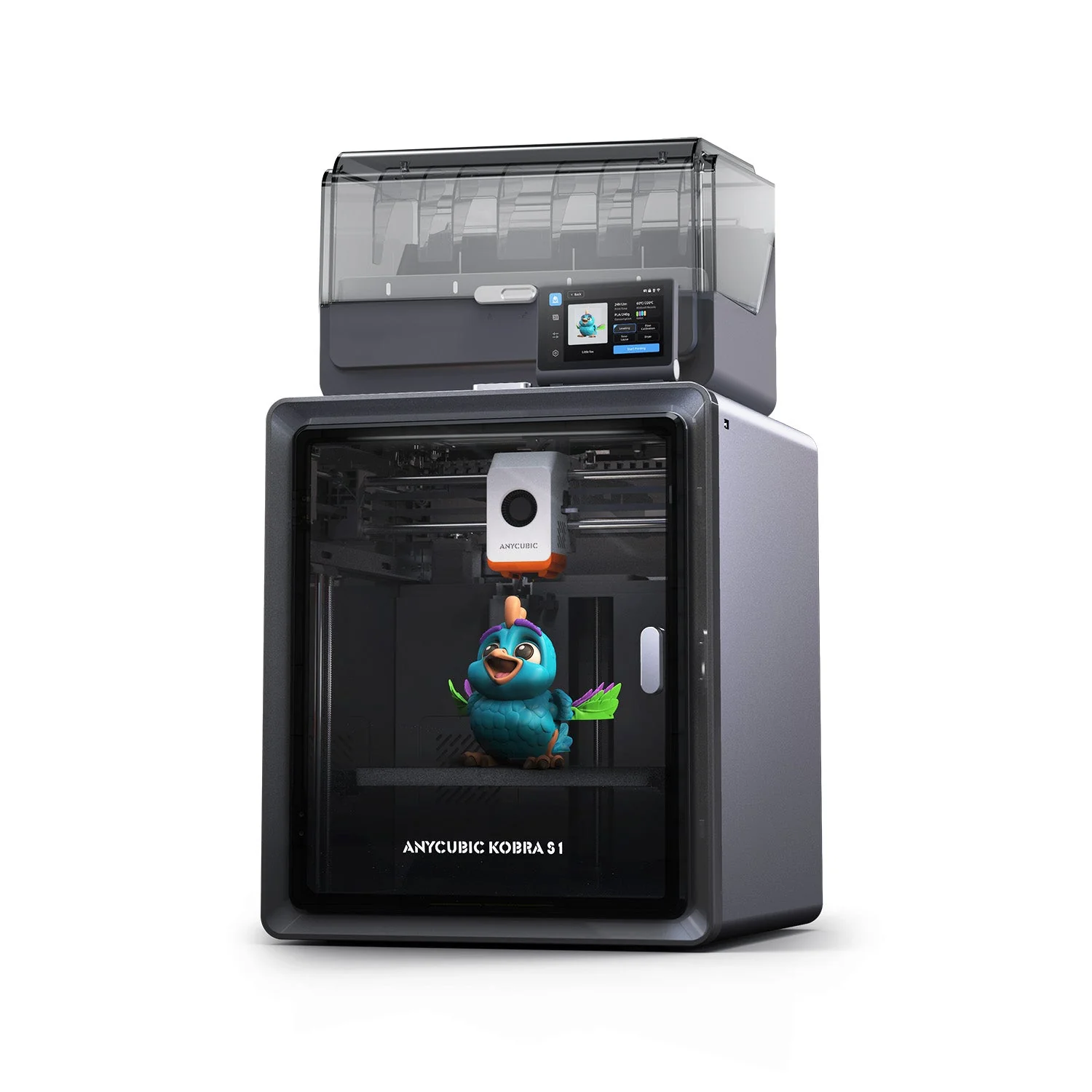
Anycubic Kobra S1 Combo (4-Color)
By Anycubic · 3D Printers · 3D Printing
- Fully enclosed CoreXY motion system with a High Flow hotend
- Print speeds up to 600mm/s
- 250x250x250mm build volume with auto leveling and auto calibration
Lowest price seen
~$499.99 (approx.)
from $499.99 at Amazon
- Amazon ~$499.99 (approx.)View at Amazon
- AnycubicView at Anycubic
- eBayView at eBay
- eBay (used) eBay: used, open-box, refurbishedView at eBay (used)
Prices are snapshots. Check the current price with the store.
Summary
A fully enclosed 250 mm CoreXY printer bundled with a four-spool ACE Pro feeder that dries filament up to 55 °C while it prints — one of the cheapest ways to get multi-color out of an enclosed machine. Check two things first: it needs two mains outlets, and Anycubic may ship the 16-color ACE 2 Pro version instead of the four-color feeder.
Strengths
- TechRadar measured 0.21 mm average X/Y dimensional error across its test targets and scored the machine 27 out of 30.
- Single-material print quality was the highest TechRadar had scored, and CNET found better towers and accuracy than on the Kobra 3.
- Drying filament while printing, rated to 55 °C, matters for PETG and for anyone running four spools.
- Tom’s Hardware reports very few failures over hundreds of hours, and the machine joined its set-and-forget group.
- The Gadgeteer ran ten designs in a working print farm with no nozzle clogs and no adhesion problems.
- Polycarbonate panels instead of glass keep an 18 kg machine lighter and less likely to shatter.
Weaknesses
- The slicer never says how much filament a color change will purge, has no purge object, and adjusts purge volume only from the printer’s touchscreen.
- Multi-color time cost is steep: TechRadar measured the same model at 43 minutes single-material and 14 hours as four materials.
- Anycubic publishes a wiki page titled “ACE Pro abormal filament clogging”, and owners report jams after one or two prints.
- Filament often takes several attempts to load into ACE Pro slots 3 and 4, which push extra into the neighbouring slot.
- Mobile camera and remote monitoring drop out often; one owner estimates a 70%+ failure rate in the app.
- Two mains outlets are required, one per unit, and going past 8 colors means buying a second ACE Pro.
Verified specifications
| Build volume | 250 × 250 × 250 mm (9.8 × 9.8 × 9.84 in). |
|---|---|
| Print speed | 300 mm/s recommended, 600 mm/s maximum. |
| Acceleration | 10,000 mm/s² recommended, 20,000 mm/s² maximum. |
| Hotend | 320 °C maximum, with a 0.4 mm High Flow nozzle fitted; Anycubic lists 0.25, 0.6 and 0.8 mm as alternatives. |
| Hotbed | 120 °C maximum on a double-sided PEI spring steel plate with a sandpaper-like texture that grips well. |
| Filament | PLA, PETG, ABS, ASA and TPU. TPU 95A cannot run through the ACE Pro and is single-color only. |
| ACE Pro | 4 spools as shipped, 8 with a second unit; active drying up to 55 °C, and drying continues while printing. |
| Panels | polycarbonate front door and top panel, not glass. |
| Electronics | Kobra OS, 480P camera, 4.3-inch color touchscreen, USB, LAN and Wi-Fi. |
| Slicer | Anycubic Slicer Next, a modified OrcaSlicer with Kobra S1 profiles; OrcaSlicer is listed alongside it. |
| Storage | a side-facing USB thumb drive, with no internal storage. |
| Calibration | LeviQ 3.0 auto-leveling and Z-offset, pressure advance and flow calibration, resonance compensation and PID tuning on first run, power-loss resume. |
| Layers | 0.08–0.28 mm layer thickness; positioning accuracy 0.0125 / 0.0125 / 0.0025 mm on X / Y / Z. |
| Noise | about 46 dB in standard mode and 44 dB in quiet mode, manufacturer figures. |
| Dimensions | 400 × 410 × 490 mm for the printer (15.7 × 16.1 × 19.3 in) and 365.94 × 282.84 × 234.5 mm for the ACE Pro. |
| Weight | 18 kg for the printer, 4.6 kg for the ACE Pro, 25.9 kg packaged. |
| Power | AC input 100–120 V~ / 200–240 V~, rated 500 / 1500 W; two power cords ship in the box. |
| In the box | ACE Pro, signal cable, four filament tubes, activated carbon pack, anti-block module, nozzle cleaning module, silicone nozzle part, grease, cable ties, USB drive with slicer installers. |
Full research notes and sources
Which model this is
This page covers the US Kobra S1 Combo bundle: the Kobra S1 printer plus one four-spool ACE Pro. The Amazon listing for the bundle is ASIN B0FLQ73XMW. Do not confuse it with the bare Kobra S1, which has no active drying, with the 8-color Combo that ships two ACE Pro units, or with the Kobra S1 Max Combo, a 350 mm cube fed by a 16-color ACE 2 Pro.
Anycubic states that when the Combo is out of stock it may ship the ACE 2 Pro version in its place, so confirm which feeder actually arrives. The US store listed the Combo at $399.00 and the ACE 2 Pro version at $429.00 in October 2026, while the AU store quotes the same bundle far higher — use the US figure and not a regional page.
Print quality, speed and noise
TechRadar’s table is the only published dimensional benchmark for this machine: 0.21 mm average X error, 0.22 mm average Y, and 27 out of 30 overall, with the only soft spots at XY resonance and Z-axis alignment, both 2.5. They called single-material quality the highest they had scored, described multicolor wall quality as holding up through filament swaps, and explicitly declined to recommend the machine for fast multi-color work or beyond eight colors. The Gadgeteer’s Benchy came out on par with their Bambu machines with light stringing, and CNET’s test print beat the Kobra 3 on towers and accuracy.
The 600 mm/s figure is a ceiling, not a working speed. Anycubic recommends 300 mm/s and TechRadar printed most of its tests at that speed, reporting quality drops above it. Manufacturer material claims a Benchy in 15 minutes at the default; no independent timed run confirmed it.
Noise is a manufacturer number only: about 46 dB in standard mode and 44 dB in quiet mode. TechRadar found it noticeably quieter than some other CoreXY machines but published no figure, so treat the dB claim as unmeasured. If you print TPU, budget for external feeding: CNET printed it successfully but struggled to get it into the nozzle because of the flexible, long PTFE tube.
Multi-color printing and purge waste
Tom’s Hardware’s verdict is “Good printer, bad slicer”, and the reasons it lists are specific: the slicer never reports how much material is wasted on color changes, purge amount can only be changed from the printer’s own touchscreen, there is no purge object to absorb waste, and stock OrcaSlicer was not supported at their review date. The machine also cuts filament before retracting it, in the manner of Bambu printers, which is what leaves melted chunks at the nozzle that have to be pushed out before the next color starts. That is the mechanical reason purge waste is high, and no source measured what it costs in grams.
Time follows the same logic. TechRadar’s 43-minute single-material model took 14 hours as a four-material print. Fabbaloo’s four-color CuteDino ran 25.5 hours, further than estimated, and an owner with roughly 200 print hours called a 21-hour estimate that took 22.5. That owner also says the slicer is missing multicolor features. Third-party files cause their own friction: Fabbaloo finds other people’s .3MF files routinely carry settings for different printer models, so you get geometry only, and 3Dnatives found no nylon profile in Anycubic Slicer Next at test time and used OrcaSlicer instead.
The ACE Pro, jams and repairs
The feeder is documented as a trouble spot by the manufacturer, not only by users. Anycubic’s wiki carries a page titled “ACE Pro abormal filament clogging” with procedures for blockage in the drive gear, in the buffer and inside the ACE Pro, plus error code 11504 for unknown feed location, raised when the break-detection module trips and broken filament has to be cleaned out of the extruder by hand. The comments on that page describe systematic blocking traced to a tube lock washer in the rear four-spool hub, a drive wheel replacement that did not fix feeding, a unit that pushes filament straight back out on insertion, and slow feeding on a machine barely a month old. A separate thread in r/anycubic is titled “Kobra S1 Combo Clogging after 1-2 prints”, where the working fix is extruder disassembly and one owner cleared it with a factory reset.
CGMagazine dates part of that cluster: they saw community filament problems during one firmware release, had only a couple of errors themselves, and none recurred after that firmware was replaced. No Anycubic bulletin names the release, so treat it as one reviewer’s dated observation. Check the firmware version at first power-on and update before your first multi-color job.
Repairs are more encouraging. The quick-release nozzle needs no tools, so a clog is recoverable by the user, and the anti-block module, cleaning module, silicone part, cleaner and grease all ship in the box. The activated carbon pack goes in the rear compartment for fume filtration. When The Gadgeteer broke old PETG inside the print head, it took a couple of hours of disassembly and Anycubic shipped the replacement part in about a week and a half from China. Two owner complaints remain: the print-head area is easy to break wires on and the internal pendulum or spring is easy to lose. Anycubic states a 1-year warranty, 14-day no-reason return and 30-day after-sales guarantee, and no published spare-parts catalog with prices was found.
Is it worth it?
The price decides whether the color workflow matters. Anycubic’s US store listed the bundle at $399.00 and the ACE 2 Pro version at $429.00 in October 2026; review-era prices were much higher, with Tom’s Hardware seeing $699 against $829 retail in May 2025 and The Gadgeteer listing $749 in July 2025 with contradictory sale figures on the same page. Well under $450, the package is defensible for a maker who wants four dried spools feeding one small enclosed CoreXY and who will tune purge by hand in a desktop slicer. Above roughly $500-550 the comparison set changes, and the eight-color ceiling, the two-outlet requirement and the purge-blind slicer start to count.
Running costs are filament, plus a second ACE Pro and a four-color filament hub if you want eight colors. The carbon pack and desiccant need replacing eventually, though no price was found. If you only ever print one color, buy the bare Kobra S1 — the feeder and its dryer are what you would be paying for. Look elsewhere if you need fast multi-color runs, more than eight colors, multi-color TPU, or a single wall outlet.
Sources
Manufacturer:
- Anycubic Kobra S1 Combo user manual (PDF, ANY-26034)
- Kobra S1 Combo product page (US store)
- Kobra S1 product page (main store)
- Kobra S1 Combo (AU store)
- Kobra S1 Max Combo product page
- ACE Pro abormal filament clogging (Anycubic wiki)
- Error code 11504, unknown feed location (Anycubic wiki)
- Filament hub compatibility for FDM printers
- Anycubic manual support center
Independent reviews:
- Anycubic Kobra S1 review (TechRadar)
- Good printer, bad slicer (Tom’s Hardware)
- Combo review: punching above its price point (The Gadgeteer)
- The Anycubic S1 is the Bambu Lab competitor I’ve been waiting for (CNET)
- Hands on with the Anycubic Kobra S1 Combo, part 3 (Fabbaloo)
- Anycubic Kobra S1 Combo review (CGMagazine)
- Testing the Kobra S1 Combo (3Dnatives)
- Enclosed multicolor tested (3DWork)
Owner reports: