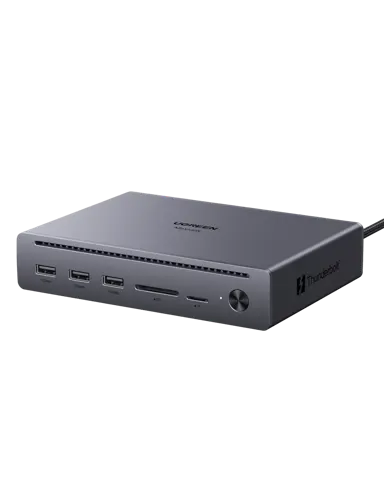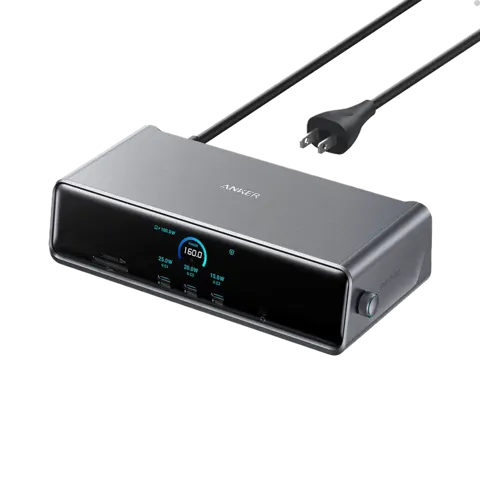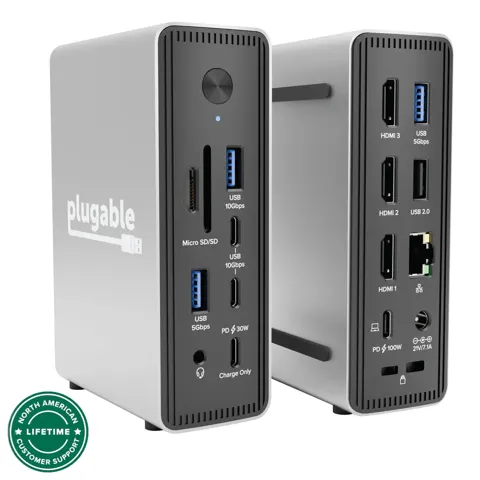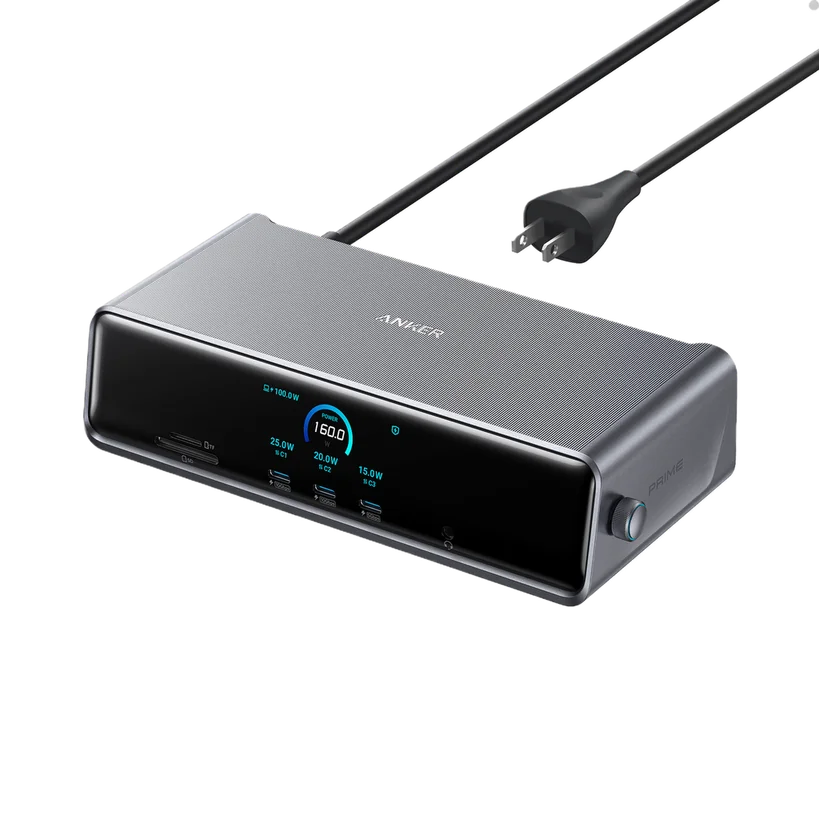
Anker Prime Docking Station 14-in-1 (Triple Display, DisplayLink DL7400)
By Anker · Docking Stations · Desk & Streaming Setup · More from Anker
Compare all Docking Stations side by side →
- 14-in-1 connectivity
- 140W USB-C upstream port
- Triple display support (8K/4K)
- 2.5Gbps Ethernet
- Three front USB-C ports with 100W charging
Lowest price seen
$299.99
from $299.99 at Soundcore · Checked Nov 8, 2026
- Soundcore $299.99View at Soundcore
- eBay $415.99View at eBay
- Walmartfree shipping $35+ · store policyView at Walmart
- eBay (used) eBay: used, open-box, refurbishedView at eBay (used)
Stores with a price are sorted lowest first; commission never changes the order. Prices are snapshots. Check the current price with the store.
Summary
A 14-port desktop dock that drives up to three external monitors over DisplayLink, charges a laptop at up to 140W and carries its own GaN power supply. Check the port layout before you buy: there are no rear USB-C video outputs, and the front USB-C ports charge and carry data only.
Size in context

19.5 cm · 7.7 in (W) × 9.2 cm · 3.6 in (D) × 4.7 cm · 1.9 in (H) · Drawn to scale from the maker's stated dimensions, next to everyday objects.
Strengths
- The built-in GaN power supply removes the external brick that high-wattage docks normally add to the desk.
- The front color screen shows port power, voltage, resolution, refresh rate, fan speed and temperature without opening any app.
- 140W upstream charging handles 16-inch MacBook Pro models and demanding Windows laptops.
- Three external displays work on base Apple Silicon MacBooks that natively drive only one or two.
- The 2.5Gbps Ethernet port is faster than a typical laptop port and works with ordinary 1GbE routers.
- Active cooling keeps temperatures steady under a heavy multi-port load.
Weaknesses
- The front USB-C ports carry no video output, so monitors must use the rear HDMI and DisplayPort sockets.
- There is no rear USB-C port, so a single-cable USB-C monitor setup needs an extra cable to the front or the laptop.
- All USB ports together are capped at 160W, so no port reaches its rated maximum while the others draw full power.
- DisplayLink needs a driver on Windows and the DisplayLink Manager app with Screen Recording permission on macOS.
- HDCP-protected streaming shows a black screen on external monitors while the audio keeps playing.
- DisplayLink compression is a poor fit for competitive gaming, high-refresh displays and fast-motion video editing.
Verified specifications
| Model | A83B3, DL7400 chipset, Dark Gray Standard Edition. |
|---|---|
| Host connection | USB-C 3.2 Gen 2, 10Gbps max data rate. |
| Upstream laptop charging | up to 140W USB-C Power Delivery 3.1. |
| Video outputs | 2x HDMI 2.1 up to 8K@30Hz or 4K@60Hz, 1x DisplayPort 1.4 up to 8K@60Hz. |
| HDMI above 4K uses YCbCr 420 format. | |
| Maximum displays | 3 external displays via DisplayLink, with triple 4K@60Hz the recommended target. |
| Front USB-C | 3 ports, 2x 10Gbps and 1x 5Gbps, up to 100W each, charging and data only, no video output. |
| Front card readers | SD and microSD, UHS-I, 104MB/s. |
| Front audio | 3.5mm combo jack. |
| Rear ports | USB-C upstream at 140W and 10Gbps, 2x HDMI 2.1, 1x DisplayPort 1.4, 2x USB-A 3.2 at 5Gbps and 4.5W, 1x USB-A 2.0 at 480Mbps and 2.5W, 2.5Gbps Ethernet, AC power input. |
| Total USB power output | 160W combined across all ports. |
| Power input | 100-240V AC, about 2.5A, 50-60Hz. |
| Status screen | 2.05 x 0.85-inch color display with a side control knob. |
| Cooling | internal active fan with ActiveShield thermal protection. |
| Dimensions | 7.7 x 3.6 x 1.9 in (19.5 x 9.2 x 4.7 cm). |
| Weight | about 1.84 lbs (834 g). |
| Chassis | horizontal aluminum enclosure. |
| Standby draw | about 0.45W to 1.95W. |
| In the box | dock, AC power cord, 1-meter USB-C to USB-C cable rated for 10Gbps and 140W, user manual. |
| Warranty | 2 years. |
Full research notes and sources
Displays and the DisplayLink trade-off
Triple 4K@60Hz over DisplayLink runs stably for office work, coding and multi-window setups on both Windows and macOS. The chip handles HDMI 2.1 up to 8K@30Hz and DisplayPort 1.4 up to 8K@60Hz, and HDMI above 4K drops to YCbCr 420.
The cost is software. DisplayLink Manager on macOS periodically asks for Screen Recording permission, which raises privacy questions even though the driver collects no data. Streaming services such as Netflix, Prime Video, Disney+, iTunes and YouTube TV stay black on the external monitors; disabling browser hardware acceleration or moving the picture to the built-in laptop screen works around it. DisplayLink graphics compression also rules this dock out of competitive gaming and fast-motion video editing.
Charging and power
The upstream port delivers up to 140W of Power Delivery 3.1, enough to fast-charge a 16-inch MacBook Pro or a high-power Windows laptop. Hitting the full 140W needs a PD 3.1 host and little else drawing from the front ports. The unit draws 100-240V AC at about 2.5A and idles at roughly 0.45W to 1.95W. There is no subscription and no consumable to replace.
Ports, card readers and networking
The front carries three USB-C ports, UHS-I SD and microSD slots rated at 104MB/s, and a 3.5mm combo audio jack. The rear carries the upstream USB-C, two HDMI 2.1 ports, one DisplayPort 1.4, two USB-A 3.2 ports at 5Gbps and 4.5W, one USB-A 2.0 port at 480Mbps and 2.5W, 2.5Gbps Ethernet and the AC inlet. The card slots are UHS-I, not UHS-II. The Ethernet port reaches full 2.5Gbps speeds and stays compatible with standard 1GbE routers.
The MSRP is $299.99, and electronics retailers have been selling it on promotion at $239.00 to $240.00. At the sale price it makes sense if you need three displays, 140W charging and 2.5GbE in one box with no external power brick. At the full MSRP you are paying for the status screen and the integrated supply, and a Thunderbolt dock is the better route if you need native bandwidth, driverless output or gaming performance.
Which model this is
This page covers the Anker Prime Docking Station with 14-in-1 ports, triple DisplayLink output and 140W charging, model A83B3, in Dark Gray Standard Edition. Special editions such as the Black Myth: Wukong version run on the same DL7400 hardware. Do not confuse it with non-Prime Anker DisplayLink hubs or with plain USB-C adapters that lack the internal supply and active fan.
Sources
Manufacturer:
Independent reviews: