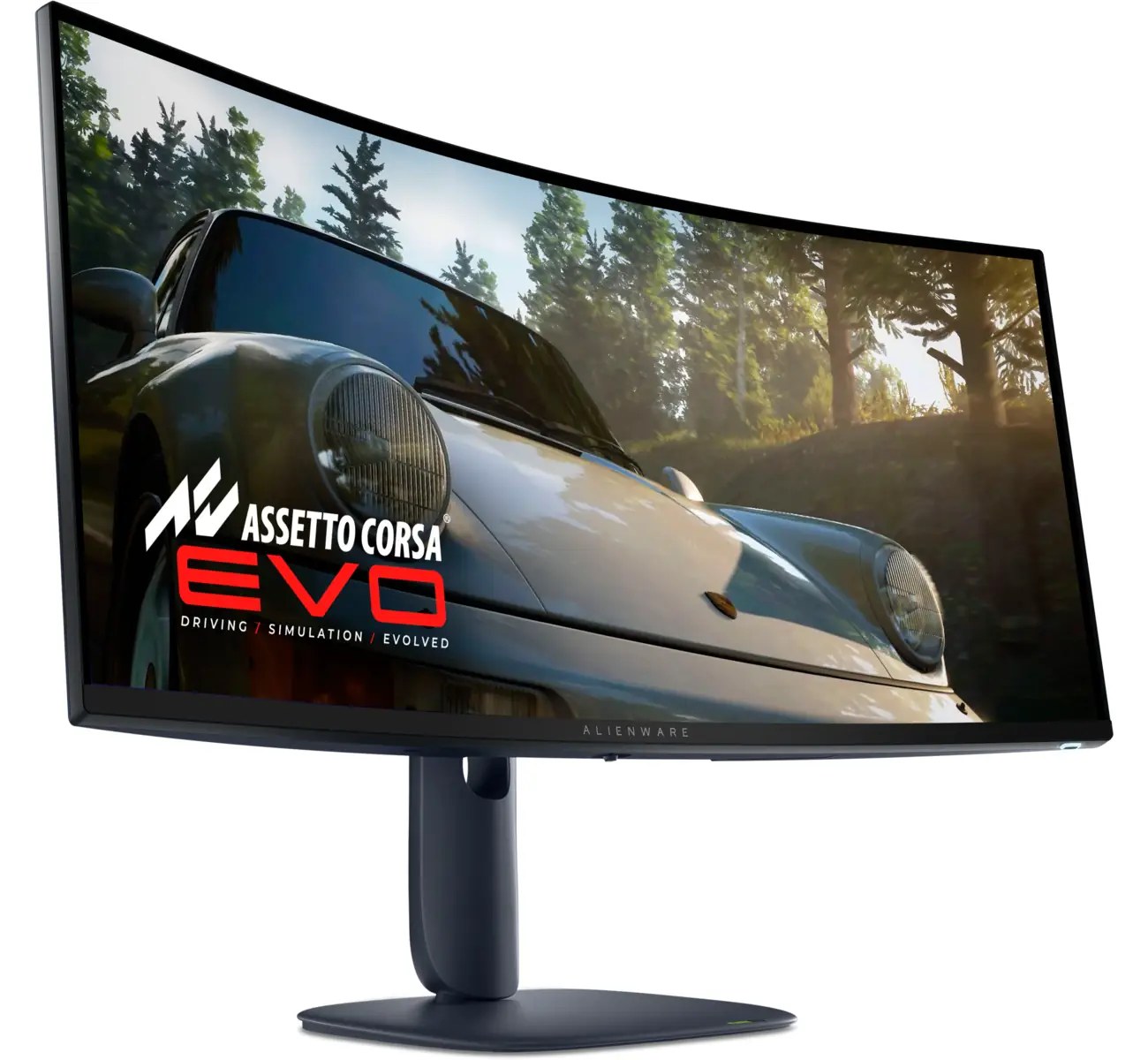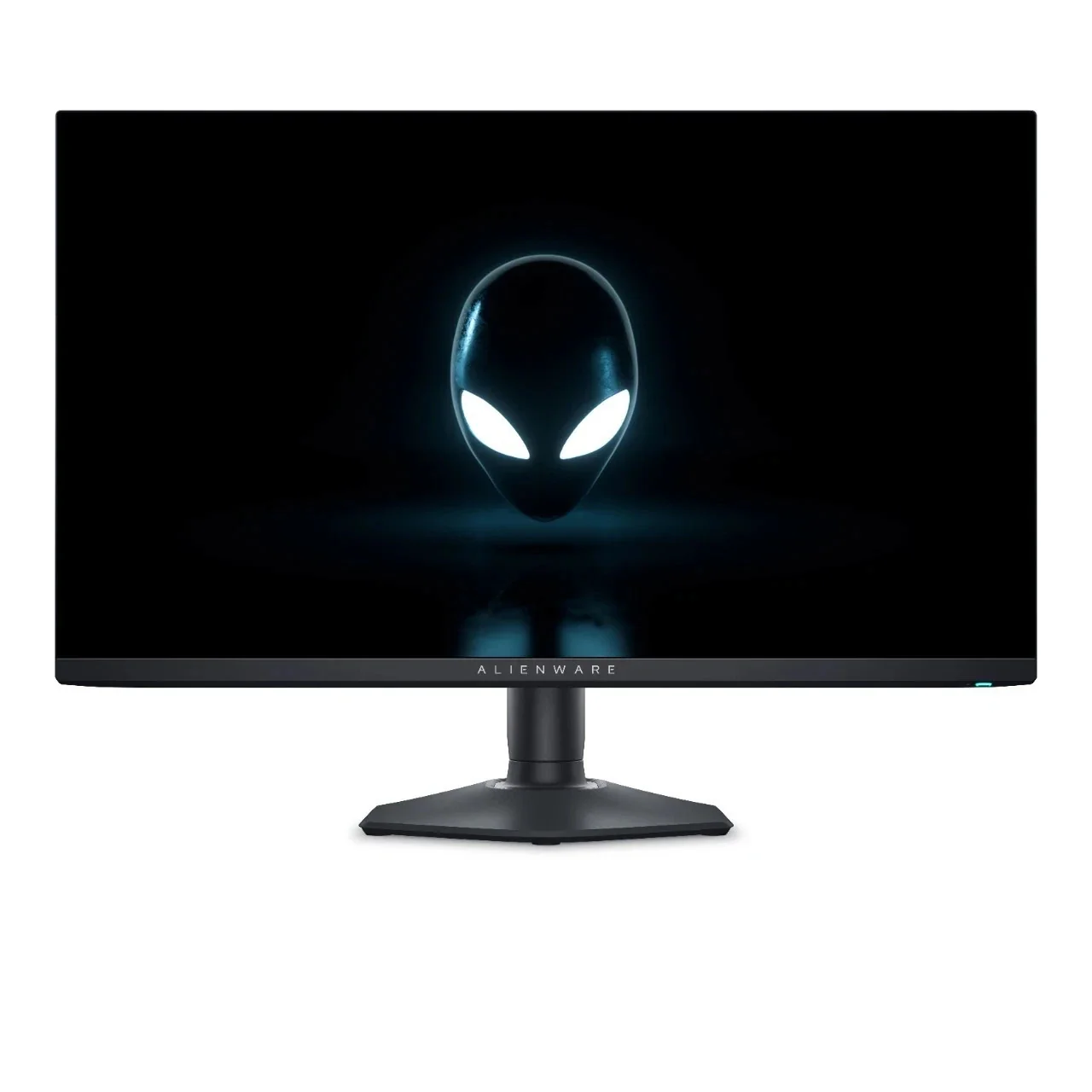
Alienware AW2725DF Gaming Monitor
By Alienware · Gaming Monitors · Audio & Electronics · More from Alienware
- 27-inch QD-OLED, 2560 x 1440, 360Hz
- 0.03ms response time
- VESA DisplayHDR True Black 400
- Two DisplayPort 1.4 and one HDMI 2.1
- VESA mount 100x100mm
Price not listed
- AlienwareView at Alienware
- eBayView at eBay
- AmazonView at Amazon (paid link)
- eBay (used) eBay: used, open-box, refurbishedView at eBay (used)
Stores are listed in a fixed order, never by price or commission. Prices are snapshots. Check the current price with the store.
Summary
A 27-inch flat QD-OLED gaming monitor at 2560 x 1440 and 360 Hz, with lab-confirmed color accuracy and near-instant response for competitive play. Before you buy, check two things: the single HDMI port caps at 240 Hz at 1440p despite its 2.1 label, and Dell’s three-year burn-in coverage applies only to monitors bought directly from Dell.
Strengths
- PCMag measured Delta E 0.5 out of the box with 100% sRGB and 97% of Adobe RGB and DCI-P3.
- 360 Hz refresh, 0.03 ms response and under 1 ms input lag at up to 240 Hz, measured by PCMag.
- HDR highlights reach 1,000 nits in small windows; PCMag measured 1,074 nits at a 2% window.
- RTINGS calls it outstanding for PC gaming, with deep blacks and vivid colors.
- Owners coming from IPS panels describe the colors as popping and HDR as mind-blowing.
- The stand adjusts 110 mm in height and tilts, swivels and pivots; assembly is tool-free, and VESA 100 x 100 mm mounting is standard.
Weaknesses
- The single HDMI port is labeled 2.1 but runs at HDMI 2.0-class bandwidth, capping 1440p at 240 Hz; 360 Hz requires DisplayPort.
- No Dolby Vision, no built-in speakers and no headphone jack.
- VRR flicker with changing frame rates, flagged by RTINGS and discussed by owners in r/OLED_Gaming.
- ABL and uniform brightness are locked on in SDR and cannot be disabled, which frustrates some owners.
- A recurring black-screen, no-OSD failure hit multiple users on Dell’s forum; firmware updates and even a replacement panel did not fix some cases.
- Dell’s three-year burn-in coverage applies only to direct Dell purchases; at least one owner reports a refused burn-in claim on this model.
Verified specifications
| Panel | 26.7-inch (678.2 mm) flat QD-OLED, 2560 x 1440, 10-bit, 110 PPI. |
|---|---|
| Refresh rate | 360 Hz with a 0.03 ms GTG response time. |
| Color gamut | 99.3% DCI-P3 (manufacturer); PCMag measured 100% sRGB, 97% Adobe RGB and 97% DCI-P3; Tom’s Hardware reports over 110% DCI-P3 coverage. |
| Factory calibration | DeltaE2000 under 2 in the sRGB and DCI-P3 presets; PCMag measured Delta E 0.5 out of the box. |
| HDR | VESA DisplayHDR True Black 400, HDR10 only, no Dolby Vision. |
| Brightness | 250 nits SDR at a 100% window, 450 nits at 10%, 1000 nits HDR peak in small windows; PCMag measured 246 nits SDR and 1,074 nits at a 2% window. |
| Contrast | rated 1,000,000:1; PCMag measured 234,046:1 (equipment-limited). |
| Input lag | under 1 ms at up to 240 Hz (PCMag, HDFury Diva); about 2 ms (DisplayNinja). |
| Adaptive sync | AMD FreeSync Premium Pro and VESA AdaptiveSync Display. |
| Inputs | 2 x DisplayPort 1.4, 1 x HDMI 2.1-labeled port that runs at 240 Hz at 1440p, 3 x USB-A 3.2 Gen 1, 1 x USB-B, 1 x USB-C 3.2 Gen 1 upstream. |
| Audio | no built-in speakers; no headphone jack. |
| Viewing angles | 178° horizontal and vertical. |
| Blue light | ComfortView Plus, a TUV-certified hardware low-blue-light mode. |
| Stand | 110 mm height adjustment, tilt -5° to +21°, swivel ±20°, pivot ±90°; VESA 100 x 100 mm with M4 screws. |
| Dimensions | 609.11 x 243.69 x 406.20-516.20 mm with stand (W x D x H); 609.11 x 67.60 x 359.00 mm without stand. |
| Weight | 4.30 kg panel only, 6.70 kg with stand and cables, 9.97 kg packaged. |
| Pixel maintenance | Pixel Refresh runs automatically after about 4 hours of use and takes 6-8 minutes; Panel Refresh after 1,500 accumulated hours, about 1 hour. |
| Warranty | 3 years including OLED burn-in coverage when purchased directly from Dell; retailer purchases do not include the burn-in coverage. |
| In the box | monitor, stand riser and base, I/O cover, power cable, DisplayPort 1.4 cable (1.80 m), USB-C to DisplayPort 1.4 cable (1.0 m), USB 3.2 Gen 1 upstream cable (1.80 m), microfiber cloth, quick-start guide, factory calibration report. |
Full research notes and sources
Speed, color and brightness
The AW2725DF pairs a 27-inch flat QD-OLED panel, 26.7 inches viewable, with a 2560 x 1440 grid, 360 Hz and a 0.03 ms gray-to-gray response. Out of the box it tracks sRGB and DCI-P3 closely with no calibration, and Tom’s Hardware measured over 110% DCI-P3 coverage. Input lag sits under 1 ms at up to 240 Hz. QD-OLED text fringing shows up in some owner reports; others say it is unnoticeable.
Brightness is the tradeoff. SDR measures 242-246 nits at a full window, suited to dim to moderately lit rooms; one owner runs the panel at 75% brightness in a moderately lit room with no issues.
Ports and the HDMI catch
Dell labels the single HDMI port 2.1, but RTINGS and DisplayNinja report it operates at HDMI 2.0-class bandwidth, capping 1440p at 240 Hz; DisplayPort is required for 360 Hz. The rest of the hookup is fine: two DisplayPort 1.4 connectors, three USB-A 3.2 Gen 1 ports, a USB-B and one USB-C 3.2 Gen 1 upstream. There is no headphone jack and no Dolby Vision.
Dell’s US page and PCMag list the monitor as NVIDIA G-SYNC Compatible, but owners in r/Alienware report the NVIDIA control panel does not validate it as G-Sync Compatible. VRR still works when enabled manually.
Failures, maintenance and warranty
RTINGS flags noticeable VRR flicker with changing frame rates, and owners discuss it in r/OLED_Gaming; owner reports on whether current firmware fixes it are mixed. A more serious failure mode is documented on Dell’s community forum: a black screen with no OSD or backlight even though the PC detects the monitor. Multiple users say power-cycling does not clear it, and one had to unplug the monitor for a week and hold the power button for 8 seconds; a replacement panel sent under warranty also failed. Dell has not published a root cause. A long-term r/Alienware thread reports one case of a half-screen hue shift that a pixel refresh cleared.
Burn-in coverage is the fine print that matters. Dell’s three-year warranty includes OLED burn-in coverage with Advanced Exchange Service and Premium Panel Exchange, but only when the monitor is bought directly from Dell; third-party and retailer purchases do not get the burn-in coverage. One r/Alienware user reports Dell refused a burn-in claim on this model in 2025, while another owner’s advice is to send it back to Dell if it burns in within 3 years, because the warranty covers it. Pixel Refresh and Panel Refresh run automatically to limit image retention; OLED burn-in itself is permanent once it occurs.
Pricing and value
It launched in North America on January 11, 2024 at $899.99 in the US and $1,199.99 in Canada. By PCMag’s February 2024 review, Dell had it at $599; Tom’s Hardware’s April 2024 comparison showed $625 at Newegg. Windows Central tracked it at $619.99 at Dell during a 2025 sale, and Dell US lists it at $649.99 as of October 2026, temporarily out of stock.
At $600-$650 it is a strong buy for esports-focused players who want 360 Hz with OLED blacks. At the $899.99 launch price it is fair; the 280 Hz AW2725D now sits around $550 and 240 Hz OLEDs from Asus, MSI and Samsung compete closely, so compare on warranty terms and port needs. Console gamers should look elsewhere, since the HDMI cap rules out 1440p at high refresh over HDMI.
Which model this is
This page covers the Alienware 27 360Hz QD-OLED Gaming Monitor, model AW2725DF, regulatory model AW2725DFb, Dell part 210-BLJD. It was announced at CES 2024 as the first 360 Hz QD-OLED monitor. Do not confuse it with the AW2725D (280 Hz), the 4K AW2725Q and AW2725QF, or the 32-inch AW3225QF.
The Amazon listing for this model is ASIN B0CZSGWLD5.
Sources
Manufacturer:
- Alienware AW2725DF user manual (PDF)
- Alienware 27 360Hz QD-OLED Gaming Monitor — AW2725DF | Dell USA
- Alienware 27-inch 360Hz QD-OLED — AW2725DF | Dell US (currently unavailable)
- Alienware Monitor Support Services (Home Users) | Dell US
- Image Retention or Burn In on Alienware OLED Gaming Monitors | Dell US
- Dell Alienware AW2725DF debuts at CES 2024 | DisplaySpecifications
- Alienware Doubles QD-OLED Family with Two World’s First Gaming Monitors | PR Newswire
Independent reviews:
Owner reports:
- Honest thoughts on my new Alienware AW2725DF (r/OLED_Gaming)
- AW2725DF long term users (r/Alienware)
- VRR Flicker — Alienware AW2725DF (r/OLED_Gaming)
- Alienware AW2725DF auto adjusting brightness (r/OLED_Gaming)
- How do I enable VRR or FreeSync on AW2725DF? (r/Alienware)
- How worried should I be about burn in on my AW2725DF? (r/OLED_Gaming)
- Dell Refusing Warranty after OLED Burn-IN (r/Alienware)
- Alienware AW2725DF burn-in warranty | Dell Community
- AW2725DF, black screen no OSD menu | Dell Community