
3D Printers
Multi-Toolhead 3D Printers: A Side-by-Side Look
Compare 4 3d printers side by side: Original Prusa XL (5-toolhead), Snapmaker U1 (4-toolhead), FlashForge Creator 5 (4-toolhead) and FlashForge Creator 5 Pro…
How we picked these products
We compare product identity, specifications, pros/cons and retailer links. Until approved retailer API access is available, current Amazon price, star-rating and review-count data are not republished here.
Choose by what matters
Jump straight to what fits your situation — use-case chips point to products that match those features. Price/rating leader chips stay off until approved API data is available.
We don't crown a single "best" pick — this table lays out what's factually true about each option, side by side.
| Product | Check current price |
|---|---|
| Original Prusa XL (5-toolhead) | Check current price |
| Snapmaker U1 (4-toolhead) | Check current price(paid link) |
| FlashForge Creator 5 (4-toolhead) | Check current price(paid link) |
| FlashForge Creator 5 Pro (4-toolhead) | Check current price(paid link) |
Tool-changing printers attack multi-color printing's messiest problem -- purge waste and slowdown -- by swapping entire toolheads instead of filaments. The differences are less about print quality than about build volume, materials and how much enclosure your filament list demands.
Original Prusa XL (5-toolhead)
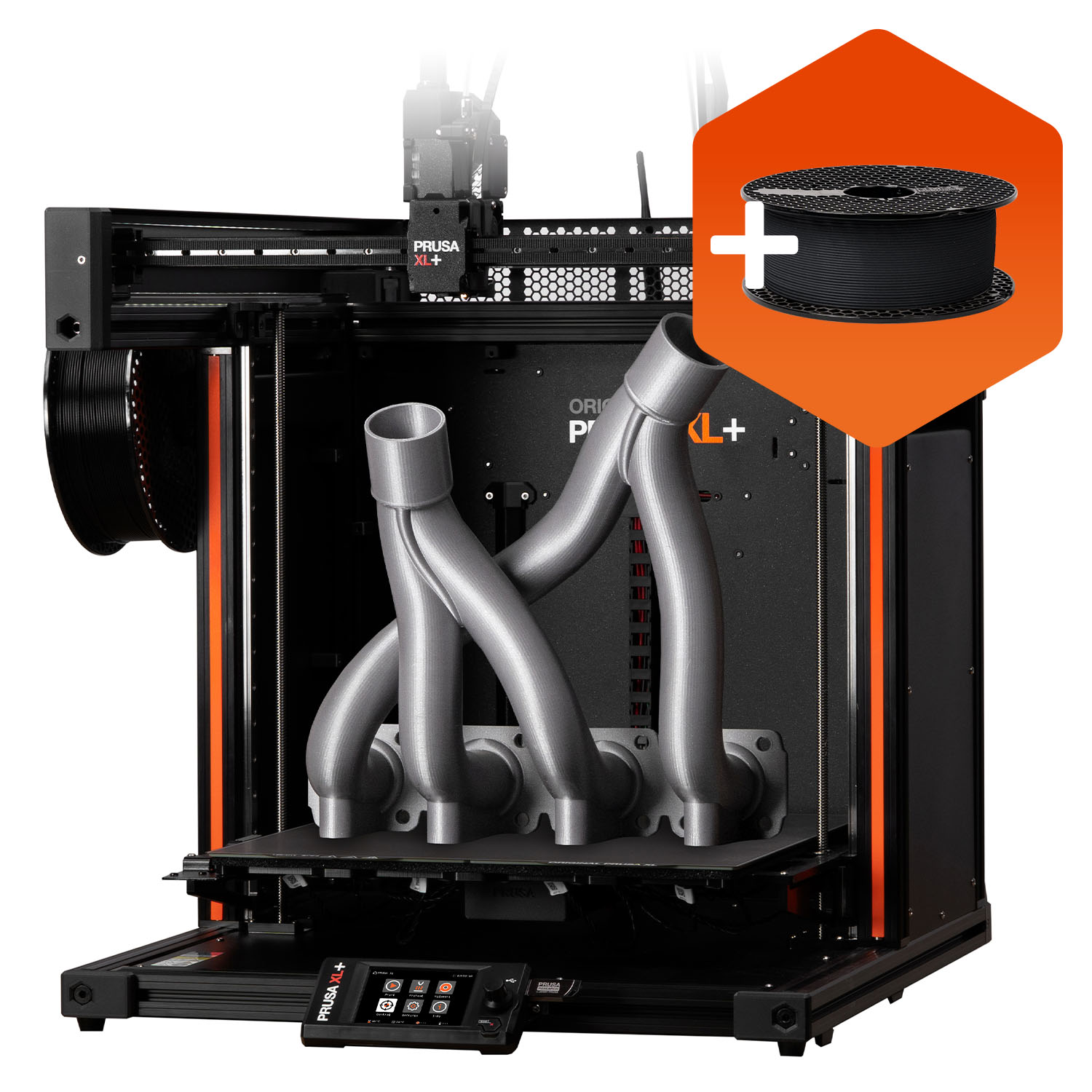
Specs & pros/cons
Key specs:
- Up to 5 independent toolheads (tool-changer)
- 360 x 360 x 360 mm build volume
- Segmented heated bed (16 independently-heated zones)
- Open-source ecosystem, user-serviceable
Pros:
- Largest build volume of the four
- Most toolheads available (up to 5) for complex multi-material prints
- Segmented bed heats only occupied zones, saving energy and reducing warping
- Long track record, active open-source community and spare-parts support
Cons:
- Assembly/kit options exist and require more hands-on setup than closed consumer machines
- Larger footprint, heavier
Short version: The five-head Original Prusa XL is a large 360×360×360 mm CoreXY toolchanger whose real differentiator is not raw speed but true multi-material/multi-nozzle work with very little purge waste. Five complete hotends remain loaded, so a tool change does not repeatedly unload/reload filament through one nozzle.
Snapmaker U1 (4-toolhead)
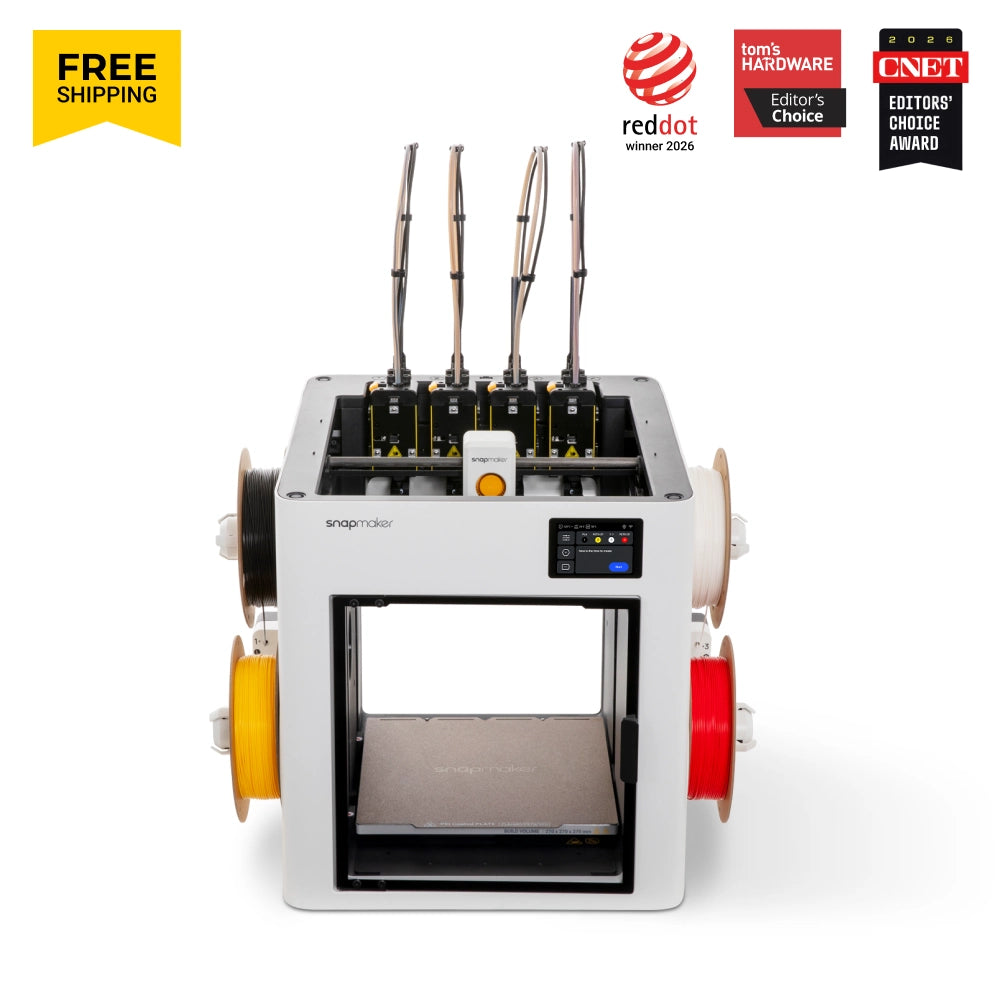
Specs & pros/cons
Key specs:
- 4 toolheads via SnapSwap tool-changing system
- 270 x 270 x 270 mm build volume
- ~5 second tool change time
- Carbon-fiber X-axis rails, lightweight print head
Pros:
- Fastest tool-change time of the four (~5s)
- Most-funded 3D printer crowdfunding campaign to date, large community forming quickly
- Compact footprint for a 4-head machine
Cons:
- Smaller build volume than the Prusa XL
- Newer platform (shipping since late 2025) — less long-term reliability data
- One fewer toolhead than the Prusa XL's max configuration
Short version: Snapmaker U1 is a 4-toolhead CoreXY FDM printer built around direct ~5-second tool changes rather than single-nozzle filament swapping. Noise is also a repeated complaint.
FlashForge Creator 5 (4-toolhead)

Specs & pros/cons
Key specs:
- 4 independent toolheads via FlashSwap system
- 256 x 256 x 256 mm build volume
- Open-frame CoreXY, up to 600 mm/s travel speed
- No active chamber heating or HEPA/carbon filtration -- see the Pro variant below for those
Pros:
- The right pick if you mainly print PLA/PETG/TPU-class filaments, which don't need an enclosure or filtration
- Available directly on Amazon (fastest, most familiar checkout for US buyers)
- Near-zero purge waste design keeps filament cost down on multi-color prints
Cons:
- Smallest build volume of the four (tied with the Pro)
- Open-frame with no active chamber heating or HEPA/carbon filtration, so ABS/ASA/nylon-class engineering filaments are a stretch -- step up to the Pro if you need those
- Newest/least field-tested of the four
Short version: The Creator 5 is a new 2026 CoreXY toolchanger whose real advantage is four independent full-bed toolheads: multicolor/multi-material jobs avoid repeatedly flushing one nozzle and can dedicate heads to colors, soluble supports or different nozzle sizes. The standard model is open-frame; the Pro is a materially different enclosed/heated-chamber product.
FlashForge Creator 5 Pro (4-toolhead)

Specs & pros/cons
Key specs:
- 4 independent toolheads via FlashSwap system
- 256 x 256 x 256 mm build volume
- Fully enclosed frame with active chamber heating up to 65C
- HEPA13 + activated-carbon dual air filtration
- Adds ABS, ASA, PAHT-CF, PET-CF and PPS-CF support over the base model's PLA/PETG/TPU-class materials
Pros:
- Enclosed, actively-heated chamber holds temperature for warp-prone engineering filaments (ABS/ASA and carbon-fiber composites)
- Built-in HEPA + carbon filtration vents fumes/particulates from those same high-temp prints
- Broadest material compatibility of the four printers here
- Available directly on Amazon (fastest, most familiar checkout for US buyers)
- Near-zero purge waste design keeps filament cost down on multi-color prints
Cons:
- Smallest build volume of the four (tied with the base model)
- Newest/least field-tested of the four
- No upgrade path from the base Creator 5 -- the enclosure/filtration are structural, not add-ons
Enclosure decides your filament list
The FlashForge Creator 5 Pro is the only machine here whose listing documents an enclosed, actively heated chamber (up to 65C) with HEPA13 and activated-carbon filtration -- the combination that makes warp-prone ABS, ASA and carbon-fiber composites like PAHT-CF practical. The base Creator 5 explicitly omits both, which is why it is positioned for PLA, PETG and TPU, and nothing in the Prusa XL or Snapmaker U1 listings documents chamber heating or filtration either.
Bottom line
Serious multi-material printing points at the Prusa XL (5-toolhead): the largest build volume here, up to five independent toolheads, a segmented heated bed that heats only occupied zones, and the longest service track record.
Frequently asked questions
What's the actual benefit of multiple toolheads over a single-nozzle printer with a filament changer?
A true multi-toolhead machine has physically separate nozzles, each pre-loaded with its own filament, so switching colors or materials is a mechanical tool swap taking seconds. A single-nozzle system with a filament-changing unit has to purge the old filament out of one shared hotend every time, which wastes more material and takes longer per swap on complex multi-color prints.
Do multi-toolhead 3D printers waste a lot of filament during tool changes?
Less than single-nozzle multi-material systems, since each toolhead keeps its own filament loaded rather than purging and reloading a shared nozzle. There's still some waste from priming each nozzle before it resumes printing, and how much varies by machine and print complexity.
Do you need an enclosure for multi-material printing, or only for certain filaments?
It depends on the filament, not the number of toolheads. Consumer-friendly materials like PLA, PETG and TPU print fine in an open frame; warp-prone engineering filaments such as ABS, ASA, and carbon-fiber-reinforced composites need a heated, enclosed chamber to hold a stable temperature and prevent warping or cracking, regardless of how many toolheads the printer has.
How loud are multi-toolhead 3D printers during a long print?
Comparable to a standard desktop 3D printer -- cooling fans and stepper motors are the main noise sources, typically in the 50-60 dB range, noticeable in a quiet room but not disruptive from another room with a door closed. Enclosed models can run slightly quieter since the housing dampens some fan and motor noise.
Can beginners realistically use a tool-changing 3D printer, or is it strictly for experienced users?
Closed, consumer-oriented tool-changers with slicer software and pre-tuned profiles are approachable for a first printer, similar to any single-nozzle consumer machine. Open-source or kit-based tool-changers with more manual calibration and community-maintained firmware have a steeper learning curve and reward prior 3D-printing experience.