How to Choose an E-Reader in 2026: Buying Guide
Published October 20, 2026
In this article
Choose an e-reader by screen size, display type, format support and ecosystem, not by marketing words like “HD” or “library size.” A 6-inch monochrome reader is still the easiest default for plain novels; colour E Ink helps for comics, textbooks and PDFs; and an Android reader only pays off if you will install apps beyond one store.
What actually matters
Screen size: 6-inch vs 7-inch
Most e-readers sit at 6 or 7 inches diagonally. A 6-inch screen is small enough to hold one-handed for hours and light enough to drop in a bag, which is why it remains the commuting default. A 7-inch screen shows more text per page and makes PDFs and comics far less painful to read without constant zooming.
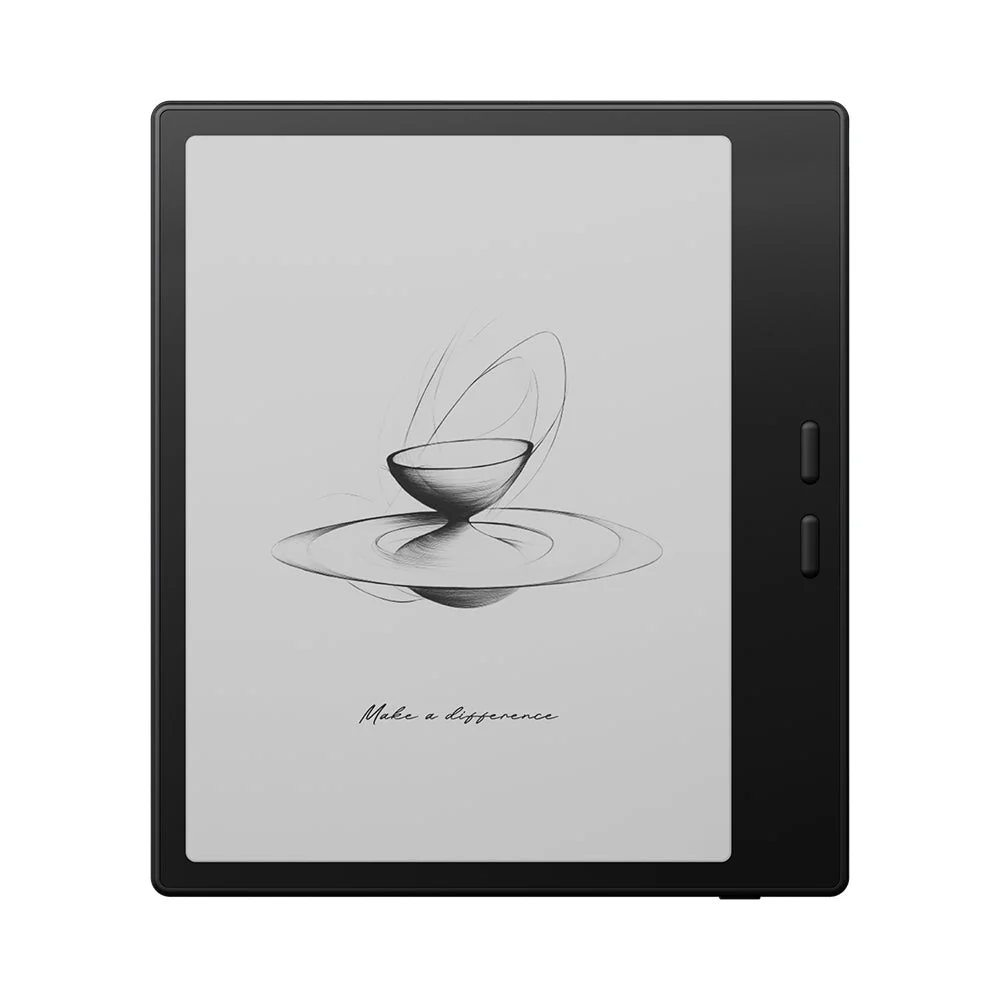
Pick by your material, not by the number alone. If you mostly read novels and news, 6 inches is comfortable. If you read textbooks, manuals, research papers or comics, the extra inch of diagonal and the extra width usually win. The BOOX Go 7 7" Android ePaper eReader with Carta 1300 Screen uses a 7-inch panel at 1680 x 1264 and 300 PPI, so text stays crisp while you fit more of a page on screen.
Monochrome or colour E Ink
“E Ink” is not one thing. Monochrome E Ink Carta panels render text with sharp contrast and almost no glare, and they use very little power. Colour E Ink (Kaleido 3) adds a colour filter on top of the same black-and-white layer, so colour images appear, but colours are muted and the screen is a little dimmer indoors.
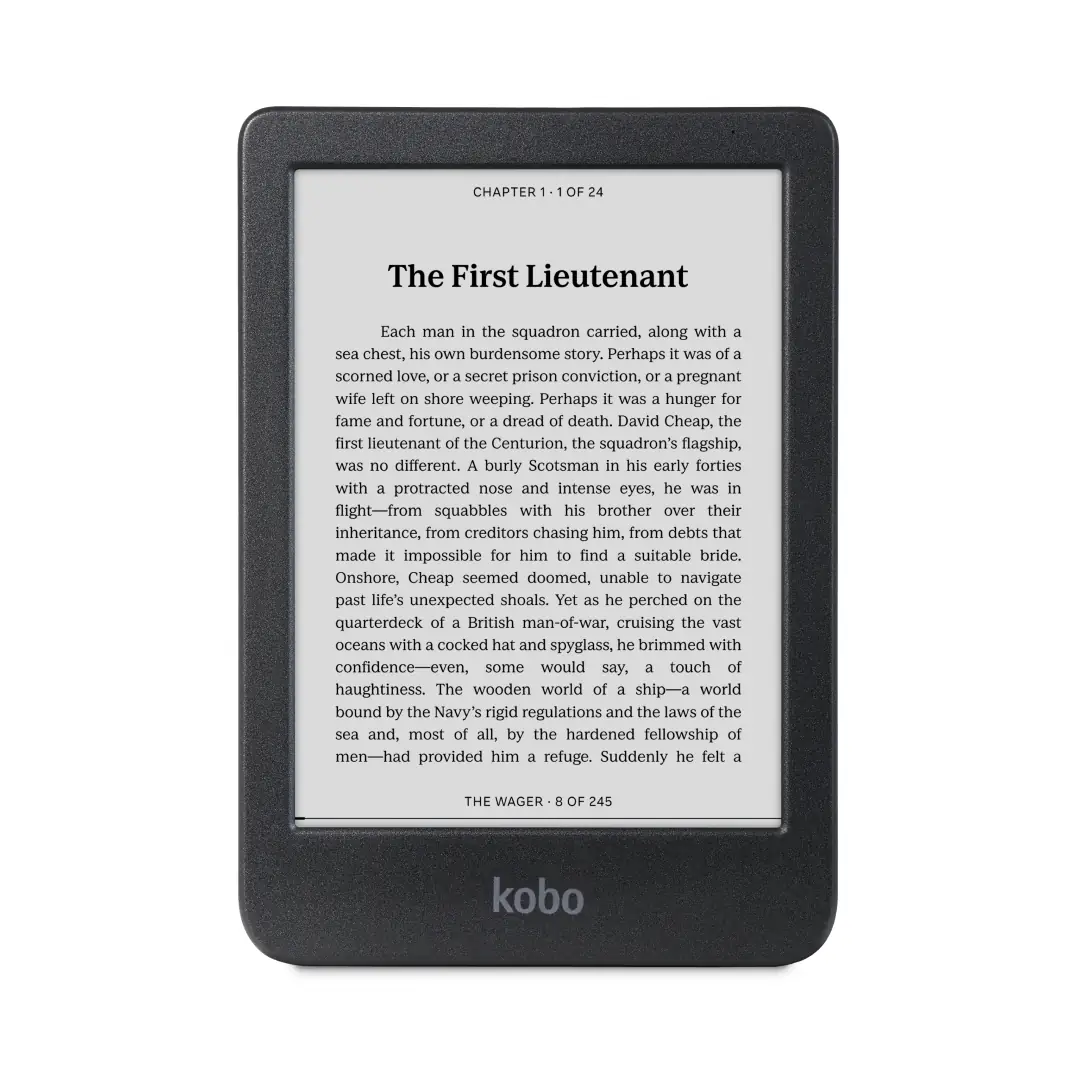
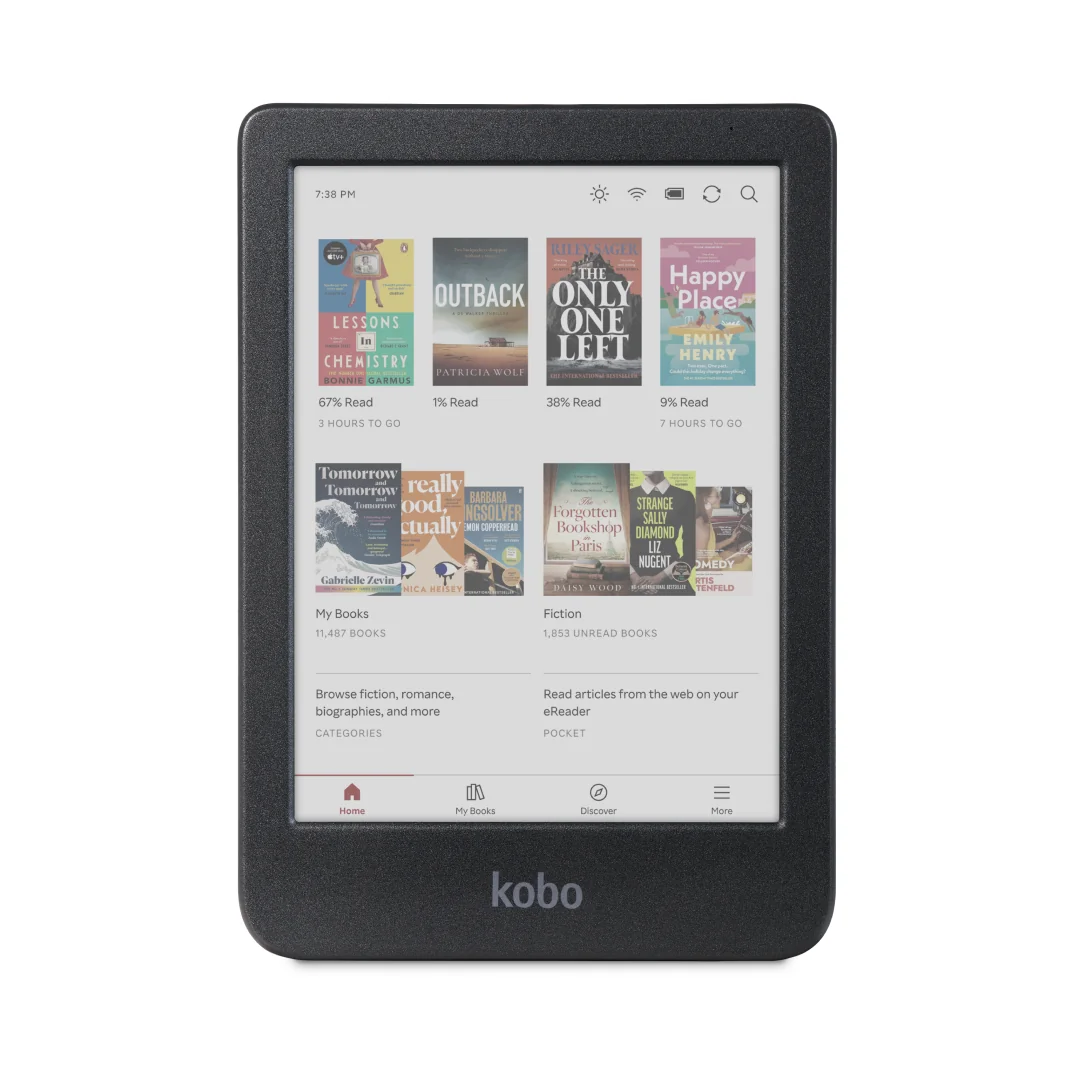
If your reading is 90 percent black text — novels, biographies, news — a monochrome panel is the better reading experience and lasts longer between charges. If you read comics, cookbooks, textbooks, scientific papers or anything where colour carries meaning, colour E Ink is worth the trade-off. The Kobo Clara BW pairs a 6-inch E Ink Carta 1300 HD screen at 300 ppi with a ComfortLight PRO front light and temperature control, which suits text-first readers. The Kobo Clara Colour keeps the same 6-inch class but moves to a colour Kaleido 3 panel, IPX8 waterproofing, 16GB storage, Wi-Fi on 2.4GHz and 5GHz, Bluetooth for audiobooks and USB-C.
Rule of thumb: colour is for content where colour carries information (comics, textbooks, charts). For plain novels, monochrome still reads better and lasts longer.
Front light and warm/cold temperature
Every modern reader has a front light, but not every light is adjustable in colour. A warm/cold (or temperature) control lets you read cool white by day and warm amber at night, which is easier on the eyes before sleep. The BOOX Go 7 includes a front light with warm and cold colour temperature, and the Kobo Clara BW uses ComfortLight PRO with temperature control.
Look for an even light. A single corner hotspot is a common budget flaw. Test with a mostly-white page in a dim room before you commit.
Formats, DRM and stores
This is the decision that locks you in. Check which files you already own. EPUB is the open standard and works almost everywhere; PDF is fixed-layout and awkward on small screens but unavoidable for some work. Many purchased books carry DRM, and a store-locked reader may not open books bought elsewhere without conversion.
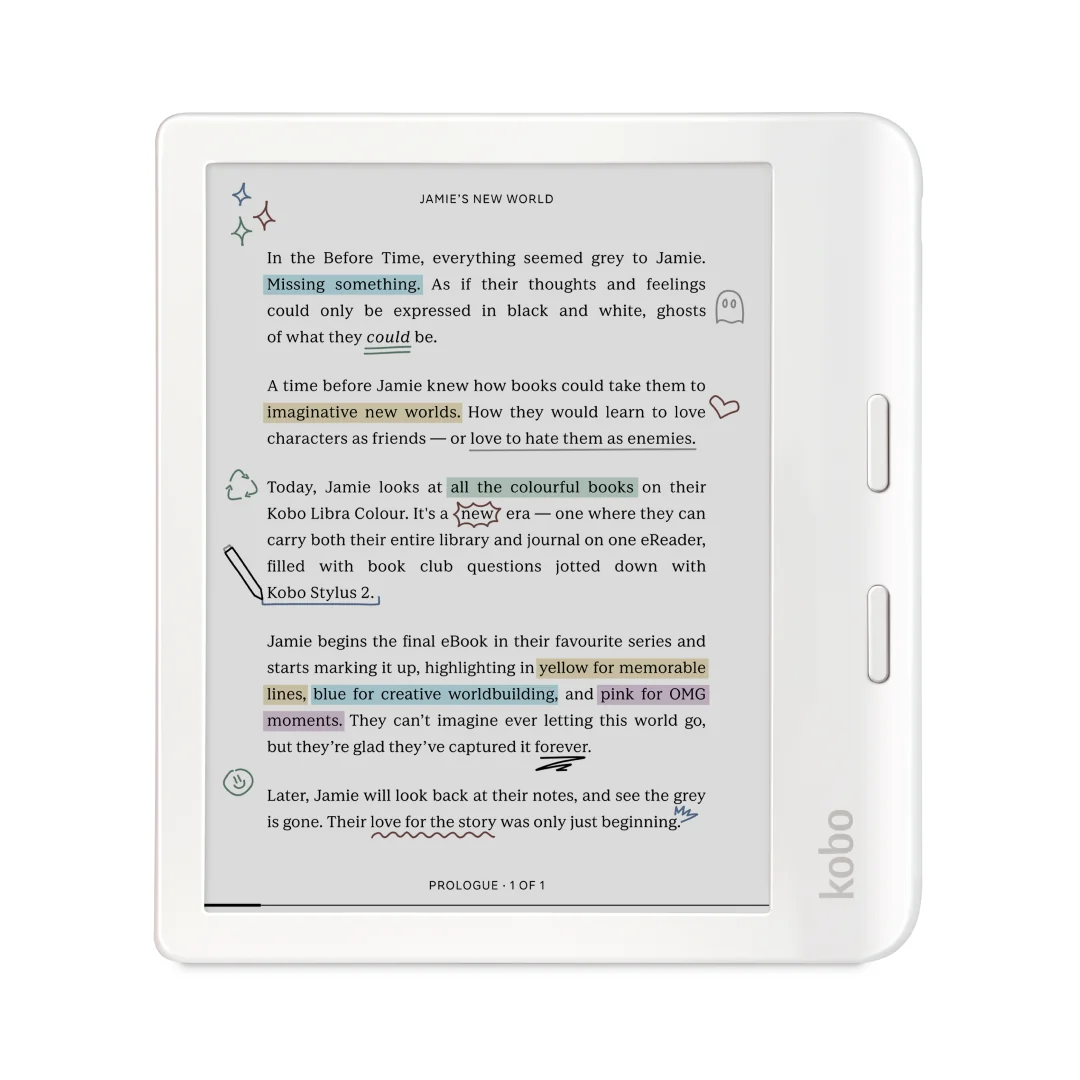
An Android reader with the Google Play Store can run several reading apps, so you can use more than one store or library app. The BOOX Go 7 runs Android 13 with the Google Play Store, an octa-core CPU, 4GB of RAM, 64GB of storage and a microSD slot — overkill for a single-store novel reader, but a real advantage if you juggle EPUB, PDF, library loans and apps. The Kobo Libra Colour handles EPUB and PDF in colour and adds physical page-turn buttons.
Rule of thumb: decide your file sources first. A closed reader is simpler if you buy from one store; an Android reader is the escape hatch if you own files from several places.
Storage, memory and expandability
Storage is usually generous because books are small. A 16GB reader can hold thousands of novels; it gets tight only if you load comics, audiobooks or large PDFs. The Kobo Clara Colour and Kobo Clara BW both carry 16GB.
RAM matters more on Android readers that run several apps. 4GB in the BOOX Go 7 is comfortable for reading plus background apps; a simple Kobo-class reader does not need it.
Battery, charging and buttons
E Ink sips power, so a reader should last weeks of light reading, not days. A 2,300mAh battery, like the one in the BOOX Go 7, is normal for a 7-inch Android unit and still far ahead of a tablet. Colour panels and frequent page turns drain faster.
Physical page-turn buttons are a genuine comfort upgrade for long sessions and one-handed reading in bed. The Kobo Libra Colour and the BOOX Go 7 both include them. USB-C charging is now standard and makes cables easier; the Kobo Clara Colour uses USB-C.
Waterproofing and build
The Kobo Libra Colour, Kobo Clara Colour and Kobo Clara BW are all IPX8 rated. Without it, a single splash can end a reader.
Features that are marketing noise
“HD”, “4K” and “paper-like” are adjectives, not specs. What matters is ppi (pixels per inch) and contrast. Around 300 ppi is the point where individual pixels stop being visible at normal reading distance; higher numbers rarely change how a novel looks. Screen refresh speed and ghosting are more relevant than resolution, and they are hard to judge from a spec sheet — look for a fast refresh mode if you read comics or scroll.
Audiobook support via Bluetooth is useful if you switch between reading and listening, but it is not a reason to buy a reader.
Who should buy what
Plain-novel readers and commuters: a 6-inch monochrome reader with a front light and waterproofing. The Kobo Clara BW fits this brief: 300 ppi, ComfortLight PRO, IPX8 and 16GB.
Colour and mixed-content readers: comics, cookbooks, textbooks or PDFs with charts. A colour E Ink panel pays off here. The Kobo Clara Colour is the compact choice; the Kobo Libra Colour adds a 7-inch panel and physical page-turn buttons.
Library, PDF and app users: if you borrow from several libraries, keep DRM’d books from more than one store, or want annotation and extra apps, an Android reader is the safer pick. The BOOX Go 7 gives Android 13, Google Play, 4GB RAM, 64GB storage, a microSD slot and stylus support.
Kids: durability and parental controls matter more than screen size. A waterproof, drop-friendly reader that can hold a single library account is enough.
Gift buyers: a waterproof 6-inch reader with a front light covers almost everyone and is the least likely to be returned.
Common mistakes
Buying by screen size alone. A 7-inch screen only helps if your content benefits from it; a novel reader will not notice the difference as much as a PDF reader will.
Ignoring formats and DRM. Check that your existing library and your library app work on the reader before you buy.
Assuming colour is always better. Colour E Ink is dimmer and drains faster; for plain text it is a downgrade in comfort.
Skipping waterproofing. IPX8 is cheap insurance for bath and beach readers, and many models include it anyway.
Paying for storage you will not use. If you read novels from one store, you do not need 64GB.
Expecting a tablet. E Ink is for reading in bright light, not video or colour work.
A 60-second buying checklist
- Decide your main content: novels, comics, textbooks or PDFs.
- Choose 6-inch for portability, 7-inch for PDFs and comics.
- Choose monochrome for text, colour for content where colour matters.
- Confirm the formats and DRM your library uses.
- Check the front light has a warm/cold temperature control.
- Confirm waterproofing if you read near water.
- Pick storage honestly: 16GB for novels, expandable for comics and PDFs.
- Ignore any feature you cannot name a weekly use for.
The right e-reader is the one that keeps you reading in the places you already read. Screen size, display type and ecosystem usually matter more than the resolution number printed on the box.
- Kobo Clara BW – suits plain-text readers and commuters who want a crisp 300 ppi 6-inch monochrome screen, ComfortLight PRO, IPX8 waterproofing and 16GB storage.
- Kobo Clara Colour – fits colour and mixed-content readers who want a compact 6-inch Kaleido 3 panel, IPX8 waterproofing, 16GB storage, dual-band Wi-Fi, Bluetooth audiobooks and USB-C.
- Kobo Libra Colour – matches comic, cookbook and PDF readers who want a 7-inch colour panel, physical page-turn buttons and EPUB and PDF in colour.
- BOOX Go 7 7" Android ePaper eReader with Carta 1300 Screen – serves library and power users who need Android 13 with Google Play, 4GB RAM, 64GB storage, a microSD slot, stylus support and page-turn buttons.