How to Choose a Soundbar in 2026
Published October 20, 2026
In this article
A soundbar should make voices intelligible, reproduce low-frequency effects, and accept the audio your television or computer sends. Channel-count advertising and an Atmos logo alone cannot tell you whether speech stays clear or the source delivers multichannel sound. We prioritize a genuine center channel, a separate subwoofer, and correctly configured HDMI audio before cosmetic features [1][2][3].
Is a soundbar worth it in 2026?
Yes for movies, games, and dialogue-heavy TV. A proper center channel anchors voices near the screen, while a separate bass unit and surround speakers make effects more convincing than most television speakers. Some surround soundbar packages require fewer speaker cables than an AV receiver with conventional passive speakers [1][3].
Skip an elaborate system if you only want background television sound. A basic stereo bar might be enough in that case, while a receiver and independent speakers offer more placement and upgrade freedom for a dedicated theater. Choose the equipment around the room and sources you use regularly rather than the largest advertised channel count.
What actually matters
1. Physical center channel: our first requirement
Our editor’s reference point is a real center speaker. We recommend 3.1, 5.1, 7.1, or 11.1.4 systems for movies. With a proper multichannel source, speech is commonly mixed into the center channel; on our setup, this separation makes dialogue sound alive and anchored to the screen instead of disappearing amid music and effects. Dolby’s setup diagram identifies the center as its own speaker position [1].
This is not the same as a two-speaker bar adding a dialogue-enhancement preset. Ask whether the center uses dedicated drivers and whether the device receives the center signal separately. The Samsung HW-Q990F includes a discrete center in its 11.1.4 speaker package. Independent testing also finds its center reproduces speech clearly [2][3].
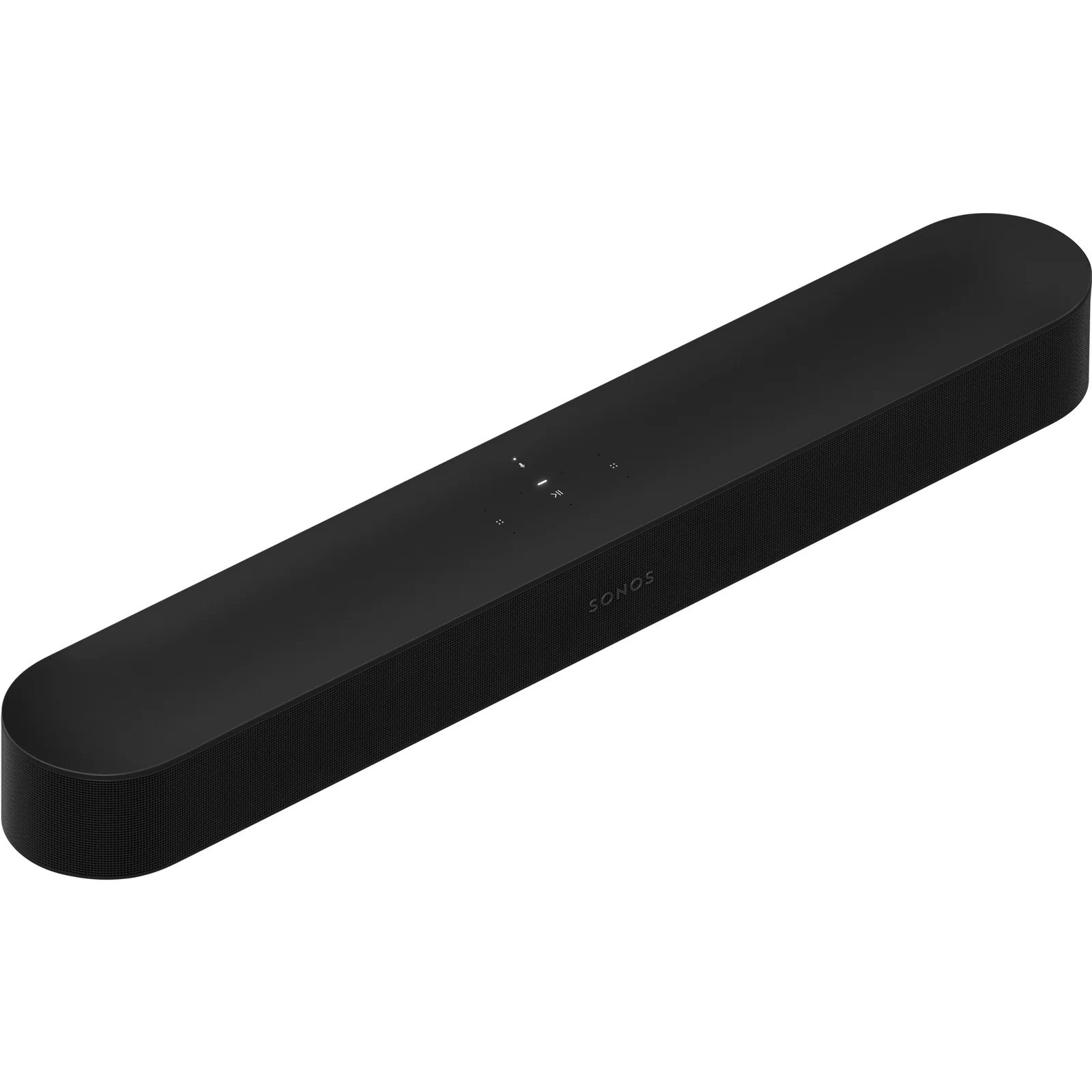
The Sonos Beam Ultra is a smaller design with nine drivers, including a forward-firing center tweeter, and a 7.1.2 Atmos presentation [4]. The Sonos Arc Ultra has 14 drivers with Sound Motion technology and a 9.1.4 claimed soundfield [5]. An advertised rendering count is not the same as having independent speakers scattered throughout a room.
Rule of thumb: For movie dialogue, verify a real center channel and a true multichannel source before selecting speech-processing modes.
2. Subwoofer: included versus optional
For our preferred cinema system, a separate subwoofer is mandatory. A slim bar can provide useful bass but usually cannot reproduce deep effects with the authority of a dedicated bass cabinet. We would rather have a properly connected 3.1 system than a feature-packed standalone stereo bar.
The Samsung HW-Q990F includes a wireless dual-driver subwoofer and two rear speaker cabinets [2]. The Sonos Arc Ultra has improved bass within its main cabinet but ships without a separate Sub in the standalone package [5]. Compatible Sonos subwoofers and surrounds can be added later. The Sonos Beam (Gen 2) is also expandable, so compare the final system rather than just the first box.
“Wireless” refers to transmission of sound, not electricity. The subwoofer needs a nearby power outlet, as do powered rear speakers. Start with a position near the front wall and adjust in small increments if bass seems too heavy or disappears at the listening seat. Room placement can matter as much as bass-enhancement settings [1].
3. Surround, Atmos height, and the room itself
In conventional notation, 3.1 is three main channels plus bass; 3.1.2 adds two height channels. 5.1 adds a pair of surrounds, while 11.1.4 describes a larger ear-level and height arrangement. Dolby describes speaker positioning and the effect of physical or upward-firing height speakers [1].
The Samsung HW-Q990F uses separate wireless rear units rather than relying exclusively on simulated surround [2]. The Sonos Arc Ultra produces a spatial field from its main cabinet but requires optional compatible rear speakers for physically separated rear positions [5].
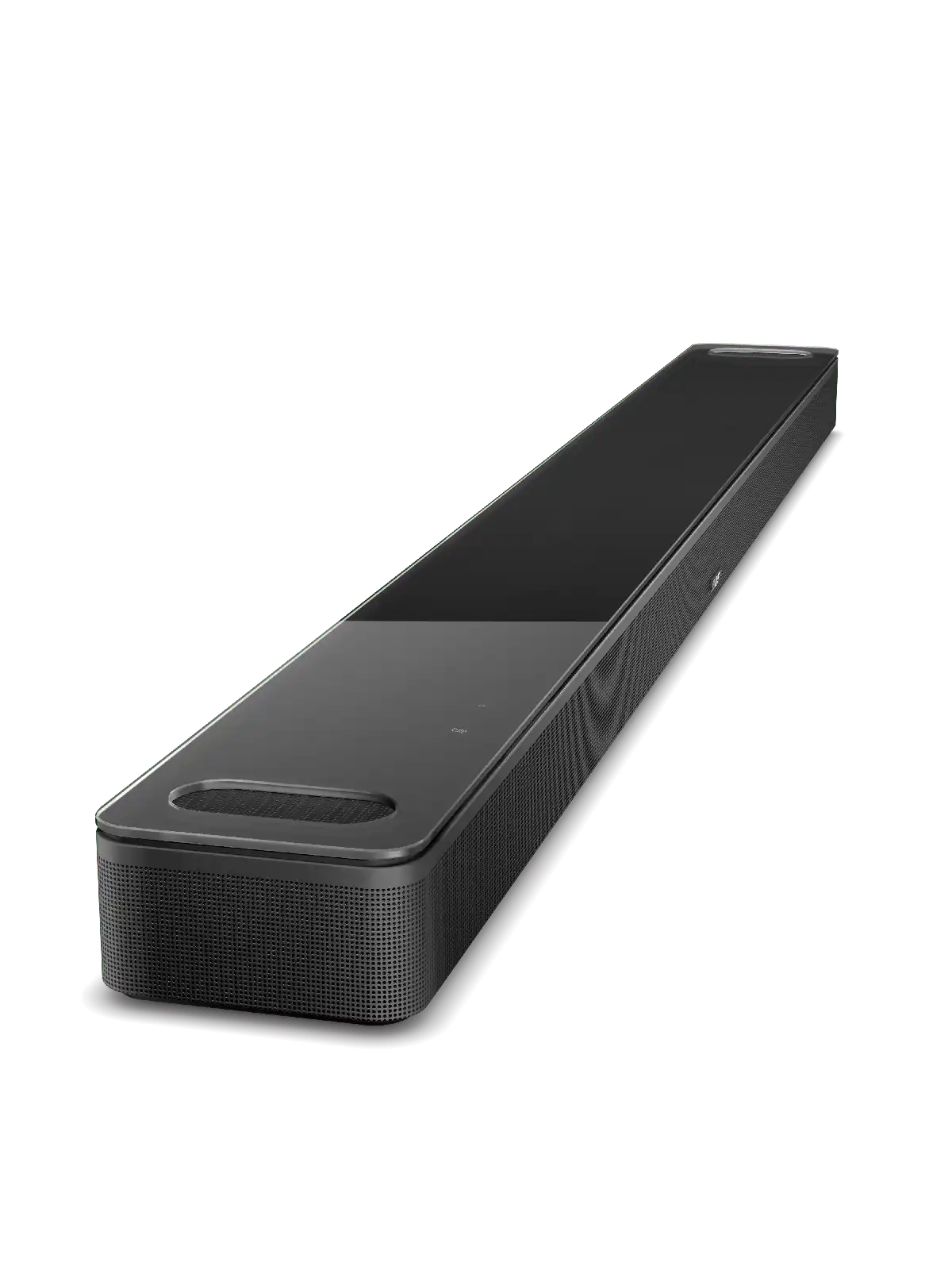
The Bose Smart Ultra Soundbar uses Dolby Atmos with TrueSpace and a dialogue mode. Such processing can be useful, but confirm whether separate surrounds and a subwoofer are sold independently.
Up-firing drivers need a path to the ceiling, so avoid placing the soundbar inside a shelf that blocks them. Vaulted or absorbent ceilings may reduce the expected overhead sensation. The content must also carry Atmos: a streaming platform’s logo does not mean every movie or soundtrack uses that format [1].
4. HDMI eARC, multichannel LPCM, and source direction
Multichannel PCM (LPCM) input is a major plus, especially with Windows games and consoles whose audio has already been decoded into independent channels. Sonos lists Multichannel PCM, Dolby TrueHD, and Dolby Atmos via supported Dolby formats on modern home-theater models; several formats require HDMI eARC [6].
A crucial distinction is HDMI IN versus HDMI ARC/eARC. An ordinary HDMI input receives video and audio from a computer or console. ARC/eARC returns TV audio to the soundbar. The Samsung HW-Q990F has two ordinary HDMI inputs alongside its eARC output, and supports multichannel LPCM [2]. By contrast, the Sonos Arc Ultra has one eARC TV connection and no regular HDMI source input [5][7].
For an eARC-only bar, the normal chain is player or PC → television → television eARC → soundbar. Do not assume directly connecting a graphics card’s HDMI output to the soundbar’s eARC connector will work. An eARC-capable extractor may help in some setups, but compatibility must be verified for the exact device.
Your TV also needs to pass the relevant format. An eARC label does not prove a TV forwards 5.1/7.1 LPCM from every HDMI source rather than outputting stereo. Check what the soundbar actually reports receiving; Sonos provides instructions for checking the incoming audio format [6].
Rule of thumb: Verify multichannel LPCM across the entire HDMI path rather than relying on an eARC label on one device.
5. Video pass-through and wireless convenience
If video travels from a game console or PC through a bar, the bar must support the display mode too. The Samsung HW-Q990F lists 4K at 120 Hz pass-through in its HDMI specifications [2]. That does not prove every HDR, ultrawide, VRR, or high-refresh combination works; check your actual display signal before installing the soundbar between GPU and monitor.
When possible, sending the picture directly to the display and returning audio through eARC can avoid pass-through limits. But it only works if that display offers eARC and passes the needed audio formats. Many ordinary computer monitors do not.
Bluetooth and Wi-Fi are useful for music but are not automatically appropriate low-latency multichannel connections for games. Use HDMI when reliable format delivery and synchronization matter more than wireless convenience.
6. Size, speaker placement, and setup friction
Measure the gap beneath the television or monitor, allowing access to buttons and clearance for upward-firing drivers. Our Bose Smart Ultra Soundbar is 1,045 mm wide, 58 mm tall, and 107 mm deep. A soundbar that blocks the screen or remote sensor is the wrong size regardless of its sound format.
Check where the subwoofer can stand without trapping vents or blocking a walking path. Two powered rears need outlets and safe cable routing. A larger package may be excellent acoustically yet unsuitable when rear speakers must sit against a doorway.
Our PC tip: a 3.1 or 3.1.2 soundbar under the monitor
We like placing a 3.1 or 3.1.2 Atmos soundbar with PCM support beneath a computer monitor. There is often unused space below the screen, and the arrangement looks tidy and ergonomic. The subwoofer can sit elsewhere nearby with its own outlet. A real center channel makes dialogue stand out, and a properly connected multichannel LPCM input can reproduce separate game channels.
First inspect your available ports. If the CPU has active integrated graphics, motherboard HDMI can be a possible audio output; otherwise use graphics-card HDMI. But a computer produces a normal HDMI source signal, not eARC. For direct connection, choose a soundbar with HDMI IN, such as the Samsung HW-Q990F, and confirm that the remaining video path supports the required monitor refresh rate [2]. For a Sonos bar with only eARC, use a compatible eARC television or a dedicated eARC extractor [7].
If all HDMI outputs are occupied but DisplayPort is free, three examples advertised with multichannel HDMI audio are StarTech DP2HD4K60H, StarTech DP2HD4K60S, and Cable Matters 102018. The manufacturers list up to 7.1-channel audio subject to device support [8][9][10].
These adapters create ordinary HDMI output, not an eARC signal. Both StarTech models are limited to 4K at 60 Hz in their published maximum video specifications, and Cable Matters 102018 is intended for 1080p use [8][9][10]. StarTech warns that some NVIDIA configurations may not expose 5.1/7.1 output with the DP2HD4K60H. Test the Windows HDMI audio device before deciding on an adapter.
Dolby Access: On Windows, the app is available for free, and setting up Dolby Atmos for a supported home-theater soundbar is free according to Microsoft’s Windows guidance [11]. A trial is offered for Dolby Atmos for Headphones; keeping that headphone virtualization feature after the trial is a paid, one-time entitlement, not a recurring subscription according to Microsoft support guidance [12][13]. An ordinary 5.1 LPCM soundbar configuration does not require buying Dolby Atmos for Headphones. Verify the current Store offer before purchasing any license.
In Windows, select the HDMI audio playback device and check its speaker setup and available formats. Play known 5.1 content and confirm the bar is receiving multichannel audio. If Windows only exposes stereo, inspect the EDID handshake and display pass-through rather than expecting an app to manufacture independent channels.
Types compared
| Type | Best when | Main drawback |
|---|---|---|
| Stereo 2.0/2.1 bar | Simple background TV listening | Lacks a dedicated center |
| 3.1 with external sub | Our starting point for films | No separate rear effects |
| 3.1.2 Atmos | Compact PC or TV setup | Height effect depends on room |
| 5.1/7.1 with rears | Immersive multichannel viewing | More equipment and outlets |
| 11.1.4 package | Large theater-style presentation | Placement and calibration |
| Expandable single bar | Staged home-theater build | Sub and rear purchases still needed |
Soundbars for beginners, small rooms, families, and heavy use
Beginners: The Sonos Beam (Gen 2) is compact and eARC-capable. We would plan a compatible separate sub for serious movie use rather than consider the single bar complete [6].
Small rooms: The Sonos Beam Ultra includes dedicated upward-firing drivers and a center tweeter. It provides an upgrade path to a compatible Sub and rears [4].
Families and dialogue-heavy TV: The Bose Smart Ultra Soundbar offers speech-focused processing; compare its real dialogue clarity with a discrete-center system before making that the deciding feature.
Heavy movie and gaming use: The Samsung HW-Q990F is a complete package with center, subwoofer, and rears, plus HDMI source inputs and LPCM support [2][3]. Check current firmware and TV compatibility.
Expandable rooms: The Sonos Arc Ultra supports a wide Atmos soundfield, with optional compatible Sub and surrounds. Remember that it expects eARC from the TV and lacks a direct HDMI IN [5].
Features that are marketing noise
Virtual speaker counts are not independent rear speakers. An Atmos logo cannot establish that the source delivers Atmos, and an impressive power number without comparable measurements says little about real dialogue. “Wireless” still requires powered components, while “eARC” does not mean an ordinary GPU can connect directly [1][6][7].
Setup tips
- Measure soundbar width and screen clearance; reserve outlets for the sub and rears.
- Check physical center-channel output and plan a real sub for our home-theater recommendation.
- Identify HDMI IN separately from HDMI ARC/eARC [7].
- Choose multichannel PCM or a suitable Dolby bitstream in the source and TV audio menus.
- Check the incoming sound format rather than trusting the app’s playback-logo display [6].
- Position sub and rear speakers, run calibration, and then fine-tune dialogue and bass.
- Verify high-refresh video and Windows speaker channels before using a DP adapter.
- Save firmware and wireless-pairing instructions for future troubleshooting.
Maintenance and what wears out
Monthly: Dust the cabinet with a soft cloth, ensure drivers and vents stay clear, and inspect mounting stability. Keep liquids away from grilles and connectors.
After rearranging furniture: Recheck sub placement, surround pairing, and calibration. Sound changes when seating and room boundaries move, even though the speakers are unchanged.
Annual costs: These systems normally have no scheduled replacement filters. Powered subwoofers and rears consume electricity in use and may draw standby power. An illustrative 2 W total standby load for 8,760 hours uses 17.52 kWh annually; actual consumption must be measured. Remotes, brackets, and HDMI cables are replaced as needed.
Long term: HDMI sockets, amplifier components, and network software can become trouble points. Firmware updates may alter eARC behavior, so document your settings and versions before troubleshooting dropouts. A loss of sound is not proof that the speaker drivers have failed.
Rule of thumb: When surround stops working, check the incoming PCM channel format and eARC settings before buying replacement hardware.
Soundbars versus alternatives: pros and cons
A soundbar is tidy but less individually upgradeable than separate speakers with an AV receiver. Traditional speakers need more wiring and positioning. Headphones support private listening but cannot give a group the same room-filling bass. Our center-channel and subwoofer criteria apply specifically to the movie-focused systems we recommend.
Common mistakes
Buying a stereo bar for demanding movie dialogue, forgetting a separate sub, treating Atmos rendering as physical surrounds, mistaking HDMI IN for eARC, trying to send GPU HDMI into an eARC-only socket, overlooking TV LPCM pass-through, and buying the headphone Dolby license to repair a home-theater connection [6][7][11].
- Samsung HW-Q990F — complete 11.1.4 system with center, sub, and rear cabinets.
- Sonos Beam Ultra — compact 7.1.2 soundbar with physical upward-firing drivers.
- Sonos Arc Ultra — expandable 9.1.4 spatial soundbar with eARC.
- Sonos Beam (Gen 2) — compact eARC option with optional Sub support.
- Bose Smart Ultra Soundbar — speech-focused Atmos bar for TV rooms.
Sources
[1] Dolby — Atmos Speaker Setup Explained [2] Samsung — HW-Q990F Official Product Specifications [4] Sonos — Beam Ultra Drivers and Atmos Features [5] Sonos — Arc Ultra Drivers and Expansion [6] Sonos — Supported Home Theater Audio Formats [7] Sonos — TV Requirements for Home Theater Speakers [8] StarTech — DP2HD4K60H 7.1 Audio and Limitations [9] StarTech — DP2HD4K60S 7.1 Audio Adapter [10] Cable Matters — 102018 DP to HDMI with 7.1 Audio [11] Microsoft — Windows Spatial Sound and Free Home Theater Setup [12] Dolby — Dolby Access and Headphone Trial [13] Microsoft Q&A — One-Time Dolby Headphones License