How to Choose a Membrane Keyboard in 2026
Published November 4, 2026
Products in this guide
In this article
Choose a membrane keyboard by key feel, anti-ghosting performance, macro support and connectivity. Full-size 104-key layouts suit most users; compact 61-key models save desk space. Favor smooth linear switches, dedicated media keys and reliable macro recording.
Is a membrane keyboard worth it in 2026?
Worth it for quiet typing, budget gaming and office work. Membrane keyboards use rubber domes under keys, creating a softer press than mechanical switches. They cost less, make less noise and are spill-resistant, making them ideal for offices, shared spaces and budget-conscious gamers.
Skip one if you prefer tactile feedback or need extreme durability. Mechanical keyboards offer better response and last longer under heavy use. For competitive gaming where every millisecond counts, some players prefer mechanical switches, though modern membrane keyboards with anti-ghosting perform well for most games.
What actually matters
1. Key feel and switch type
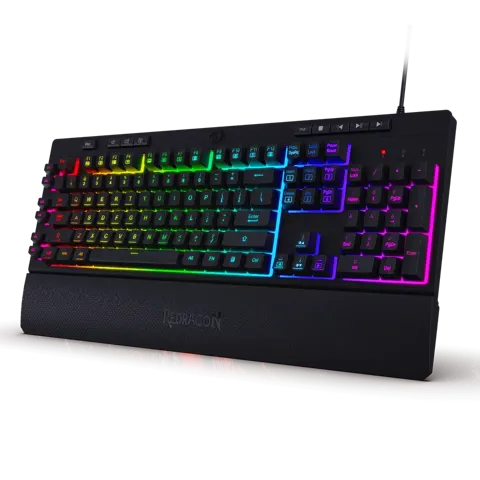
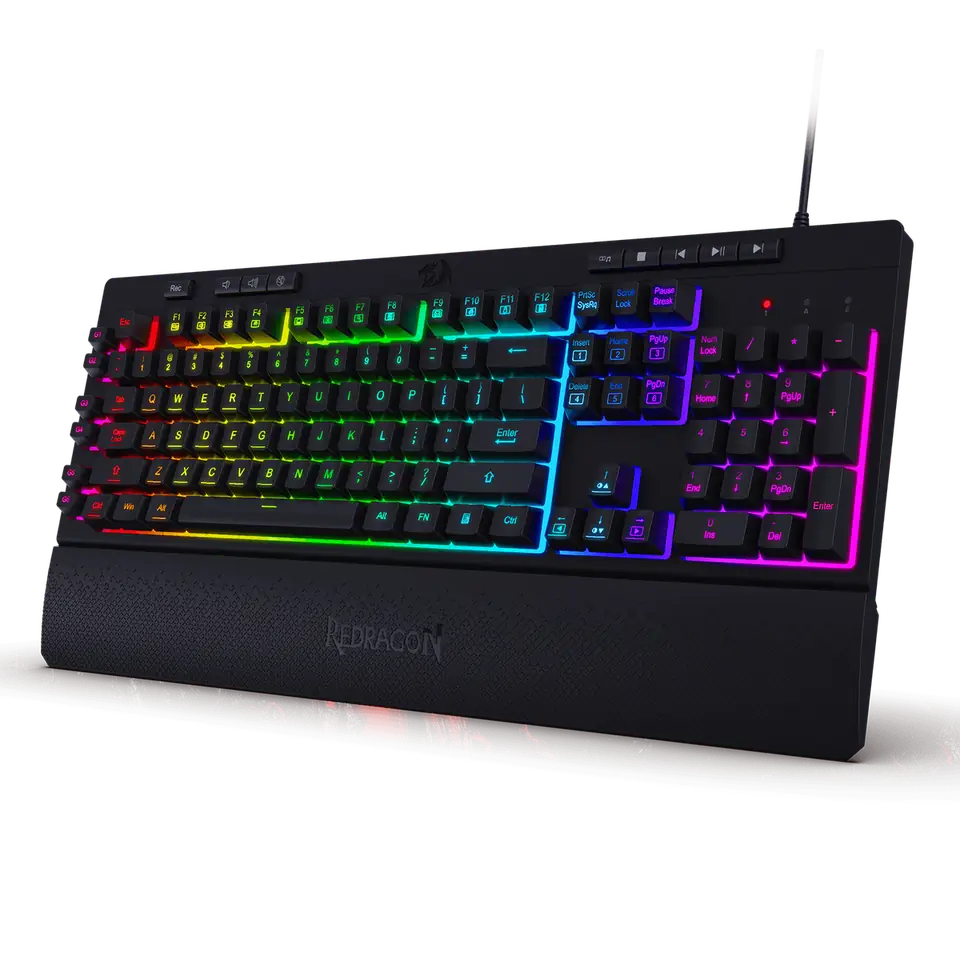
Membrane switches vary in smoothness and resistance. Most use rubber domes that provide a soft, quiet press. The Redragon SHIVA LITE K525 features a “mechanical-feel smooth linear switch” that mimics mechanical keyboard action without the noise or cost. This hybrid approach bridges the gap between traditional membrane and mechanical keyboards.
Linear switches offer smooth, consistent key presses. They don’t have the tactile bump of tactile switches, making them ideal for gaming where quick, repeated keystrokes are needed. The linear feel reduces finger fatigue during long typing or gaming sessions.
Consider key travel distance. Membrane keyboards typically have shorter travel than mechanical keyboards, which some users find faster for gaming. However, the shorter travel can also mean less tactile feedback, making it harder to know when a key has been fully pressed.
Rule of thumb: Choose linear switches for gaming and quiet environments; avoid tactile switches if you prefer a smooth, consistent typing experience.
2. Anti-ghosting and N-key rollover
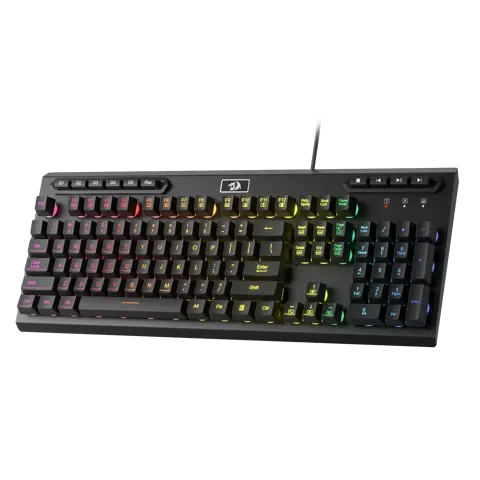
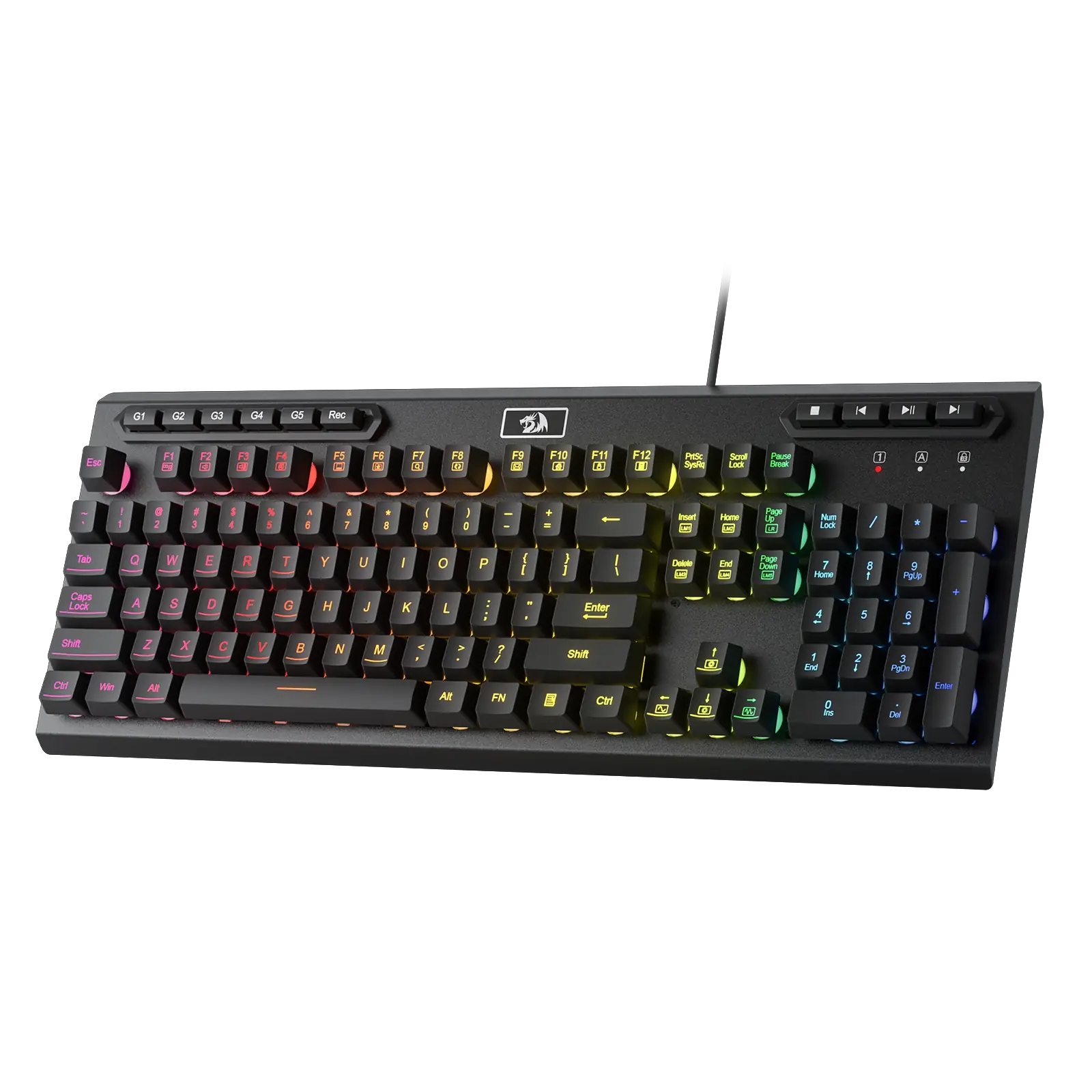
Anti-ghosting prevents missed keystrokes during rapid input. When multiple keys are pressed simultaneously, some keyboards fail to register all inputs. The Redragon ADITYA K513 features 26 anti-ghost keys, while the Redragon SHIVA K512 also has 26 anti-ghost keys. This ensures that complex gaming moves or fast typing aren’t limited by hardware limitations.
N-key rollover is better than limited anti-ghosting. While some keyboards advertise “6-key” or “26-key” anti-ghosting, true N-key rollover registers every key pressed simultaneously. For most users, 26-key anti-ghosting is sufficient for gaming and office work, but power users may want full N-key rollover.
Test the keyboard with your specific key combinations. Different games and applications use different key combinations. Try pressing the keys you use most frequently together to ensure they all register properly. Some keyboards may advertise anti-ghosting but fail on specific key combinations.
3. Layout and form factor
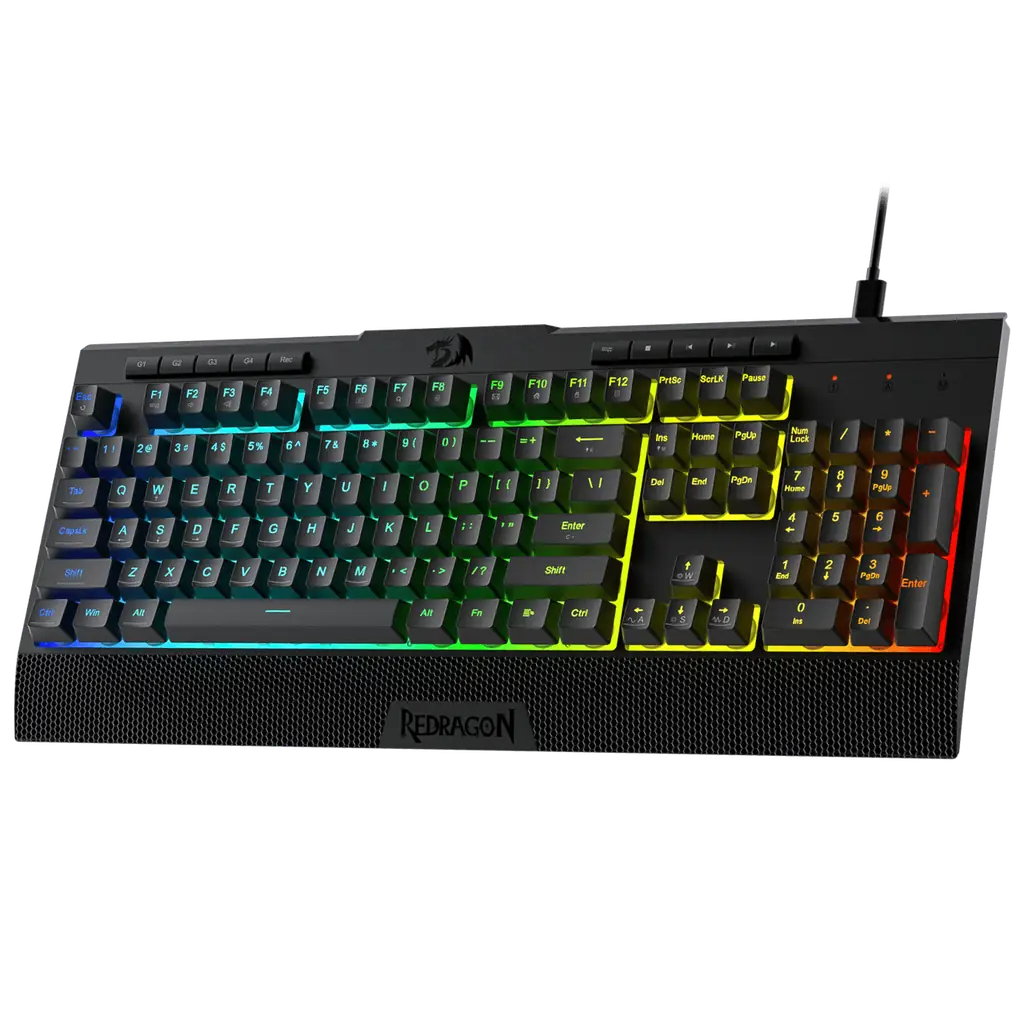
Full-size 104-key layouts include number pads and function rows. The Redragon ADITYA K513 and Redragon SHIVA LITE K525 both use 104-key full-size layouts with US QWERTY. This is ideal for data entry, programming and users who need the number pad frequently.
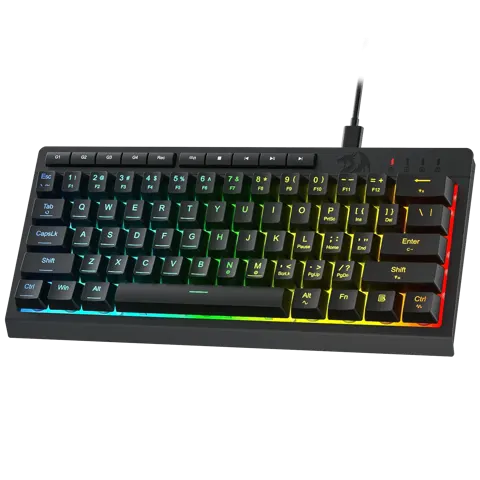
Compact 61-key models save desk space. The Redragon SHIVA K522 uses a 61-key layout that’s perfect for smaller desks or users who rarely need the number pad. Compact keyboards force users to adapt to shortcut combinations, which can improve productivity over time.
Tenkeyless (TKL) layouts remove the number pad. This is a middle ground between full-size and compact keyboards, offering more key functions than 61-key models while saving space compared to 104-key layouts. However, none of the current membrane keyboard models offer TKL layouts.
4. Macro keys and gaming features
Dedicated macro keys provide quick access to complex commands. The Redragon ADITYA K513 features 5 onboard macro G keys, while the Redragon SHIVA LITE K525 also has 4 on-board macro keys. These are programmable keys that can execute complex sequences with a single press, perfect for gaming or repetitive tasks.
Media keys control audio and video playback. The Redragon ADITYA K513 includes 4 dedicated media keys for volume control, play/pause and track skipping. This eliminates the need to use keyboard shortcuts or reach for mouse controls during media playback.
Software vs hardware macro recording. Some keyboards require software to program macros, while others record macros directly on the keyboard. Hardware macros work across different computers and operating systems, while software macros may offer more advanced features like timed delays.
5. Connectivity and build quality
Wired connections offer reliability and no battery concerns. All current membrane keyboard models use wired connections, with the Redragon SHIVA LITE K525 specifically using Type-C wired connection. Wired keyboards have no latency issues and don’t require charging, making them ideal for gaming and critical work.
USB-C vs traditional USB connections. USB-C connectors are reversible and more durable than traditional USB-A connectors. The Redragon SHIVA LITE K525 uses Type-C, which is becoming the standard for new keyboards. This future-proofs your investment and makes connecting easier in low-light conditions.
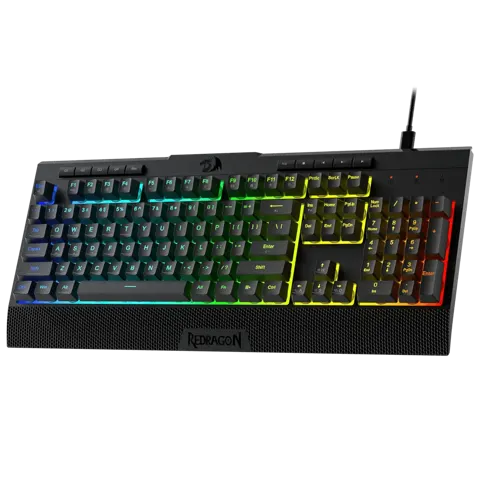
Build quality affects durability and typing feel. The Redragon SHIVA K512 ships in an 18.3 x 8.4 x 2.8 inch box and weighs 0.95 kg. Heavier keyboards tend to be more stable during intense typing or gaming sessions. Look for keyboards with sturdy construction that won’t slide around your desk.
6. Noise considerations
Membrane keyboards are quieter than mechanical keyboards. The rubber dome design absorbs much of the sound created by key presses, making membrane keyboards ideal for offices, libraries or shared living spaces. This noise reduction is one of the main advantages of membrane technology.
Consider your environment and neighbors. In a quiet office or home environment, the low noise of membrane keyboards is a significant advantage. However, if you work in a noisy environment or prefer the audible feedback of mechanical keyboards, the quiet nature of membrane keyboards might feel less responsive.
Types compared
| Type | Best when | Main drawback |
|---|---|---|
| Full-size 104-key | Data entry, programming, number pad users | Takes more desk space |
| Compact 61-key | Small desks, portable use | Missing number pad and function keys |
| Gaming-focused | Competitive gaming, macro-heavy games | May be bulkier than office keyboards |
| Office-oriented | Quiet typing, long work sessions | Limited gaming features |
Membrane keyboards for beginners, offices, gamers and portable use
Beginners: The Redragon SHIVA LITE K525 offers a mechanical-feel smooth linear switch that’s easy to type on, with 4 macro keys for learning shortcuts.
Office workers: The Redragon ADITYA K513 provides 26 anti-ghost keys and 4 media keys for productivity, with quiet operation for shared spaces.
Gaming: The Redragon SHIVA K512 offers 26 anti-ghost keys for reliable gaming input, with a sturdy build that won’t move during intense sessions.
Portable use: The Redragon SHIVA K522 uses a compact 61-key layout that’s easy to transport, with 4 macro keys for gaming on the go.
Features that are marketing noise
Backlighting modes may look impressive but rarely affect functionality. While RGB lighting can enhance the gaming experience, it doesn’t improve typing performance or key response.
Brand claims of “gaming-grade” performance often refer to minor differences that most users won’t notice. Focus on practical features like anti-ghosting and macro keys rather than marketing terms.
Setup tips
- Test the keyboard layout before purchasing if possible. Different key arrangements can affect typing speed and comfort.
- Ensure the cable length is sufficient for your desk setup.
- Keep the keyboard away from direct sunlight and extreme temperatures, as heat can damage rubber dome switches.
- Clean the keyboard regularly with compressed air to prevent dust buildup under the keys.
- For gaming, configure macro keys for your most-used commands before starting sessions.
- Consider wrist support if you type for extended periods to prevent strain.
- Update keyboard firmware if available, as manufacturers often release updates to improve performance and fix bugs.
Maintenance and what wears out
Every use: Wipe the keycaps with a damp cloth to remove oils and dirt. Avoid harsh chemicals that can damage the keycap labels or rubber domes.
Monthly: Clean around the keys with compressed air to remove dust and debris that can affect key response. Be gentle to avoid damaging the rubber dome mechanisms.
Annually: Check the cable connections for wear, especially if the keyboard is frequently moved or bent. Replace the keyboard if keys start sticking or losing responsiveness.
Lifespan: Membrane keyboards typically last 2-5 years with regular use. The rubber domes can wear down over time, leading to inconsistent key response or keys that fail to register. Replace the keyboard when performance degrades rather than trying to repair individual keys.
Rule of thumb: A membrane keyboard with accessible macro keys and reliable anti-ghosting will serve you better than one with flashy lighting but poor key response.
Common mistakes
Buying based on appearance over functionality; ignoring anti-ghosting needs for gaming; choosing compact layouts without considering missing keys; not testing key feel before purchasing; overlooking macro key placement and accessibility; assuming all membrane keyboards are equally quiet; or neglecting to consider cable length and desk space requirements.
- Redragon ADITYA K513 Membrane Gaming Keyboard — full-size layout with 5 macro keys and 4 media keys for versatile use.
- Redragon SHIVA K512 Membrane Gaming Keyboard — sturdy build with 26 anti-ghost keys for reliable gaming performance.
- Redragon SHIVA K522 Membrane Gaming Keyboard — compact 61-key design perfect for smaller desks or portable use.
- Redragon SHIVA LITE K525 Membrane Gaming — mechanical-feel linear switch with Type-C connectivity for modern setups.
See also: Membrane Keyboards under $50 (2026)