Budget 3D Printers
Budget Open-Frame 3D Printers: A Side-by-Side Look
Compare 7 budget 3d printers side by side: Bambu Lab A1, Bambu Lab A1 mini (LED Lamp Kit bundle), FlashForge AD5M, FlashForge Adventurer 5M, Creality Ender 3…
How we picked these products
We compare product identity, specifications, pros/cons and retailer links. Until approved retailer API access is available, current Amazon price, star-rating and review-count data are not republished here.
Choose by what matters
Jump straight to what fits your situation — use-case chips point to products that match those features. Price/rating leader chips stay off until approved API data is available.
We don't crown a single "best" pick — this table lays out what's factually true about each option, side by side.
| Product | Check current price |
|---|---|
| Bambu Lab A1 | Check current price(paid link) |
| Bambu Lab A1 mini (LED Lamp Kit bundle) | Check current price(paid link) |
| FlashForge AD5M | Check current price(paid link) |
| FlashForge Adventurer 5M | Check current price(paid link) |
| Creality Ender 3 V3 SE Bundle (4x PLA) | Check current price(paid link) |
| FlashForge AD5X with IFS (4-Color) | Check current price(paid link) |
| Anycubic Kobra X | Check current price(paid link) |
kinematics, 180-256 mm build volumes, and whether multicolor arrives in the box. Every machine here auto-calibrates, so the real differentiators four-color IFS, and the Ender 3 V3 SE bundle's four included PLA spools.
Bambu Lab A1

Specs & pros/cons
Key specs:
- Open-frame FDM bed-slinger, fully automatic calibration
- 256 x 256 x 256 mm build volume, up to 500 mm/s and 10,000 mm/s²
- Active flow rate compensation for consistent extrusion
- Optional AMS lite adds four-color printing
Pros:
- The easiest start in 3D printing: it calibrates itself, you just load filament and print
- MakerWorld ecosystem and Bambu Handy app make finding and starting prints trivial
Cons:
- No enclosure, so it is a PLA/PETG/TPU machine -- ABS/ASA and nylons want a chamber
- Single extruder unless you add AMS lite
Bambu Lab A1 mini (LED Lamp Kit bundle)

Specs & pros/cons
Key specs:
- Compact open-frame FDM, fully automatic calibration
- 180 x 180 x 180 mm build volume
- Bundle includes the LED Lamp Kit for printed light projects
- Quiet operation, Bambu Handy app and MakerWorld integration
Pros:
- The smallest desk footprint of the bunch -- fits literally anywhere
- Same beginner-proof automatic calibration as the A1
- LED Lamp Kit bundle turns it into a gift-printing machine out of the box
Cons:
- 180 mm cube limits part size -- helmets and large props do not fit
- No enclosure option from Bambu itself
FlashForge AD5M

Specs & pros/cons
Key specs:
- Open-frame CoreXY-style FDM, one-click fully automatic calibration
- 220 x 220 x 220 mm build volume, up to 600 mm/s
Pros:
- One-click calibration covers leveling and the rest of the setup checklist
Cons:
- Open frame -- temperature-sensitive filaments are a stretch
- Single color without optional upgrades
FlashForge Adventurer 5M

Specs & pros/cons
Key specs:
- Open-frame CoreXY, up to 600 mm/s and 20,000 mm/s² with vibration compensation
- Quick-swap nozzles, 32 mm³/s max flow
- Filament run-out sensor and power-loss recovery
- Removable flexible PEI steel plate
Pros:
- Run-out sensor plus power-loss recovery means a failed print rarely ruins a whole spool evening
- Quick-swap nozzles let you change nozzle size in seconds
Cons:
- Explicitly an open printer for well-ventilated spaces -- not an ABS/ASA machine
- Single color as shipped
Creality Ender 3 V3 SE Bundle (4x PLA)

Specs & pros/cons
Key specs:
- Open-frame FDM, 250 mm/s and 2,500 mm/s²
- Bundle includes four spools of PLA filament
- 3-step assembly, automatic filament loading and unloading
Pros:
- Only bundle here that ships with actual filament -- you can print the same day
- Ender community is the largest in 3D printing: every problem has a YouTube fix
Cons:
- Slowest machine here (250 mm/s vs 500-600 mm/s rivals)
- Open frame and a basic feature set -- no AI features, no multi-color path
FlashForge AD5X with IFS (4-Color)
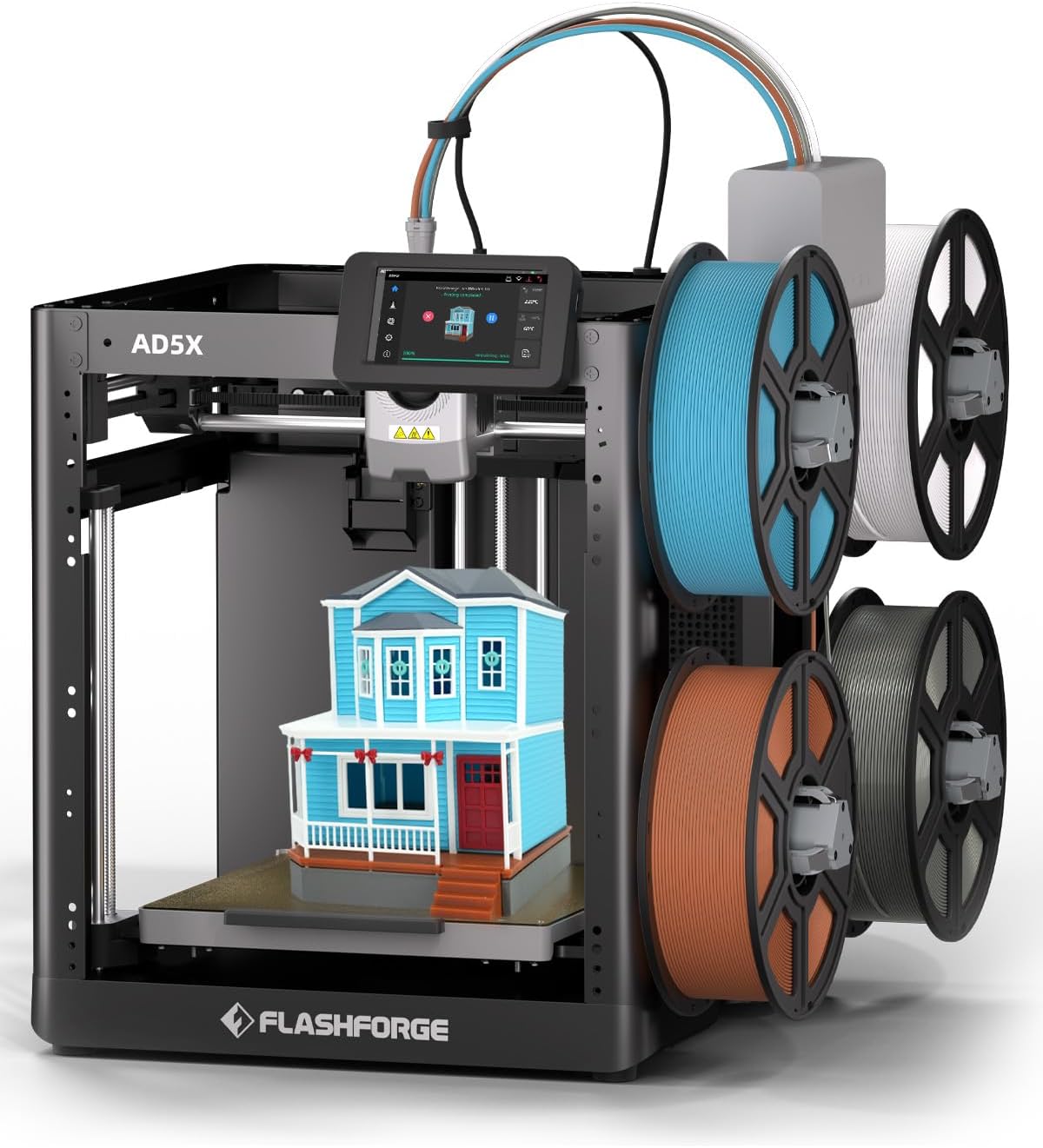
Specs & pros/cons
Key specs:
- Open-frame FDM with integrated IFS four-color system included
- Up to 600 mm/s, automatic leveling
- Ships with four 10 g filament samples to try multi-color immediately
Pros:
- Four color channels without any add-on purchase
Cons:
- Multi-color via IFS means purge waste and longer print times
- Open frame, same filament limits as the rest of this list
Anycubic Kobra X

Specs & pros/cons
Key specs:
- Open-frame FDM with native 4-color printing
- LeviQ 3.0 auto leveling: 49-point mesh at 0.02 mm accuracy
- Rated at about 45 dB -- quieter than conversation
- AI guard detects foreign objects on the bed and print errors
Pros:
- Native four-color without an external box -- the color system lives in the toolhead
- Quietest printer in this comparison (about 45 dB) -- apartment-friendly
- AI safety guard is rare at this price
Cons:
- Newer platform with a smaller community than Bambu or Creality
- Open frame -- same material limits as its rivals here
Which one for you?
Seven machines, four price points, and three genuinely different philosophies. The fastest route to a decision:
- "I just want it to work, and I have desk space." Bambu Lab A1. Self-leveling, a 256 mm cube, the largest community in the budget segment.
- "I want it to work, and my desk is a shelf." Bambu Lab A1 mini. Same software, everything smaller.
- "I want the most hardware per dollar." FlashForge Adventurer 5M for speed, or the AD5M if you prefer the calmer, better-documented sibling.
- "I want to print in color without thinking about it." Anycubic Kobra X if the quiet operation and native color convince you; FlashForge AD5X if you prefer the proven approach of an external feeder.
Bottom line
The Bambu Lab A1 is the safe default: the largest volume here (256 mm The A1 mini trades FlashForge's AD5M/5M pair brings CoreXY speed at now rather than later. walk away with filament in hand.